

Learning how to face swap a video becomes easy with VidMage. All you need is a video and a clear photo of the face you want to use for face swap. VidMage supports MP4, MOV, and M4V videos. Free users can work with videos up to 15 seconds per clip and 100 MB, while subscribers can process videos up to 5 minutes and 1 GB. The VidMage Mac app also supports output up to 4K.
How to Face Swap a Video Online
Follow these steps to learn how to make an AI face swap video online with VidMage:
Step 1: Open the VidMage Video Face Swap tool and upload the video you want to use. Free users can upload videos up to 15 seconds/clip and 100MB, while subscribers can upload videos up to 300 seconds and 1024 MB.
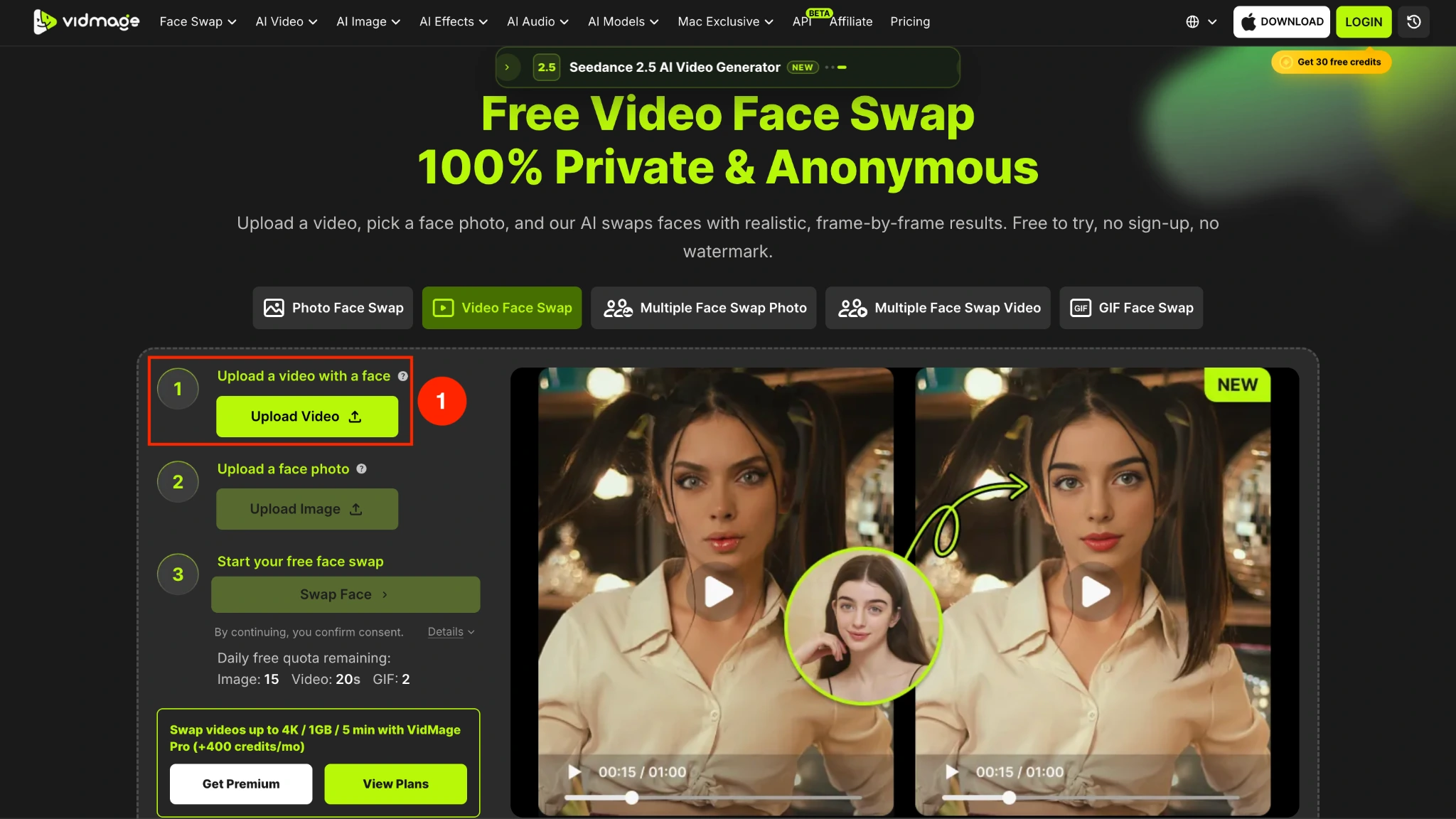
Step 2: Upload a photo with a clear face you want to place into the video.
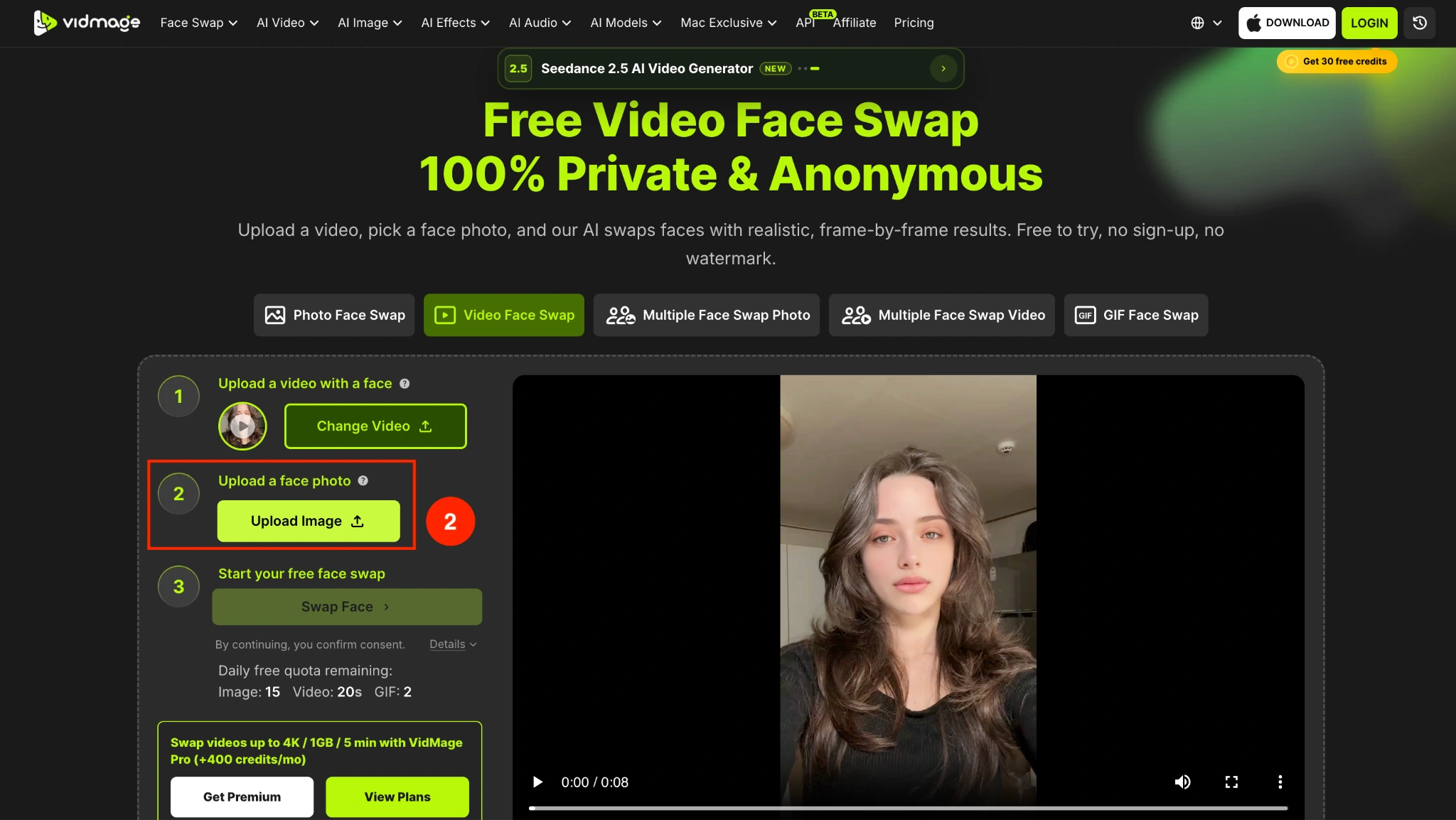
Step 3: Click "Swap Face" to start the face-swapping process.
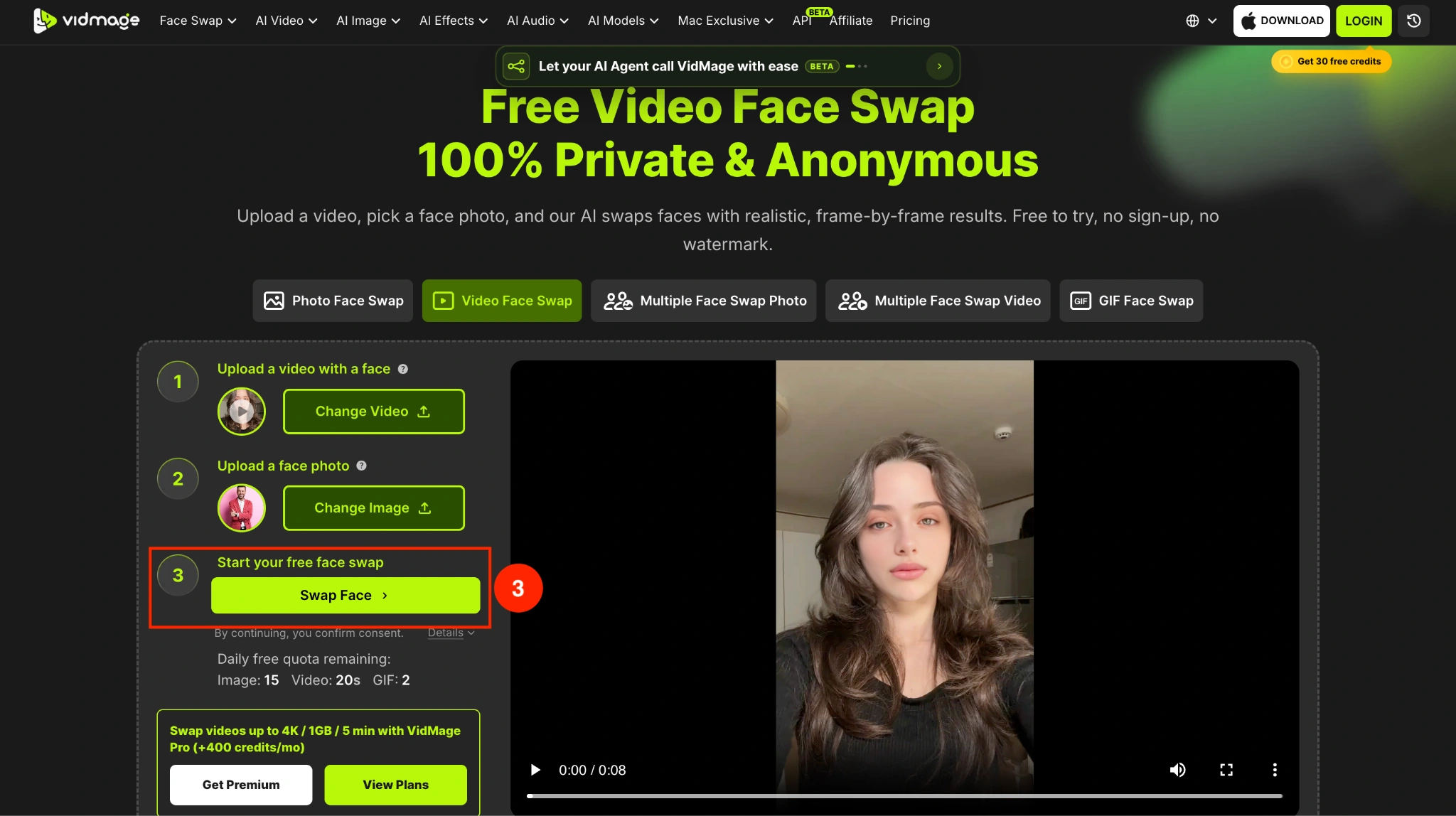
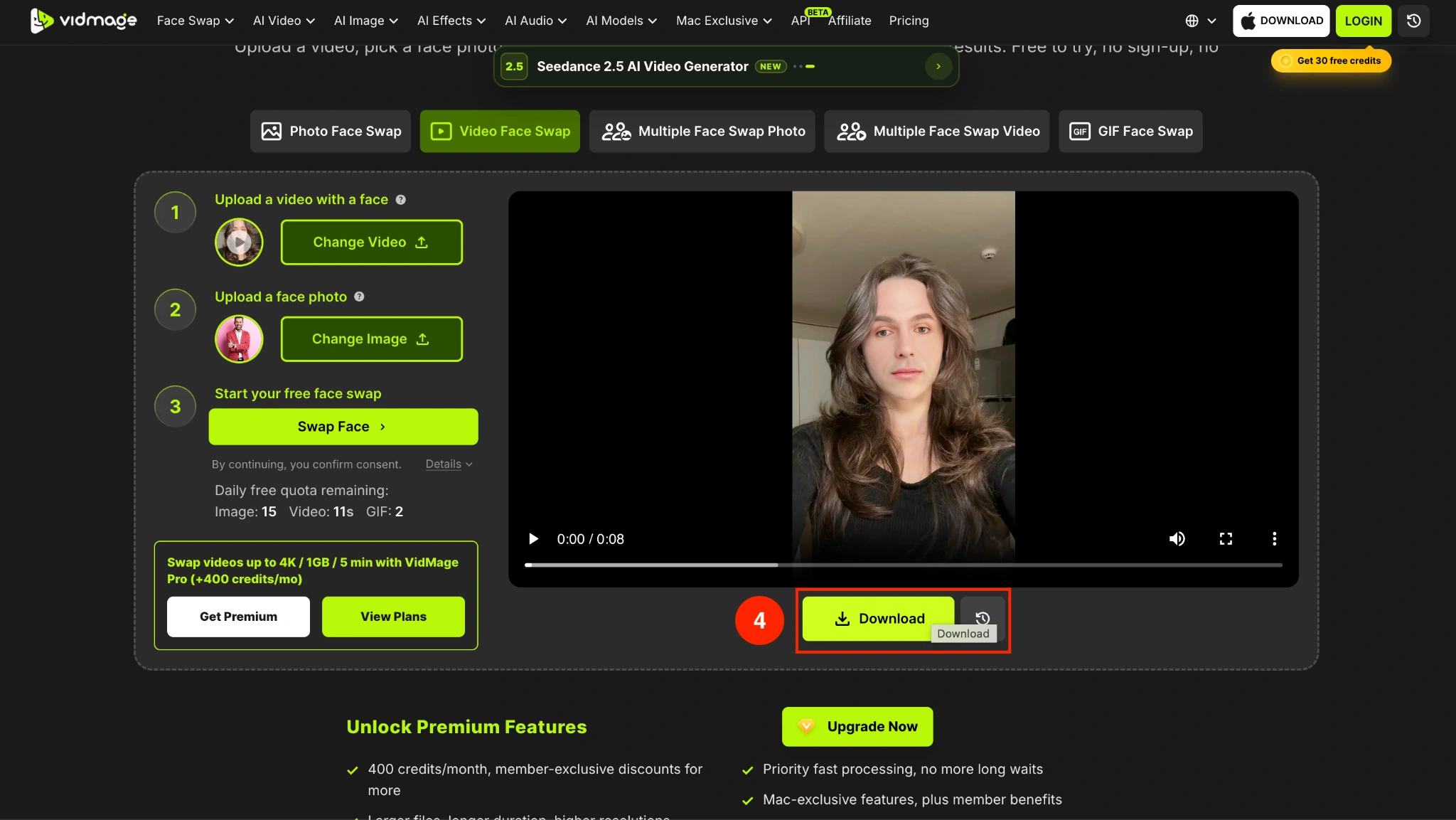
Step 4: Click the "Download" button to save the video. The web tool produces watermark-free results, while the Mac app lets you process longer videos and export at up to 4K resolution.
How to Use AI Video Face Swap Offline on Mac
The VidMage Mac face swap app supports Apple Silicon Macs from M1 onward and can handle videos up to 5 minutes, files up to 1 GB, and output up to 4K. Here is how you can swap faces in a video offline:
Step 1: Hit the Import button to upload the video from your desktop.
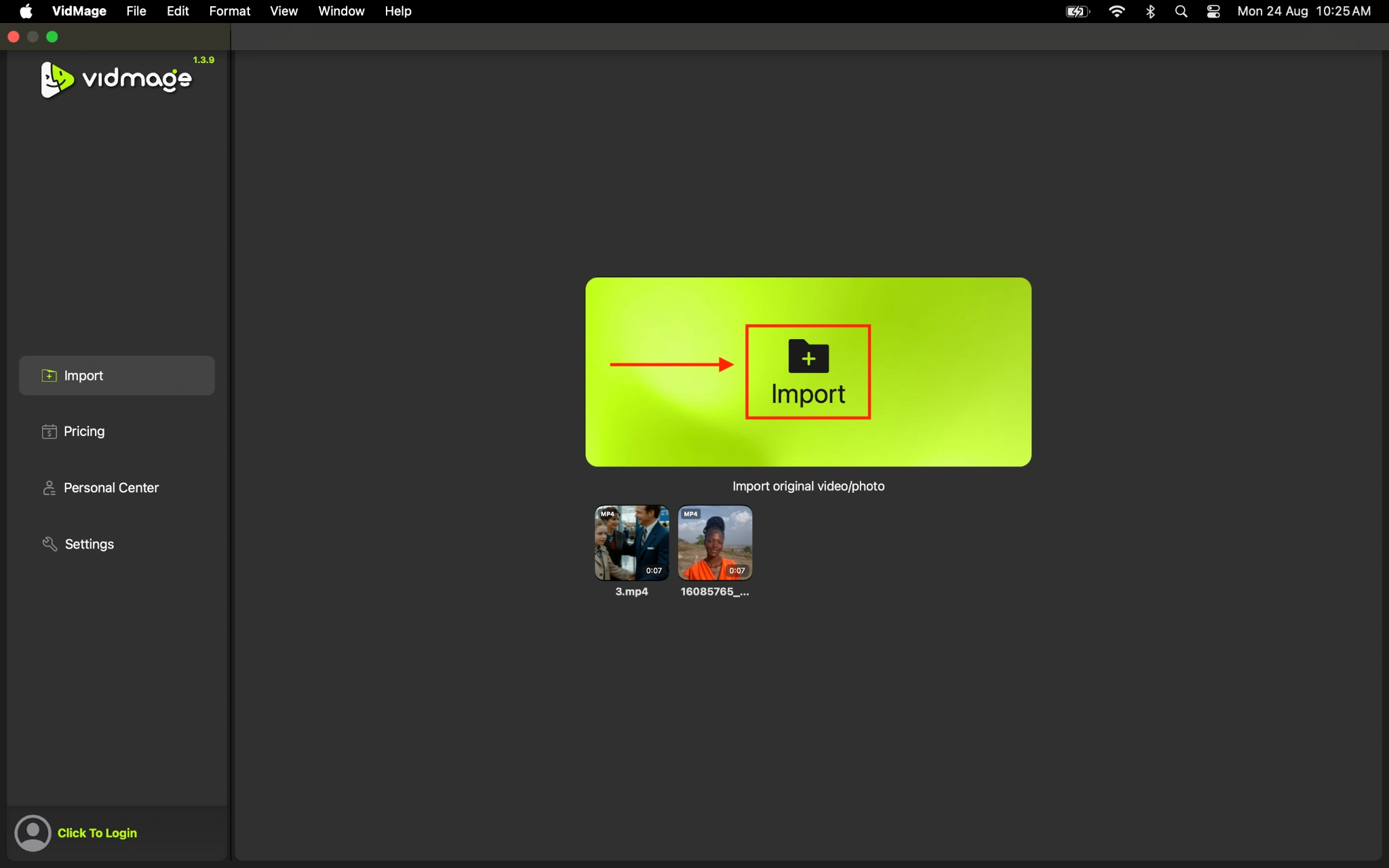
Step 2: Choose from the given faces, or upload a photo of the face you want to swap.
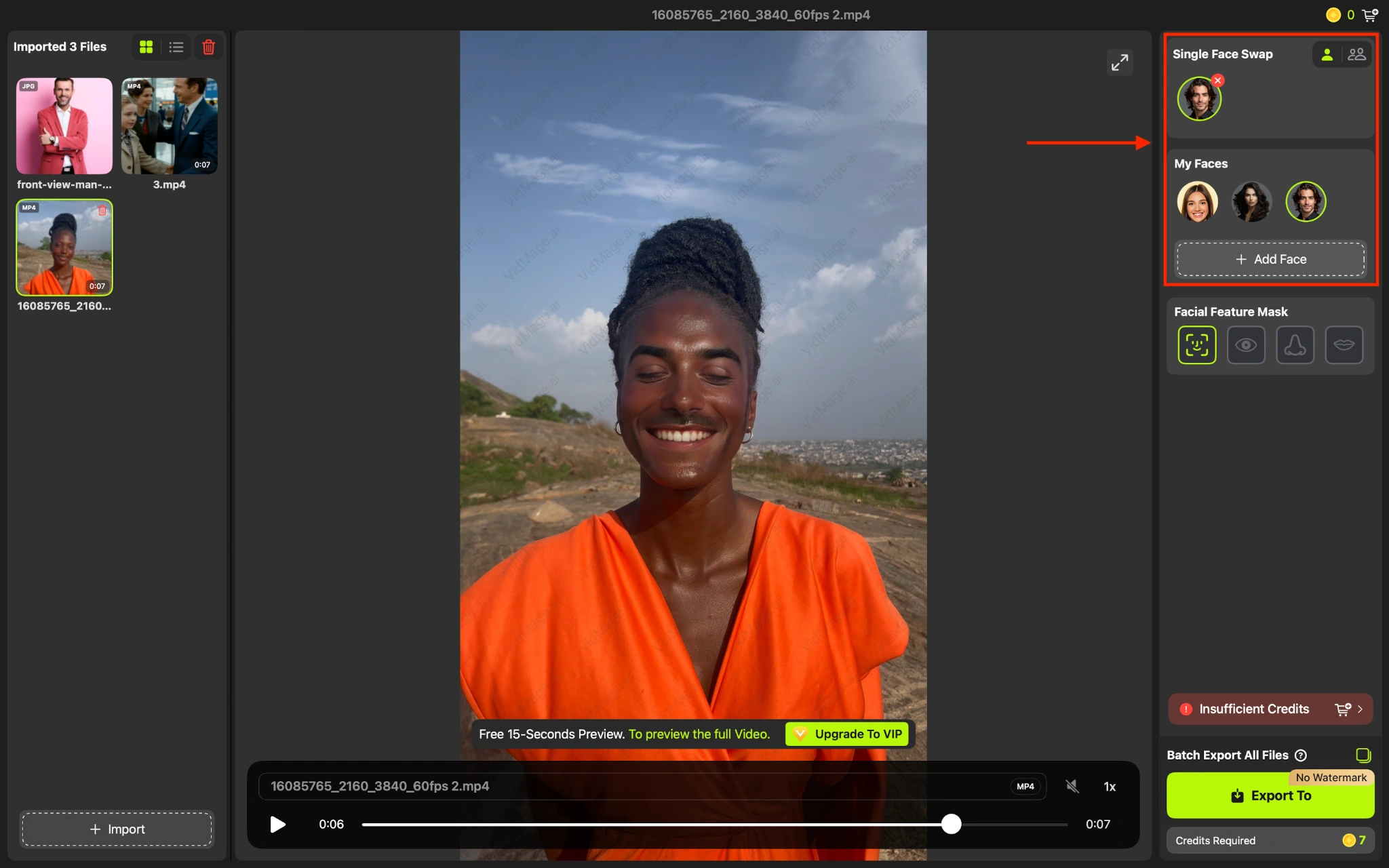
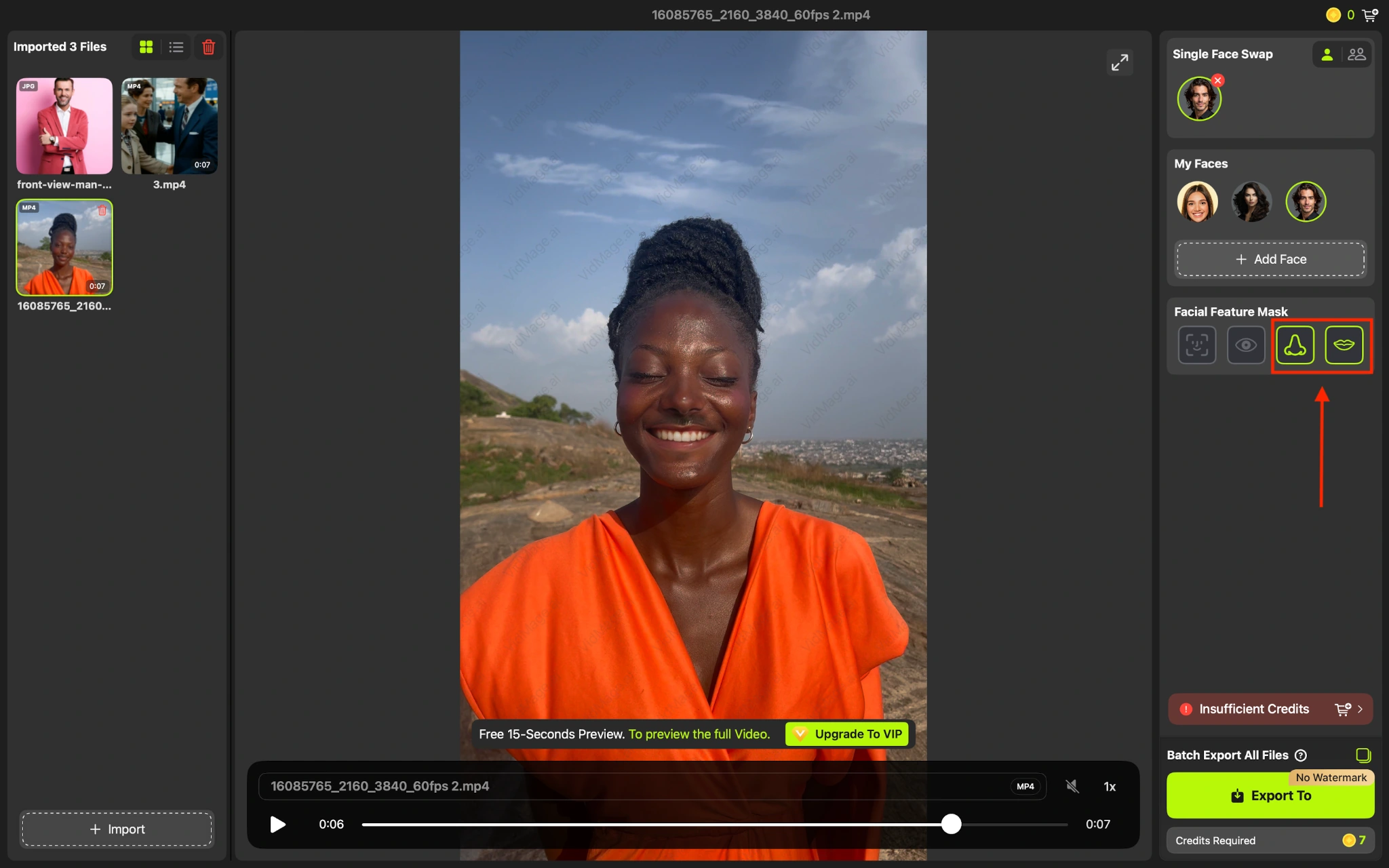
Step 3: You can swap the entire face or specific facial features, such as the nose or eyes.
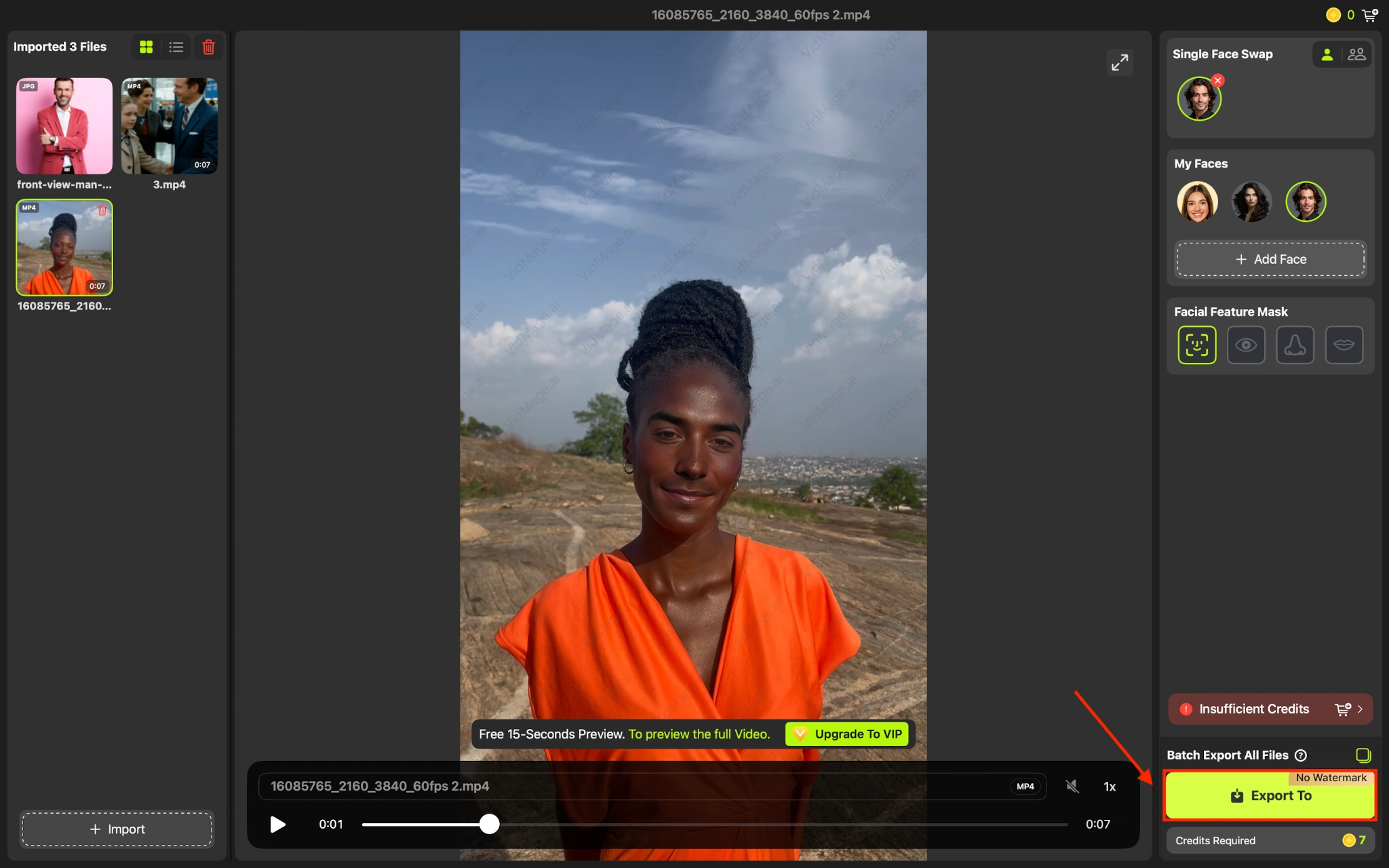
Step 4: Click the Import button and save the video.
What Makes a Good Video for Face Swapping
The quality of your source material can have a big impact on the results you get with VidMage. For cleaner, more natural-looking face swaps, use:
- A clear video with the face visible for most of the clip
- Good even lighting
- A clear target face photo
- A front-facing or mostly front-facing face photo
- Video without heavy shadows covering the face
Side profiles, poor lighting, and heavily obscured faces can make face tracking more difficult.
What Can You Create With VidMage Video Face Swap
VidMage lets you create face swap videos for different types of content, from social media clips to personalized and promotional videos. Some common uses include:
- Creating engaging social media videos
- Making personalized video content
- Creating product demonstrations and promotional videos
- Adding a creative touch to event videos
- Making entertaining videos with multiple faces
- Creating presentation and talking-head video content
What Should You Keep in Mind When Using Face Swap Videos
VidMage suggests you get consent for the content you use before creating or sharing a face swap video:
- Get permission from the people whose faces you use
- Clearly indicate when a video has been digitally edited
- Avoid creating misleading, harmful, or deceptive content
- Make sure you have the rights to use the original video and face images
- Respect people's privacy, identity, and image rights
Try Video Face Swap
Open the tool and follow the steps above.