

If you want to know how to use a gender swap filter, VidMage makes it simple for you. You can upload a photo, choose whether you want a male-to-female or female-to-male transformation, and let the AI create the result.
VidMage also supports gender swapping for videos and GIFs, so you can create a still image or an animated result depending on the file you upload. You do not need to create an account to try the online tool.
How to Use Gender Swap Filter Online
Follow these steps to gender swap a photo with VidMage:
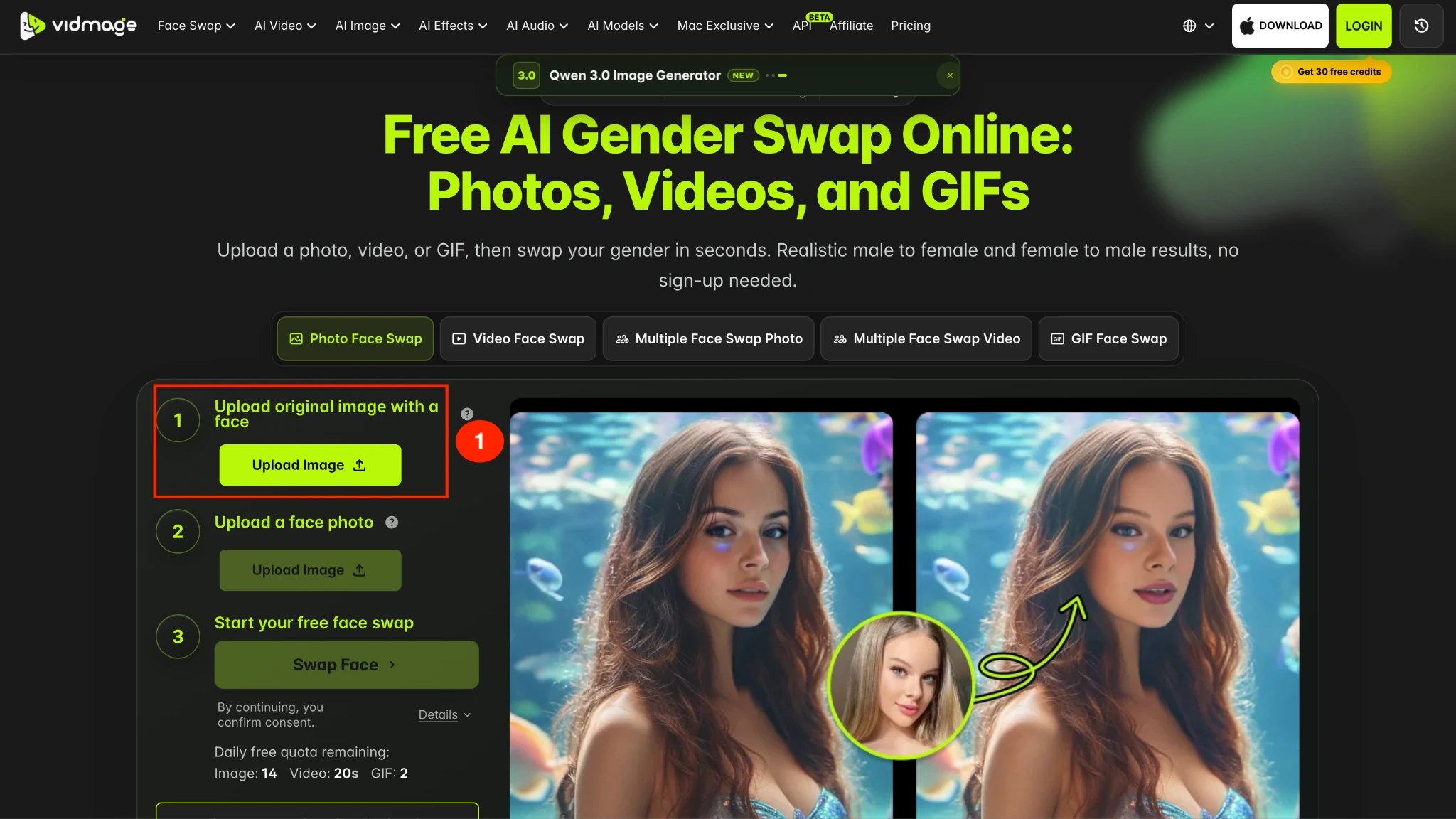
Step 1: Open the VidMage Gender Swap tool and upload the photo you want to transform. You can use PNG, JPG, JPEG, or WEBP images.
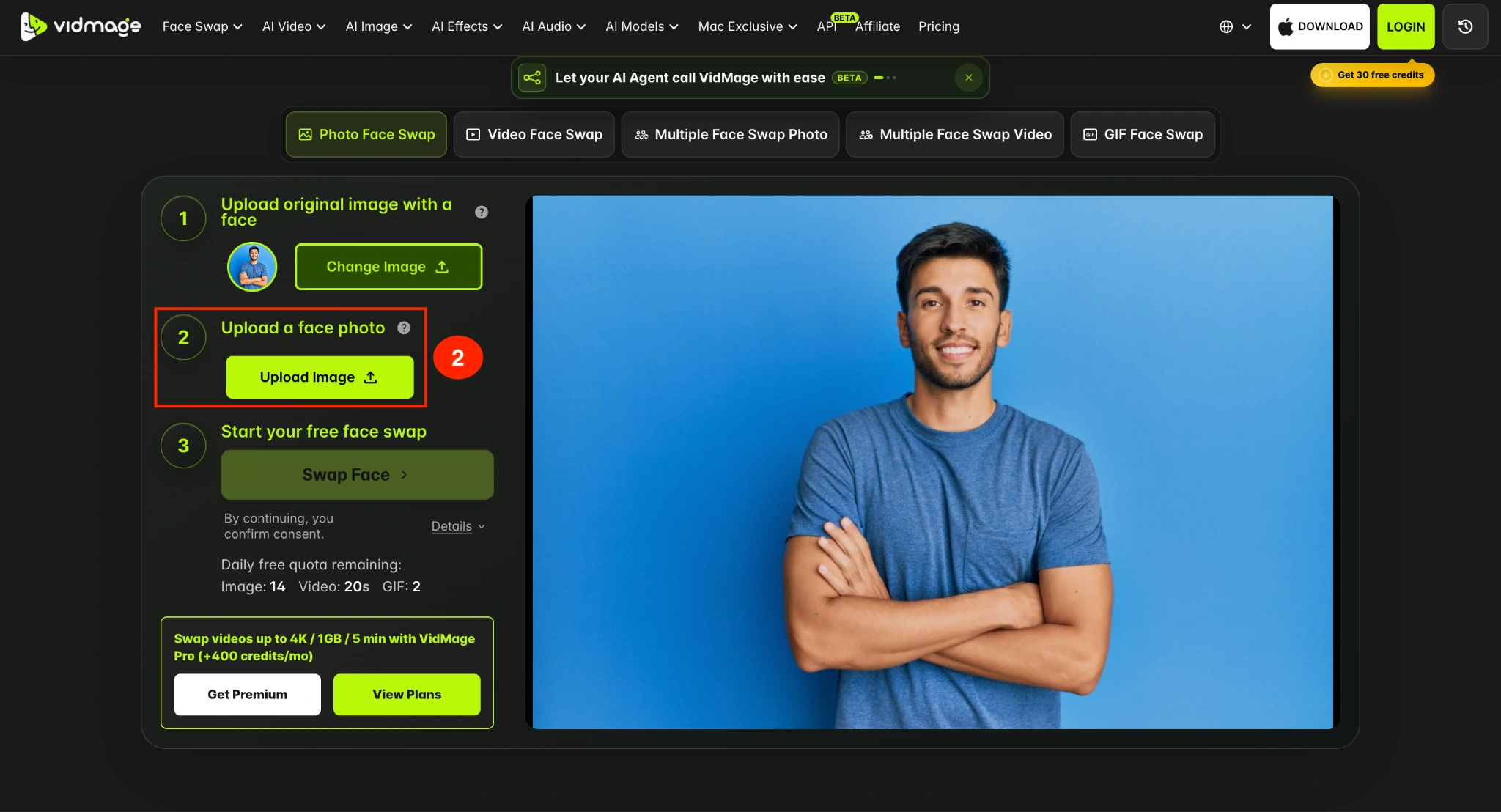
Step 2: Upload the target face photo. If the original photo is of a male, then upload the target face of a female.
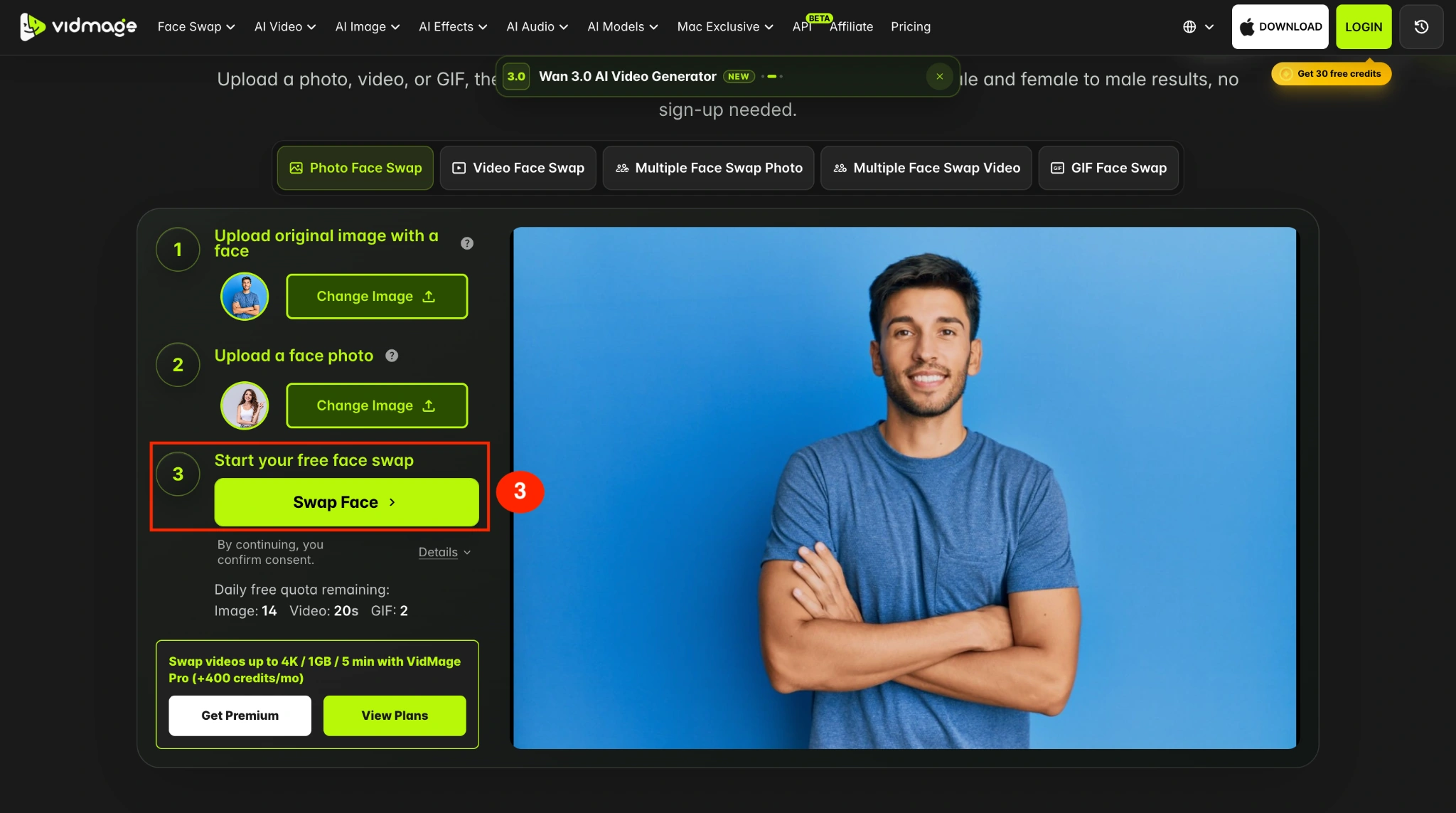
Step 3: Click Swap Face to start the gender transformation.
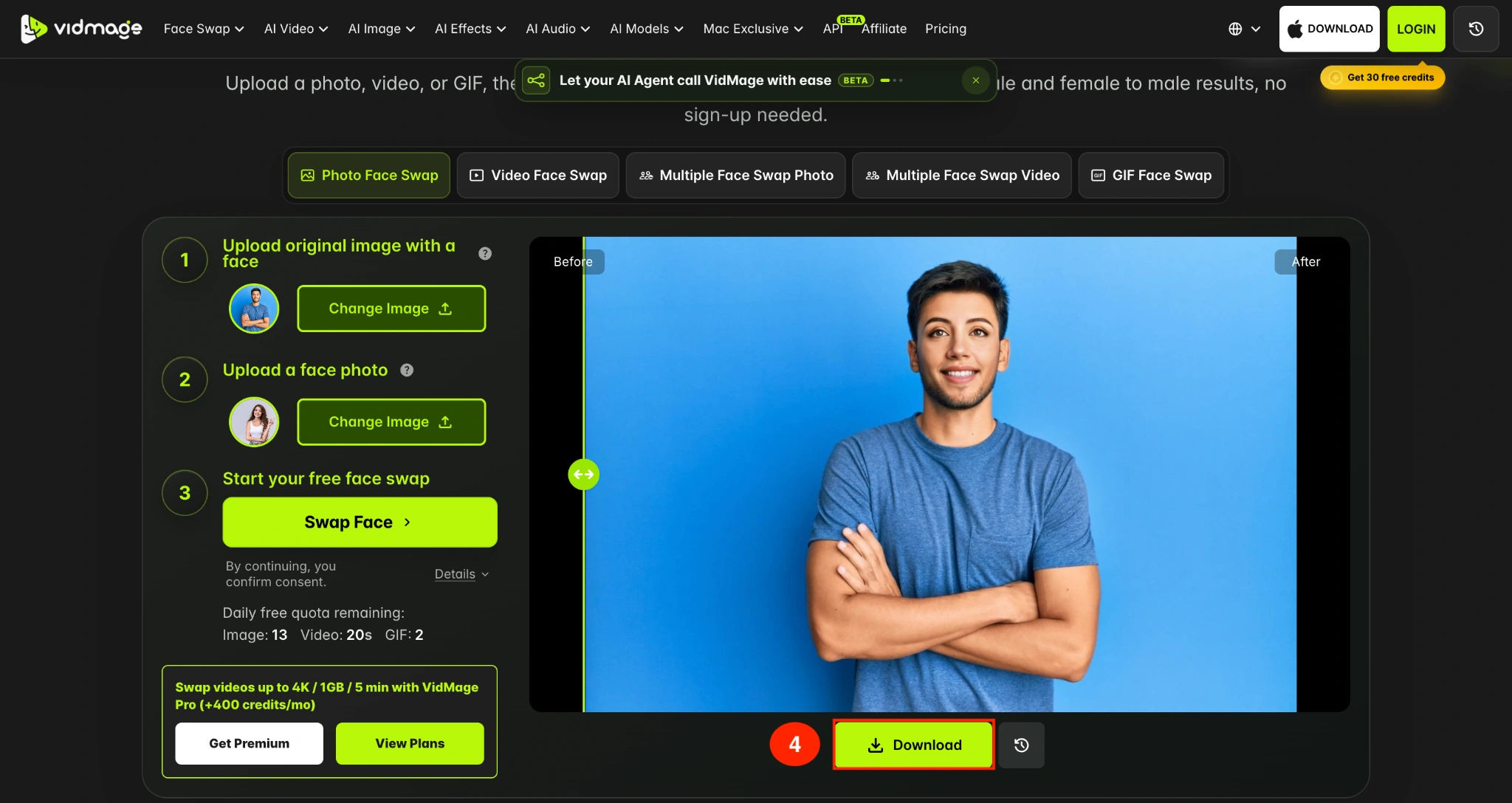
Step 4: Preview the generated image and click Download to save the result. Free results don't include a watermark, so you can save or share the transformed image directly.
How to Gender Swap a Photo on Mac Offline
VidMage also offers a Mac app for users who want to process gender swaps locally instead of uploading files to the online tool.
The Mac app requires an Apple Silicon Mac with an M1 chip or newer. This includes Mac with M1, M2, M3, and later Apple Silicon chips.
Follow these steps to change gender in a photo offline on Mac:
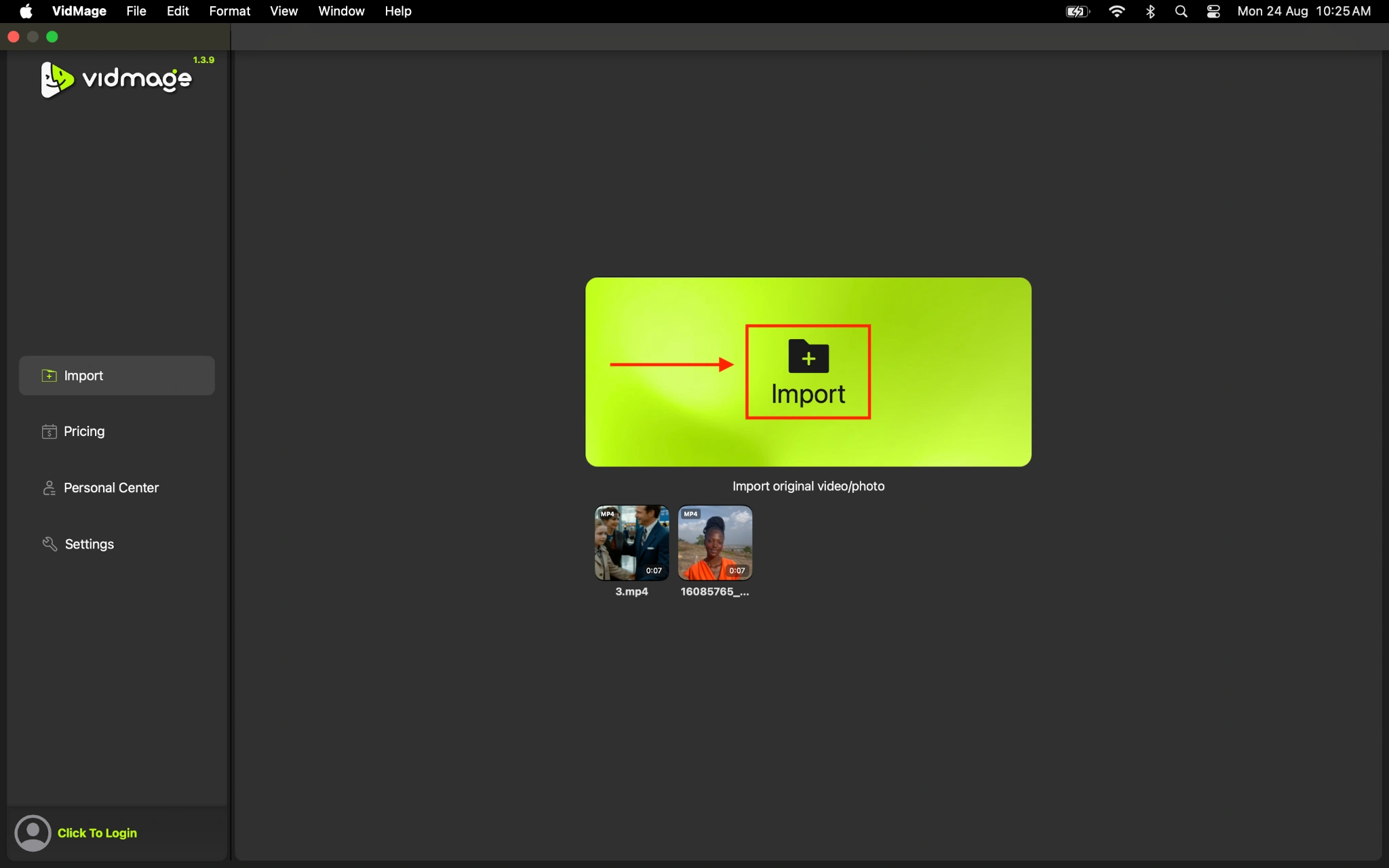
Step 1: Download and open the VidMage Mac app, then import the photo you want to transform.
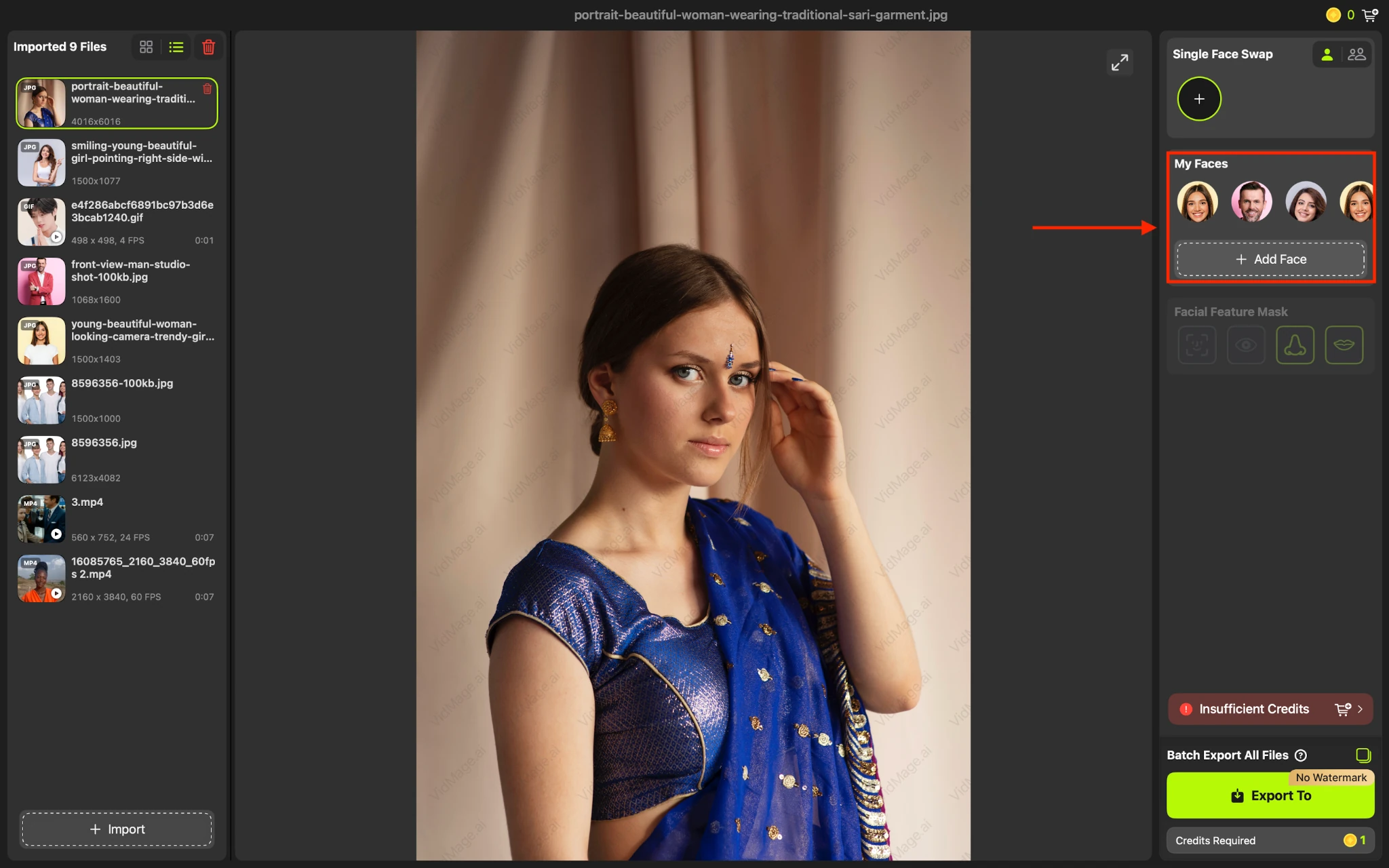
Step 2: Add a male face if the original photo is of a female, and VidMage will automatically apply changes.
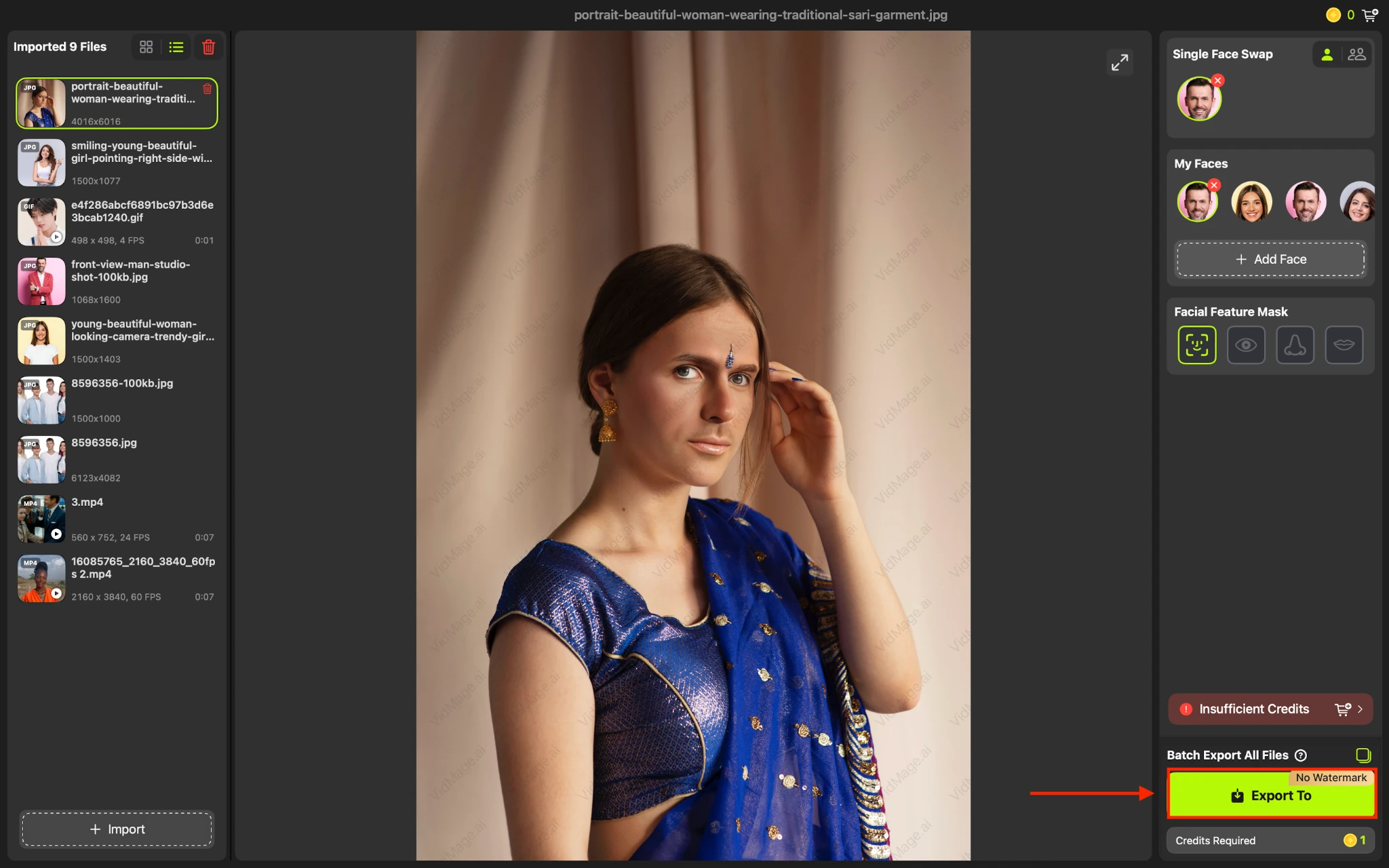
Step 3: Export the finished image to save it on your Mac. The Mac version is also an option if you need 4K output, longer video processing, or local processing.
Gender Swap File Formats and Free Limits
VidMage supports several formats depending on the type of content you want to transform.
For photos, you can upload PNG, JPG, JPEG, or WEBP files. For videos, supported formats include MP4, MOV, and M4V, while animated GIFs are also supported.
You can try the online Gender Swap tool without signing up. The free allowance includes:
- 15 photo swaps per day
- 20 seconds of video per day
- 2 GIF swaps per day
- No watermark on free results
If you need more capacity, VidMage Pro supports videos up to 5 minutes, 4K output, and additional monthly credits.
Is the VidMage Mac App Different From the Online Tool
The main difference is how VidMage Mac App processes your files.
The online Gender Swap tool processes uploads through VidMage's online service, while the Mac app processes files locally on the device. This makes the Mac version useful when you want offline processing or prefer not to upload private images to the cloud.
The VidMage Mac app requires an Apple Silicon Mac, starting with M1.
Try Gender Swap
Open the tool and follow the steps above.