VidMage

VidMage is an AI video and image creation platform for creators. Turn your ideas and images into videos and fresh visuals.

Open the creator tools
Explore APIs
AI Video APIsAI Image APIsAI Audio APIsAI 3D APIsAI Face Swap APIsAI Effects APIs
Build with VidMage
QuickstartAPI keysVidMage MCPError reference
Your account
Developer consoleAbout VidMagePlans and creditsAPI billingContact support
© 2026 VidMage. All rights reserved.
Privacy PolicyTerms of ServiceReport Abuse
Skip to content
VidMage/Developers
Overview
APIs
All APIsAI Video APIsAI Image APIsAI Audio APIsAI 3D APIsAI Face Swap APIsAI Effects APIs
DocumentationVidMage MCPOpen console
VidMage/Developers

AI Video & ImageAPIs

Let your users turn prompts and photos into videos, create images, and edit media inside your app. Connect the models and tools you need with one API key.

Browse APIsRead the quickstart
A cinematic scene on a rainy neon-lit streetVideo
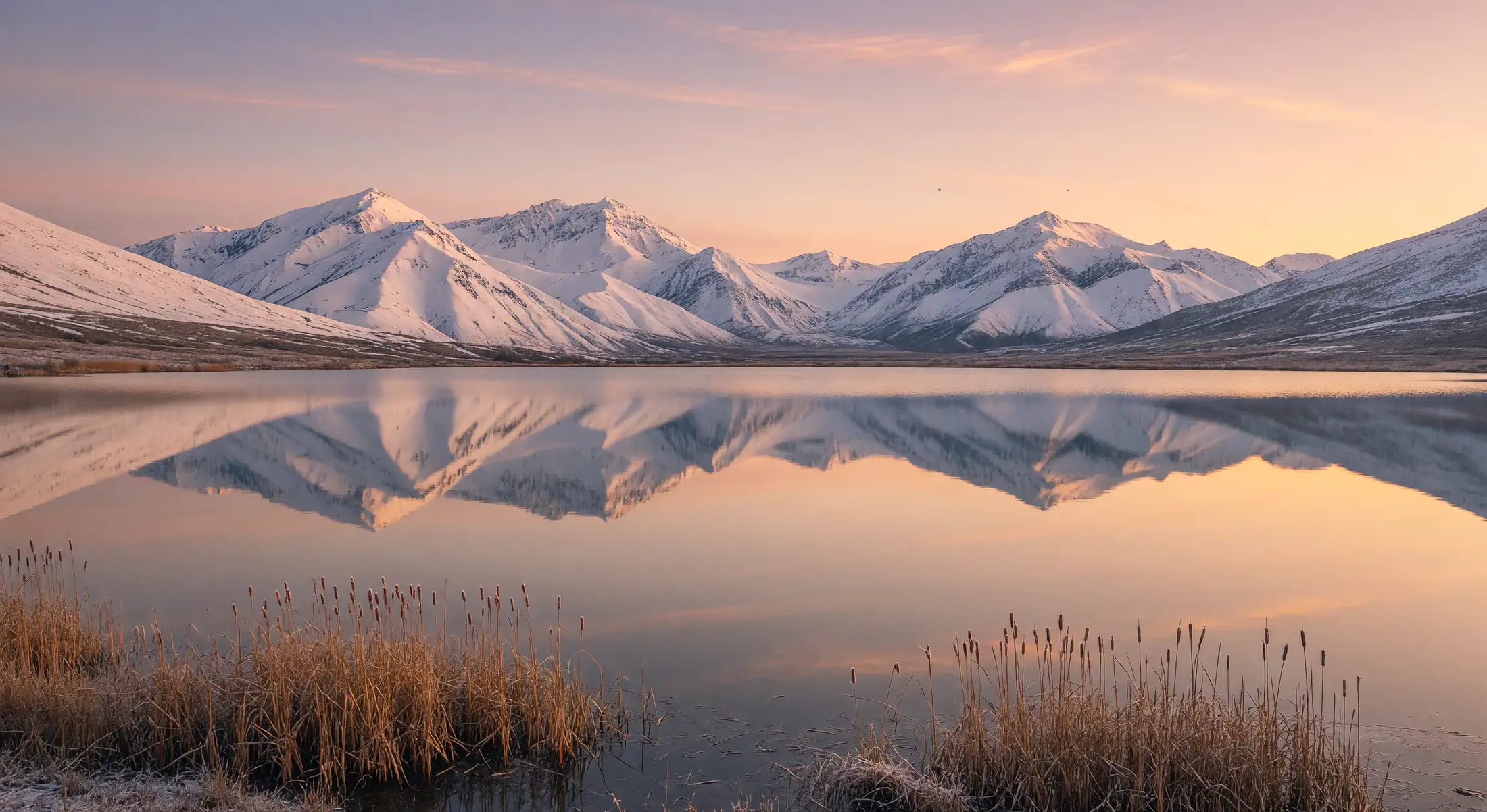
Snow-covered mountains reflected in a lake at sunset
A portrait with warm light and gold jewelryImage
67 AI capabilities for your app30 Video & image model optionsREST + MCP Connect your app or AI agent
01 /28 products

AI Video APIs

Help your users turn ideas and images into videos, then edit clips for their next project.

02 /20 products

AI Image APIs

Let your users create images, try a different look, or make a specific change to a photo.

03 /3 products

AI Audio APIs

Help your users narrate a script, give a character a voice, or create music for a scene.

04 /1 product

AI 3D APIs

Let your users explore object ideas in 3D, starting with a description or reference images.

05 /5 products

AI Face Swap APIs

Help your users put themselves or their group into a photo, video, or animated GIF.

06 /4 products

AI Effects APIs

Help your users animate characters, make portraits speak, or try a new style for a video.

Browse all APIs

Search by model, task, or input. Filter by output type to find the API you need.

50 API products

VIDEO

Seedance 2.5 API

Integrate Seedance 2.5 video generation into your app. Generate from text or a starting image, then combine image, video, and audio references in the multimodal workflow.

1 endpoint
IMAGE

AI Photo Face Swap API

Add photo face swapping to your app with a target image URL and a reference face image. Select one face from each input and retrieve the edited image through an asynchronous task.

1 endpoint
VIDEO

AI Video Face Swap API for Clip Workflows

Integrate single-face replacement into your video workflow. Submit a clip and reference face image, select the tracked face to replace, and retrieve the completed video through an asynchronous task.

1 endpoint
VIDEO

Kling API

Add Kling video generation to your app with text or image inputs. Build single shots or multi-shot sequences, define starting and ending frames, and control duration and audio in your API requests.

2 endpoints
VIDEO

PixVerse API

Integrate text-to-video and image-to-video generation with PixVerse. Send a prompt or starting image, then configure clip length, resolution, and audio to fit the video workflow in your application.

1 endpoint
VIDEO

Hailuo API

Add Hailuo video generation to your app using text prompts or a starting image. Request six- or ten-second clips and enable or disable prompt expansion in each API call.

1 endpoint
VIDEO

MiniMax H3 API

Build video generation workflows with MiniMax H3 using text, starting and ending frames, or image, video, and audio references. Configure clip duration and resolution in the request to match your application.

1 endpoint
VIDEO

Grok Video API

Integrate Grok video generation with text prompts or image inputs. Request six- or ten-second clips from text, or use the image mode for clips up to thirty seconds with configurable framing and resolution.

1 endpoint
VIDEO

Sora 2 API

Build Sora 2 video workflows with text prompts and optional starting images. Choose between two API contracts for portrait or landscape output, with storyboard controls available on the model route.

2 endpoints
VIDEO

Wan Video API

Integrate Wan video generation for prompts, starting images, or media references. Use the standard capability for text-only requests, or Wan 3.0 for image and reference workflows with optional audio generation.

2 endpoints
VIDEO

Seedance API

Add Seedance video generation to your app with text prompts and frame inputs. Use the Seedance 2.0 API to guide generation with image, video, and audio references, plus duration and resolution controls.

2 endpoints
VIDEO

Midjourney Video API

Build image animation into your app with the Midjourney Video API. Submit a source image and motion prompt, choose low or high motion, and configure an ending frame or loop setting.

1 endpoint
VIDEO

Vidu API

Add Vidu video generation to your app from text or image references. Configure style and movement in text mode, or supply up to seven images with optional audio in the image workflow.

1 endpoint
VIDEO

Veo 3.1 API

Integrate Veo 3.1 video generation with text prompts, starting images, and optional ending frames. Request four-, six-, or eight-second clips with explicit controls for framing, resolution, and audio in your application.

1 endpoint
VIDEO

SkyReels API

Add SkyReels text-to-video and image-to-video generation to your app. Configure clip duration and resolution, and enable or disable prompt optimization directly in the request to support your video workflow.

1 endpoint
VIDEO

HappyHorse API

Build video generation into your app with HappyHorse. Accept text prompts, a starting image, or up to nine image references, then configure clip duration and resolution for the selected input workflow.

1 endpoint
VIDEO

Runway API

Add image-to-video generation to your app with Runway. Send a source image URL and motion prompt, then request a five- or ten-second clip through a compact API payload.

1 endpoint
IMAGE

Midjourney Image API

Integrate Midjourney image generation into your app with text prompts, image references, and separate style and subject references. Configure reference weights, aspect ratio, and styling controls in your API requests.

1 endpoint
IMAGE

Grok Image API

Add Grok image generation and editing to your app. Generate images from prompts with aspect ratio, resolution, count, and format controls, or edit an existing image with a source URL and instructions.

1 endpoint
IMAGE

Nano Banana API

Generate images from text or guide edits with ordered references. Choose classic Nano Banana or Nano Banana 2.1, which supports up to 14 references and 1K at 6 credits, 2K at 8 credits or 4K at 10 credits per task.

2 endpoints
IMAGE

GPT Image API

Add GPT Image generation and editing to your app through VidMage. Use dedicated API routes for text generation or source-image edits, with canvas controls and reference-image limits specific to each capability.

4 endpoints
IMAGE

Seedream API

Build image generation and editing into your app with Seedream. Set width and height, supply source images for edits, and configure sequential generation and output count for workflows that need related image sets.

1 endpoint
IMAGE

Z-Image API

Add text-to-image generation to your app with Z-Image. Submit a prompt and aspect ratio, then choose PNG, JPEG, or lossless or lossy WebP to fit your image delivery workflow.

1 endpoint
IMAGE

Wan Image API

Integrate Wan image generation and editing into your app with explicit width and height controls. Generate from text or submit up to nine source images with instructions for the changes you need.

1 endpoint
IMAGE

Qwen Image API

Build image generation and editing into your app with Qwen Image APIs. Configure size, output count, and negative prompts, or use Qwen 3.0 for additional prompt expansion, thinking, and seed controls.

2 endpoints
IMAGE + VIDEO

AI Multi Face Swap API for Photos and Videos

Add multi-face swapping to your photo and video app. Map each target face to a reference image, with support for up to 20 mappings per photo and four per video.

2 endpoints
IMAGE + VIDEO

AI Head Swap API for Photos and Videos

Integrate head replacement into photo and video editing workflows. Send a target asset with one to four reference images, and use an optional prompt to describe the requested change.

2 endpoints
IMAGE

AI GIF Face Swap API for Animated Images

Add animated face swaps to your app with a GIF and a reference photo. Select the target and reference faces by index, then retrieve the result as an animated GIF.

1 endpoint
IMAGE

AI Text to Image API for Prompted Visuals

Add text-to-image generation to your application. Submit a prompt, choose an aspect ratio or image dimensions, and retrieve the generated image URL for your editor, asset library, or content workflow.

1 endpoint
IMAGE

AI Image to Image API for Prompted Edits

Build image editing into your app with reference images and a text prompt. Configure aspect ratio and resolution, then retrieve the transformed image for your editing or content workflow.

1 endpoint
IMAGE

AI Girl Generator API for Portrait Briefs

Add adult female character generation to your app using text prompts. Describe appearance and setting, configure the portrait frame, and retrieve the generated image for your character or design workflow.

1 endpoint
IMAGE

AI Hairstyle Changer API for Photo Editing

Build hairstyle previews into your app with a portrait URL and a hairstyle prompt. Describe the requested cut, color, or styling change, then retrieve the edited image for comparison.

1 endpoint
IMAGE

AI Clothes Changer API for Outfit Previews

Add outfit previews to your shopping or styling app. Submit a person photo and a garment image as separate inputs, then retrieve the edited image for your try-on interface.

1 endpoint
IMAGE

AI Object Remover API for Masked Image Cleanup

Integrate object removal into your image editor using a source image and a removal mask. Submit both URLs and retrieve the processed image to display alongside the original.

1 endpoint
IMAGE

AI Image Watermark Remover API for Cleanup

Add image watermark removal to your media workflow with a single image URL. Track the job using its request identifier, then retrieve the processed image for your application.

1 endpoint
IMAGE

AI Image Upscaler API for 2x and 4x Requests

Integrate image upscaling into your editor or asset pipeline. Submit a source image URL, choose a 2x or 4x scale, and retrieve the enlarged image for your application.

1 endpoint
VIDEO

AI Video Generation API for Text and Images

Build video generation into your app from text prompts or a starting image. Set duration, aspect ratio, and resolution, with an optional ending image for image-to-video requests.

2 endpoints
VIDEO

AI Video to Video API for Style Transformations

Add video transformation to your app with prompt-based editing or a dedicated anime conversion endpoint. Submit the inputs for your chosen workflow, set output options, and retrieve the processed clip.

2 endpoints
VIDEO

AI Video Extender API for Clip Continuations

Add video extension to your editing workflow. Submit a source clip and a prompt describing the continuation, configure duration and resolution, and retrieve the generated video for your app.

1 endpoint
VIDEO

AI Video Background Remover API for Clips

Add background removal to your video processing workflow. Submit a source video URL, track the processing task, and retrieve the edited clip for use in your application.

1 endpoint
VIDEO

AI Video Watermark Remover API for Two Inputs

Integrate video watermark removal with separate endpoints for direct video URLs and Sora page links. Submit the matching source, track its job, and retrieve the processed video for your workflow.

2 endpoints
VIDEO

AI Photo Dance API for Reference-Led Animation

Build photo dance features into your app using a subject image and a dance reference video. Submit both asset URLs and retrieve the generated video for playback in your interface.

1 endpoint
VIDEO

AI Motion Control API for Character Animation

Add motion transfer to your animation workflow with a character image and a driving video. Use the clip as the motion reference and retrieve the resulting character animation.

1 endpoint
VIDEO

AI Lip Sync API for Photos and Videos

Add lip sync to image and video workflows, or build talking-photo features with image, audio, and text inputs. Use the corresponding endpoint to retrieve a generated video for your app.

2 endpoints
VIDEO

AI Subtitle Generator API for Video Captions

Add automatic subtitle generation to your video workflow with a source video URL. Track the processing task and retrieve the subtitled video for playback or further use in your app.

1 endpoint
VIDEO

AI Video Upscaler API for 2x and 4x Requests

Add video upscaling to your media processing pipeline. Submit a source video URL, set a 2x or 4x scale, and retrieve the enlarged clip for your application.

1 endpoint
AUDIO

AI Voice Clone API for Reference-Based Speech

Build voice-based narration into your app using a reference recording and a new script. Submit both inputs and retrieve the generated speech as an audio URL for your workflow.

1 endpoint
AUDIO

AI Voice Design API for Described Speech

Add custom voice generation to your app with a script and a text description of the voice. Retrieve the generated speech without supplying a reference recording.

1 endpoint
AUDIO

AI Text to Music API for Musical Briefs

Integrate music generation into your app using a text description. Supply an optional title, set the instrumental flag, and retrieve the generated track as an audio URL.

1 endpoint
3D

AI 3D Generation API

Build 3D asset generation into your app using text prompts, a reference image, or a single four-view image sheet. Select the matching endpoint and retrieve the generated model.

3 endpoints

API access and billing

API access requires an active subscription. API calls and website tasks use the same credit balance.

View API billing
Send your first requestQuickstart ↗All 67 endpoint referencesFields & examples ↗Connect an AI clientMCP ↗Check task statusTask guide ↗

Why Choose VidMage APIs

Access 67 AI capabilities with 1 API key. Choose from 30 video and image model options, estimate costs, and resume tasks after a disconnect.

1 API key. 67 creative capabilities.

Create a key in the Developer Console after activating a subscription. Use it for video, image, audio, and 3D tasks through REST or MCP. Reuse authentication and uploads across tools, then follow the quickstart to prepare inputs and send your first request.

See shared API access

18 video and 12 image model options

Compare Seedance 2.5, Kling 3.0, Veo 3.1, GPT Image 2, and Seedream in one catalog. Each API has its own required fields, input modes, and output settings. Start from the selected API's request example when adding a model or tool to your app.

Explore models and tools

Check estimated costs for 0 credits

Use MCP's 2 estimators to check model or tool costs before generation. Estimates consume 0 credits. Generation uses your shared API and website balance. Credit usage depends on the operation and its settings, with final usage recorded for each task.

See credit estimates

Submit once. Resume the same task.

Generation runs asynchronously. Save the task ID, query that task until completion, and read the result field listed in its reference. If the connection drops, recover recent tasks and keep checking the original job. Reuse the original idempotency key only for a transport retry of the same submission.

See task recovery

FAQs

What to know before your first API request.

Where should I use my API key?

Keep your API key on your server or in your private client configuration. Send it as a Bearer token when making API requests. Do not include it in public browser code or shared source files.

Can I use my own images, videos, or audio?

Yes, when the selected API supports that media type. Follow the upload guide to transfer your file, then use the returned file URL in your request. Check the API documentation for its required inputs and supported formats.

Can I use VidMage with an AI coding agent?

Follow the MCP setup guide for your compatible AI client, connect to the hosted server, and check the connection with a capability lookup before submitting a task.


Need more detail? Browse the documentation