

Maybe you want to drop your dad’s face onto the lead in his favorite Western for a Father’s Day card, or test how you would look as Spider-Man, a 1920s flapper, and a Jedi before committing $200 to a Halloween costume. Both jobs are face swaps, and most face swap tools handle the photo version fine. The video version is where the alternatives start to separate, and that is exactly where I focused this Remaker AI Face Swap review.
In 2026, I tested 4 AI face-swap tools across 12 source photos and 5 video clips over 10 days, grading them on similarity, video stability, free-tier honesty, speed, ease of use, and privacy. Remaker AI earned its spot, too, but the limits matter, and this review covers all of them. If you want one AI face-swapping tool that handles photos, video, multi-face, and Mac live face swap without credit-trap pricing, you’ll need to look for Remaker alternatives.
How I Tested: Tools, Photos, Videos, and Days

I ran 4 face-swap tools (Remaker AI, VidMage, DeepSwap, and AKOOL) on an identical input set over 10 days. The photo set consisted of 12 source images, including studio portraits, group shots with 2 to 4 faces, low-light captures, and an oil painting as a stylized target.
The video set consisted of 5 clips ranging from 15 to 60 seconds, including single- and multi-face subjects, clips with active head movement, and one clip with changing lighting mid-shot. Each run was timed with a stopwatch rather than relying on platform estimates.
Output quality was graded using a 6-axis weighted scoring model: similarity at 35%, video stability at 20%, speed at 15%, free-tier honesty at 15%, ease of use at 10%, and privacy at 5%.
| Criterion | Weight | What to Ask |
|---|---|---|
| Quality / Similarity | 35% | Does the output face look like the source? Does it blend naturally or trigger the uncanny valley? |
| Video Stability | 20% | Does the face stay locked across movement? Or does it drift when the subject turns or laughs? |
| Speed | 15% | How long does a 15-second clip actually take? Photo and video are different workloads entirely. |
| Free-Tier Honesty | 15% | How many real, watermark-free swaps do you get before hitting a paywall? Is video included? |
| Ease of Use | 10% | Can a non-technical user complete a swap in under 5 minutes on the first try? |
| Privacy | 5% | Where do uploaded photos go? How long are they stored? Is local processing an option? |
Remaker AI at a Glance: Features, How to Use Free, and the Real Per-Swap Math
Remaker AI Face Swap is a browser-based photo enhancer suite that packages face swap, image upscaling, background removal, and video enhancement inside a single credit wallet. It is not a face-swap-only tool. Face swap is the flagship feature, but the credits you use for a face swap come from the same pool you use for an upscale or a background removal.
Key Features of Remaker AI
Photo Face Swap: Single-face and multi-face swap on uploaded images. Results on clean frontal photos are consistently above average. Blends naturally in most well-lit conditions. Batch caps at 50 images, which requires a paid plan.
Photo Multi-Face Swap: Swap multiple faces in one group photo simultaneously. Picture this: you finally got the whole family in one frame, and your dad has his eyes closed. Instead of reshooting, you pull his open-eyed face from the next photo in the burst and drop it in. That is the everyday job the multi-face swap actually solves.
**Batch Photo Swap: **Upload up to 50 images and apply the same target face across all of them in a single job. Caps at 50 images and requires a paid plan. Useful for e-commerce product photography and ad creative variation, not available on the free tier.
**Video Face Swap: **Apply a face swap to a video clip. Supports uploads up to 30 minutes or 500 MB. Costs 1 credit per second of video at the standard rate.
Video Multi-Face Swap: Simultaneously swap multiple faces across a video clip. Requires paid credits and performs best on clips with limited fast motion. Multi-face swap struggled during testing when the source faces had different skin tones, leading to visible blending inconsistencies at the jawline.
**Batch Video Swap: **Process multiple video clips in a single batch job. Available on higher paid tiers. Credit consumption scales with total video seconds across the batch, so cost estimation is important before starting a large job.
How to Use Remaker AI Free: 4-Step Walkthrough
Here are the steps you will need to follow to use Remaker AI Face Swap:
Step 1: Go to the Remaker AI Face Swap website and create a free account. You will receive 30 credits on signup. This is the only time you receive a bulk free credit allocation. After that, daily login credits add 5 per day.
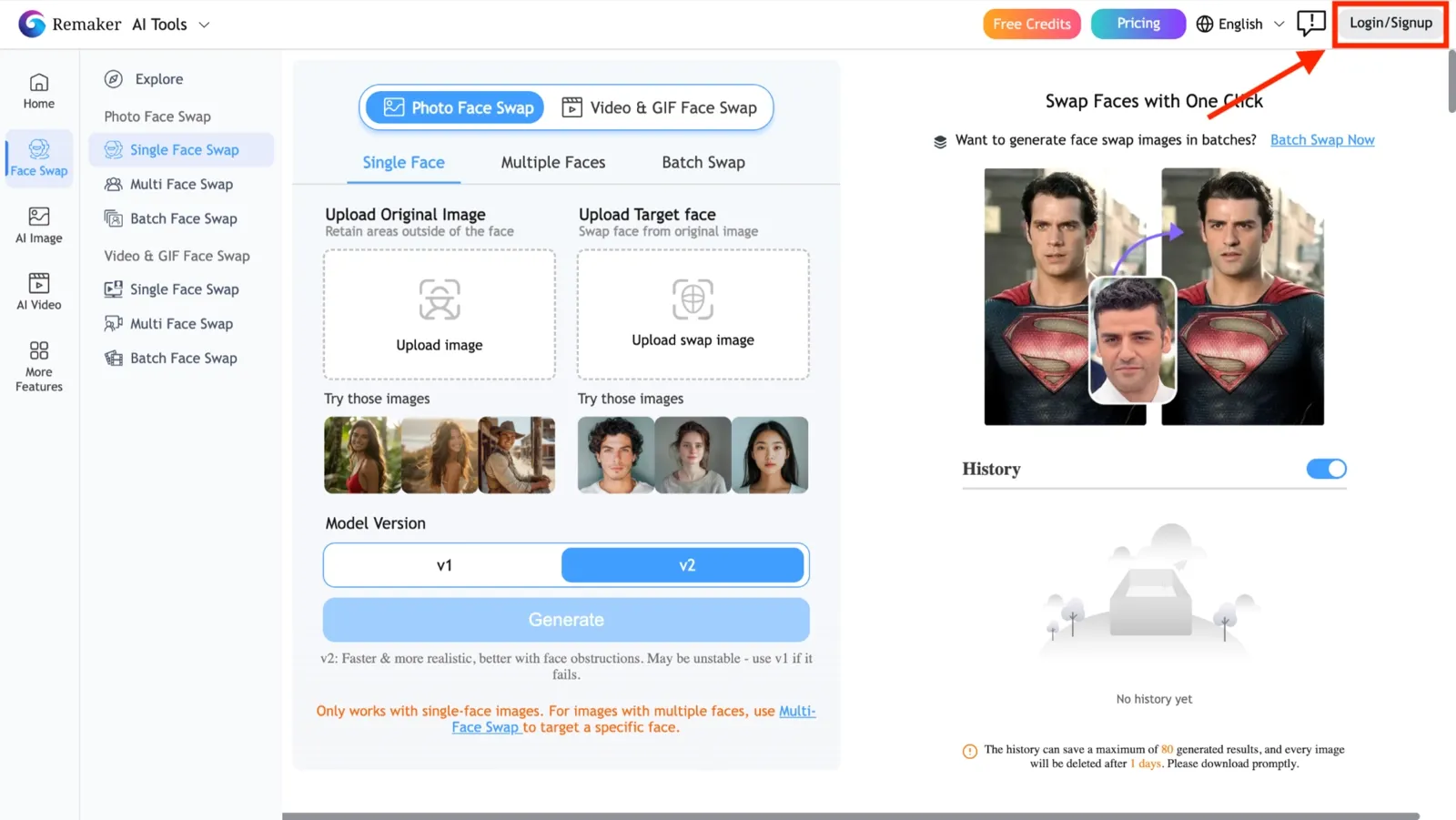
Step 2: Select Face Swap from the left-hand tool rail. Upload your source image (the image containing the face you want to keep) and your target image (the image you want the face placed onto).
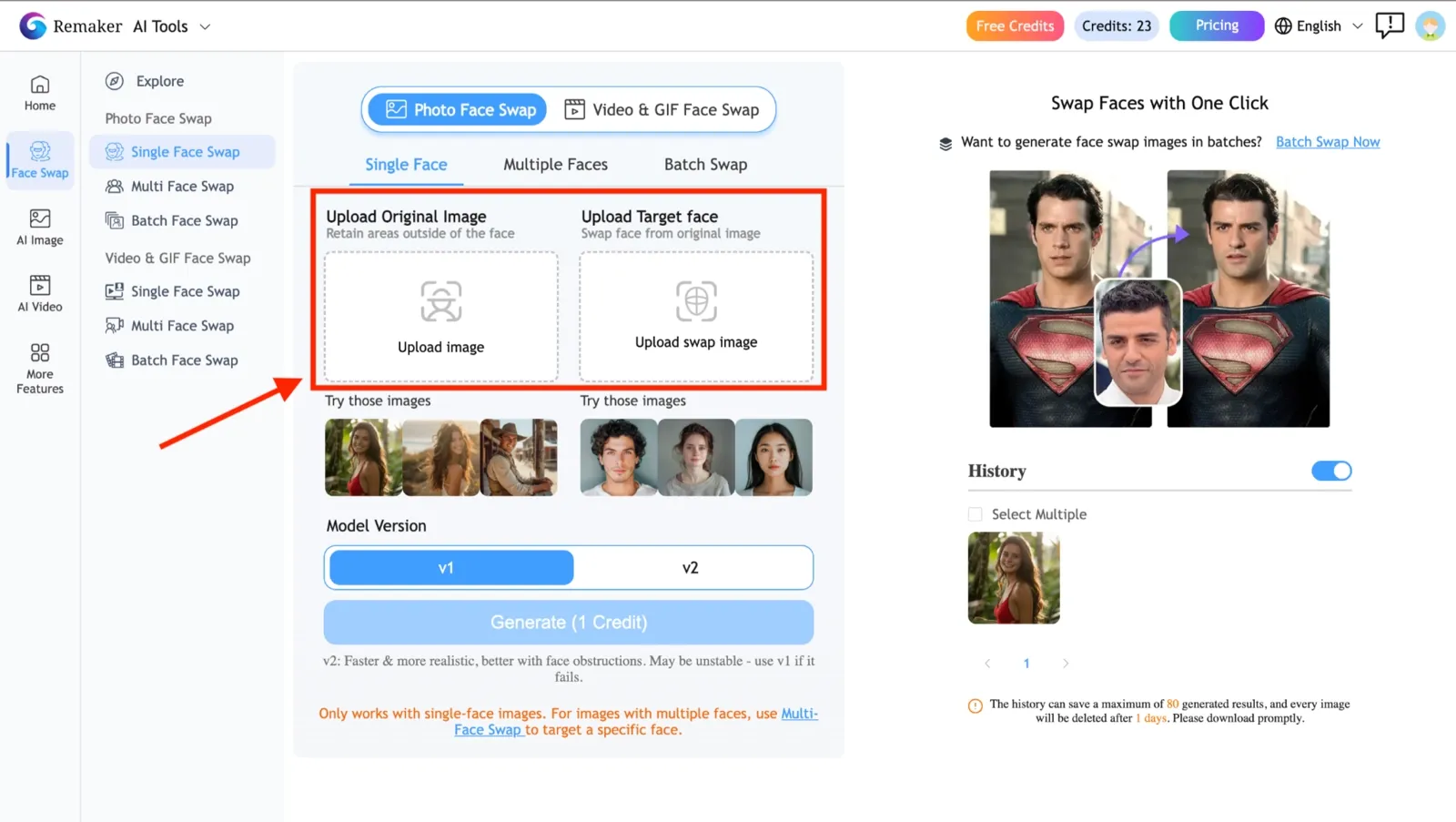
Step 3: Click Generate. Processing time for a photo swap is approximately 6 to 15 seconds, depending on server load. Your credit balance is debited on download, not on processing, so you can preview before committing.
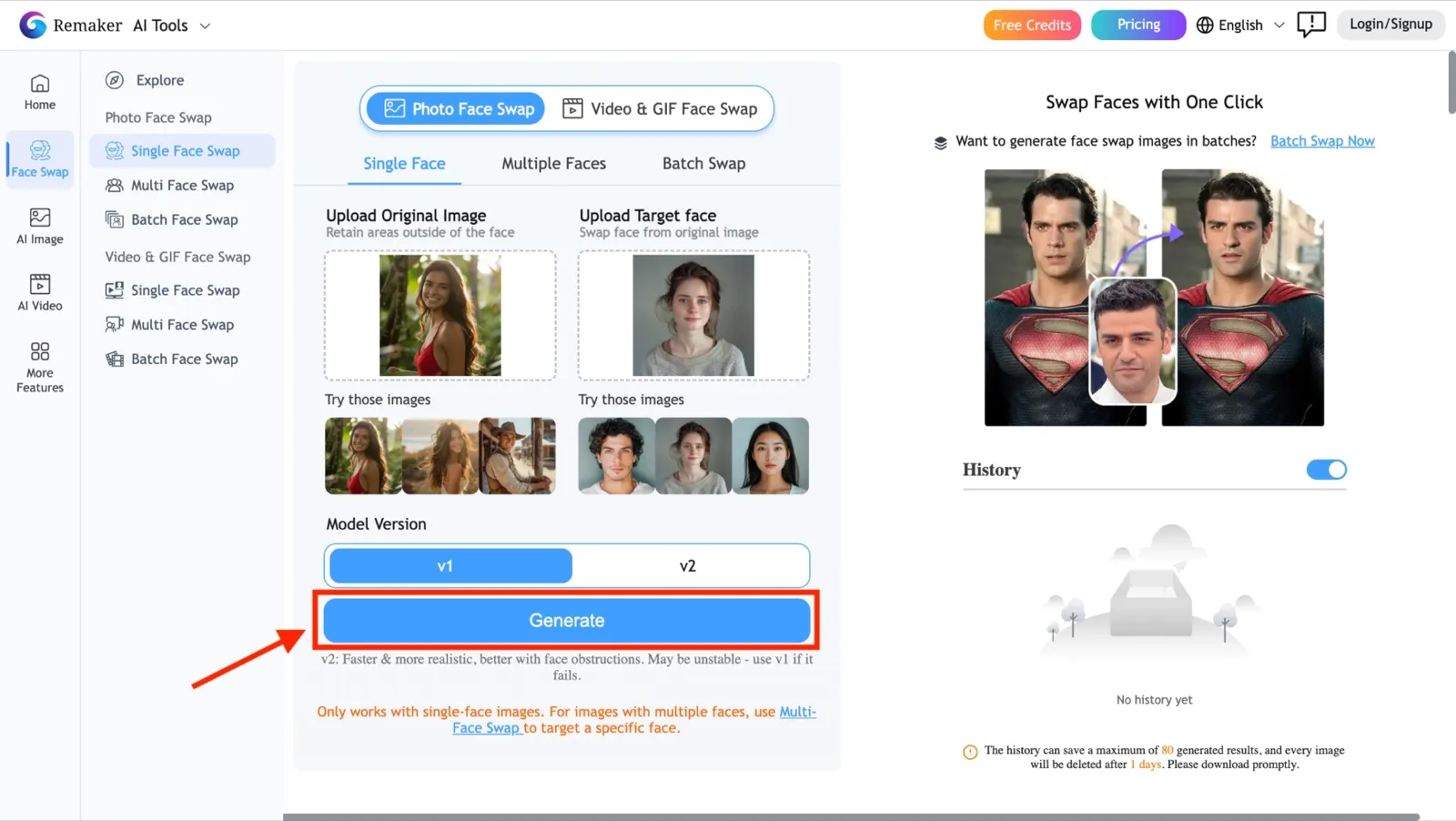
Click Generate on Remaker AI Face Swap
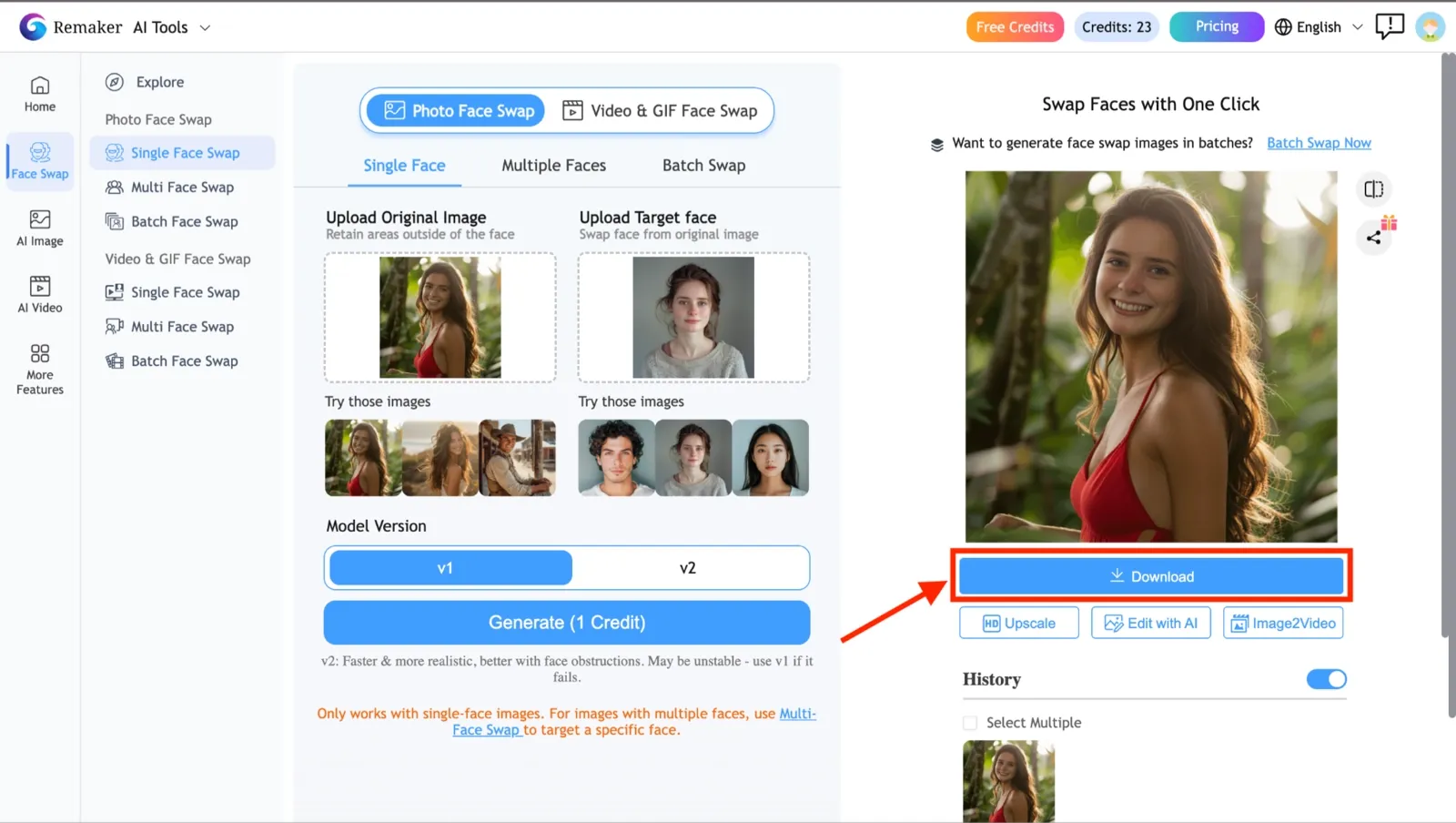
You get 30 credits when you sign up. A video swap uses more credits than a photo, at 1 credit per second of video. That rate means the 30-credit free allocation covers 30 seconds of video or 30 individual photo swaps, but not both. Treat the free tier as a test drive instead of a workflow.
| Price | Credits | Per Photo Swap | Per Sec of Video |
|---|---|---|---|
| $0 | 30 credits (one-time) + 5/day login credits | 1 credit for 1 image | 1 credit for one second of video |
| $5.99 | ~200 credits | ~$0.02 / swap | ~$0.02 / sec |
| $9.99 | ~530 credits | ~$0.018 / swap | ~$0.018 / sec |
| $19.99 | ~1100 credits | ~$0.018 / swap | ~$0.018 / sec |
| $49.99 | ~3000 credits | ~$0.016 / swap | ~$0.016 / sec |
| $299 | ~20000 credits | ~$0.014 / swap | ~$0.014 / sec |
What Do Remaker AI's Real Users Think?
Ten days of testing across 12 photos and 5 video clips tells me what Remaker AI does on a controlled input set. What it cannot tell me is what regular users experience week over week, across different hardware, connection speeds, and use cases. So I went through G2, Trustpilot, the App Store, the Play Store, and Reddit to find out. Here is what the numbers and the comments actually show.
G2 reviews highlight the variety of tools and ease of use, with users praising the face swap as fun and reliable for casual content and the credit system as transparent and easy to understand.
Trustpilot shows only 10 reviews, averaging 2.6 out of 5 stars.
The Positives: Ease of Use and Face Swap Quality
The most consistent praise across G2 reviews points to two things: how easy the tool is to pick up and how natural the face-swapped output looks on clean source photos.
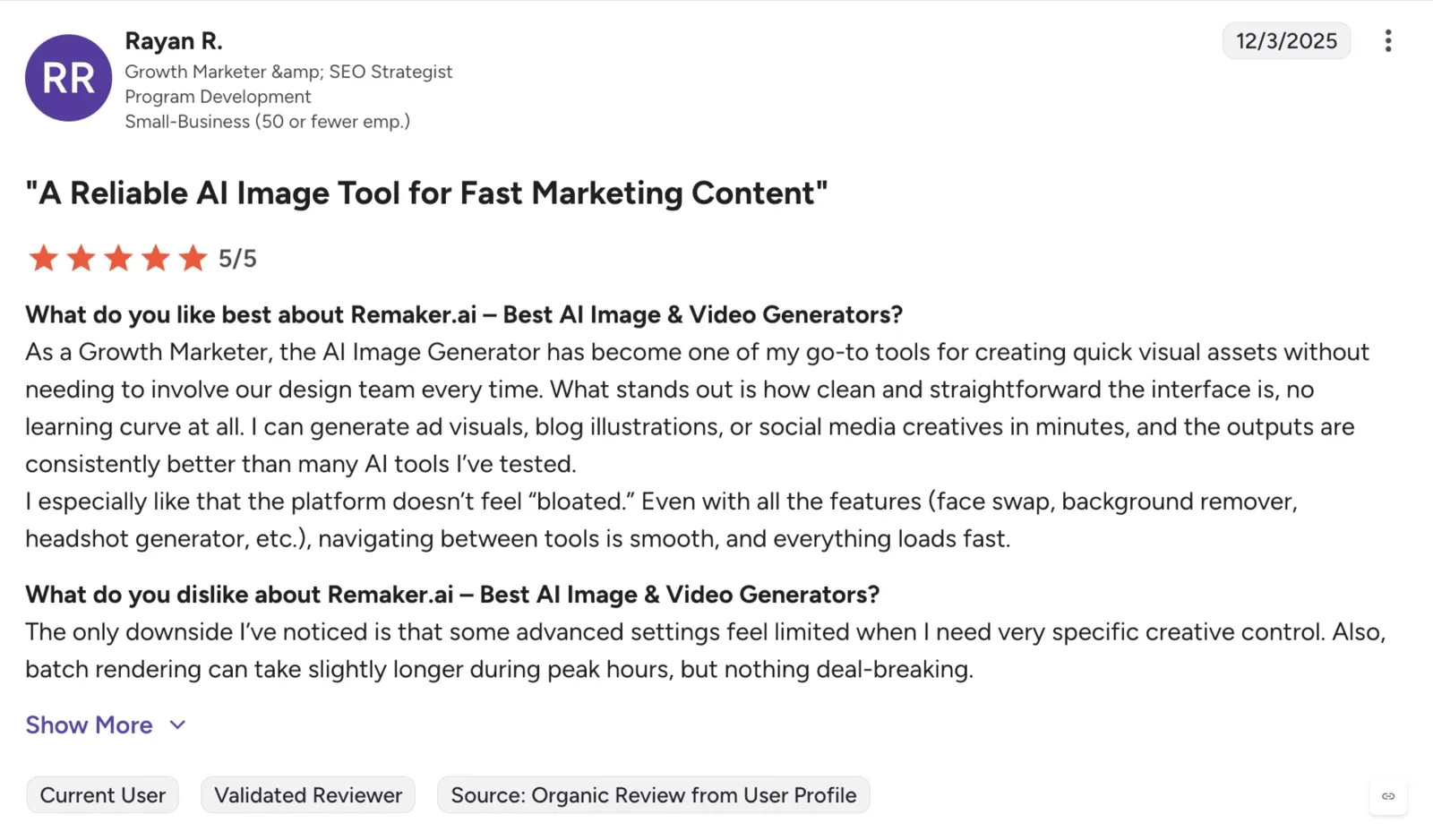
On G2, a growth marketer noted that the interface has no learning curve, that they can generate ad visuals and social media creatives in minutes, and that the platform does not feel bloated despite offering multiple tools, including face swap, background remover, and headshot generator.
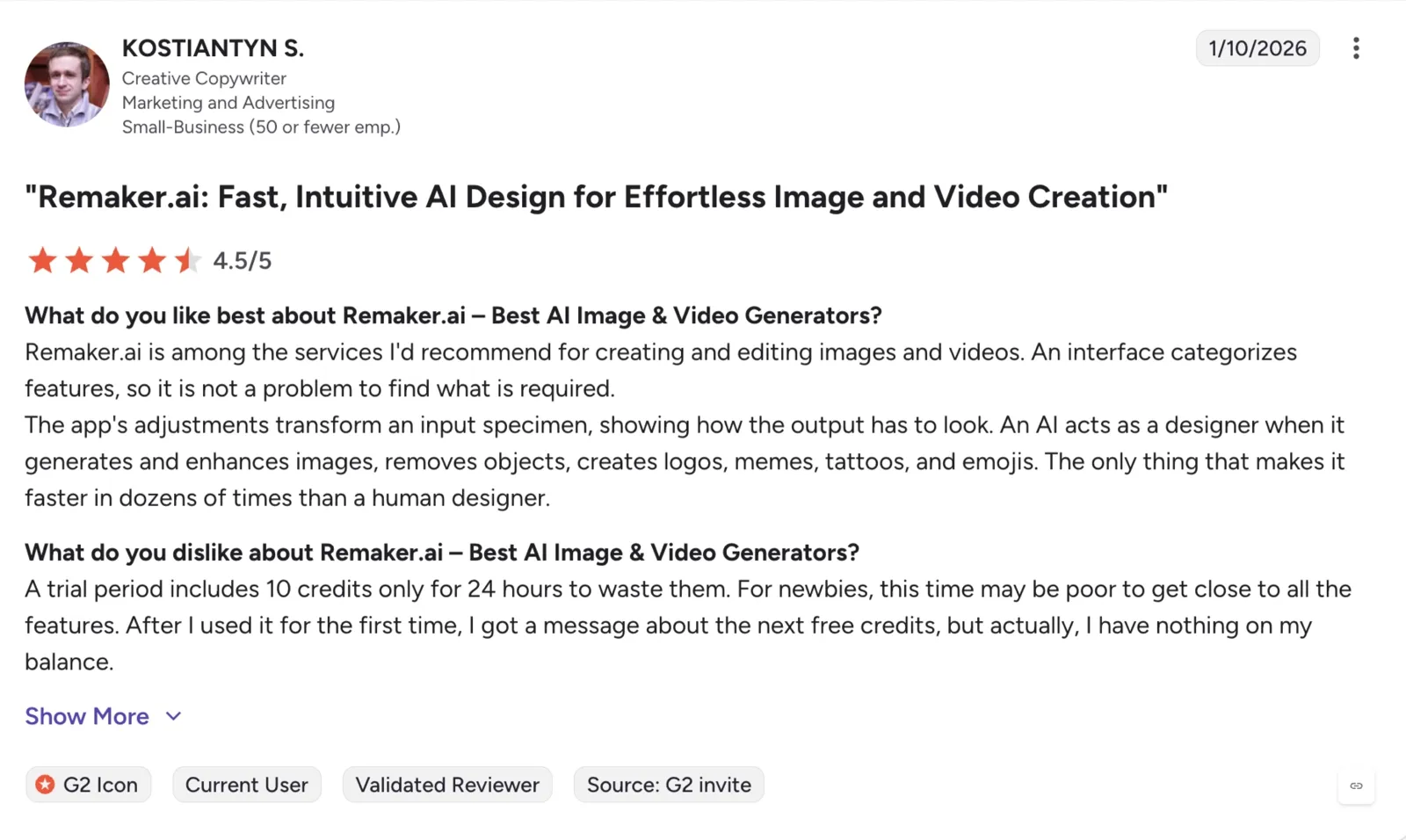
Another G2 reviewer mentioned Remaker among the services he would recommend for creating and editing images and videos, noting that the AI acts as a designer that is faster than a human by dozens of times. However, he said the trial credit window is too short for new users to fully explore all the features, and the free credit balance can run out before you have had a real chance to evaluate the tool.
The Negatives: Downtime, Support, and the Video Swap Paywall
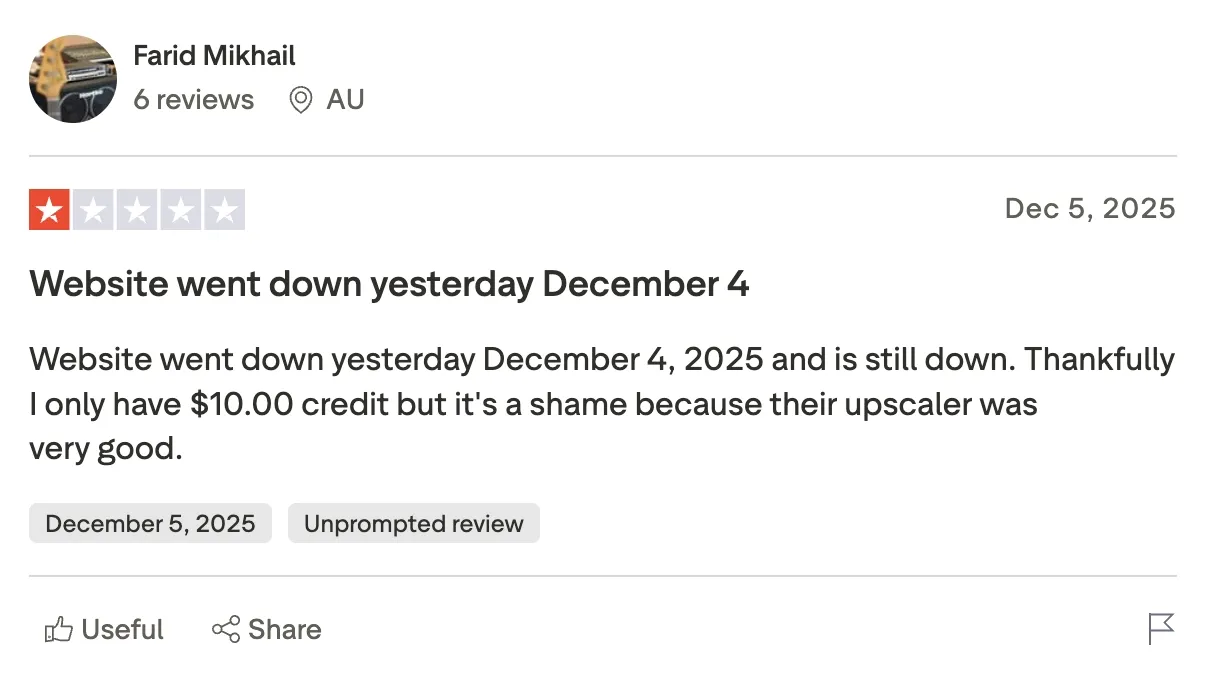
The Trustpilot score tells a harder story. One reviewer noted the site went down in December 2025 and stayed down, with credits sitting unused in a dead account.
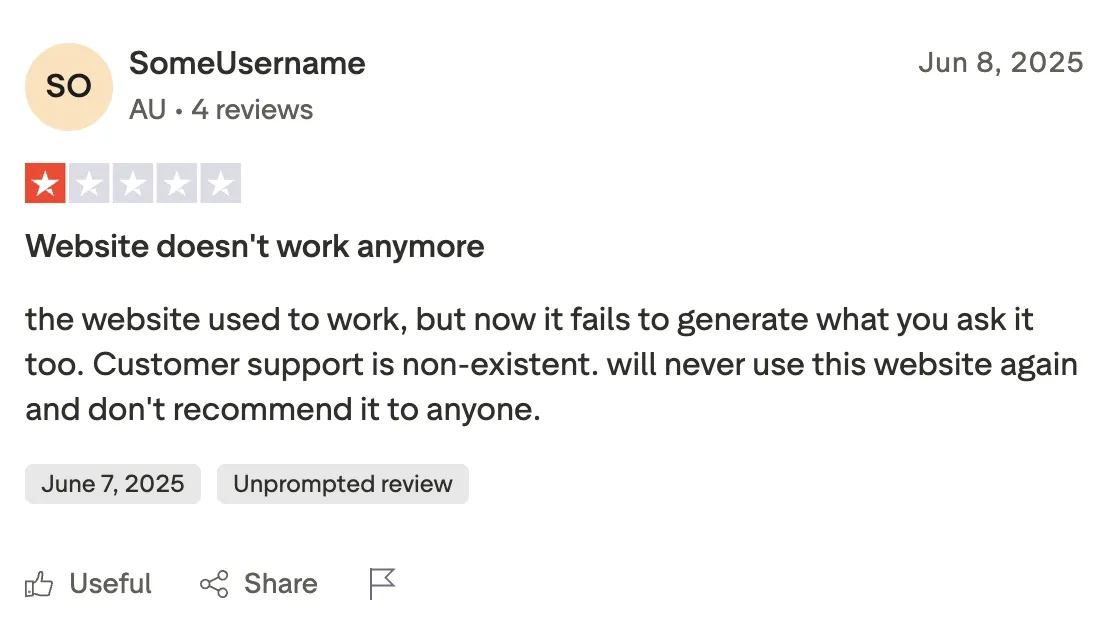
Another Trustpilot reviewer said that Remaker AI Face Swap used to work but now fails to generate what you ask it to, and that customer support is nonexistent.
What the Reddit Community Says
Reddit coverage of Remaker AI across multiple threads paints a consistent picture: the tool works well enough for casual photo edits, but the free tier limits and video paywall are the two things that keep pushing users to look elsewhere.
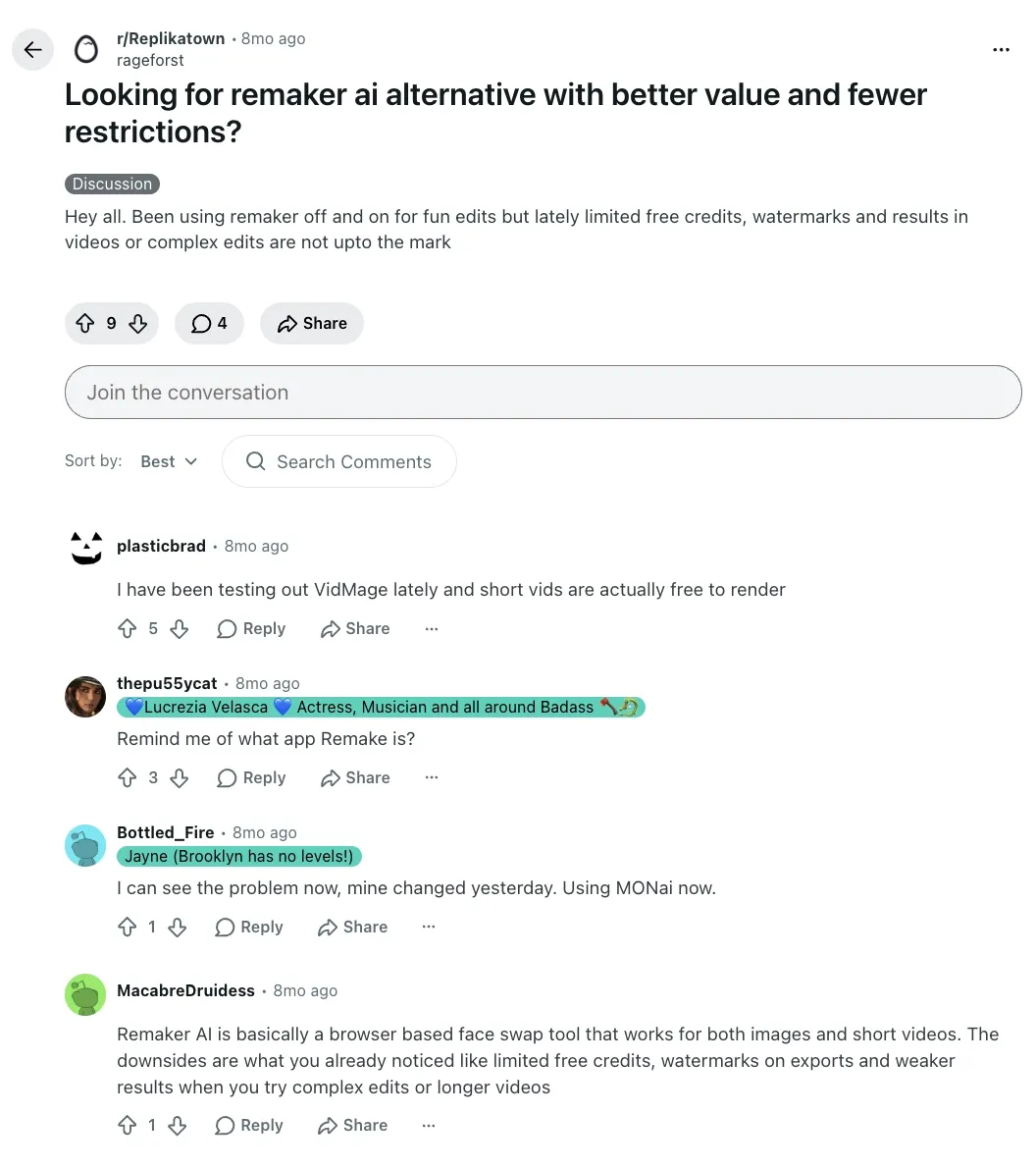
In r/Replikatown, a user opened a thread specifically looking for a Remaker AI alternative, directly describing the core frustrations: limited free credits, watermarks on exports, and results on videos or complex edits that are not up to the mark. Another user summarized the tool's position clearly in the comment, calling it a browser-based face-swapping tool that works with both images and short videos. That description matches what my testing showed and aligns with what Trustpilot reviewers have flagged independently.
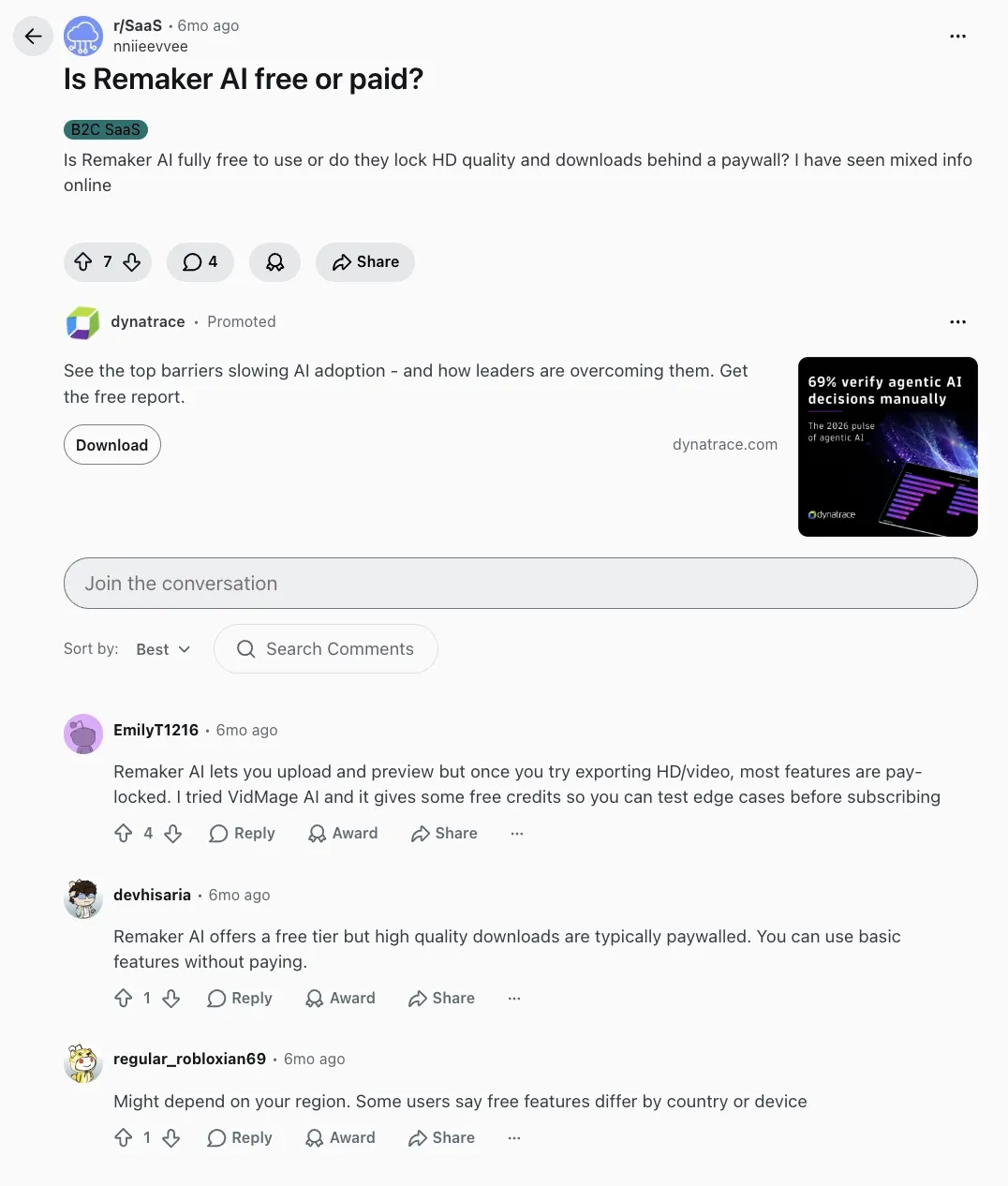
The r/SaaS thread asked a question that comes up constantly: Is Remaker AI actually free? The answers landed in the same place. A user put it the most directly: Remaker AI lets you upload and preview, but once you try exporting in HD or video, most features are pay-locked. Another Reddit user confirmed the same thing with a cleaner framing: Remaker AI offers a free tier, but high-quality downloads are typically paywalled, and you can use basic features without paying.
The r/AI_Application thread asked specifically about video face swaps, with the original poster naming Remaker AI directly and asking how it performs compared to others. The comments pointed to the same weakness that showed up in my benchmark tests. User noted that VidMage felt more stable once the video had more motion or longer clips, which is a precise description of where Remaker AI's video output starts to drift.
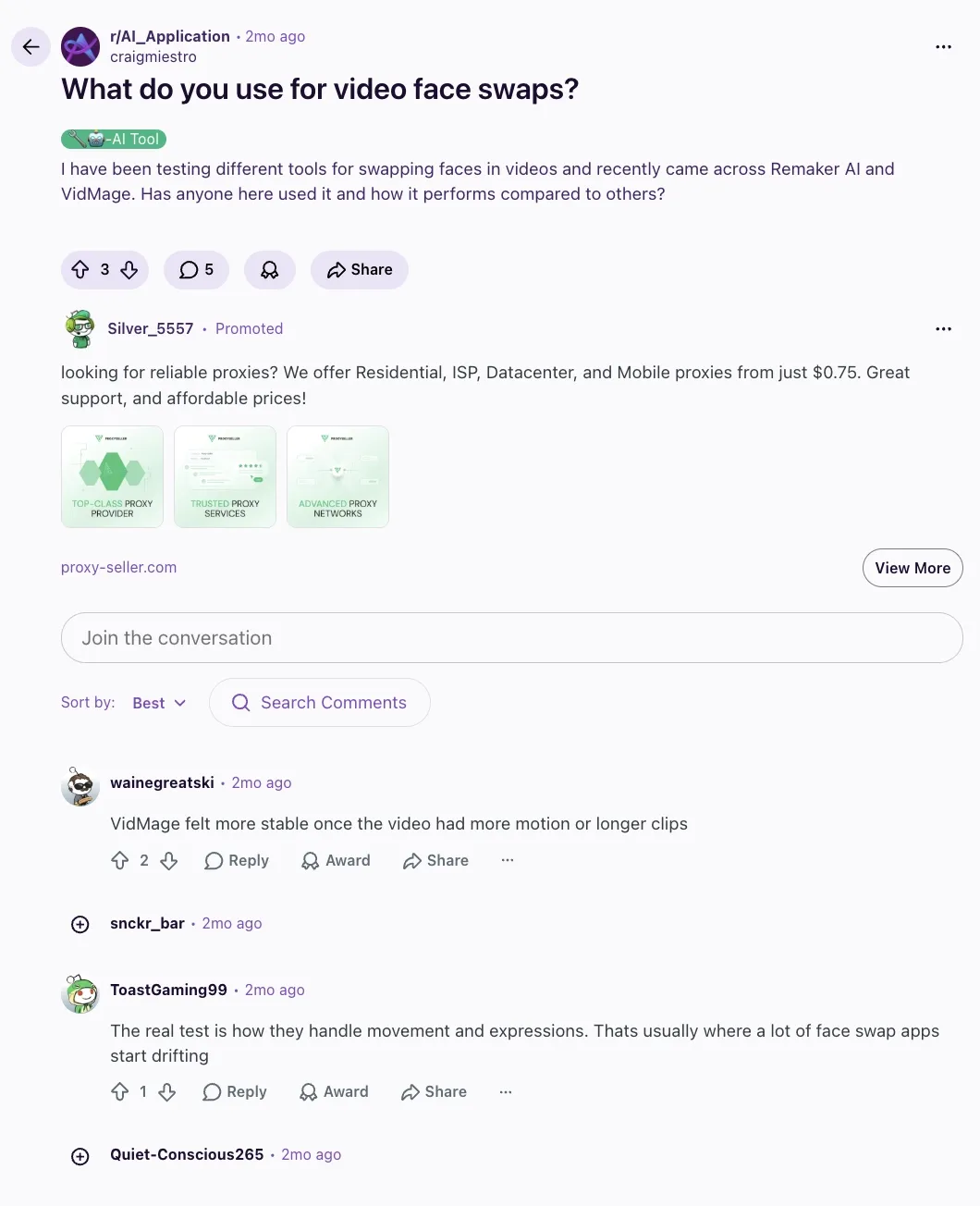
Taken together, the Reddit signal is clear. Remaker AI is recognized and used, but it is rarely the final answer for anyone doing regular video work. The free tier confusion, the video paywall, and the performance drop on motion-heavy clips are the three things that keep pushing users toward alternatives. If your work stays in the photo lane and you understand the credit system going in, those threads have nothing to warn you about.
Summary
Remaker AI's real user picture is more split than its G2 scores suggest. Power users who understand the credit system and work within the web platform tend to be satisfied, particularly with photo face swap quality and the no-expiry credit model.
Users who experience downtime, encounter the video paywall unexpectedly, or download one of the unaffiliated mobile apps tend to leave frustrated. The summary from the testing community is that it is a solid tool for the price, especially for creators who do not need professional-grade output every time.
Benchmark Table: 5 AI Face Swap Tools at a Glance
This is the only quantitative comparison table in this Remaker AI Face Swap review. Every number comes from hands-on test runs for VidMage and Remaker AI, and from vendor documentation for DeepSwap, AKOOL, and FaceFusion.
| Metric | VidMage | Remaker AI | DeepSwap | AKOOL | FaceFusion |
|---|---|---|---|---|---|
| Free Credits | 15 images + 20s video/day (no signup) | 30 credits at sign-up + 5/day | N/A | 100 credits (free plan) | / |
| Max Video Length | Unlimited (Mac); 20s/day (free web) | 30 min / 500 MB | 30 min / 1 GB | Varies by plan (Pro: longer clips) | Hardware-limited; no cap |
| Max Resolution | 4K (Mac/paid); 1080p (free web) | 4K (paid); 720p (free) | HD / 1080p (4K listed as upcoming) | Up to 16K (Business plan) | No cap (hardware-limited) |
| Watermark on Free | No | No | N/A | Yes (720p + watermark) | No |
| Data Retention | 2 hours (web); local only (Mac) | 24 hours (stated) | 7 days | Not published | None (local processing) |
| 15-sec Clip Time | ~30 sec | ~15 sec (1 credit/sec debited) | ~30 sec | ~3 min (30-sec clip in test) | Varies (GPU: ~30s; CPU: ~5 min) |
| Per-Second Video Price | $0.0063/sec | $0.01-$0.02/sec (credit rate) | $9.99/mo entry (100 credits) | $0.05/sec (API / WaveSpeed) | Free (local hardware cost only) |
Best Remaker AI Face Swap Alternatives, Ranked
I ran Remaker AI side by side with 4 other face-swap tools for 10 days, using the same 12 source photos and 5 video clips in every test. The alternatives below are ranked by how they actually performed against the six criteria I weighted at the start of this review. If Remaker AI is not the right fit for your workflow, one of these four will be.
VidMage: Best of Realistic Face Swap
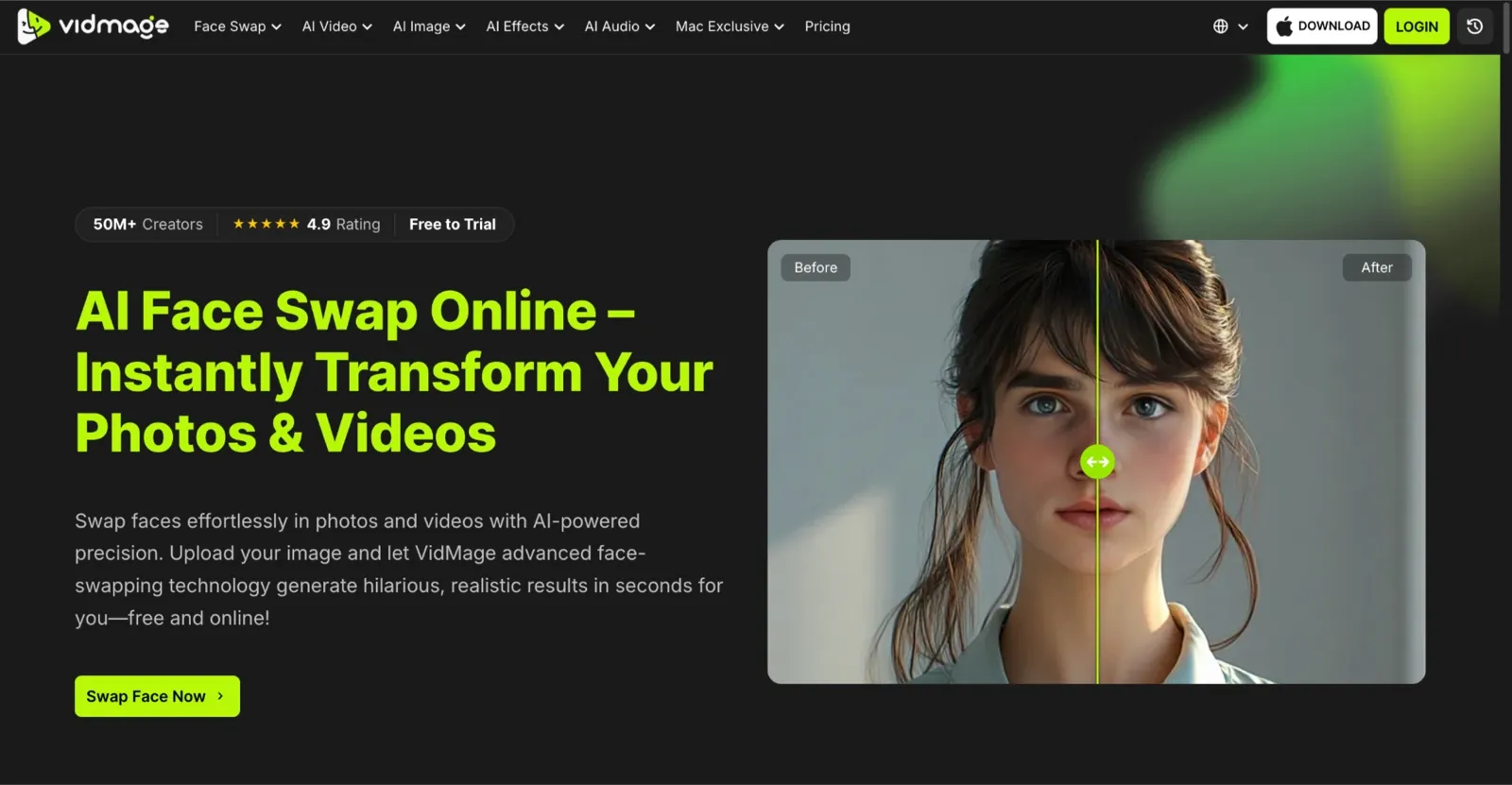
VidMage was the only face-swapping tool in this test to handle 4 faces in a single frame, complete a 15-second video face swap in under a minute, and require no account to run the first test. When I took the same group photo that triggered Remaker AI’s multi-face blending inconsistency, VidMage processed all four faces cleanly with no jawline drift.
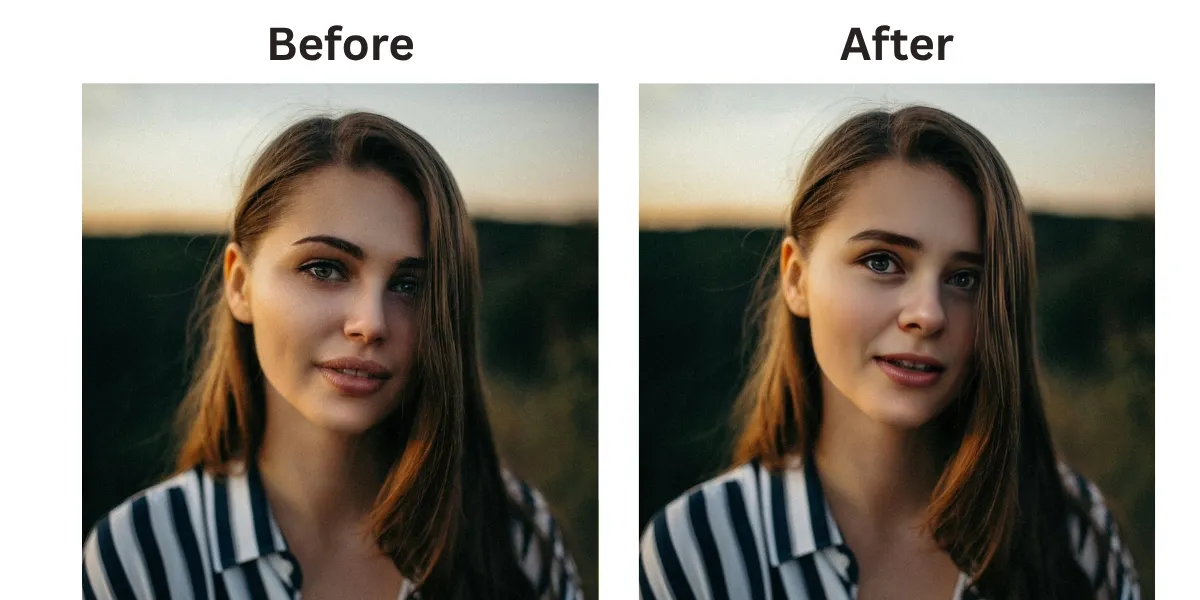
VidMage also supports GIF face swap and the VidMage Mac client runs everything locally, which means none of the test footage ever left my machine. However, one thing to note is that Remaker credits never expire, while VidMage credits reset each billing cycle.
DeepSwap: Best for Long Video Projects
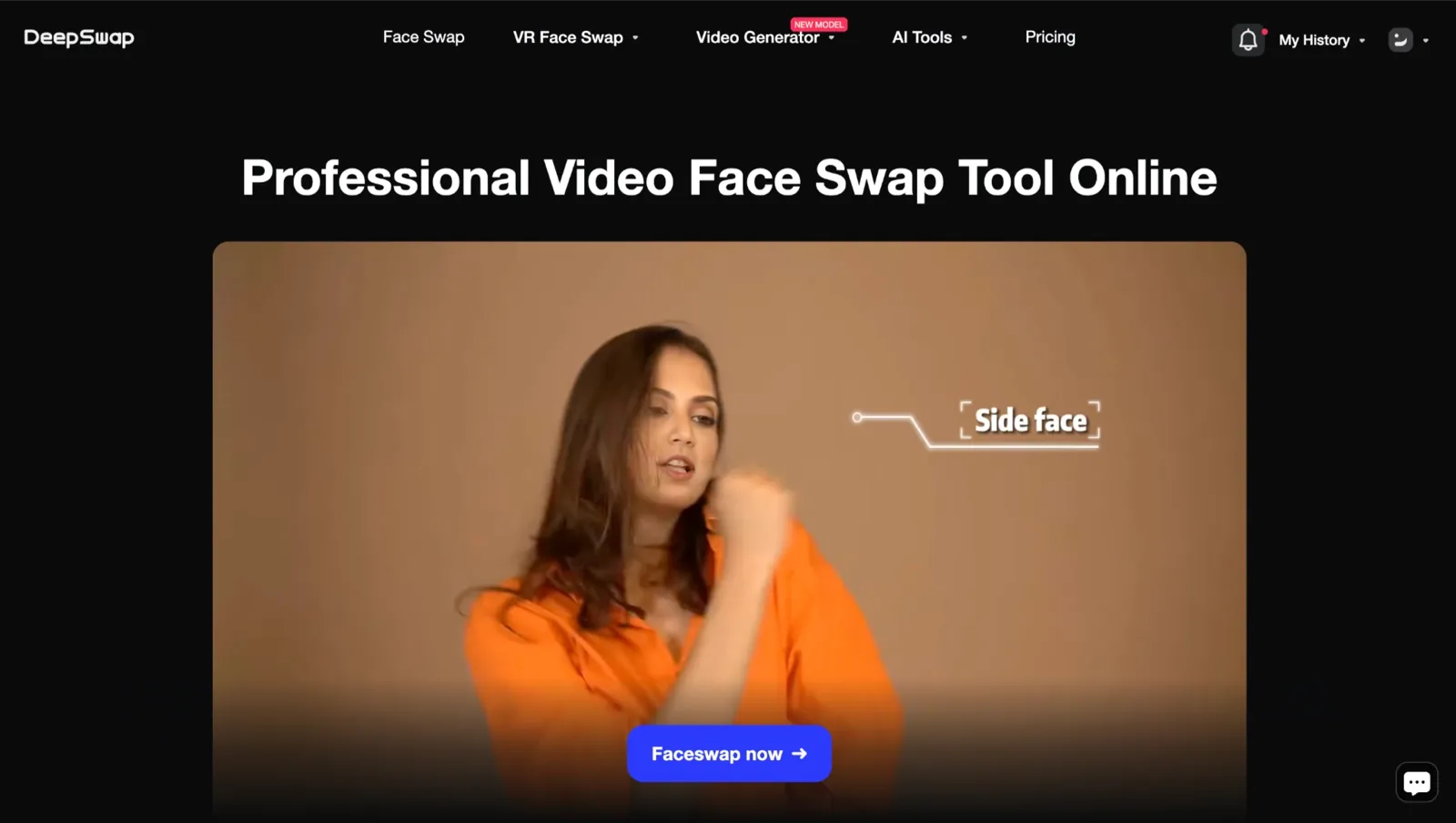
Remaker AI supports video face swap up to 30 minutes at 1 credit per second, but DeepSwap is different from Remaker AI in that it supports clips up to 30 minutes or 1 GB and scales to 6 simultaneous face swaps in a single video frame, double Remaker AI's multi-face capacity. Where Remaker AI offers non-expiring credits with a low entry price, DeepSwap uses a monthly plan that can exceed its credit allotment in a single long-form job.
AKOOL: Best for Marketing and Personalization
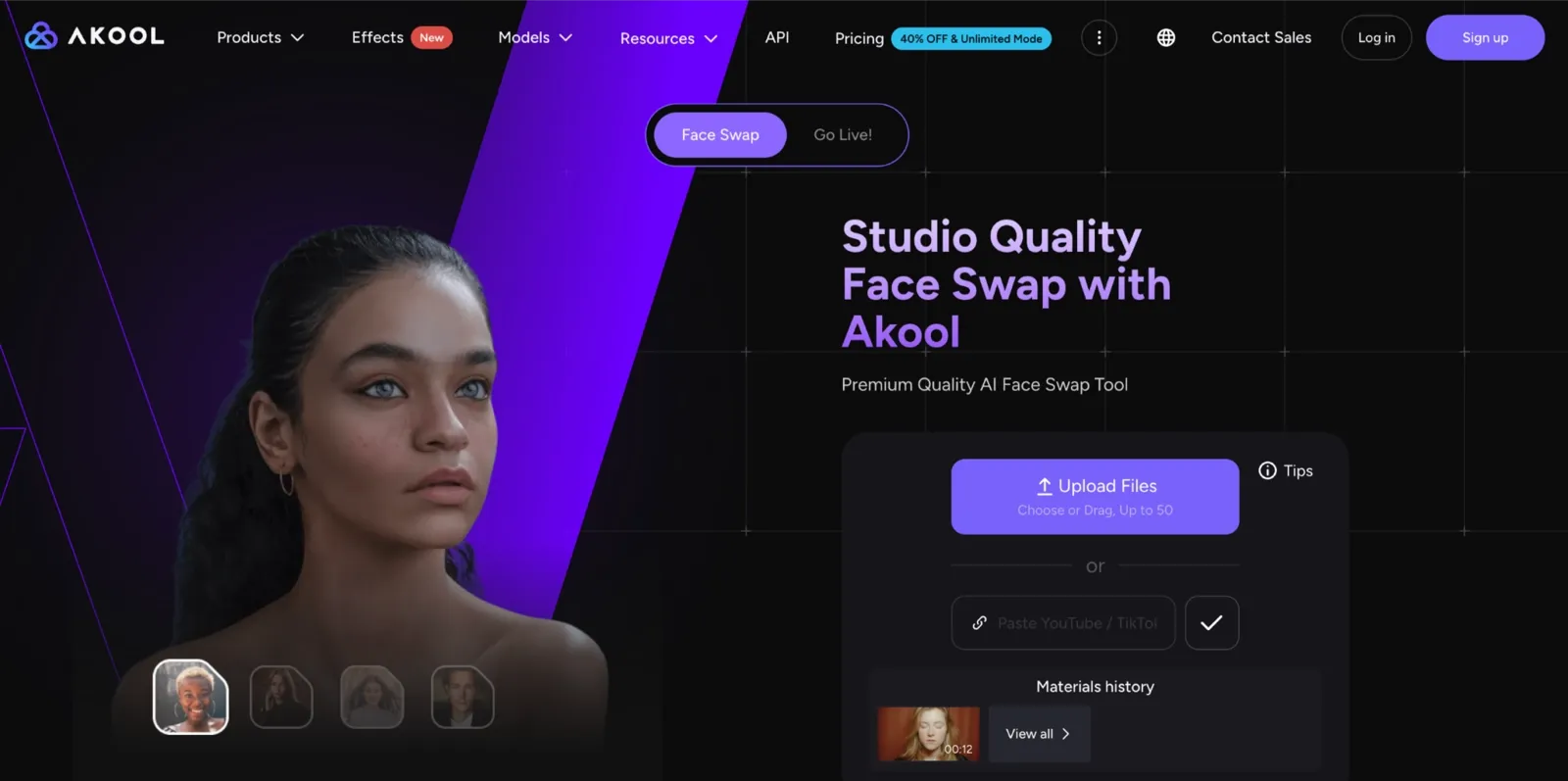
AKOOL focuses on enterprise-grade ad production and API-driven creative workflows, whereas Remaker AI is positioned for casual and creator use. AKOOL is different from Remaker AI in that it supports resolutions up to 16K, offers full API access for automated pipelines, and includes built-in video translation for multi-market localization, all in one platform. While Remaker AI keeps pricing simple with a per-credit model, AKOOL's cost scales quickly at $0.05 per video second via the WaveSpeed API.
FaceFusion: Best Open-Source and Privacy-First Pick

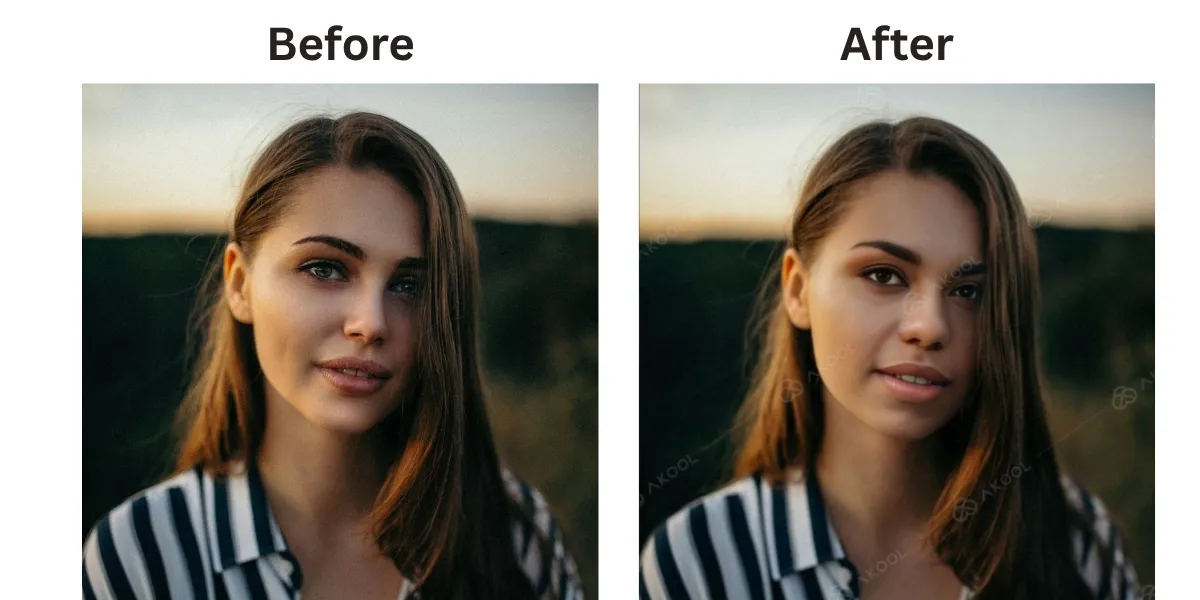
While Remaker AI stores uploaded content on cloud servers for up to 24 hours, FaceFusion processes everything entirely on your local hardware, no uploads, no servers, no data retention policy to read. FaceFusion is different from Remaker AI in that it is fully open-source, free at every stage, and carries no credit system or watermark. However, where Remaker AI works in any browser in under a minute, FaceFusion requires Python, a GPU with at least 4 GB VRAM, and terminal familiarity.
Tips for Better Face Swap Results
The AI does the heavy lifting, but your choices before you click swap faces determine the output quality more than the tool itself does. These tips apply across Remaker AI, VidMage, and every tool in the benchmark table.
Use a clear, front-facing source photo with only one face in the frame. Solo portraits give the AI the best chance of creating an accurate swap.
Match the lighting between the source and target images as closely as possible. Similar lighting helps the face blend more naturally.
Choose a neutral expression for your source photo. Relaxed expressions give the AI more flexibility to match the target.
Keep the head angle similar in both images. Large differences in pose often lead to softer edges and less realistic results.
Test with stylized images or artwork when trying a new tool. Artistic backgrounds can hide imperfections and showcase the tool's strengths.
Avoid sunglasses, hands, or anything covering the face. Clear visibility of facial features improves tracking and overall quality.
Is Remaker AI Safe? Privacy and Consent
Remaker AI’s privacy policy states that uploaded images are deleted within 24 hours. The company behind the platform is ZINGDECK INTL PTE. LTD., registered in Singapore. Some users have flagged a naming inconsistency: the corporate entity operating the platform appears under the name FaceVary in certain app stores and billing contexts, which creates confusion about who is handling your data.
VidMage handles data differently. Web uploads are deleted automatically after 2 hours. The Mac client processes everything locally on your device, so your photos, videos, and face data never leave your machine at any point. For users who need to swap faces in client footage or personal content and cannot accept a 24-hour cloud window, local processing is the only architecture that fully closes that exposure.
The consent rule is simple and does not change by platform. Do not upload the face of anyone who has not agreed to it. One forum user summarized the cost of getting this wrong in three words that have been widely repeated in face swap communities: “got banned from every app in one day.”
FAQ: Remaker AI Face Swap
Is Remaker AI face swap free?
Yes, you can swap faces on Remaker AI without paying, but the free tier is not unlimited. You get 30 credits at signup and 5 credits per day on login after that. A single photo swap costs 1 credit. A video swap costs 1 credit per second of video. You should treat the free tier as a test drive instead of a workflow.
Does Remaker AI add a watermark?
No. Free-tier photo and video swaps on Remaker AI are watermark-free. While the results are often watermark-free, free users may face restrictions on image resolution.
How many credits does a video swap use?
Remaker AI deducts 1 credit per second of video for a face swap, meaning a 30-second clip costs 30 credits. A 60-second clip costs 60 credits.
Is Remaker AI safe to use on personal photos?
Remaker AI states it deletes uploaded images within 24 hours and encrypts uploads in transit and at rest. The platform is operated by ZINGDECK INTL PTE. LTD., a Singapore company. Some users have noted a naming inconsistency between the remaker.ai brand and the FaceVary entity that appears in billing and app store contexts.
Can I use Remaker AI for commercial work?
Remaker AI’s terms of service require users to have rights to the faces and source material they upload. Commercial use is not explicitly prohibited, but the platform is primarily positioned for casual and creator use.
Does Remaker AI work on iPhone or Android?
Yes. The official iOS app is published by ZINGDECK INTL and holds a 4.5-star rating from over 260 App Store reviews as of early 2026. There is a separate Android app called Remaker: AI Face Swap by Creativity AI on Google Play, but it is not affiliated with the remaker.ai platform and carries a lower 2.9-star rating.
What is the max batch size on Remaker AI?
Remaker AI supports batch photo swap for up to 50 images. Batch processing requires a paid plan and is not available on the free tier. Batch video swap is available on higher-tier plans and consumes credits at the standard 1 credit per second rate across all clips in the batch.
Does Remaker AI offer refunds?
Remaker AI’s refund policy is not prominently published. Based on community reports, credits are generally non-refundable once purchased. Remaker’s credits do not expire, which reduces the urgency around refund requests for most users.
The Bottom Line: My One-Line Verdict
If I had to keep only one AI face-swapping tool, it would be VidMage. The photo and video quality held up across every test, the Mac client gives me local privacy and live face swap, and the per-second video price is the lowest in the table. That said, the trade-off is real. Remaker credits never expire, VidMage credits reset each cycle.
For someone who swaps faces once a month and wants to top up a $5.99 credit pack and forget about it, Remaker’s model is genuinely better. Both tools have a legitimate place depending on how often you work.
If you are into video work, multi-face group content, and any swap you need realistic and fast, VidMage wins on every metric that matters. The best way to decide is to test both with the same photo and video clip. A quick side-by-side comparison will show which tool delivers the quality, speed, and workflow that fit your needs before you spend more on credits or a subscription.