

I tested Reface AI on iOS and Android for two weeks in 2026. I swapped 47 faces, tested the app across photos and videos, and checked how much you can realistically do before needing a subscription. If your only goal is to drop your face into the trending TikTok face swap before the meme dies, Reface is built for that exact moment.
But if you need to swap faces in photos and videos, always prioritize your privacy. If you want to avoid a surprise charge after a free trial, you need the full picture before you download. I will get to everything below.
What is Reface AI?
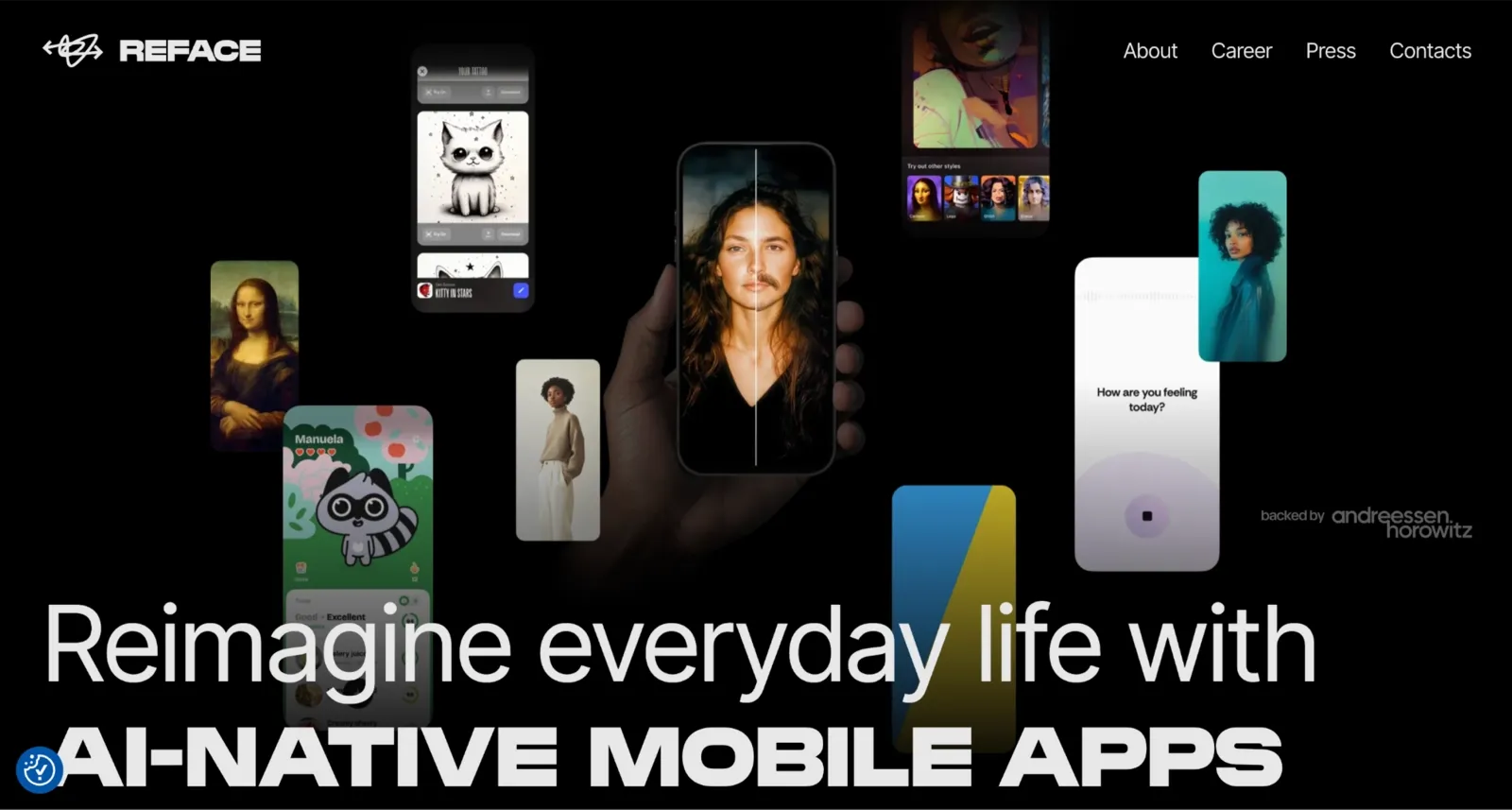
Reface AI is a face-swapping app made by Neocortext, Inc. and available on the web, iOS, and Android.
Beyond the basic face swap, Reface also offers AI Avatars that turn your photo into stylized portraits. There is a Revive feature that animates still images, and a Restyle filter that applies visual effects to photos and videos.
What it does not do: there is no video editing, audio tools, or desktop app. Reface is a mobile-first tool for fast and shareable content. If you need anything beyond swapping faces in photos and videos and adding some AI flair, you will need a different tool for that part of the job.
Key Features of Reface AI
I tested all three core features over the two weeks I used the app. Here is what I found, with concrete numbers where available.
Photo Face Swap
I picked templates from Reface’s catalog, and the app mapped my face onto the image. The photos were the strongest part of the whole experience.
The template library is large. It refreshes with trending content regularly. That is a real strength. I found something usable almost every time I opened the app. During the demo trial, every photo output includes a watermark, and the resolution remains standard definition. Paid tiers remove the watermark, unlock HD output, and expand access to more of the template catalog.
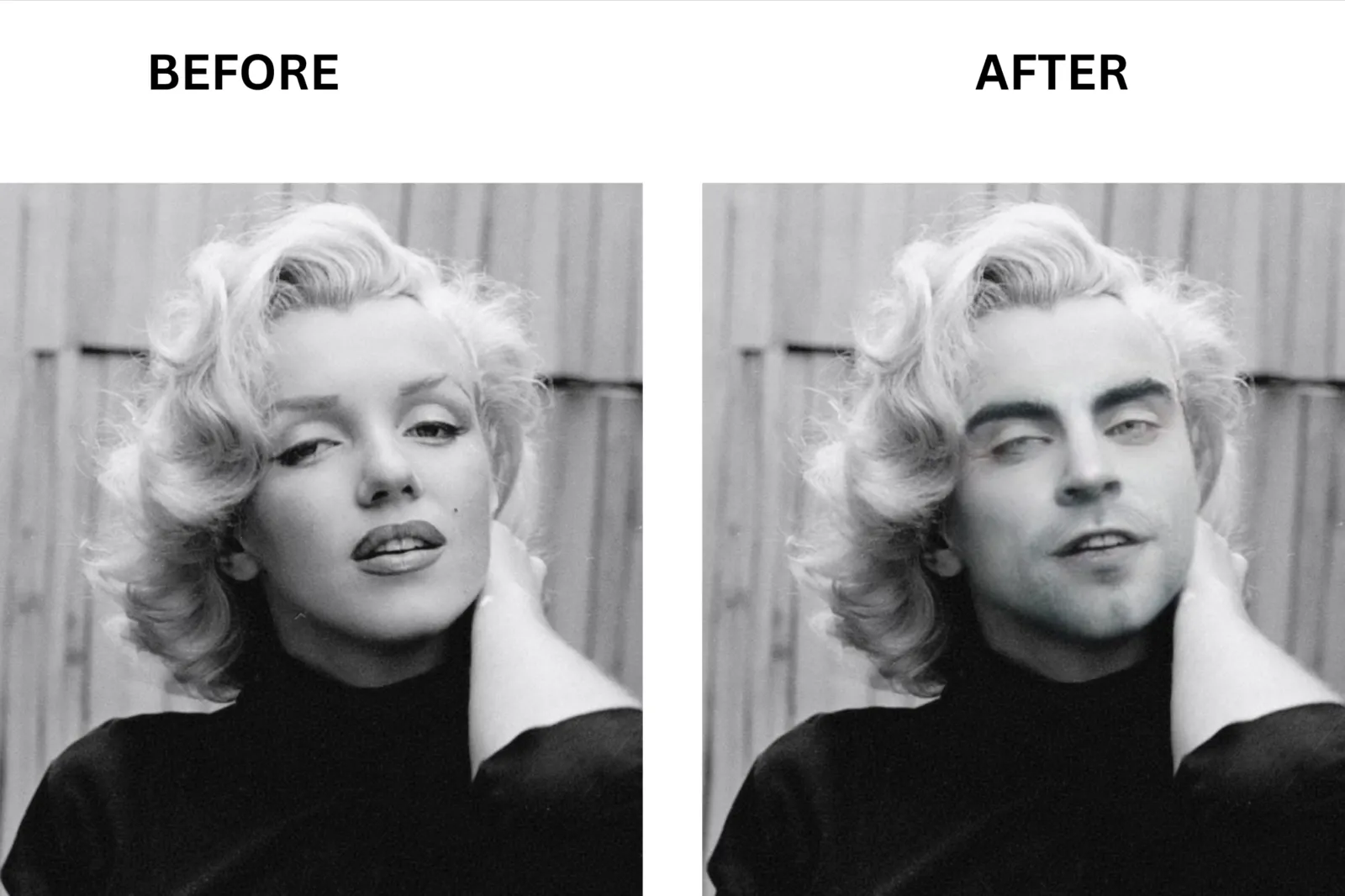
How to Swap Faces with Reface in 3 Steps
**Step 1: **On the official website of Reface, click “Try Face Swap Now.” It will take you to a new page, and here, click “Choose File” to upload the photo.
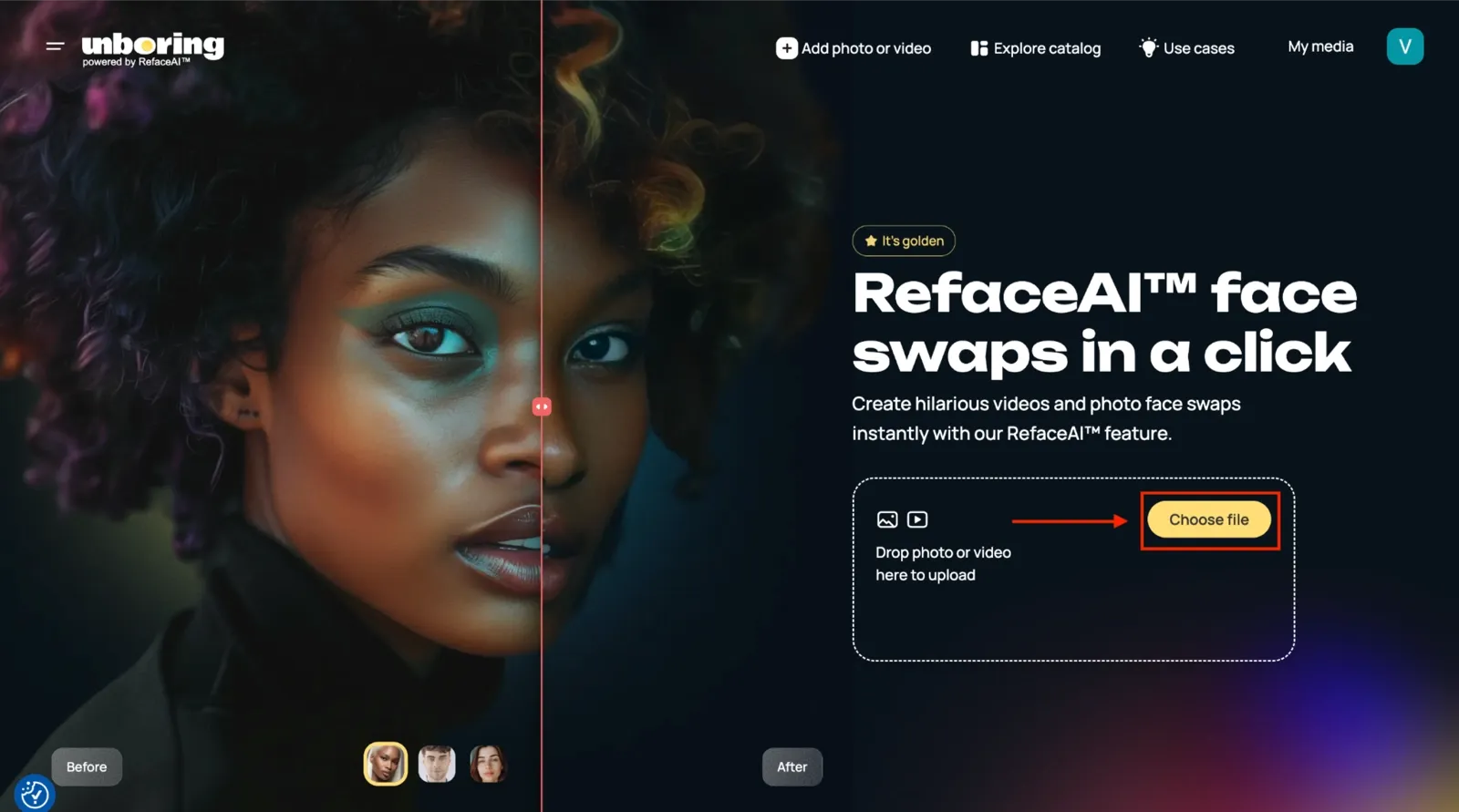
Step 2: Click the “Demo content” option, and it will give you the template library. Choose any one and click the “Swap faces” option.
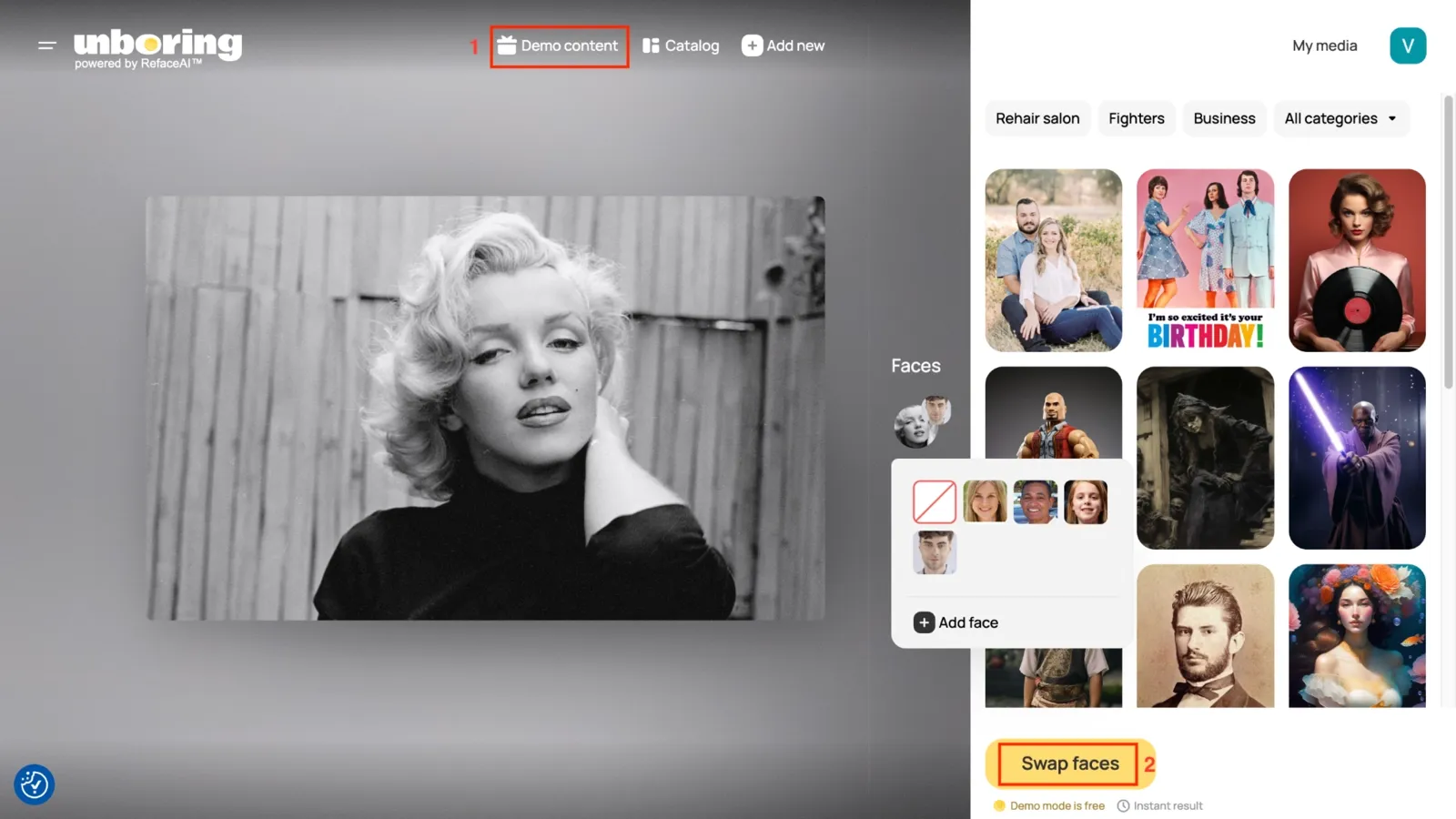
Step 3: Click the “Download” button to save the final results.
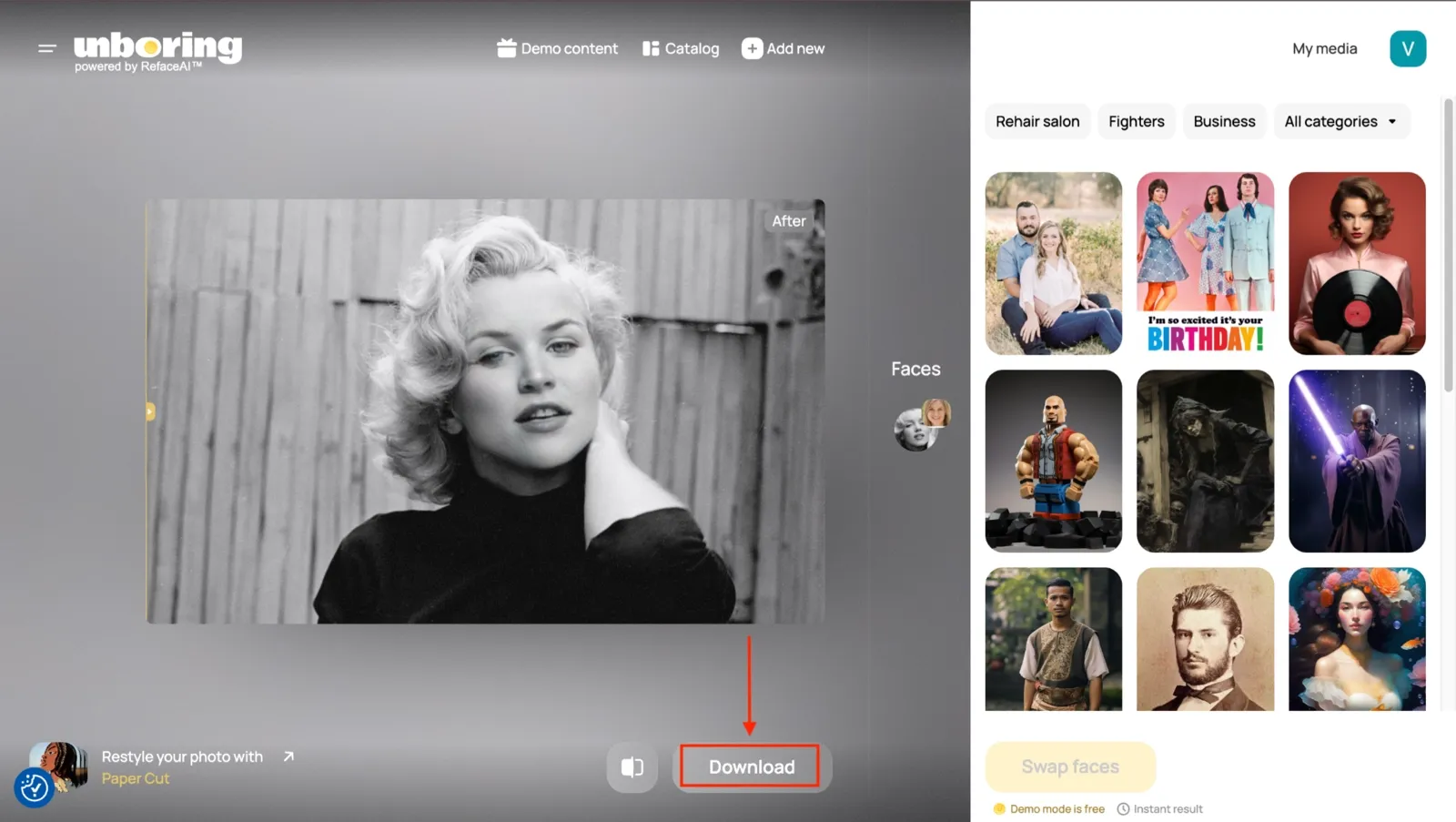
The whole process takes under 30 seconds for a photo. It is fast, clean, and satisfying when the face blend lands right.
Video Face Swap
This is where Reface earns its reputation. I uploaded a trending clip from the library to test the quality and processing time. The facial mapping tracked expressions and movement better than I expected on short clips. The blend looked convincing on most GIF-length templates.
But here is where things slowed down. A 30-second video took between 90 seconds and 3 minutes to process, depending on server load. Longer clips took even longer. Quality also dropped in low-light selfies and in scenes with more than two faces.
For a single social media post, the wait is manageable. For content creation at volume, it adds up fast. Free-tier video swaps include a watermark and cap you at shorter clips. Paid plans remove the watermark and unlock the full premium template library.
Multiple Face Swap
I tested this on a group shot with three faces. Reface handled the clean, front-facing ones well. The results were inconsistent when any face was partially blocked or at an angle. On complex scenes with overlapping heads or side profiles, the detection missed faces entirely on two out of five attempts.
The multi-face feature is available only on paid plans. In the demo, you only get two-face output. For group shots where every face needs to look right, the inconsistency is worth knowing before you commit to a paid plan for this specific use case.
Pricing, Plans, and How to Cancel Reface AI
Pricing is one of the most frequently complained-about parts of the Reface experience. Here is exactly what each plan costs, what you get, and how to stop paying if you need to.
I pulled these numbers directly from the Reface pricing page in May 2026. These tiers are for the web tool, marketed as “Unboring by Reface.”
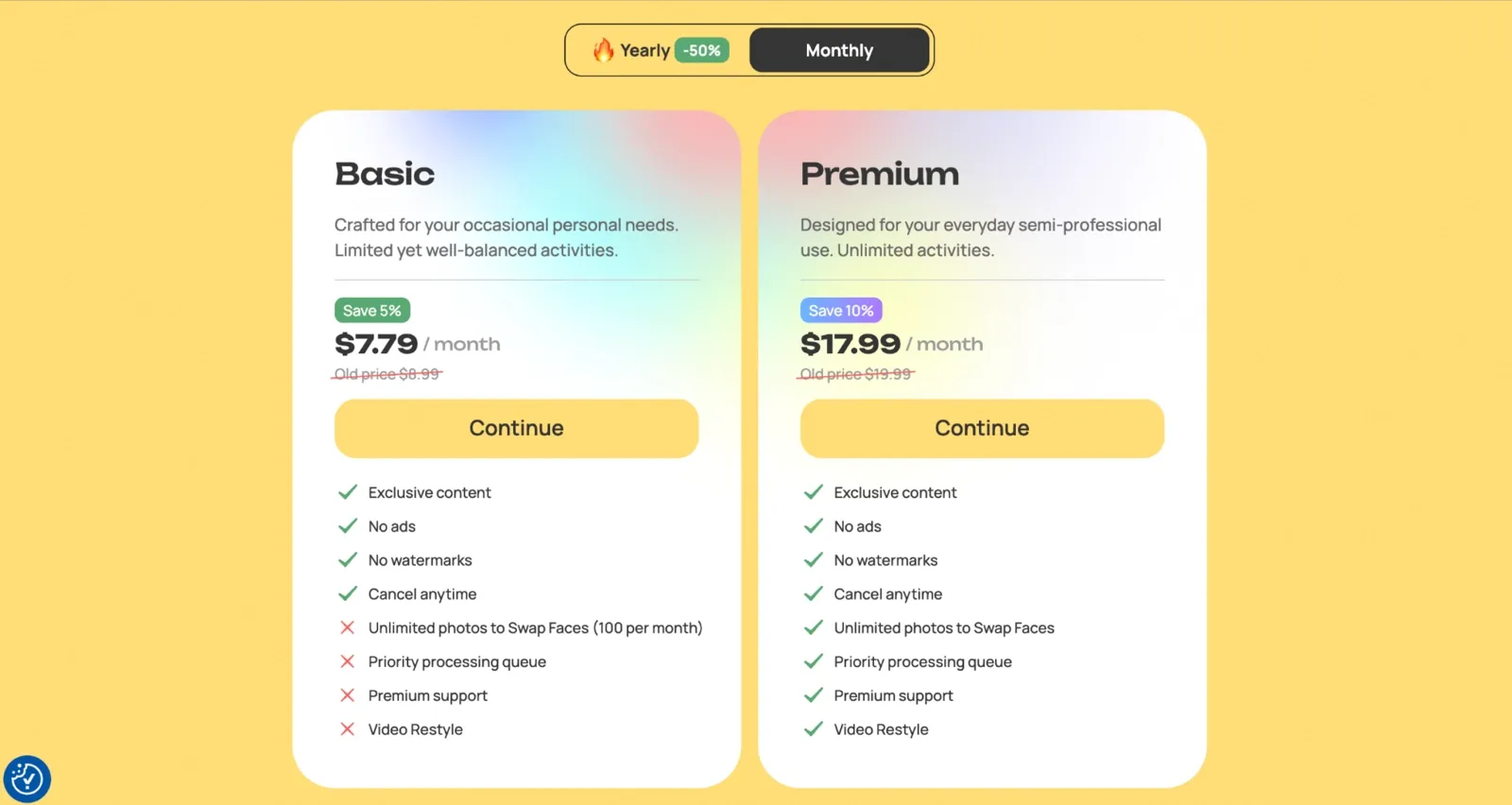
If you want to use Reface on mobile, separate pricing is available for both iOS and Android apps. Mobile plans include weekly subscriptions and lifetime access options, which are different from the web pricing shown above.
| Platform | Plan | Price | Billed Annually/One-Time |
|---|---|---|---|
| Web | Basic | $7.99/month | $36.99/year |
| Web | Premium | $17.99/month | $71.99/year |
| Mobile App (iOS) | Weekly Plan | $5.99/week | – |
| Mobile App (iOS) | Lifetime Plan | – | $44.99 one-time |
| Android | Weekly Plan | $4.99/week | - |
| Android | Lifetime Access | - | $39.99 |
All these plans include: no ads, no watermarks, unlimited photo swaps, priority processing queue, exclusive template content, premium support, and Video Restyle access.
Reface also offers a 3-day free trial that auto-renews into a paid subscription. This is where most billing complaints come from. Over 1,457 users hit the “I have the same question” button on a single Google Play thread about unexpected charges. The thread title is “How to cancel Reface subscription.” That number tells you how common this problem is.
The free trial rolls into a full billing cycle unless you cancel through your App Store or Google Play account before the trial ends.
How to Cancel Reface AI Subscription
Follow the step-by-step guide below to cancel the Reface AI subscription:
iOS:
**Step 1: **Open the Settings app on your iPhone.
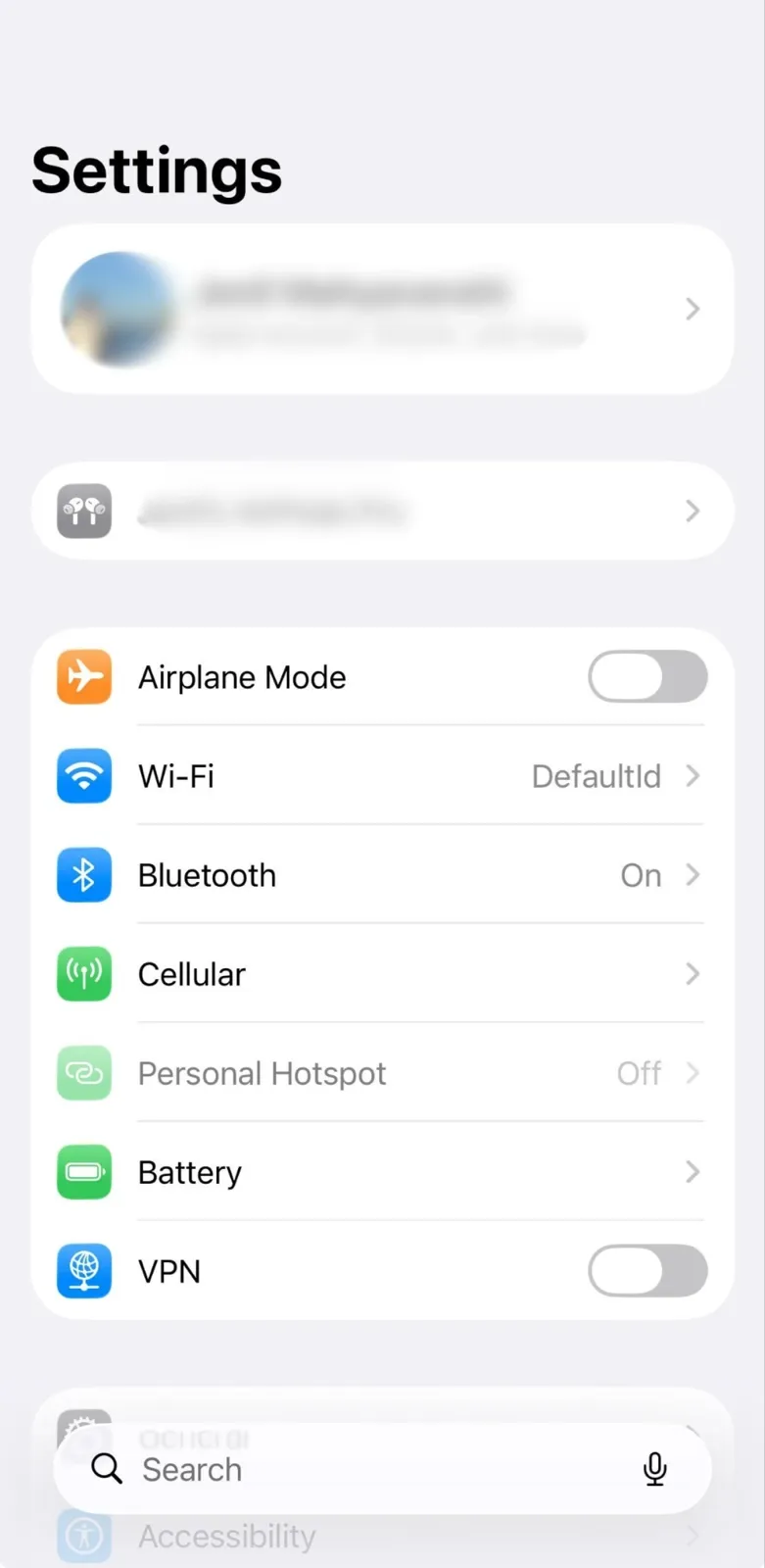
**Step 2: **Tap your name at the top to open Apple ID and tap Subscriptions.
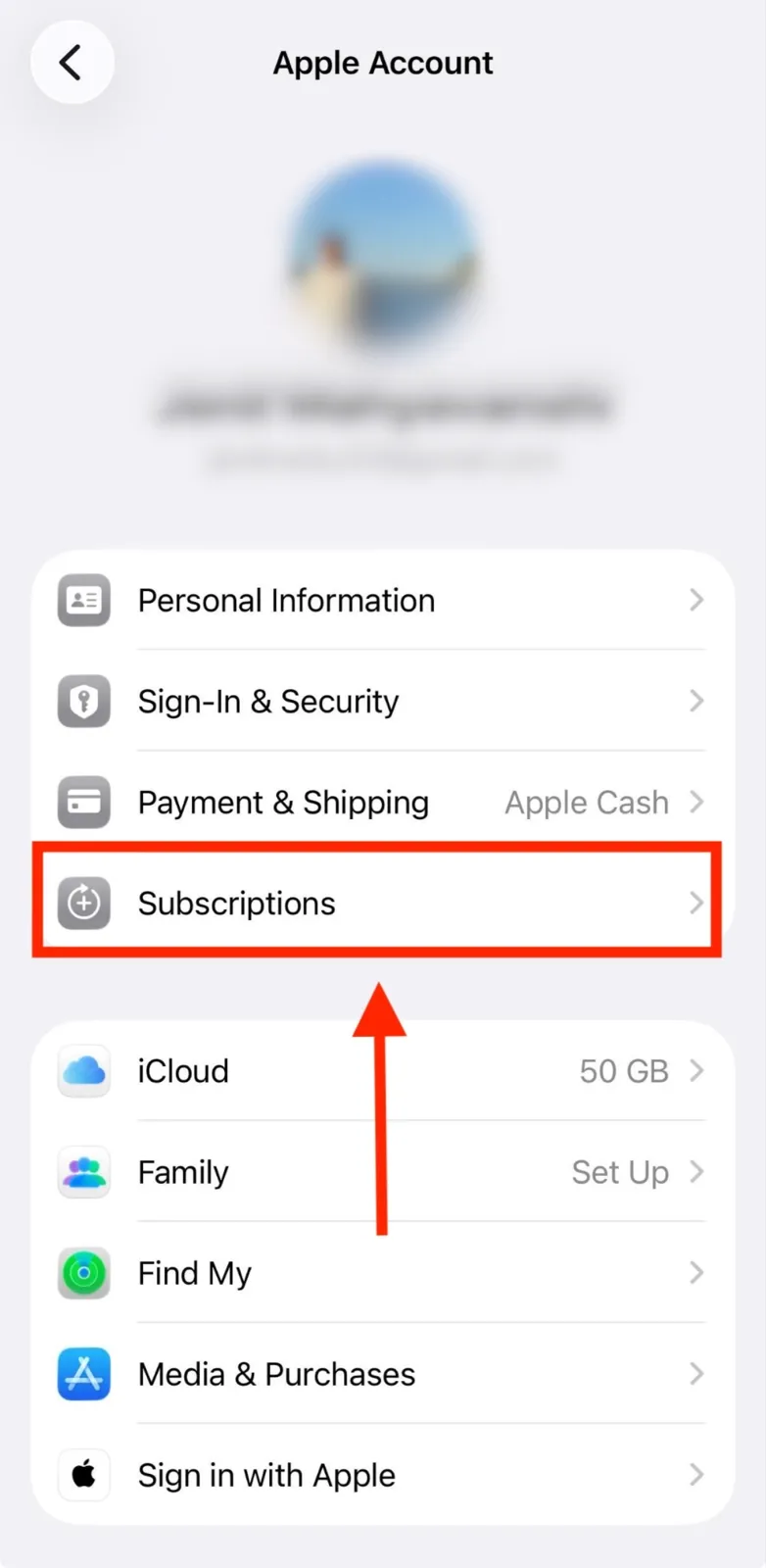
**Step 4: **Find Reface or Neocortext in the list, and tap Cancel Subscription.
Android:
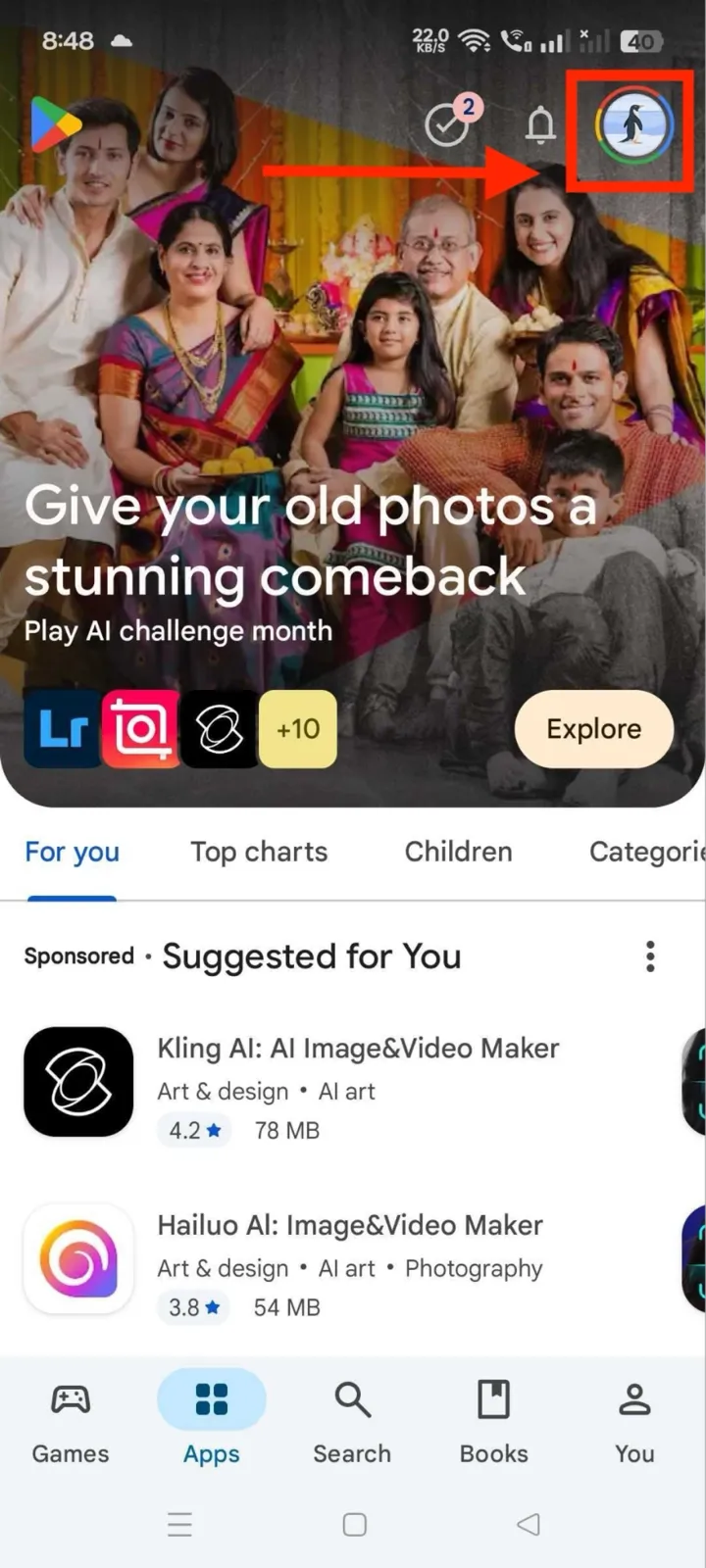
**Step 1: **Open the Google Play Store and tap your profile icon in the top right corner.
**Step 2: **Tap Payments and Subscriptions, then Subscriptions.
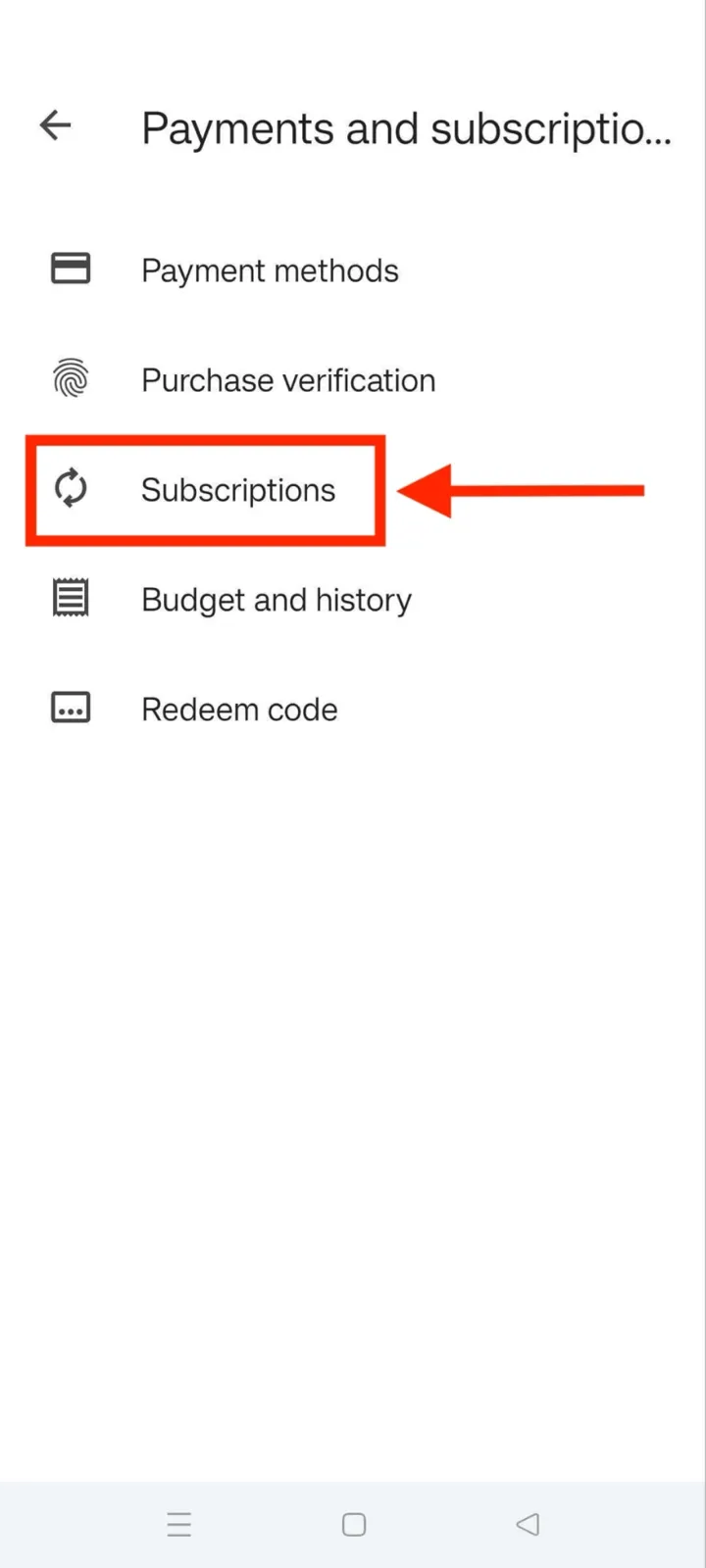
**Step 3: **Find Reface in the list and click Cancel Subscription.
Web: Go to pay.google.com. Sign in with the Google account you used to subscribe. Find Reface under Subscriptions. Cancel from there. Reface’s own support team recommends this path for any web billing issue.
There is no cancel button inside the Reface app that stops your billing. You must go through Apple ID, Google Play, or pay.google.com.
Is Reface AI Safe? Privacy and Data Handling
Yes, Reface is relatively safe for casual entertainment use, but it does collect and retain biometric data longer than many users realize. When you upload a selfie, your face is converted into a mathematical representation called an embedding, which is processed through Google Cloud infrastructure. Earlier versions of Reface’s privacy policy stated that uploaded photos were deleted quickly and facial data was stored for only 30 days. The app also explicitly said it would not use facial features for face recognition.
Reface’s July 2020 privacy policy was clear: facial data was stored for “a limited period of 30 calendar days after your last use of the Reface application.”
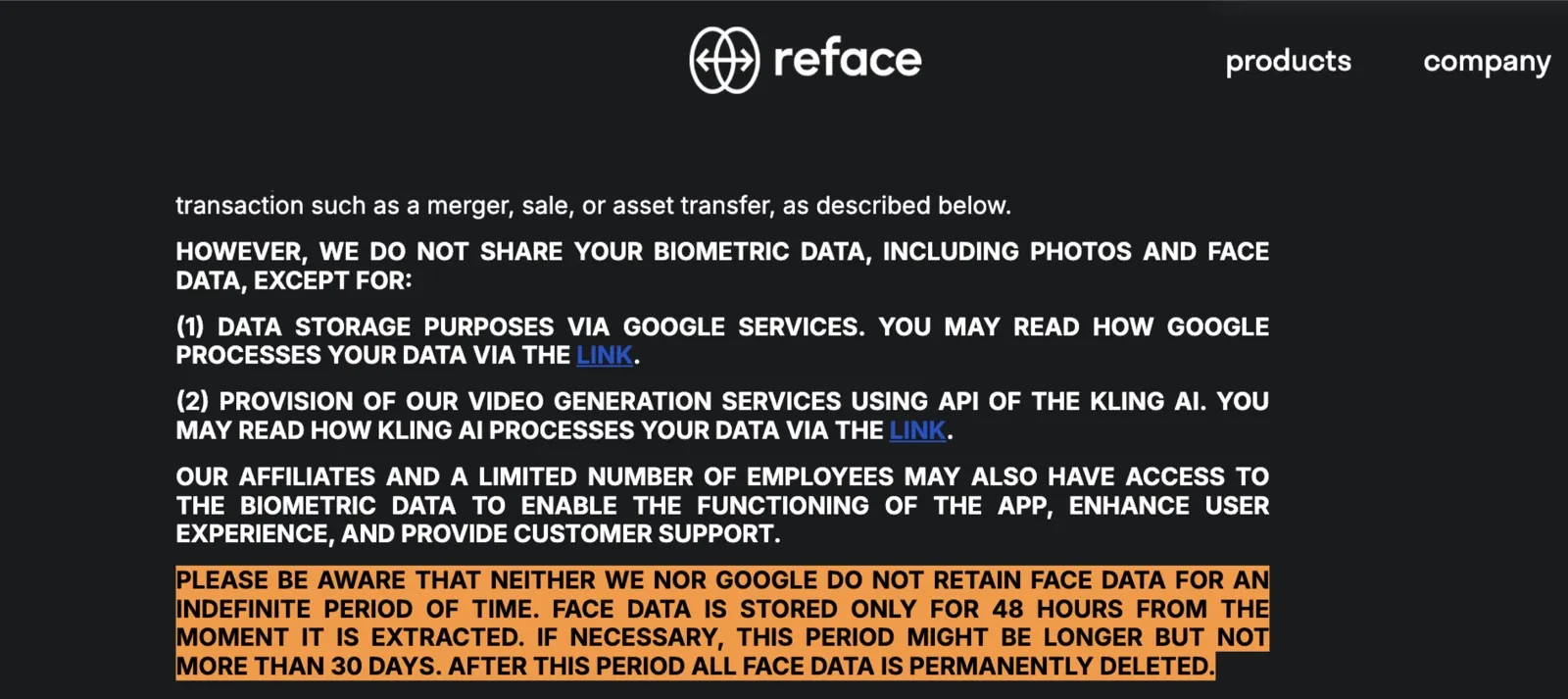
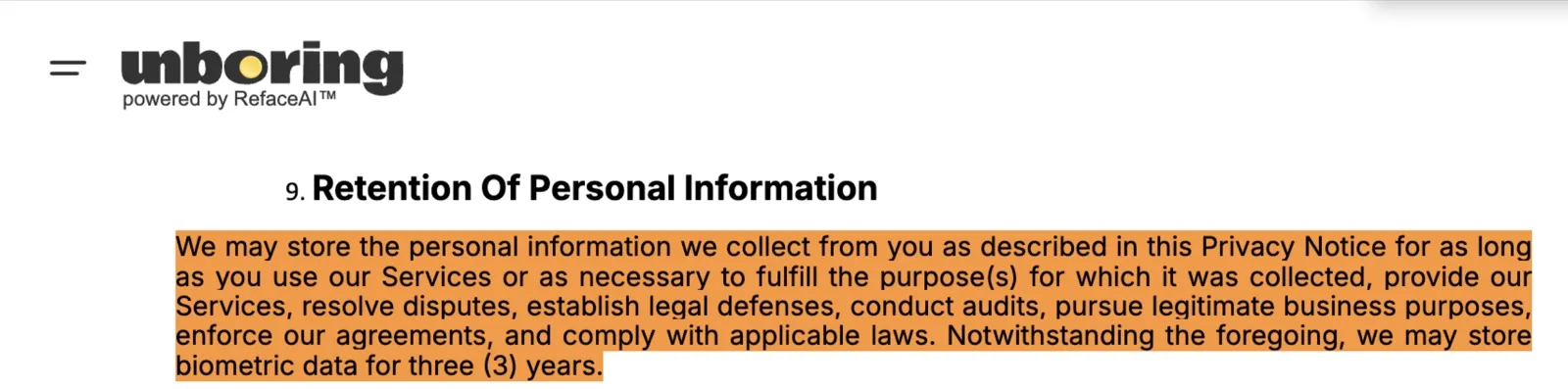
Then Reface updated the privacy policy in 2023. Both of those lines are gone. The updated version says Reface “may store biometric data for three years.” The face recognition clause was removed without explanation.
The app uses behavioral advertising and includes third-party ad trackers that collect user data. It is also unclear how much of that data may be shared with outside marketing partners. The recommended age rating is 14+, but many parent reviews have argued that the app is more appropriate for adults because of privacy concerns and some of the content available inside the platform.
That parent-aggregate rating matters if you are in the position I was researching: a parent deciding whether to tap Allow for a 13-year-old who wants to make face swap videos with friends. The 12+ label in the App Store says one thing. The template feed, the advertising infrastructure collecting data in the background, and a privacy policy that now allows three years of biometric retention say something different. Those are not small caveats for a child’s account.
For a privacy-conscious adult, the picture is similar. If you want to try a face swap once or twice without your facial geometry sitting on a server you cannot audit, Reface is not the right fit. The data does not disappear after your session ends. It may stay for up to three years under the current policy, processed through infrastructure you have no visibility into.
The contrast with VidMage Mac face swap is direct. The Mac client processes everything locally on your machine. Nothing is uploaded to any server. The web version deletes your uploaded media within two hours of processing. Neither version uses your content to train models. For anyone who needs to answer a privacy question from legal, a parent, or themselves, that is a meaningful difference.
What Users Say About Reface AI?
After spending time testing Reface myself, I wanted to see whether other users were encountering the same strengths and frustrations I had noticed during testing. I went through reviews across G2, the App Store, Google Play Store, and other public platforms. The pattern was pretty consistent: people love how fast and entertaining Reface feels, but complaints about template removals, moderation flags, refund issues, and limited customization keep coming up.
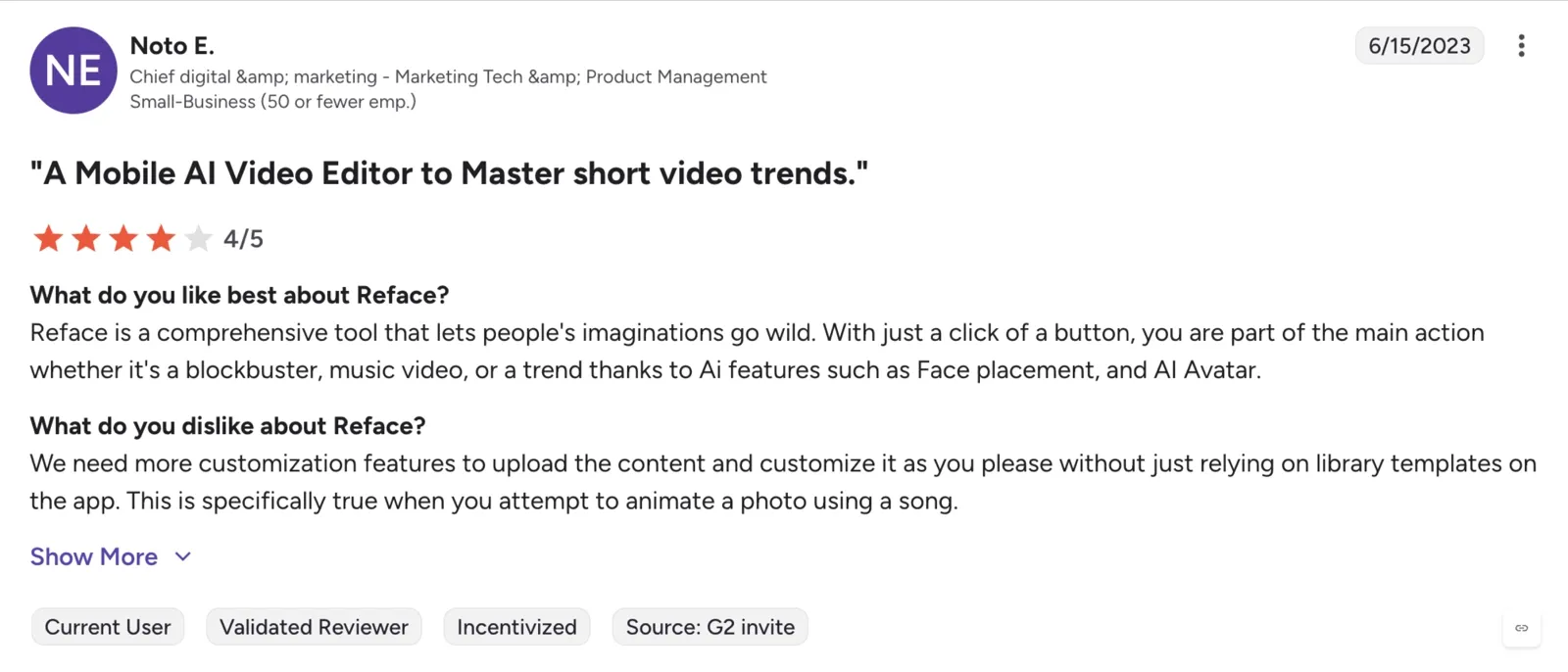
G2 Review: 4.5/5
A G2 reviewer praised how easy it is to jump into trending content:
“With just a click of a button, you are part of the main action, whether it’s a blockbuster, music video, or a trend, thanks to AI features such as Face placement and AI Avatar.”
But the same reviewer also pointed out one of Reface’s biggest limitations:
“We need more customization features to upload the content and customize it as you please without just relying on library templates.”
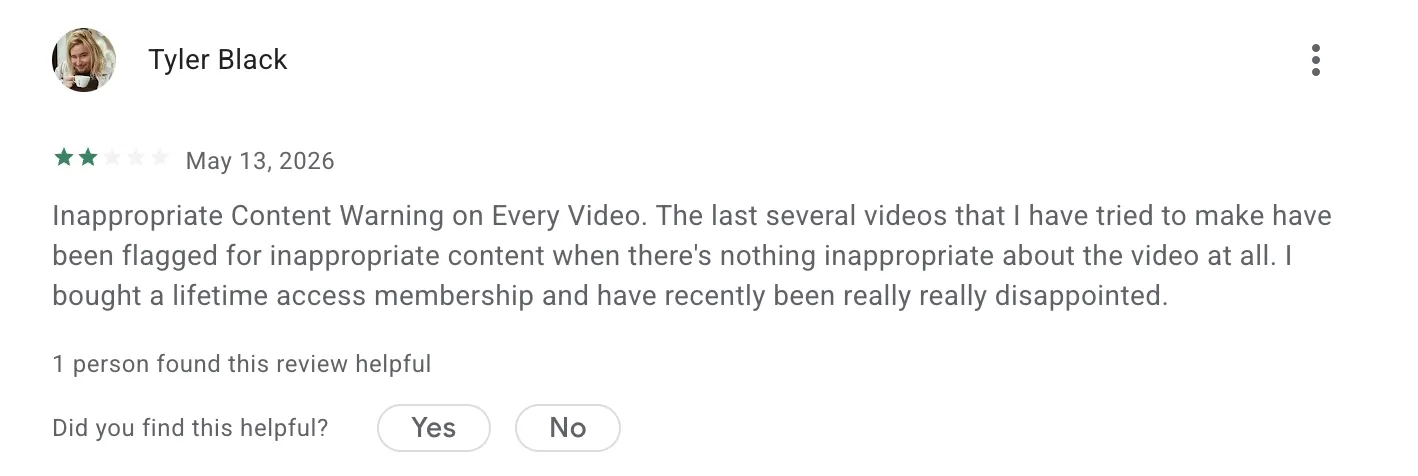
Google Play Review: 4/5
One user mentioned frustration with Reface’s moderation system:
“I’d like to know why it’s flagging every other video I try to face swap on as possible inappropriate content... nothing I’ve tried to swap has been remotely inappropriate.”
That lines up with my own testing, where some uploads were inconsistently blocked without a clear explanation.
App Store Review: 4.9/5
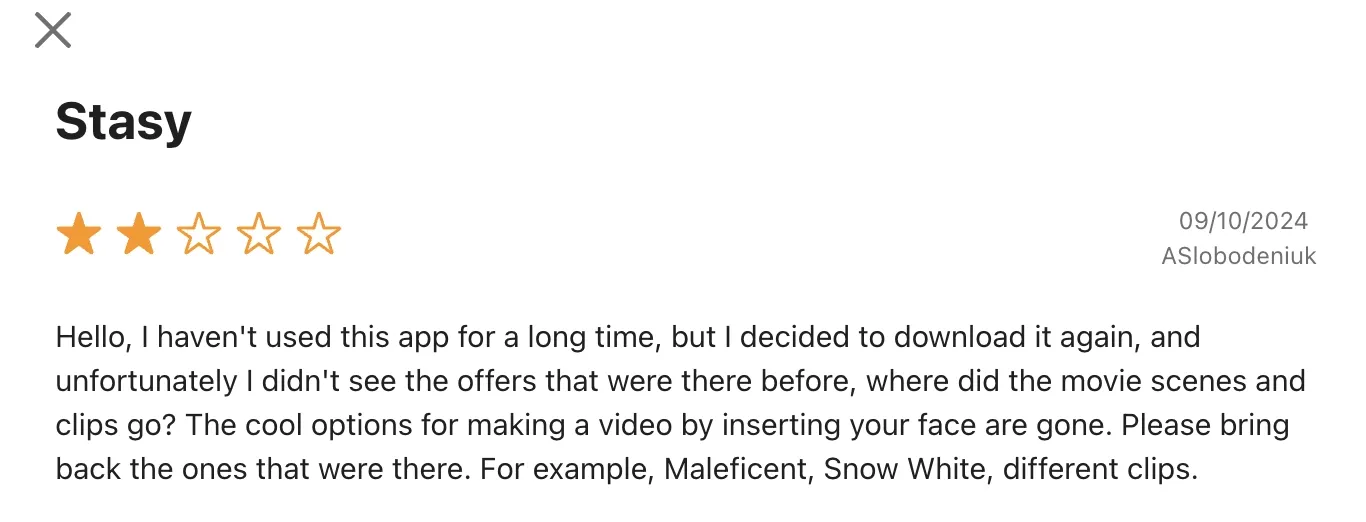
A longtime user complained about older templates disappearing over time:
“Where did the movie scenes and clips go? ... Please bring back the ones that were there before.”
That complaint came up more than once while I was researching. Reface updates templates frequently, but older popular clips sometimes disappear just as quickly.
Trustpilot Review
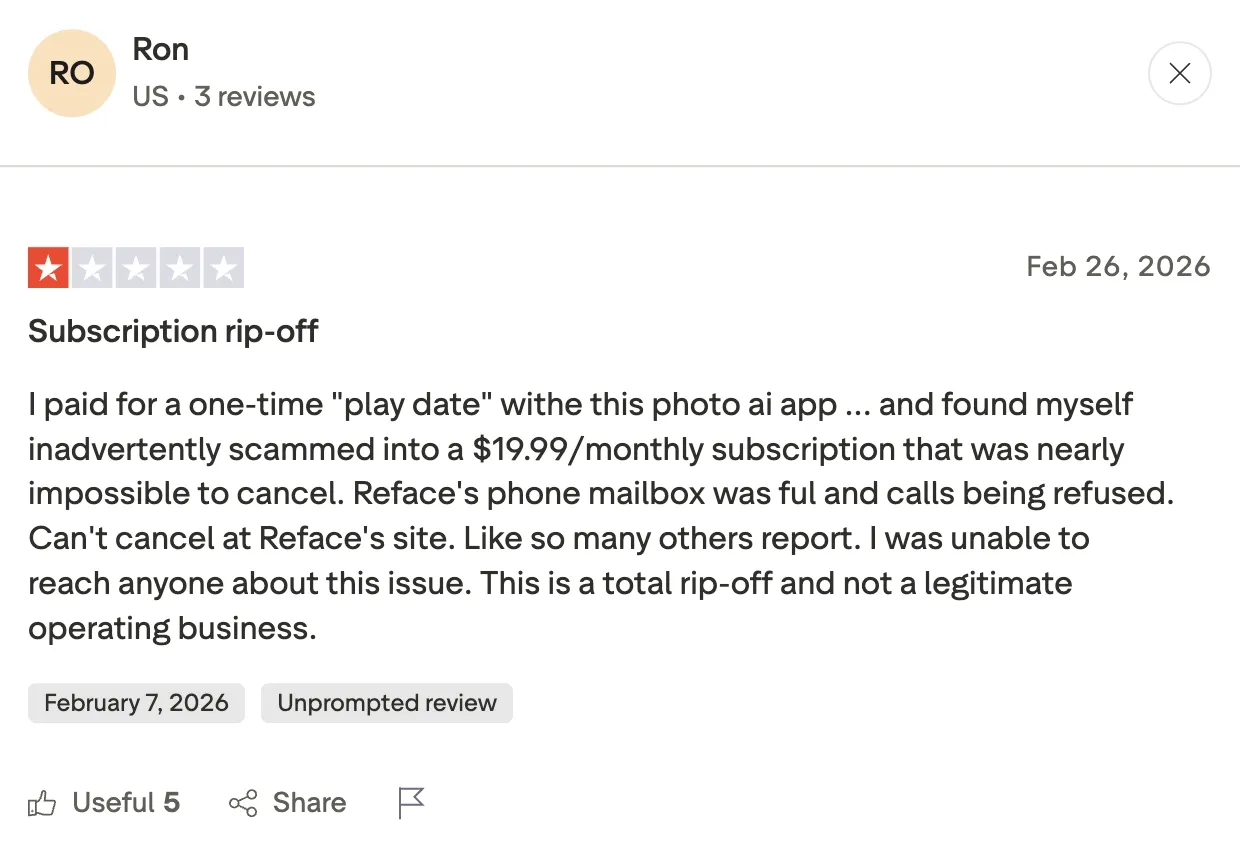
A Trustpilot reviewer had a much harsher experience, calling Reface a “subscription rip-off” after accidentally being charged for a recurring $19.99/month plan while trying to make a one-time purchase. They also complained that canceling the subscription and contacting customer support felt extremely difficult.
Reface AI Pros and Cons
After two weeks of testing Reface AI across photos, GIFs, and videos, the app stood out for fast meme-style face swaps but showed clear tradeoffs in privacy, free-tier limits, and long-video performance.
| Criterion | Strength | Weakness |
|---|---|---|
| Output Quality | Excellent on short GIF and video templates, natural facial tracking on trending clips | Quality drops on multi-face scenes, low-light selfies, and clips over 30 seconds |
| Pricing Transparency | Tiers are clearly listed on the pricing page | Free trial auto-renews with no in-app cancel option, Neocortext merchant name confuses users at billing |
| Free-Tier Limits | Template library access | Watermark on all free outputs, ads after every swap, most premium templates locked |
| Privacy and Data Handling | Opt-out available by contacting support directly | Biometric data retention up to 3 years, Warning rating from Common Sense Media, behavioral ad targeting active |
| Multi-Face Support | Available on paid plans, handles clean front-facing group shots | Inconsistent on partially blocked faces, detection fails on side profiles, and single-face only on the free tier |
| Template Library and Freshness | Large library, frequent updates, strong trending content coverage | Premium templates locked on free tier, GIF library stronger than video library depth |
Best For: Creators running a TikTok or Reels account who need to post three to five face swap clips a week without paying for a full video editor. Reface’s paid tier earns its keep for this workflow. The template library refreshes more quickly than most rivals', so your feed never runs dry. If HD output without a watermark is the requirement and a subscription fits the budget, Reface covers that use case cleanly.
Reface AI vs. The Best Alternatives
I tested Reface against three popular alternatives using the same photos and videos to see which tools actually held up beyond viral demo clips.
**VidMage: Best for Realistic Face Swap **
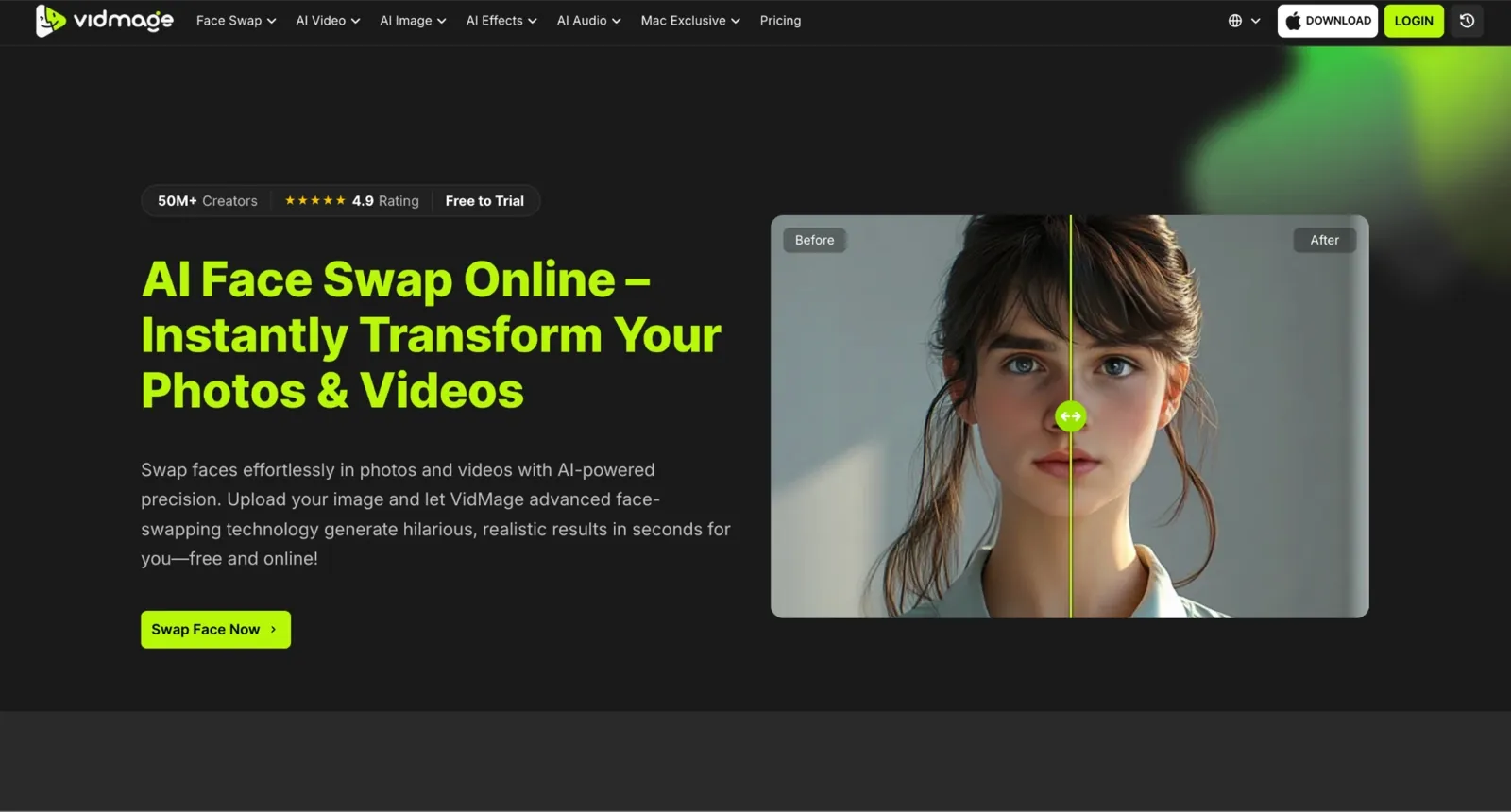
While Reface is a mobile-first app built around a curated template library, VidMage is different in that it runs on the web and the face swap Mac app and gives you raw processing power without locking quality behind a subscription. The VidMage video face swap processed a 30-second clip in about 35 seconds, much faster than Reface during my tests. I also tested a 4-person multi-face video swap, and all four faces swapped accurately in a single frame. VidMage also supports up to four faces in a single frame, while Reface limits the demo to two.
Remaker AI: Best for Quick No-Signup Photo Face Swaps
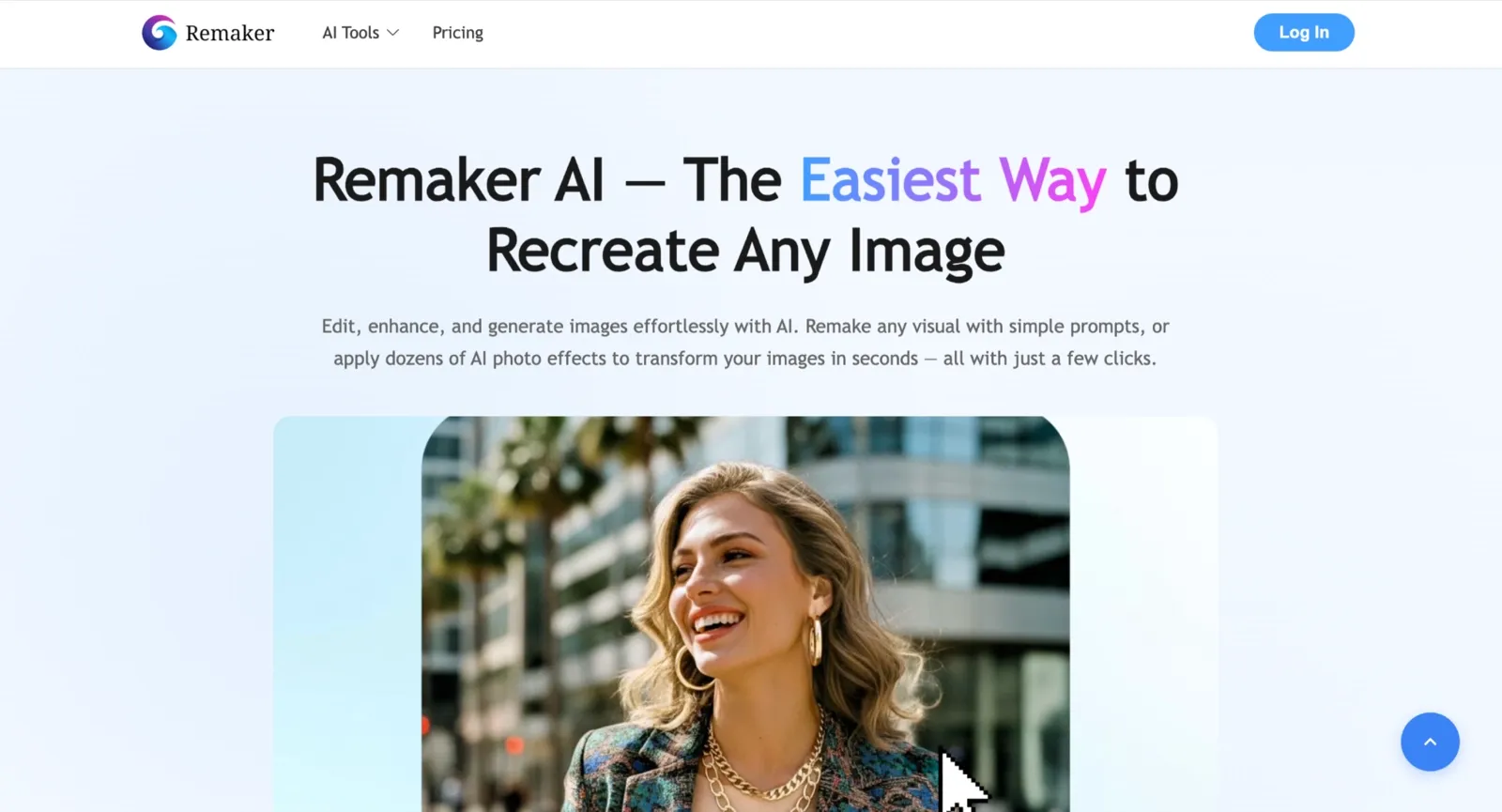
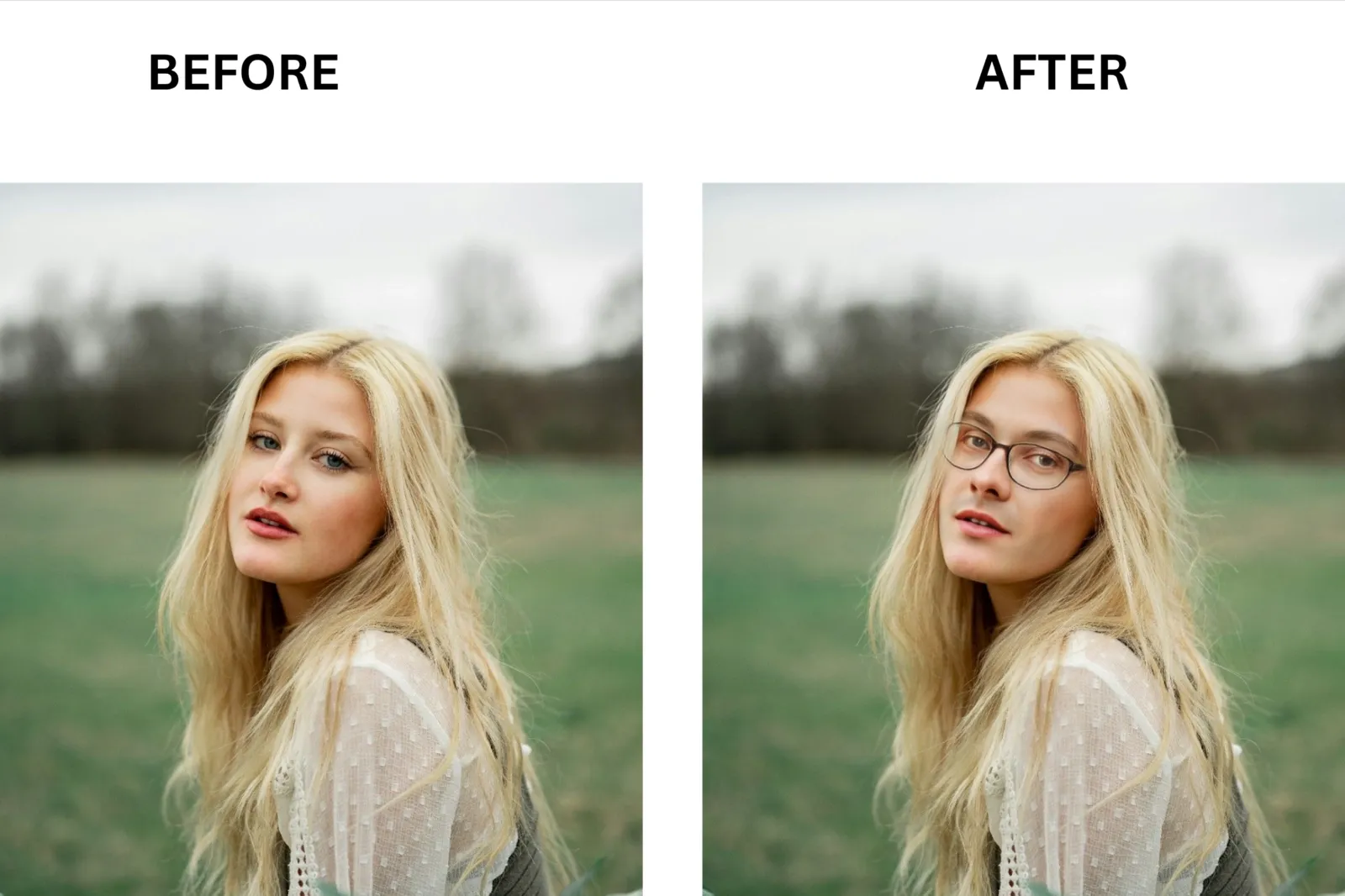
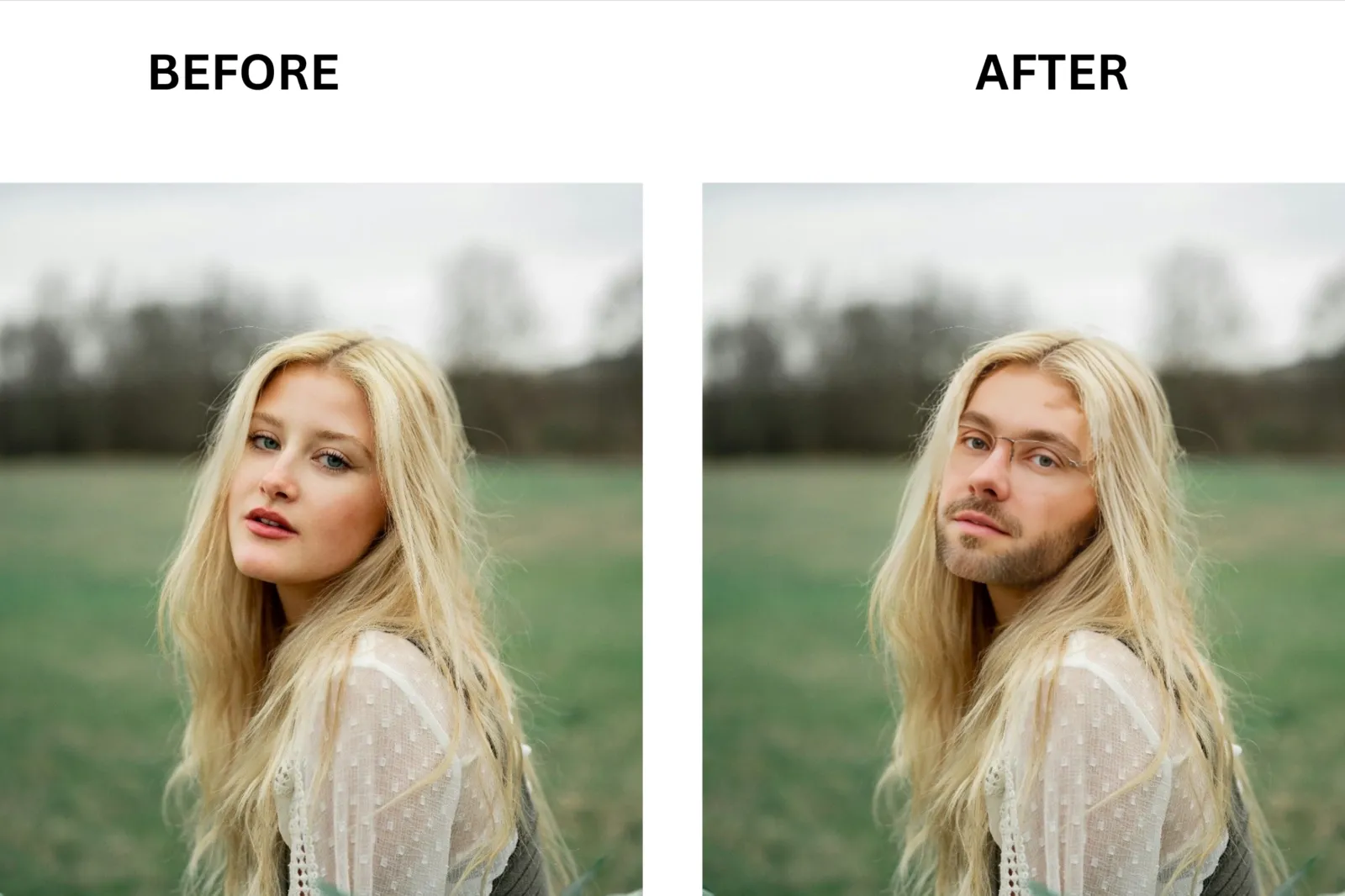
Remaker AI focuses on frictionless one-off photo swaps, whereas Reface is built around a rolling content library for repeat use. Reface brings you trending meme templates and GIF clips out of the box, while Remaker requires you to supply both the source face and target image yourself. Where Reface watermarks every free photo output, Remaker delivers watermark-free results with no account needed. Remaker is faster and simpler for a single photo job, while Reface is stronger for anyone who needs fresh content to pull from regularly.
Face Swap Live: Best for Live Face Swaps
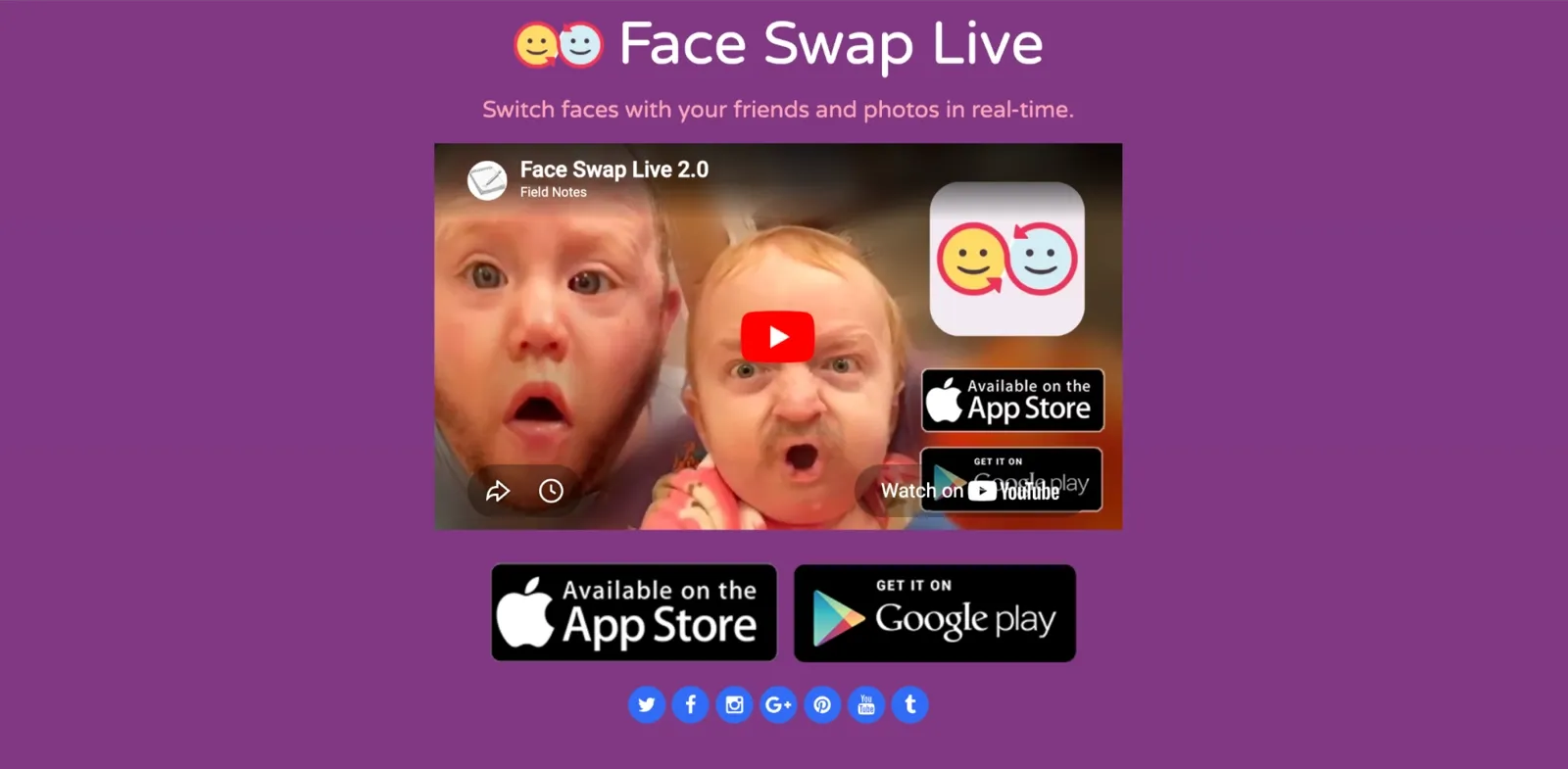
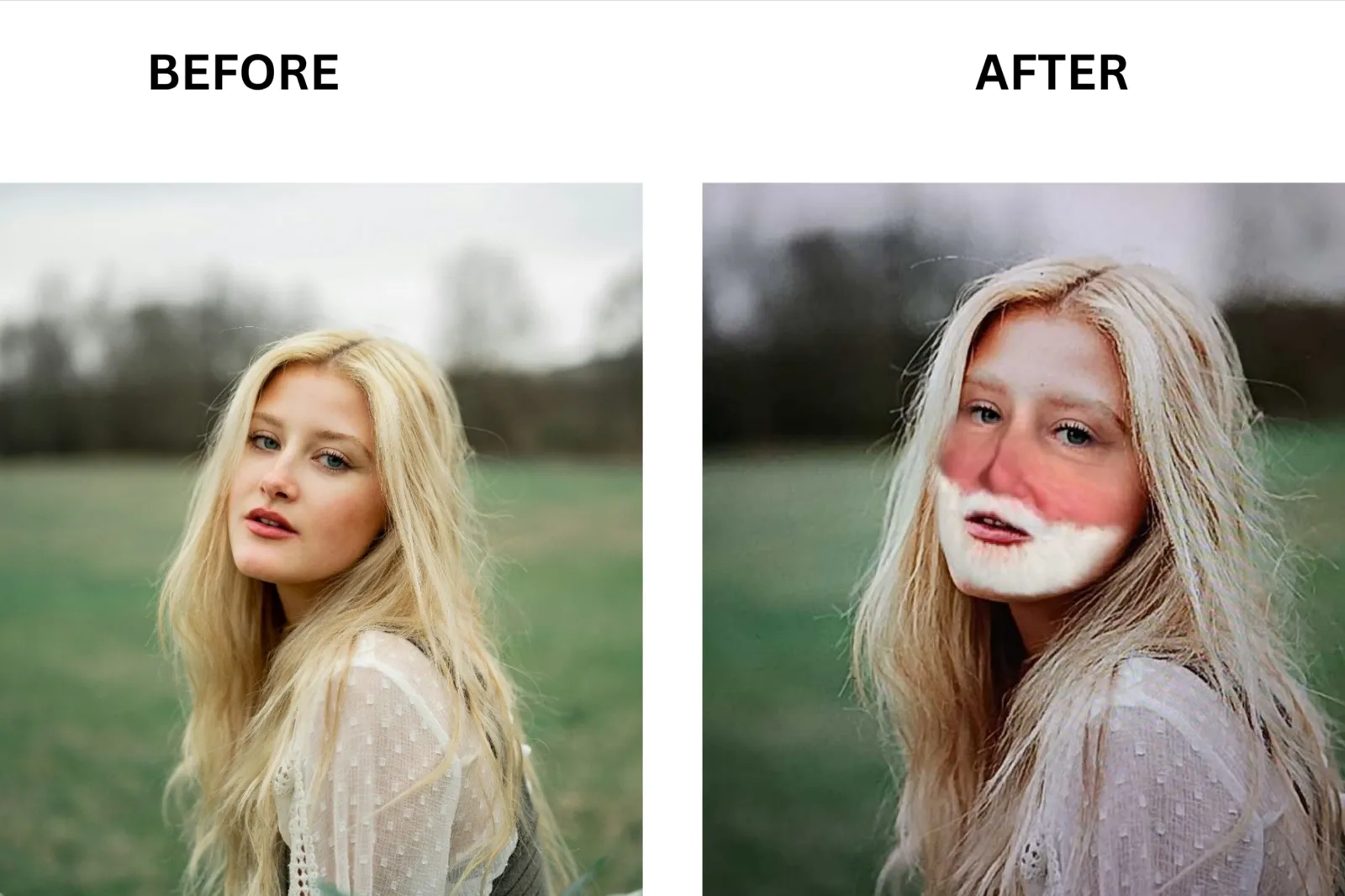
Face Swap Live is different from Reface in that it skips processing entirely and runs the swap directly through your phone camera in real time. Reface focuses on post-capture template matching with higher output quality, while Face Swap Live prioritizes instant live effects over realism. Reface produces cleaner blends and more detailed facial tracking, whereas Face Swap Live drifts on head movement and struggles with changing light. Face Swap Live is immediate and fun, while Reface is the stronger choice the moment output quality matters.
Here is the comparison table, comparing Reface AI to its alternatives, so it will be easy for you to make the right choice:
| Feature | Reface AI | VidMage | Remaker | Face Swap Live |
|---|---|---|---|---|
| Speed (30s video) | 90 to 180 seconds | 30 to 45 seconds | Not available on the free tier | Live, real-time processing |
| Resolution Cap | HD on paid plans, SD on free tier | 4K support, no hard cap | Standard resolution | Standard resolution |
| Max Video Length | 200MB on the free plan | No limit on Mac, 20 seconds/daily on free plan | 500MB, up to 30 minutes | Short clips only |
| Free Quota | Watermarked outputs, limited templates | 15 photos/day, 20s video/day, no watermark | Unlimited photos, no free video exports | Basic live face swap access |
| Watermark | Yes | No watermark on any tier | No watermark on photos | Yes on free tier |
| Multi-Face Cap | Two-face swap during demo | Up to 4 faces | Multi-face supported | Single-face only |
| Mac Client | No | Yes, fully local processing | No | No |
| Privacy Stance | Warning rating, up to 3-year biometric retention | Web uploads are deleted in 2 hours, the Mac version processes locally with zero upload | Photos deleted within 48 hours | Basic privacy policy, ad tracking active |
Tips to Avoid Surprise Charges on Reface AI
So many people hit the same Google Play forum thread asking how to stop unexpected Reface charges. Most of them had the same story: they signed up for the free trial, forgot about it, and got hit on day four. These five tips cover how to avoid that and what to do if it has already happened.
Set a reminder on day two of the free trial. Since Reface's trial lasts three days, this gives you enough time to decide whether to cancel before billing starts.
Manage your subscription through the App Store or Google Play. Auto-renewal settings are controlled by your platform account, not from within the Reface app.
Look for "Neocortext" on your bank statement. Reface charges often appear under the company's legal merchant name rather than the app name.
Submit refund requests quickly if you've already been charged. Apple and Google both have refund processes, and acting within their review windows improves your chances.
Consider whether a subscription makes sense for your usage. If you only swap faces occasionally, alternatives such as a VidMage’s free face swap may be worth comparing before renewing.
Reface AI FAQ
Is Reface AI free?
No, you can only test it through a demo; there is no free trial. Photo swaps include a watermark. Ads appear between every swap. Most premium templates are locked behind a paid plan. The free trial (three days) unlocks the paid tier temporarily but auto-renews into a full subscription if you do not cancel before it ends.
Is Reface AI safe to use?
It depends on your privacy threshold. Reface is a real company, and the face swap works as described. The concern is the data policy. The July 2020 policy committed to a 30-day window for facial data retention and stated that Reface would not use photos for face recognition. The October 2021 update removed both commitments and extended the potential biometric storage period to up to 3 years. If you want one or two casual swaps and do not want your selfie sitting on a server for three years, Reface is not the right fit.
How do I cancel my Reface AI subscription?
Cancel through your App Store or Google Play account and not inside the Reface app. For iOS: Settings > Apple ID > Subscriptions, find Reface or Neocortext, then tap Cancel. For Android: Google Play, profile icon, Payments and Subscriptions, find Reface, tap Cancel. For web billing, go to pay.google.com and cancel from there. The full step-by-step paths are in the Pricing and How to Cancel section above.
Is Reface AI safe for teens?
The App Store labels Reface at 12+. Common Sense Media’s editorial review rates it 14+ and flags suggestive content, profanity, and references to substances in the template feed. Parent reviews on the platform frequently push that recommendation to 18+. I browsed the template catalog during my test. Some content in there is not appropriate for a 13-year-old. It's worth browsing the library yourself before you tap Allow.
Is there a free alternative to Reface AI?
Yes. VidMage gives you 15 photo swaps per day, 20 seconds of video per day, and 2 GIF face swaps per day with no watermark and no account required on the free tier. Remaker AI is free, with unlimited photo swaps and no signup required. For content creation where watermark-free output matters, VidMage is the strongest free option in this group.
The Bottom Line: Should You Use Reface AI?
After two weeks of testing, Reface felt most useful as a casual entertainment app rather than a full-scale content creation tool. Its template library is polished, the interface is easy to use, and the free experience is enough for occasional face swaps, memes, and social posts. However, the subscription model, watermark limitations, and privacy considerations are worth reviewing before committing to a paid plan.
The right choice ultimately depends on how often you create content and what level of quality you need. If you only swap faces occasionally, Reface can handle the job without much effort. If you regularly work with photos and videos, compare a few alternatives, including VidMage face swap, using the same test images and clips. A quick side-by-side comparison will give you a clearer picture of quality, privacy, pricing, and workflow fit than any feature list alone.