

Picture this: your whole crew managed to get together for the annual holiday photo, except for one person who was stuck in another city. A multi-face swap tool like Pica AI Face Swap lets you place them back in the shot so the tradition stays intact, even when life gets in the way.
However, the question is whether Pica AI Face Swap is the right tool for the job, or whether the 3-face cap, the watermark math, and the video processing time push you toward something better. I spent five days testing face-swapping tools side by side, running real photos and video clips through each, and scoring them on image and video quality, speed, pricing, and privacy.
In this Pica AI Face Swap review 2026, I will explain what I found about this face-swapping tool and the best alternatives.
Pica AI Pricing, Credits, and the Watermark Math
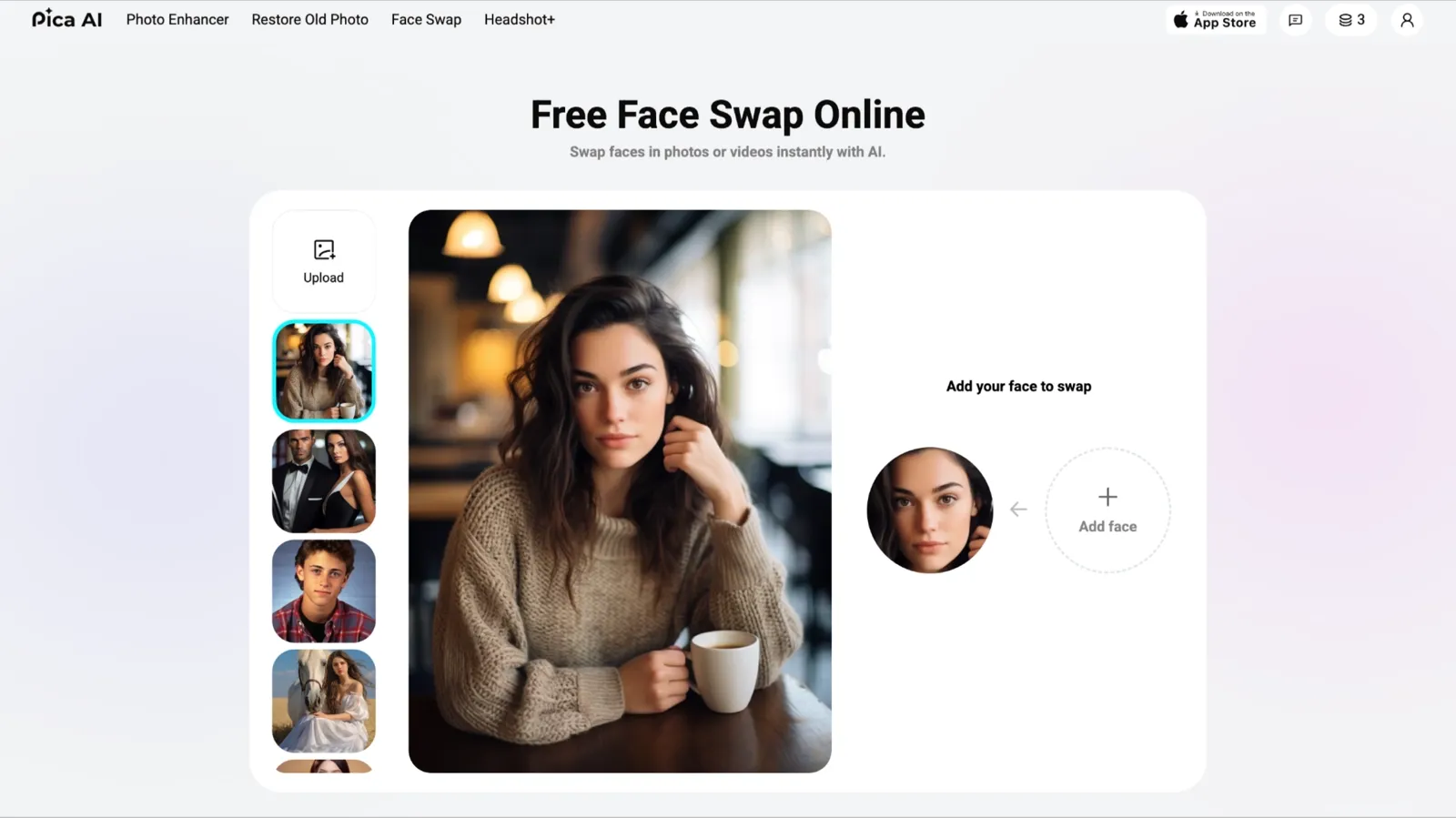
Pica AI is primarily a photo enhancer suite, and face swap is one of several AI tools within it. The face swap feature sits inside the same credit wallet you use across the rest of the platform. That bundling sounds convenient until you work out the per-swap cost.
Here is how the credit math actually works. A single-face photo swap costs 1 credit. A multi-face swap, defined as any image with more than one face being swapped, costs 2 credits. The free tier gives you 4 credits. That means you get exactly 4 watermarked single-face swaps, or 2 watermarked multi-face swaps, before you need to pay.
App Store reviewer Masoon 88 put it directly: people want to know exactly what a credit costs in dollars and cents before they commit to a plan.
| Plan | Price | Credits | Cost / Single Swap | Cost / Multi-Face Swap |
|---|---|---|---|---|
| Free | $0 | 4 credits | $0 (watermarked) | $0 (2 credits; 2 real swaps only) |
| Monthly | $9.99 | 1000 credits | $0.009 | $0.019 |
| Annual | $59.99 | 8000 credits | $0.007 | $0.014 |
Note: Credits may expire after a subscription plan change. Confirm the current expiry policy at pica-ai.com/pricing before purchasing.
Pica AI adds a watermark on every output until you upgrade to a paid plan. There is no way to remove watermarks within the free tier. If you only need one or two clean swaps and do not plan to subscribe, a tool with a more generous free tier may be a better starting point.
What Do Pica AI's Real Users Think?
My five days of testing gave me a clear picture of what Pica AI does well and where it runs out of road. But I am one person running controlled tests and not a regular user living inside the app week after week. So I went looking for what actual paying customers say across the App Store, Trustpilot, Reddit, YouTube, and third-party review aggregators. Here is what the numbers and the comments actually show.
4.5 out of 5 stars from 837 reviews on the Apple App Store
2.4 out of 5 stars from 7 reviews on Trustpilot
A 4.5 on the App Store and a 2.4 on Trustpilot are not measuring the same thing. App Store reviews tend to come from casual users who enjoyed a fun swap and tapped five stars on their way out. Trustpilot reviews tend to come from people who had a problem and went looking for somewhere to say so. Both sets of data are real. However, neither tells the whole story on its own.
The Positives: Casual Users Love It
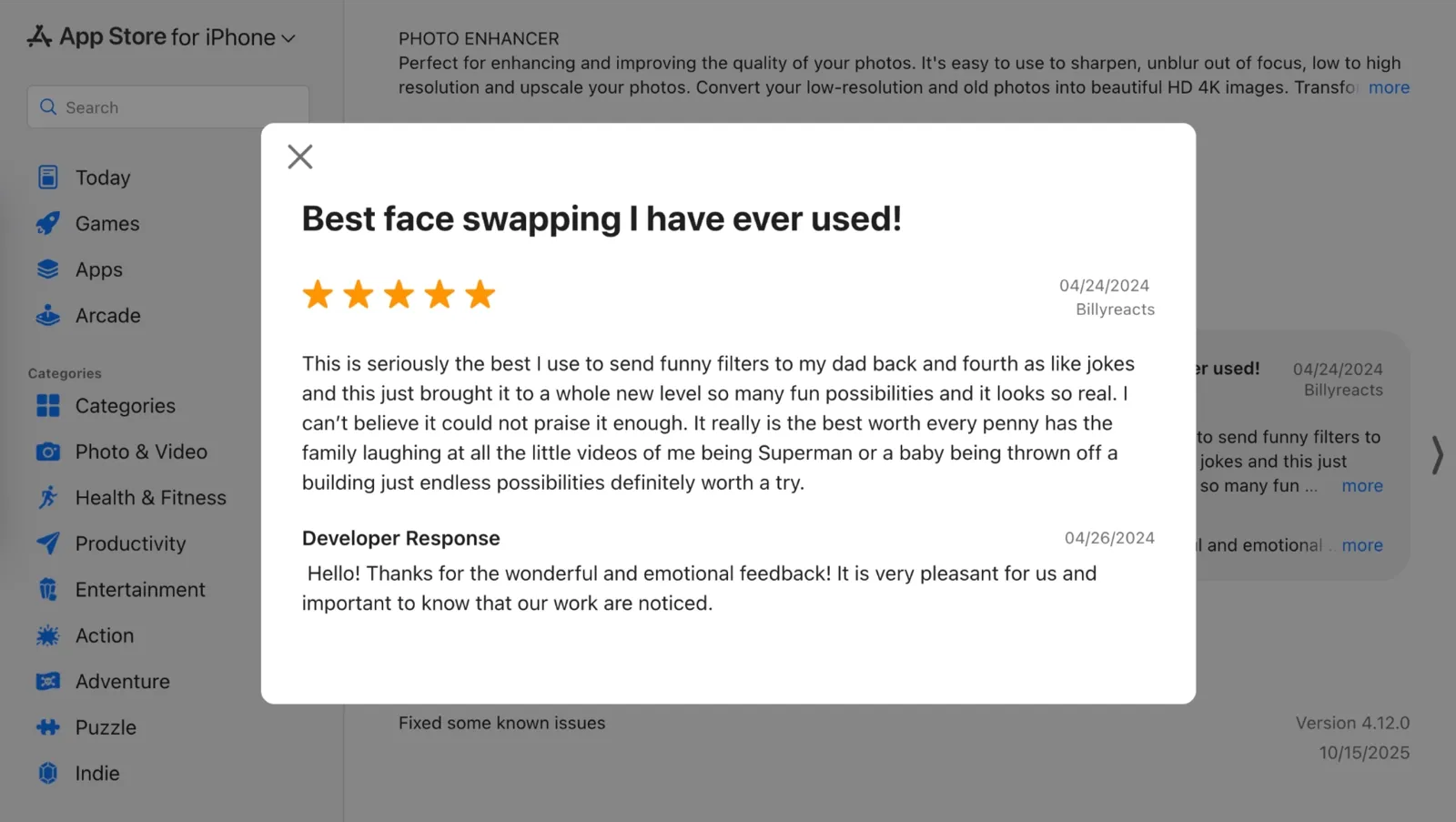
The App Store side is genuinely positive. One reviewer called it "seriously the best," describing sending funny face-swap videos back and forth with family and praising it as worth every penny.
Another Pica AI Face Swap user said replacing faces in old photos was "so fun" and that they had already swapped hundreds of times.
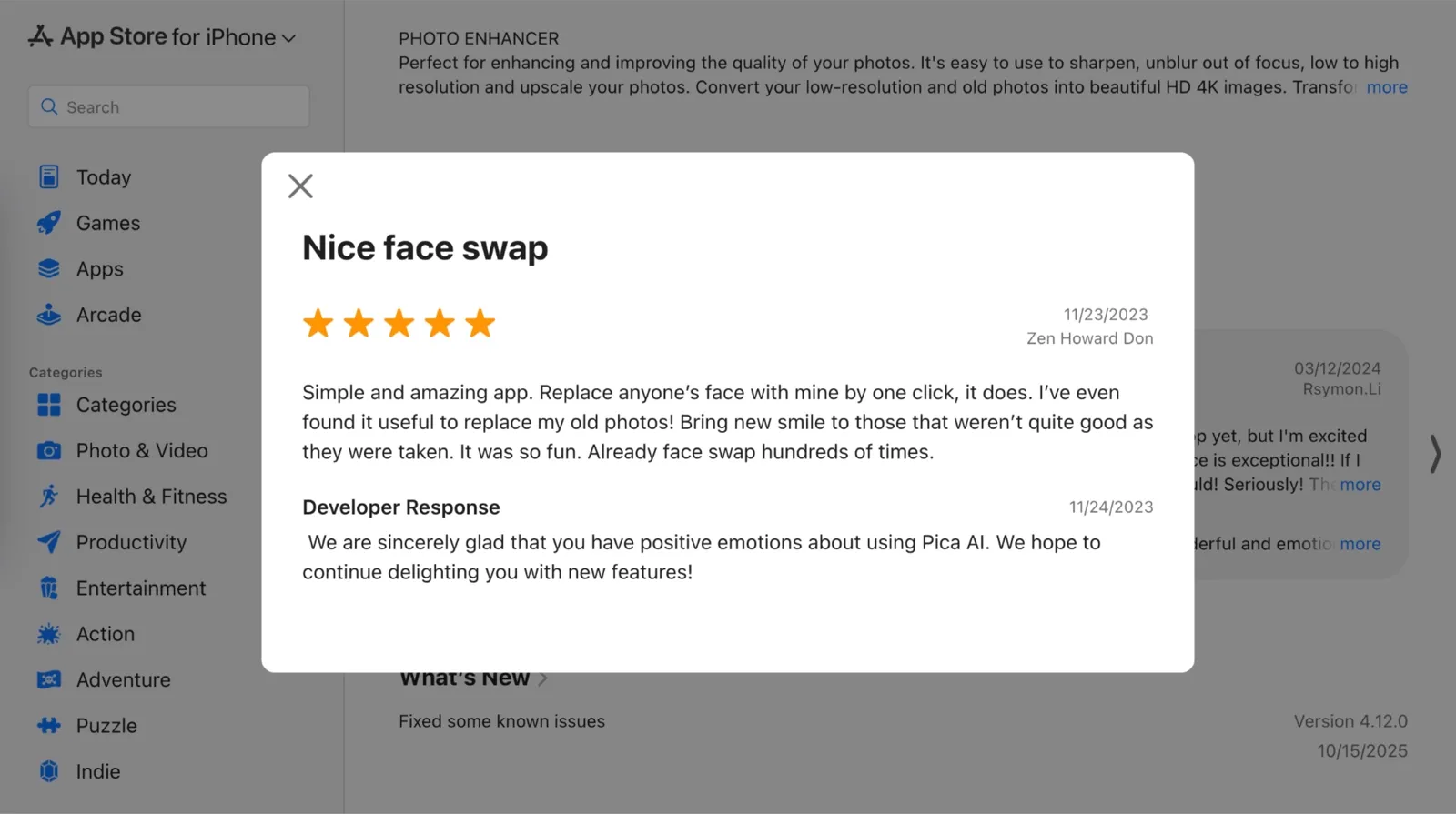
The pattern in the positive reviews is consistent: people who use Pica AI for humor, family group chats, and quick TikTok content are happy with the AI face-swapping tool. The bar for those use cases is entertainment value instead of pixel-perfect accuracy, and Pica AI clears it easily.
The Negatives: Billing is the Recurring Problem
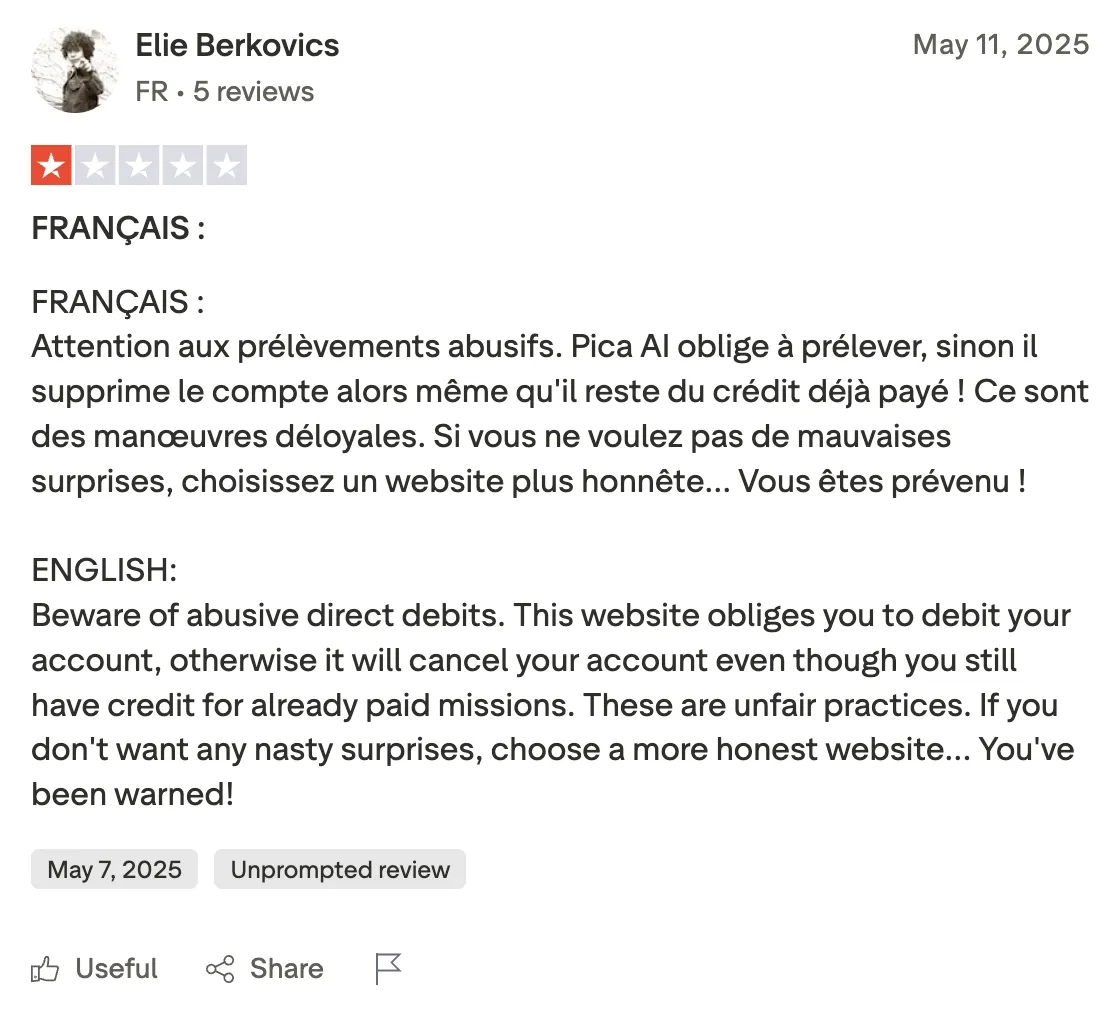
The Trustpilot picture is a different story. One reviewer warned that Pica AI threatened to delete their account if they did not continue paying, even when they still had unused credits from a previous purchase, calling it an unfair practice.
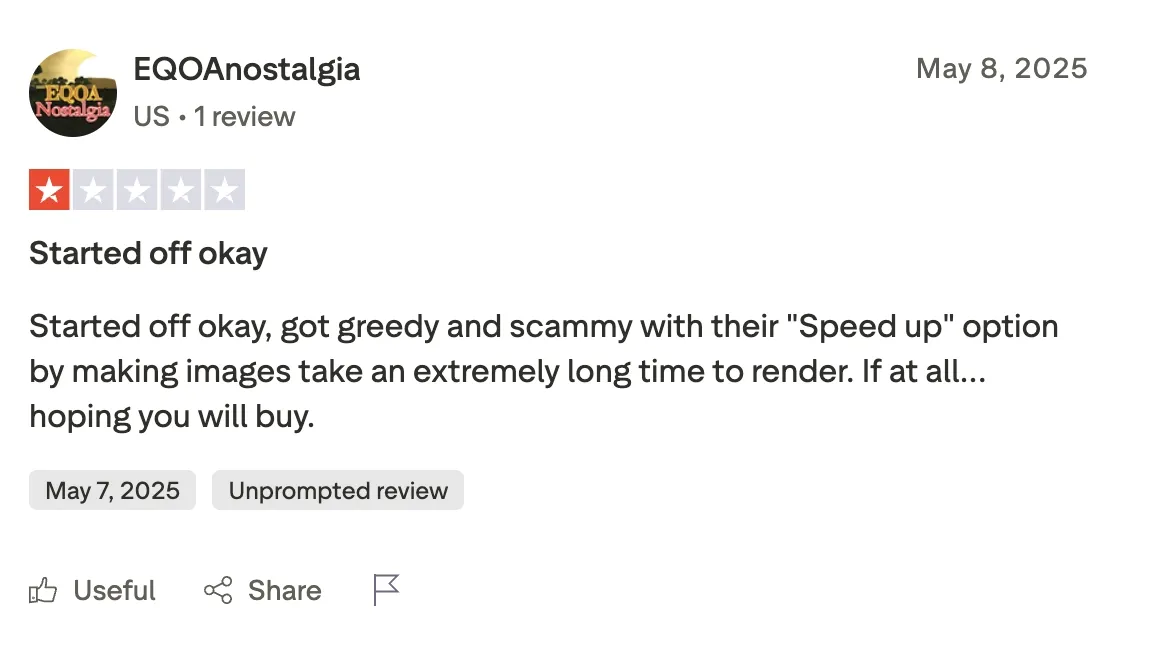
Another said the app started deliberately slowing down image generation to push users toward a paid "speed up" option.
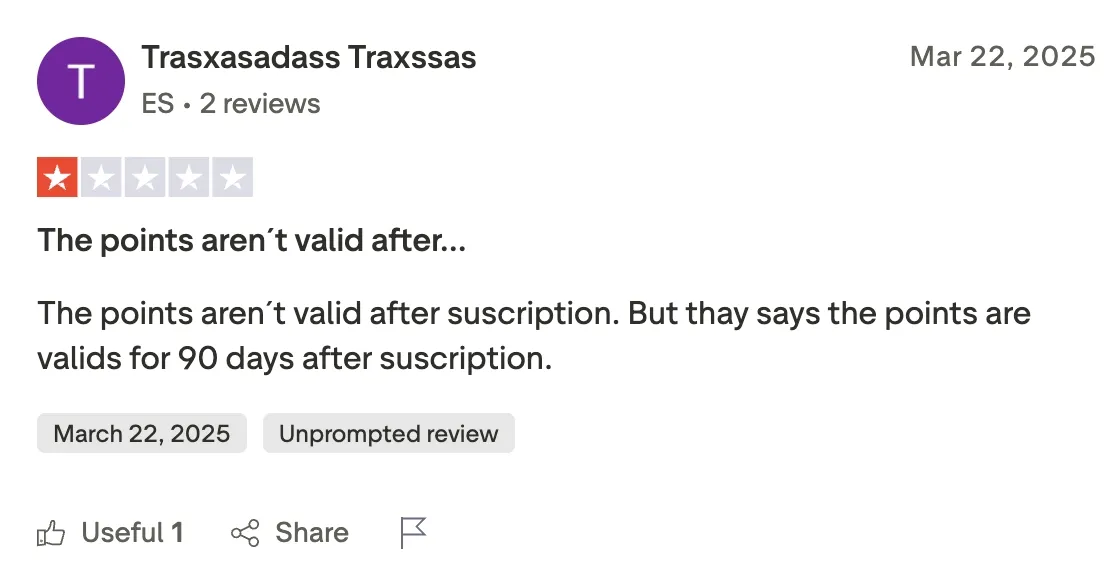
At least one reviewer flagged that the credits they were told would be valid for 90 days after purchase expired unexpectedly when their subscription changed. This is directly relevant to the pricing math covered earlier in this review. If you buy credits expecting them to roll over, check the current expiry policy before you commit, because the experience of at least some users suggests the rules are not always applied consistently.
What the Reddit Community Says
Dedicated Pica AI face swap threads on Reddit are sparse, which itself says something. In a category where popular tools generate substantial discussion, the absence of a vocal user base usually means the tool is pulling casual users who do not identify strongly as power users.
When Reddit users discuss AI face swap tools for everyday projects, VidMage, FaceTool AI, and Remaker AI tend to come up most often, with Pica AI mentioned alongside but not leading those conversations. The tool's strongest advocates appear to be on the App Store and not in forum threads where users compare tools head-to-head.
Summary
Pica AI's real user reviews are split cleanly by use case. Casual users doing one-off fun swaps tend to be happy. Users who pay, run into delays, or try to cancel tend to be frustrated. The App Store score reflects the first group. The Trustpilot score reflects the second.
If you are using Pica AI the way it is best suited for quick social content and family humor with three or fewer faces, you are likely to land in the happy camp. If you are relying on it for consistent video turnaround, predictable credit math, or a clean cancellation process, the real user record suggests issues with the tool.
How to Face Swap on Pica AI Without Burning Free Credits
With only 4 free credits and a multi-face cost of 2 credits per image, wasting your free tier on a bad source photo is genuinely painful. Here are the steps you can follow to get the best result on your first try:
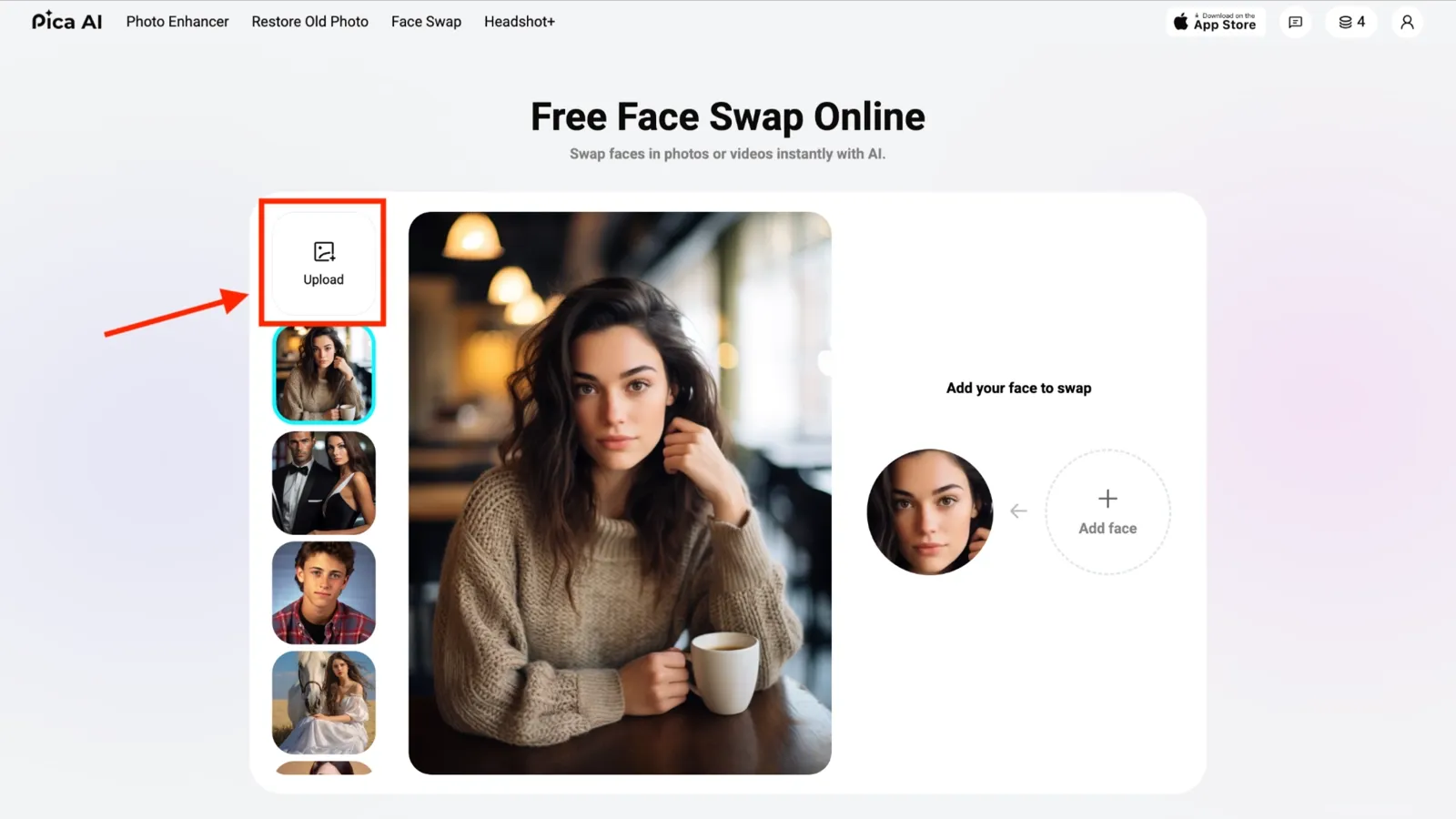
Step 1: Go to the Pica AI Face Swap website and click on the 'Upload' icon to select the image or video from your system. You can also select an image or video from the templates. Do not waste credits on a blurry, poorly lit, or angled shot. Your source image should be well-lit, front-facing, and in focus to generate a clean swap.
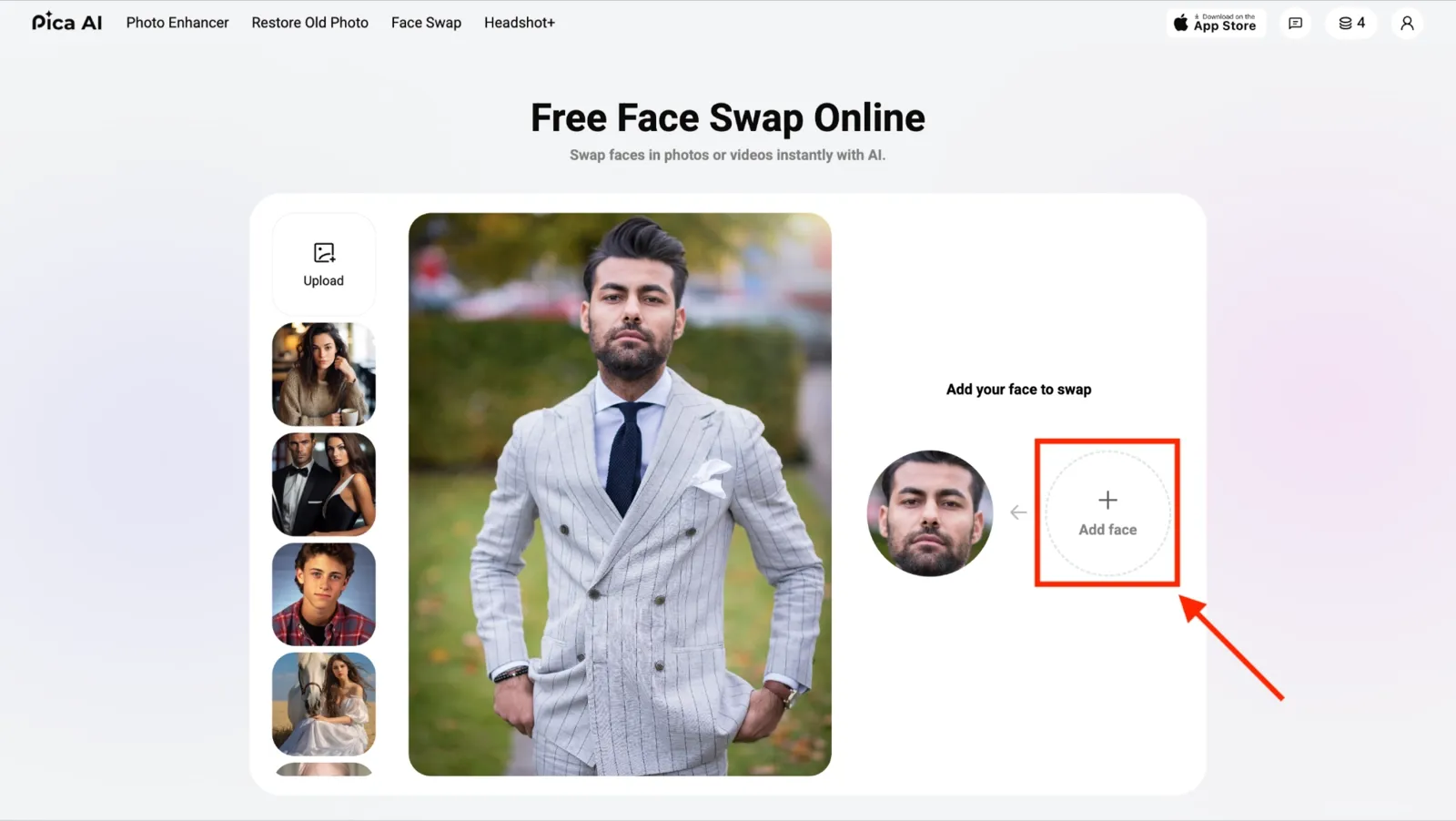
Step 2: Click on 'Add Face' to upload your face for swap. Pick a target face whose chin and forehead roughly match yours. Different face shapes are where most swaps go off the rails, because the AI is blending geometry that does not naturally align.
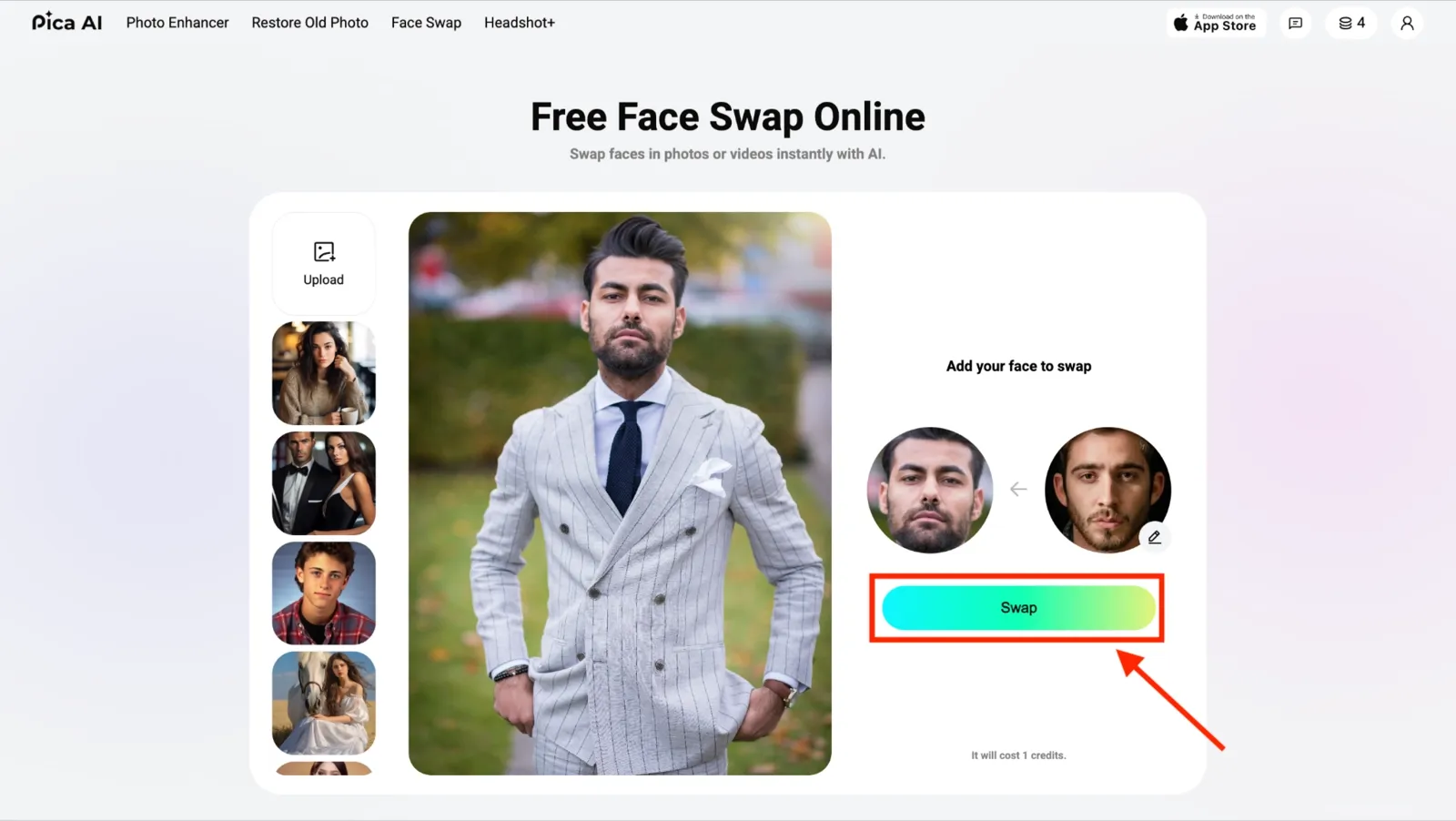
**Step 3: **Click 'Swap' to change faces in photos or videos. Depending on the length of the video, this may take some time.
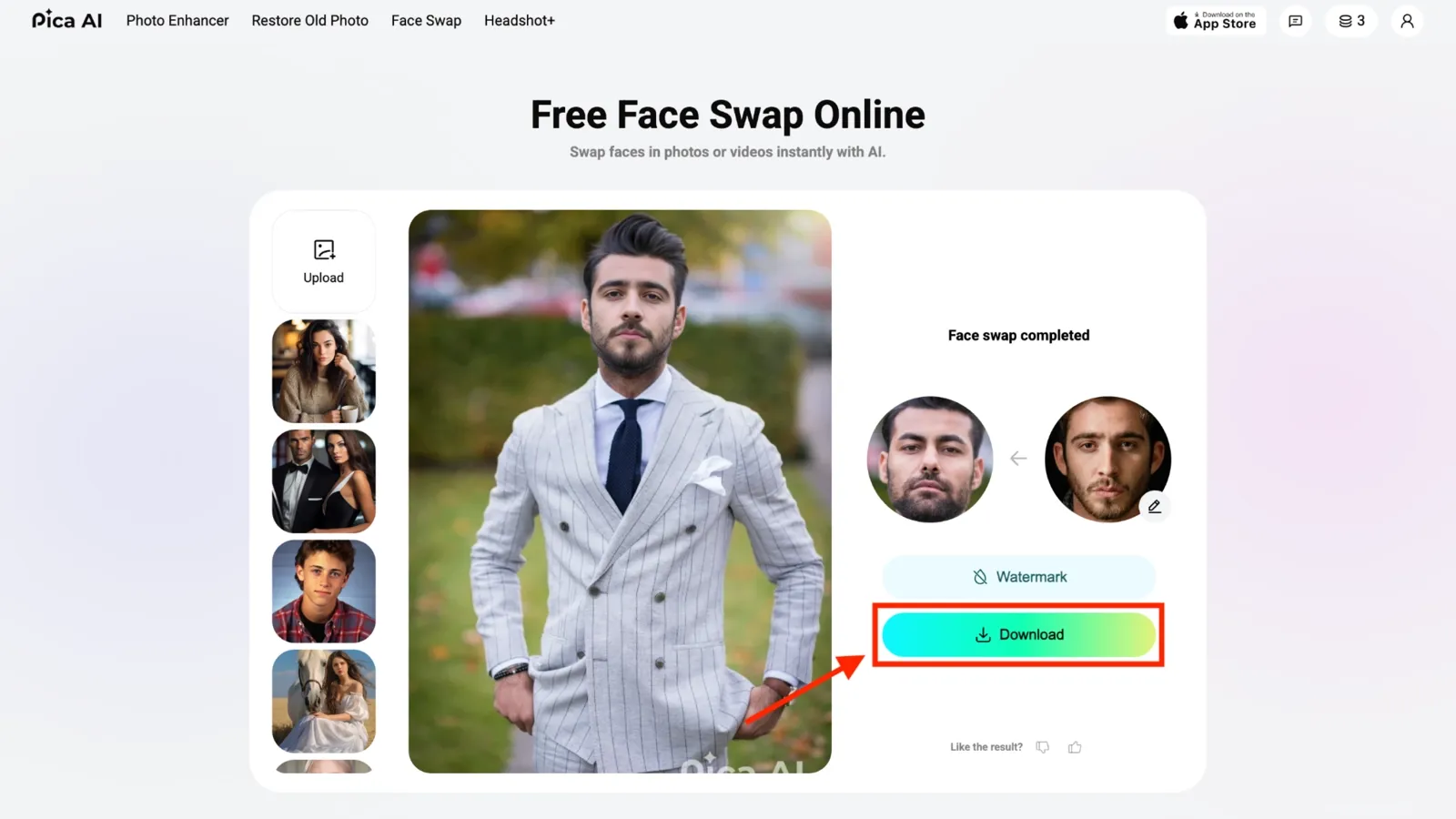
Step 4: Click on the ‘Download’ icon to save the swapped image (in JPG) or video (in GIF or MP4 format) on your device.
Credit-Saving Tip: Run a test swap on a low-stakes photo first to check output quality before using credits on the image you actually need. If the first result is clean, proceed. If not, adjust your source image before burning another credit.
Cross-Tool Benchmark Table
The cross-tool benchmark table covers real hands-on test measurements across five face swap tools. Every number comes from actual test runs. Video face swap performance and AI face swap output quality vary significantly by tool, and the table below shows exactly where each one stands.
| Tool | Image Speed | Video Speed | Max Resolution | Max Video Length | Multi-Face Cap | Free Credits | Watermark (Free) | Data Retention |
|---|---|---|---|---|---|---|---|---|
| Pica AI | ~5 seconds | ~22 min/60-sec clip | 1080p | N/A | 3 faces | 4 credits | Yes | N/A |
| VidMage | ~5 seconds | 1-2 min/60-sec clip | 1080p (web free); 4K (Mac/paid) | Unlimited (Mac); 20 sec/day (free web) | 4 faces | 15 images + 20 sec video/day | No | 2 hours (web) and local on Mac |
| FaceSwapper | ~5-10 seconds | 1-2 min/60-sec clip | N/A | N/A | Multi-face (paid) | Unlimited (no signup) | No | Files are not stored long-term after processing |
| Remaker | ~2 seconds | ~2 min / 5-min clip | 720p (free); 4K (paid) | 60 seconds (video enhancer cap) | Multi-person supported | 30 credits on signup + 5/day | No | 24 hours |
| DeepSwap | ~10 seconds | ~30 sec / 15-sec clip | 4K HD | 10 minutes | Up to 6 faces | Trial credits only (watermarked) | Yes | 7 days |
Best Alternatives to Pica AI Face Swap
If Pica AI's 3-face cap, 22-minute video wait, or watermark math is pushing you to look elsewhere, these are the face swap tools you can consider using. I tested each one with the same source images and video clips I used on Pica AI, so the comparisons are direct. The order below reflects my overall recommendation.
VidMage: Best For Multi-Face Swap
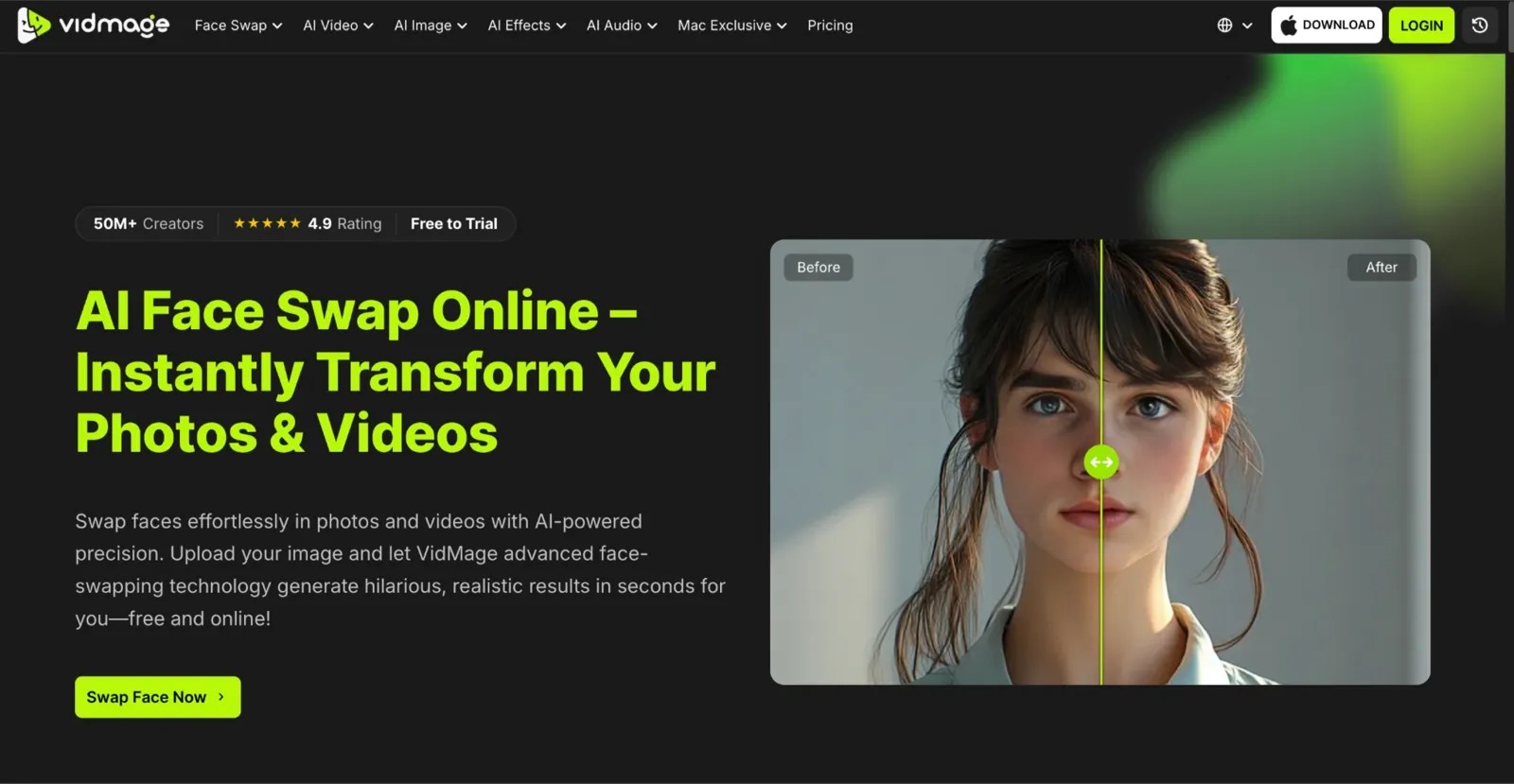
While Pica AI limits multi-face swaps and requires account creation before testing, VidMage handles up to four faces in a single frame and lets you run a real test swap with no login or credit card needed. VidMage is different from Pica AI, as it processes everything locally on a Mac desktop app, meaning your footage never touches a cloud server and you also get unlimited face swaps. It is a meaningful edge for anyone handling client-facing content. Where Pica AI is web-based, VidMage also offers live face swap on Zoom, FaceTime, and Twitch with no upload delay.
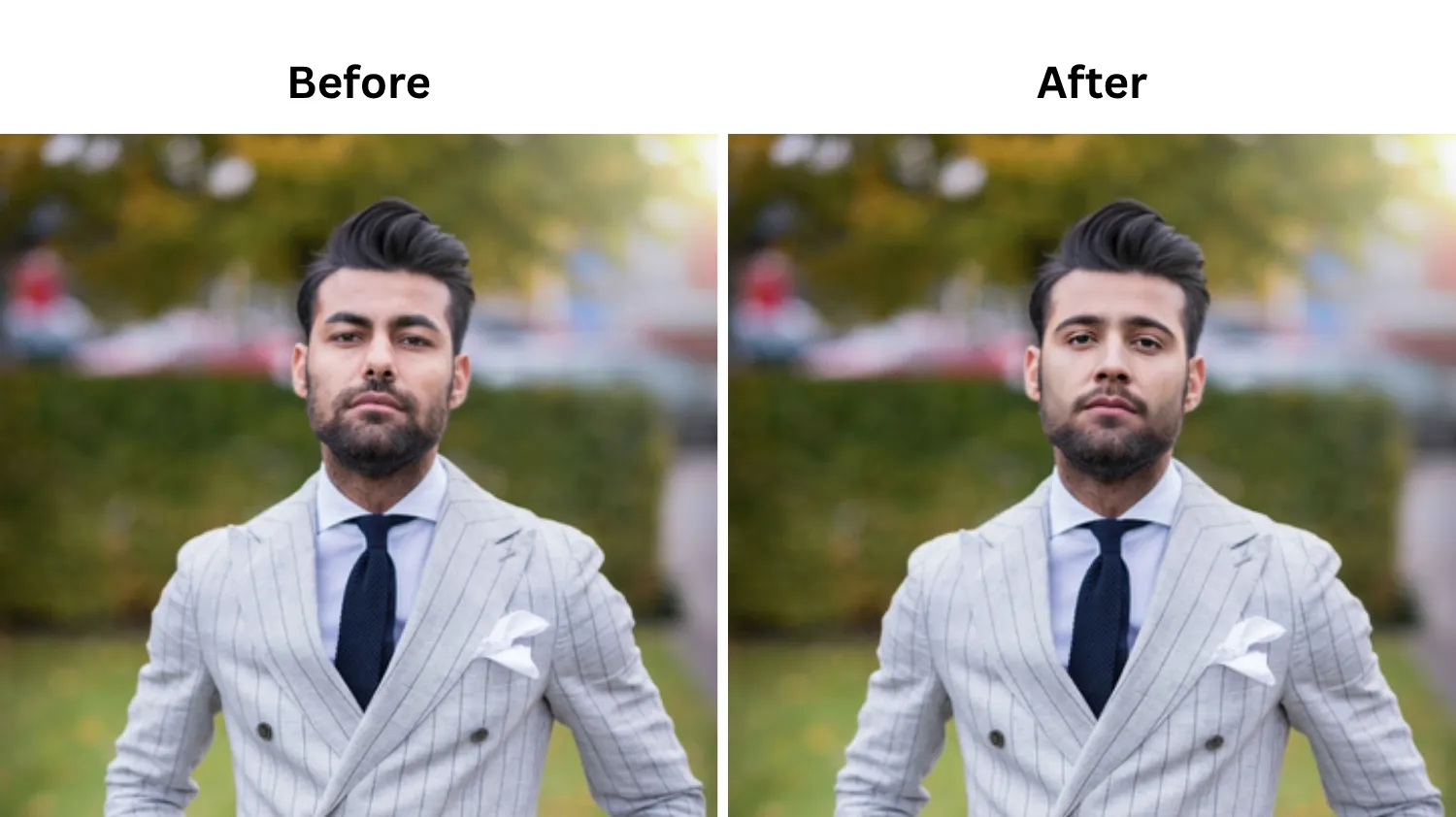
FaceSwapper: Best Free Online Quick Swap
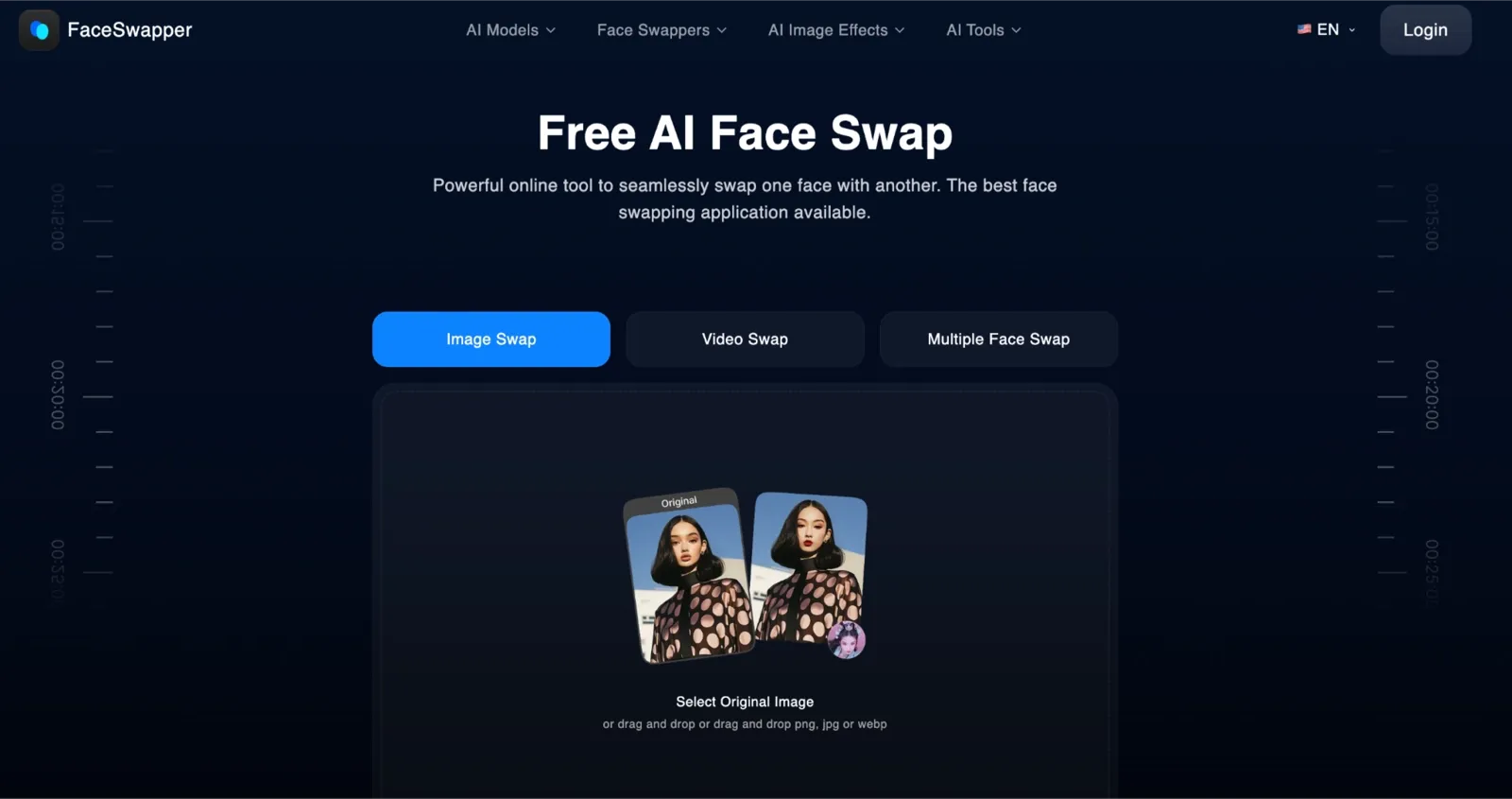
FaceSwapper was the fastest tool to get started with in my testing. There is no download, no account wall, and the upload flow is about as minimal as it gets: drop an image, pick a target, click swap. It's different from Pica AI, as the free tier is genuinely usable for single-face photo swaps, whereas multi-face support and watermark-free output require a paid plan on both tools.
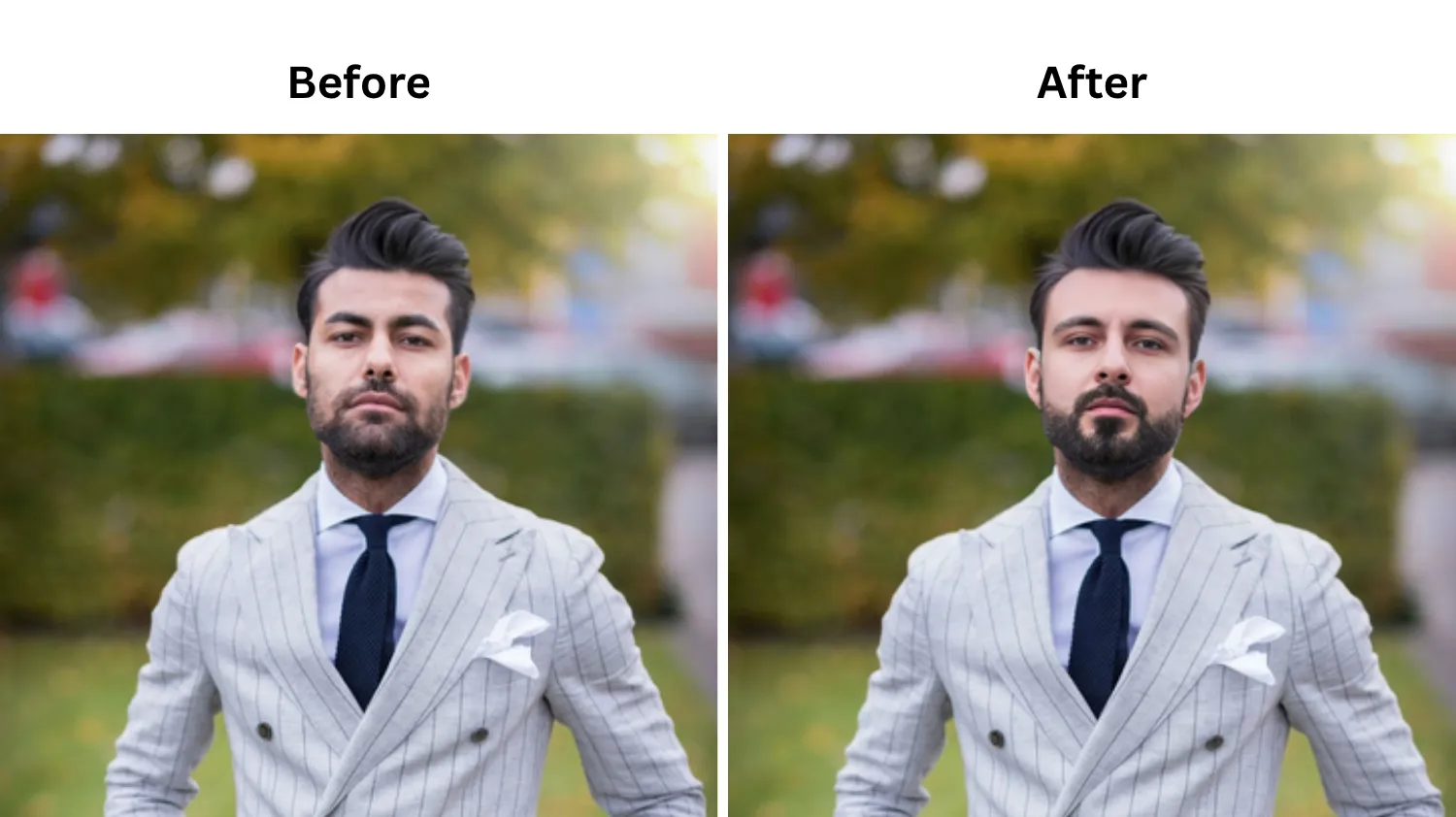
Remaker: Best for Permanent Credit Bundles
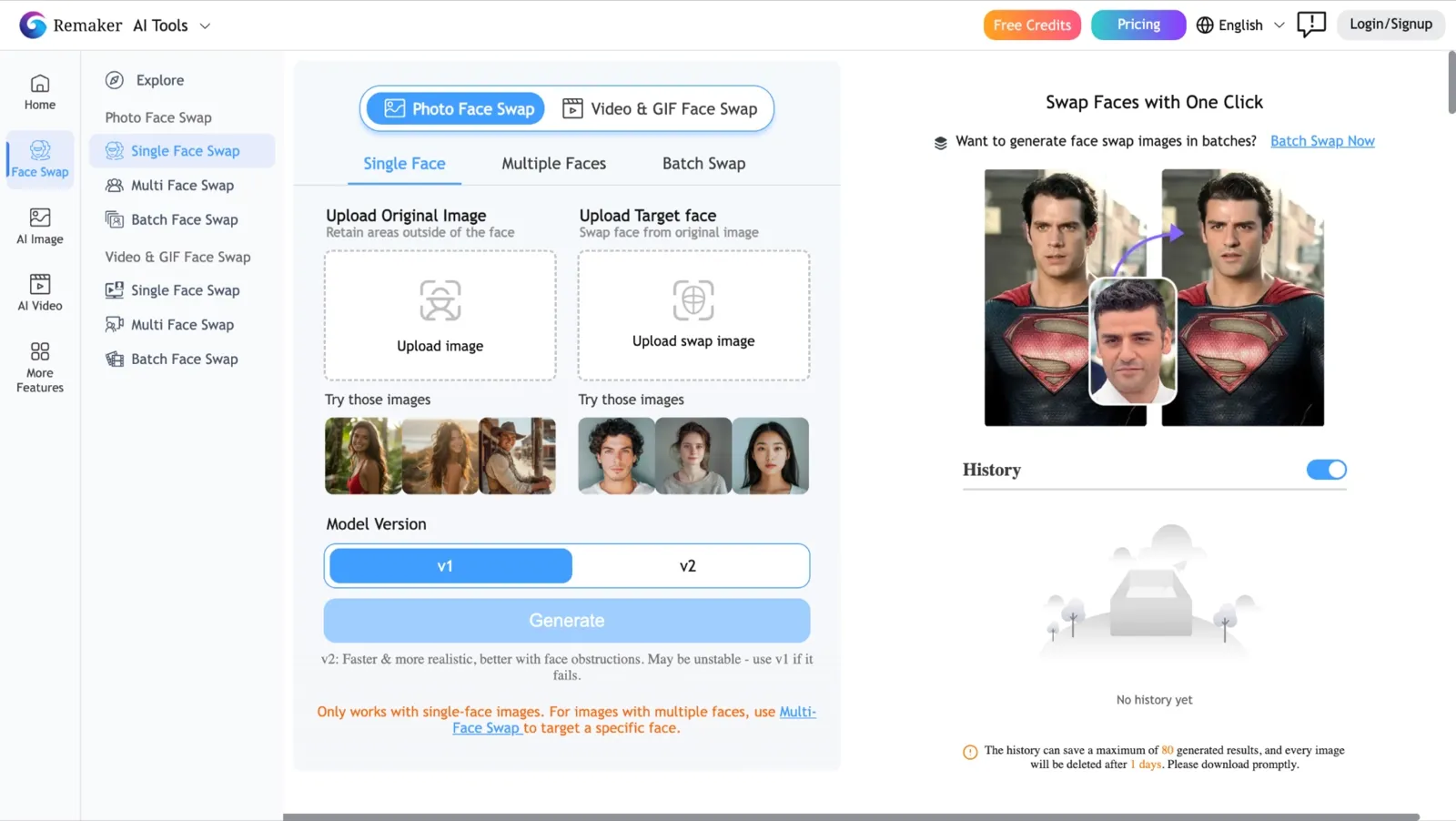
Remaker earned its place in this comparison because of one thing most tools do not offer: credits that never expire. I picked up the $5.99 entry bundle during testing, and the 200 credits were still sitting in my account weeks later, with no countdown timer.
For anyone who swaps faces occasionally rather than daily, Remaker’s pricing model makes more sense than a monthly subscription you might not fully use. Where Pica AI suits regular users on a recurring plan, Remaker is the stronger fit for occasional users who don't want to pay monthly for a tool they use occasionally.
DeepSwap: Best for High-Volume Video Work

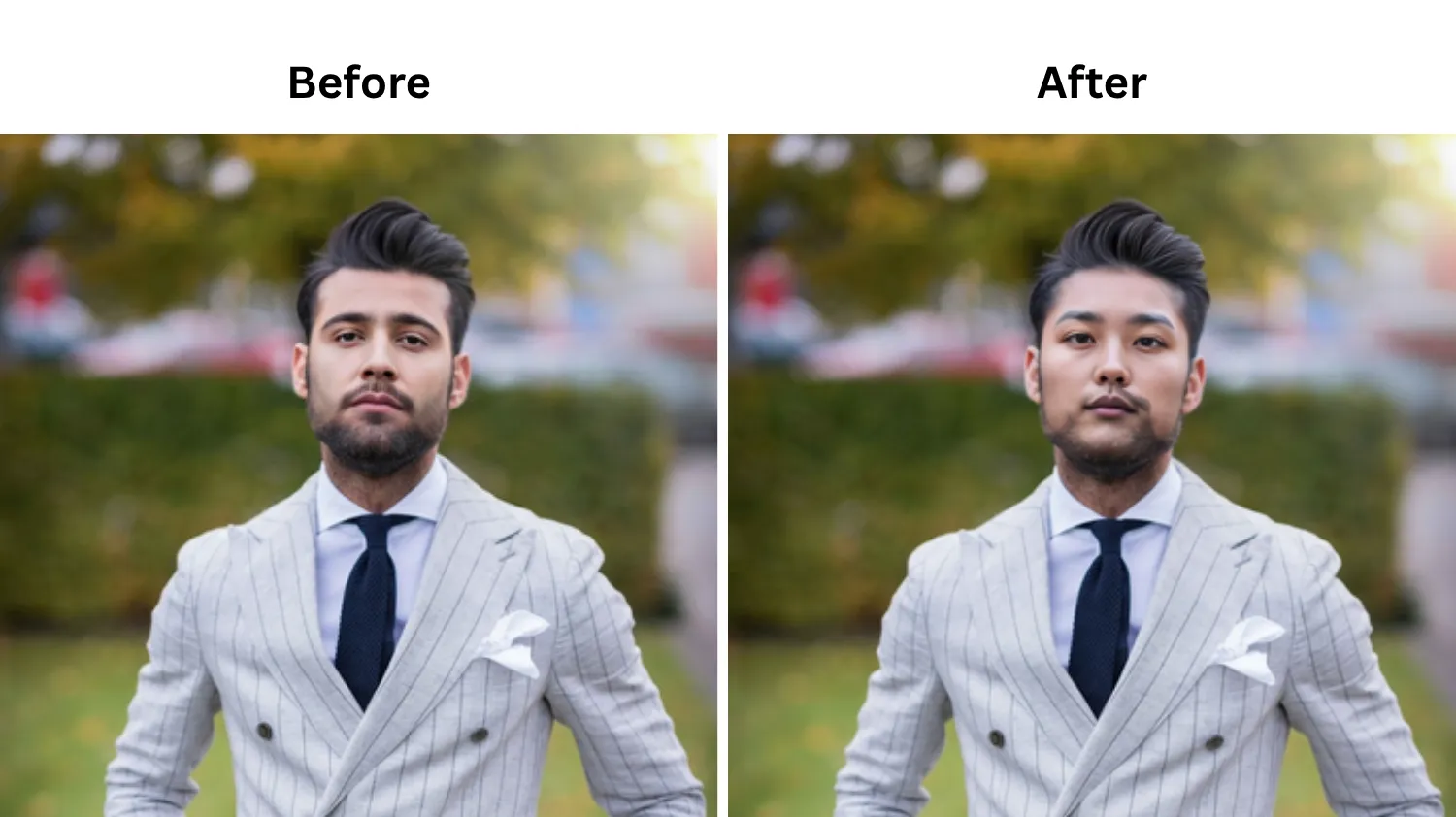
DeepSwap stood out in my testing as the tool most clearly built around video rather than photos. The video length limit is higher than any other tool in this comparison, and the interface reflects that priority: most of the controls are oriented toward clip management rather than single-image editing.
DeepSwap is different from Pica AI because it's less suited to casual or photo-first users, but a stronger option for creators running multiple video swaps per week.
Tips for Better Face Swap Results
The AI does most of the work, but your choices before you click swap faces determine whether the result looks real or obviously edited.
Match source and target face shapes as closely as possible. Similar facial structure helps the AI create a cleaner, more natural blend.
Watch for drifting or floating edges in videos when the subject moves or smiles. If tracking looks off, the tool may struggle with expressions.
Use a sharp, well-lit, front-facing source photo. Better input quality almost always leads to better face swap results. If you are taking the source photo yourself, experiment with a few selfie poses to find a natural angle and expression before uploading it.
If you need a professional-looking headshot, use a tool designed for AI portraits rather than relying on a basic face swap feature.
Check the output resolution before you start. Lower resolution limits can reduce image quality, especially for larger displays or prints.
Review multi-face pricing before upgrading. Group photos often use more credits, so it's worth knowing the cost upfront.
Privacy, Deepfake Ethics, and What the 2025-2026 Laws Say
Face swap technology moved faster than the legal frameworks around it, but 2025 and 2026 brought two significant updates you should know before uploading anyone else's face.
The TAKE IT DOWN Act, signed into law in May 2025, requires platforms to remove non-consensual intimate imagery, including AI-generated deepfakes, within 48 hours of a verified complaint.
The EU AI Act, effective August 2, 2026, classifies high-risk AI applications and requires transparency labeling for synthetic media. In plain terms, you should not upload the face of anyone who has not agreed to it.
On the data side, Pica AI processes and retains uploaded images on cloud servers. The exact retention window is not clearly published in their current documentation. VidMage takes a different approach: web uploads are deleted after 2 hours, and the Mac app processes everything locally, so your face data never leaves your device. For anyone running swaps of family members or clients, that distinction is worth factoring into your tool choice.
FAQ: Pica AI Face Swap
Is Pica AI Face Swap free?
Yes, Pica AI offers a free tier with 4 credits. Each single-face photo swap costs 1 credit, and each multi-face swap costs 2 credits. That gives you 4 watermarked single-face swaps or 2 watermarked multi-face swaps before you need to upgrade. The watermark cannot be removed on the free plan.
Is Pica AI safe and legit?
Pica AI is a real product from an established AI tools company. It is available on the App Store and has a functioning website and support channel. The main safety consideration is that uploaded images are processed on cloud servers with an unclear retention policy. If privacy matters for your use case, factor that in before uploading photos of others.
How many faces can Pica AI swap at once?
Pica AI supports up to 3 faces per image in its multi-face swap mode. If your photo has 4 or more people and you want all faces swapped, Pica AI will not cover the full group. For group photos with 4 or more faces, VidMage supports up to 4 faces per swap.
Does the free tier add a watermark?
Yes. Every output on the free tier includes a Pica AI watermark. The only way to remove the watermark is to upgrade to a paid subscription. If you need clean, watermark-free output and are not ready to subscribe, this is the main limitation of the free plan.
How do I cancel without getting billed again?
If you subscribed through the App Store, you must cancel via Apple's Subscriptions screen and not in the Pica AI app itself. Go to Settings on your iPhone, tap your name, select Subscriptions, find Pica AI, and cancel from there. Canceling inside the Pica AI app does not cancel the App Store billing cycle. Do this at least 24 hours before your next renewal date.
What is the best Pica AI alternative?
For most users, VidMage is the strongest alternative to Pica AI. It supports 4-person multi-face swap, requires no signup for a free trial, outputs in 4K, and processes video face swaps in 1 to 2 minutes compared to Pica AI's 22-minute average. Web uploads are deleted after 2 hours, and the Mac app uses fully local processing.
Is the video swap quality good?
Yes, video swap quality is acceptable for short, casual clips, but it is slow. In testing, a 60-second video clip took approximately 22 minutes to process. Output quality is decent for static or slow-moving subjects, but face tracking breaks down noticeably when the subject turns their head quickly or laughs. For social media video face swap at higher volume or quality, a faster tool like VidMage is a better fit.
The Bottom Line on Pica AI Face Swap
Pica AI Face Swap is decent for casual family humor and quick TikTok clips, but less suitable for LinkedIn headshots and for groups of four or more faces. If your idea of a good Tuesday is dropping a video of yourself as Superman into the family group chat just to see who laughs first, Pica AI handles that well. The template library gives you enough options to stay fresh without overthinking it.
If you run a small social account and want to keep dropping new face-swap videos so your feed feels fresh, Pica AI's template library gives you a starting point. Drop your face onto the trending scene, post, and move on. Where Pica AI falls short is predictable. If you want a portrait you would actually use on LinkedIn, consider Pica AI's swap as the fun version rather than the polished one.
For a clean AI headshot, a dedicated tool does a better job, and a real photographer still beats both for leadership team photos. If your group has four or more faces, the 3-face cap is a hard stop. For users who need higher-quality outputs, larger group support, or more advanced video face swap capabilities, it may be worth exploring other tools that better match those requirements.