

I spent several sessions testing Magic Hour's swap face across photo, video, and GIF formats to find out whether the free tier is actually usable or just a preview window, designed to push you toward a paid plan. The results were mixed. The photo swap was surprisingly good, with clean output, and no signup was required. Videos where the cracks started to show.
The biggest issue with free face swap tools is familiar: the preview looks sharp, then the exported clip turns blurry after uploading or gets covered by a watermark. Magic Hour hit that exact wall during testing. Free video exports were capped at 17 seconds, limited to 576px resolution, and stamped with a visible watermark on every export.
If you only want quick meme clips or casual edits, Magic Hour works fine in 2026. If you want a sharper and watermark-free video for repeat content or commercial use, you should explore other face swap tools.
How We Tested Magic Hour Face Swap?
Before I get into what Magic Hour delivered, here is exactly how I tested it so you know what the findings are actually based on.
I tested four tools in total: Magic Hour, VidMage, DeepSwap, and BasedLabs. Every tool has the same source material. I did not use polished demo clips or ideal studio footage designed to make the results look better than they really were. I used the kind of content a normal creator would realistically upload.
The main test was a 30-second talking-head clip I recorded indoors using regular room lighting, decent enough to look usable but not professionally lit. Around the 10-second mark, I naturally turned my head to the side, then faced the camera again. I included that movement on purpose because side turns are usually where face-swap tools start to struggle, especially around the jawline, hair edges, and facial alignment. I also pulled a low-light frame from the same recording session, using only ambient light from one side of the room, to see how each tool handled more challenging conditions.
Alongside the video tests, I ran a clean front-facing portrait with even lighting through each platform's photo face swap tool, and I tested GIF face swap anywhere the feature was available.
I scored every tool across five criteria: output resolution, face consistency during motion, watermark policy, processing speed, and privacy. I looked at whether the face stayed stable during movement, how long processing actually took, whether free exports carried watermarks, and where uploaded footage was processed or stored.
Where I could verify something directly through testing, I reported it. Where a metric required internal access I did not have, I marked it as unavailable rather than assuming.
What Is Magic Hour Face Swap?
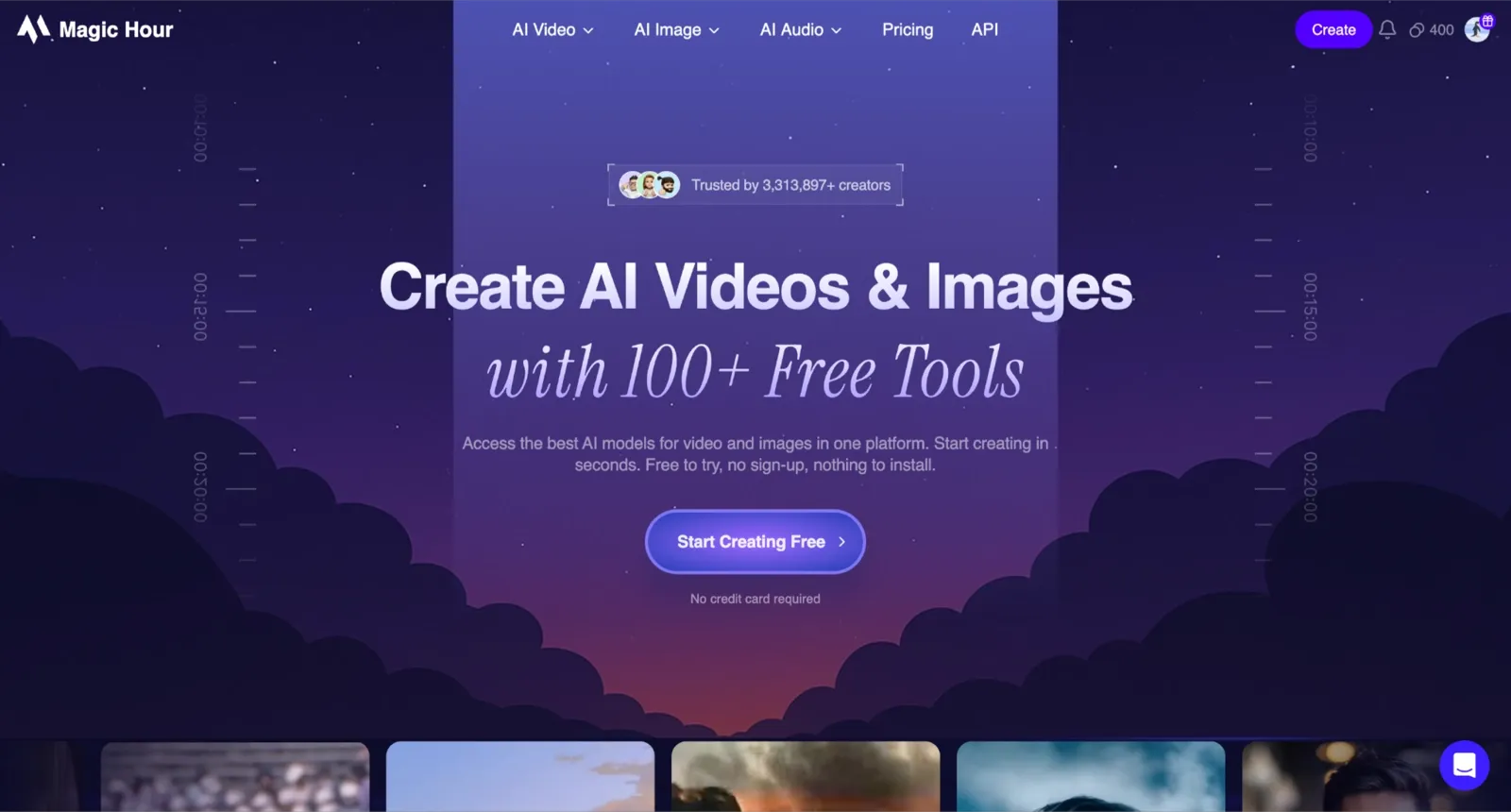
Magic Hour is a browser-based AI creative platform backed by Y Combinator. It is not a single-purpose face swap tool. Face swap sits alongside lip sync, text-to-video, image-to-video, talking photo AI image generation, voice cloning, and a video editor, all under one account.
Within face swap specifically, Magic Hour covered every format I needed to test: photo, video, and GIF face swaps; single- and multi-face modes; and head swap and body swap as separate but related tools. The API access angle was also real, with a documented API available for developers who needed to run face swaps programmatically at scale.
On the credibility side, Magic Hour listed verified enterprise clients including Meta, NBA, L'Oréal, Puma, Cisco, Shopify, Dyson, and the Dallas Mavericks.
None of that changes what the free tier actually delivers. I mention it because it shows the tool has been tested at production scale, which matters when deciding whether to trust it with real project footage.
Key Features and Free-Tier Limits
Magic Hour's face swap covers four main capabilities: photo, video, GIF, and multi-face. Here is what each one actually delivered in testing, and where the free tier drew a hard line.
What Free Actually Gets You
Here is what the free tier included during testing:
5 free photo swaps per day
3 free video swaps
3 free GIF swaps
17-second maximum video length
Visible watermark on free video and GIF exports
576px export resolution on free video renders
400 signup credits plus additional daily free credits through the dashboard
Limited API access and commercial use restrictions on free outputs
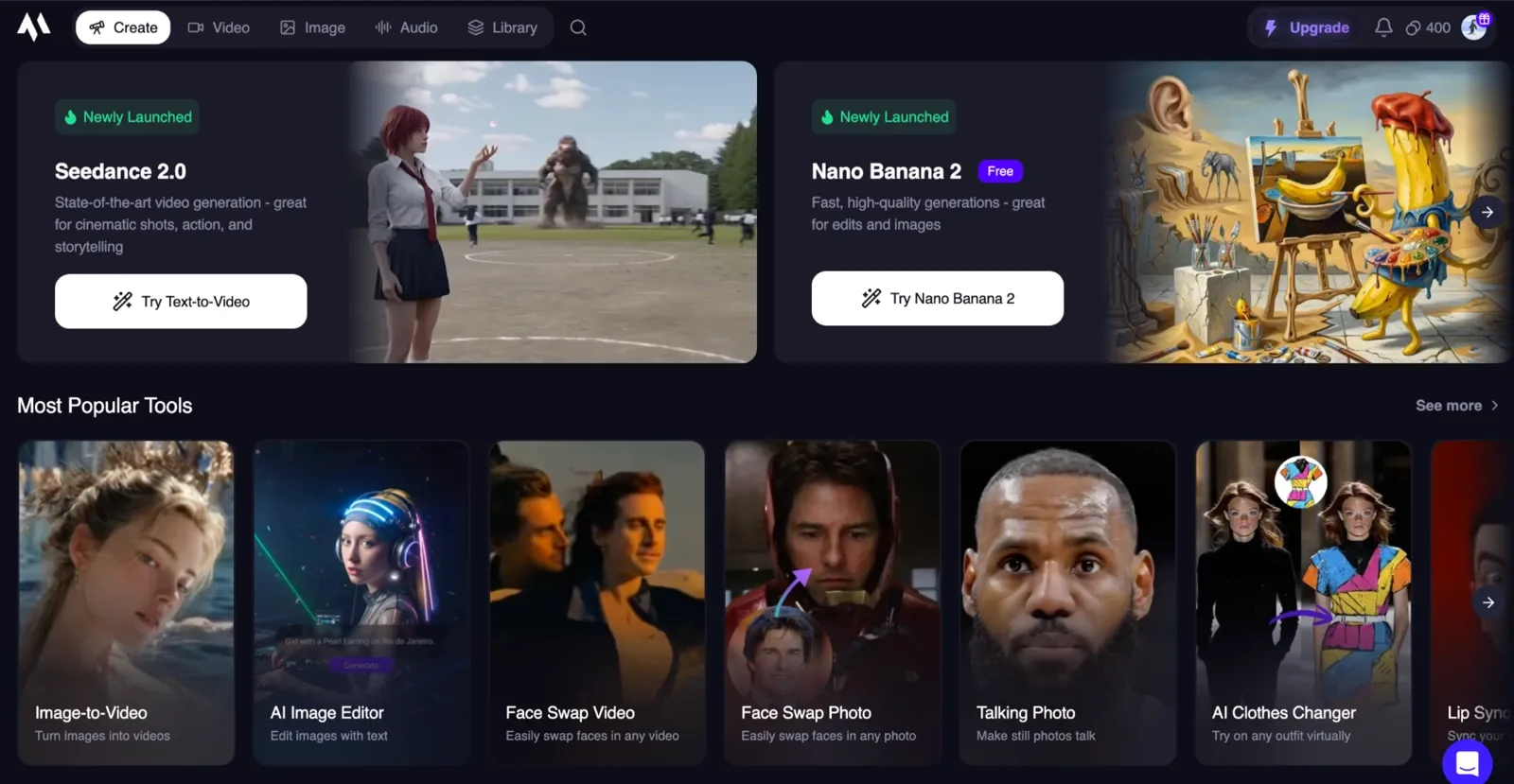
Photo Face Swap
Photo face swap gave me a great experience on the free plan. I uploaded clean portraits, uneven indoor shots, and a few compressed social-media images to see how well Magic Hour handled imperfect inputs. The results stayed sharp across most tests, especially with front-facing photos under decent lighting.
What stood out most was the lack of a watermark. I did not need an account for the first few swaps, and the outputs looked polished enough to post directly without cleanup. Compared to the video side of the platform, the free photo workflow felt much less restricted.
For casual users making birthday edits, memes, or quick group-photo swaps, photo face swap was easily the strongest part of the tool.
Video Face Swap
Video face swap was where the free-tier limits became impossible to ignore. I tested talking-head clips, side-angle movement, and low-light footage to see how stable the identity stayed frame to frame. Short frontal clips looked acceptable at first, but once movement increased, the export quality softened noticeably.
The free plan capped every render at 17 seconds and locked exports to 576px resolution. Every video I downloaded also included a visible watermark, even when there were still enough credits in the account. That immediately changed the tool's practical value.
For someone creating quick meme clips or experimenting with AI video face swap for fun, the limits are manageable. For creators producing UGC ads, fan edits, or client content, the combination of watermark restrictions and lower output quality becomes hard to work around.
GIF Face Swap
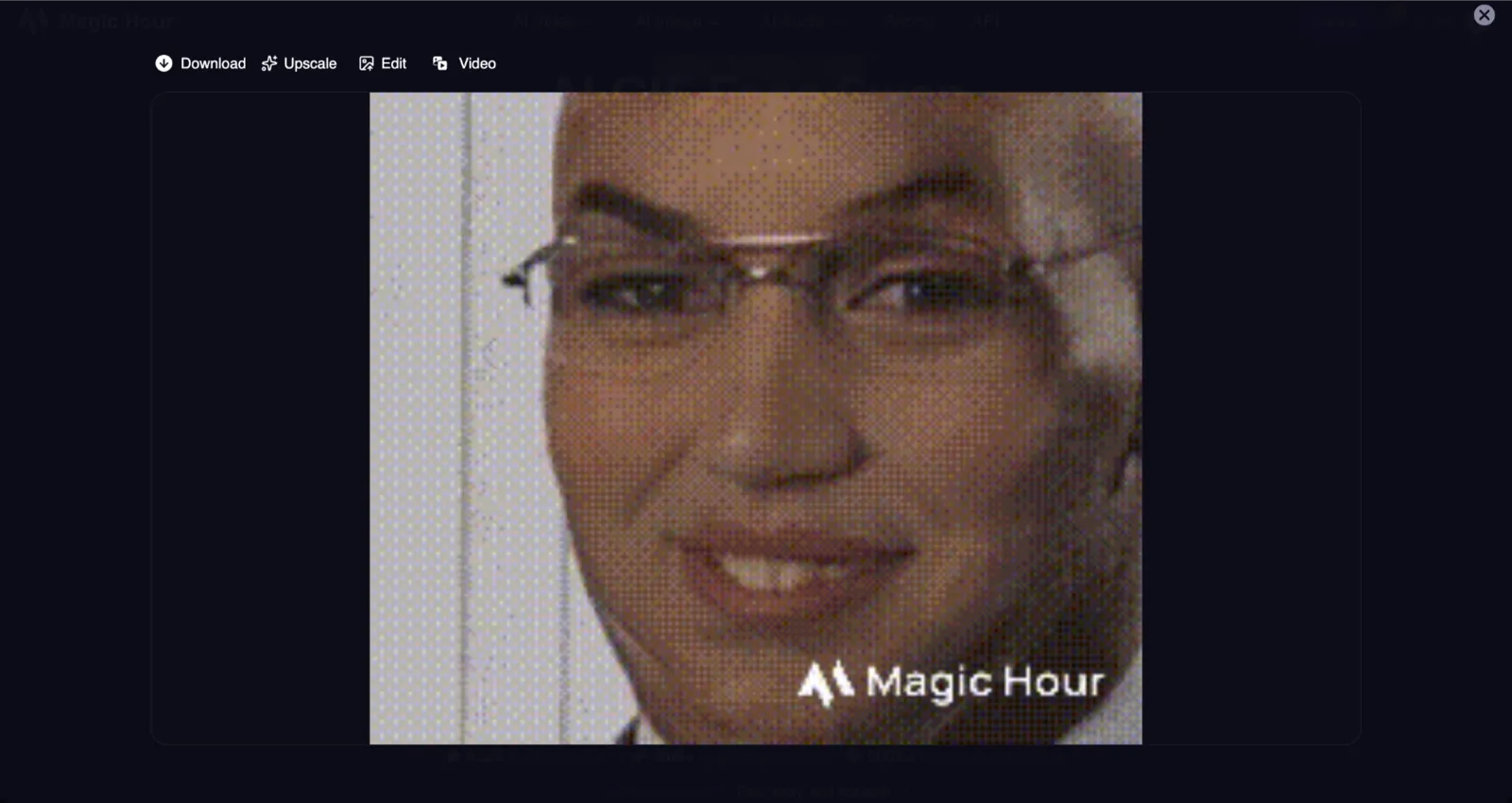
GIF face swap followed almost the same pattern as the video. The workflow itself was simple, and processing speed stayed relatively fast during testing, but the free exports carried a watermark and looked softer than the paid renders.
On smaller screens, the quality looked acceptable, but compression artifacts became obvious once the GIF was enlarged or reposted multiple times. If your goal is polished social content or Discord-ready loops without visible branding, the free tier will probably feel limiting.
Multi-Face Support and Workflow
Magic Hour also supports multi-face swaps through the main dashboard. I tested it with three-person group photos and short clips containing multiple faces in frame at the same time.
The mapping process was cleaner than expected. Some competing tools make multi-face editing unnecessarily confusing, but Magic Hour kept the controls relatively straightforward once inside the editor. The tradeoff is that multi-face workflows require signup and consume credits much faster than single-face edits.
For casual group photo edits, the workflow remained manageable. For repeat content production or larger commercial use cases, the credit system becomes something you need to monitor closely, especially on the free plan.
Magic Hour Face Swap Quality Test
I ran the same 30-second talking-head clip through both Magic Hour and VidMage to compare resolution, motion consistency, and low-light performance under identical conditions. Here is what I actually noticed during testing.
Photo Face Swap Quality: Photo face swap was easily the strongest part of Magic Hour's free experience. I tested multiple frontal portraits under even lighting, and the skin tone blending stayed surprisingly natural across all of them. The hairline and jaw edges looked clean enough to post directly to social media without needing extra editing. For static images, the results consistently looked polished and realistic.
Video Face Swap Performance: For video testing, I trimmed my original clip down to the 17-second free limit and processed it through Magic Hour's free plan. The export finished in roughly 90 seconds. During the first half of the clip, where the subject stayed mostly front-facing, the face tracking held together well and looked stable.
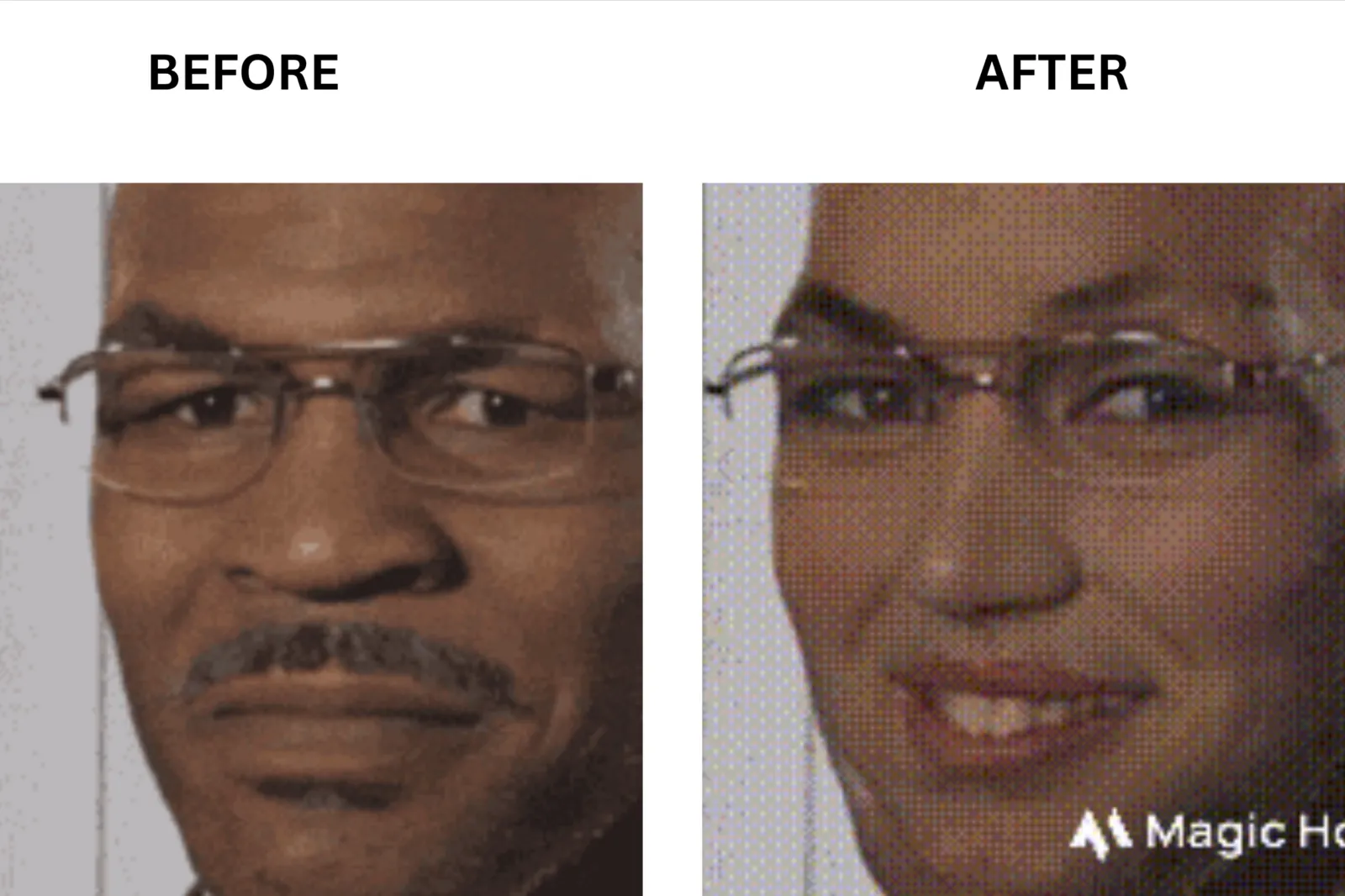
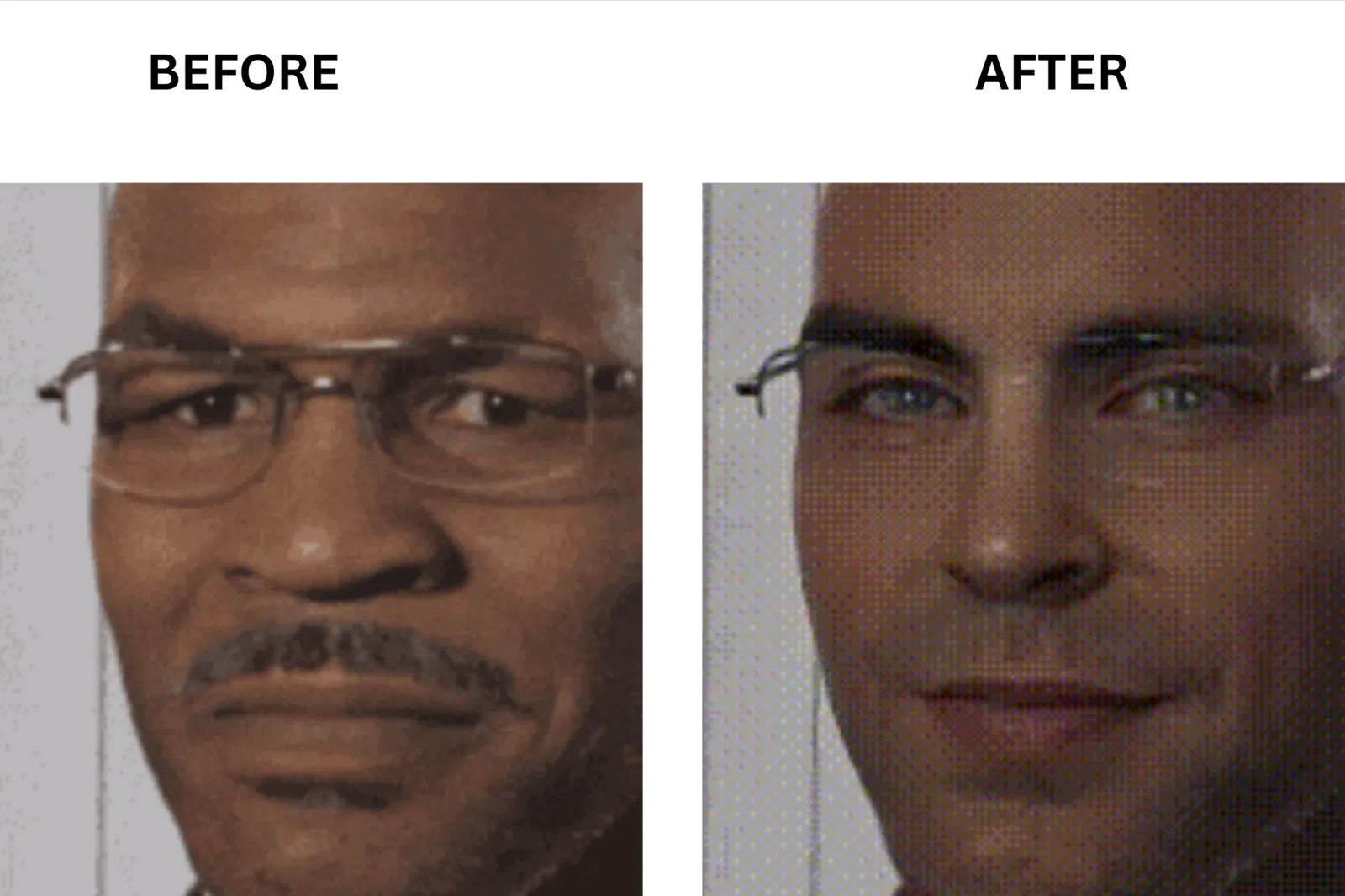
The weak point showed up during the side turn around. As the subject rotated, the blending around the jawline softened for about one to two seconds before recovering once the face returned toward the camera. The clip was still usable for casual content, but if that side-angle moment was the focus of the shot, the quality drop became noticeable. That matched a lot of creator feedback I had already seen online, where the "blurry after upload" complaint usually happened during motion rather than static shots.
**Low-Light Test Results: **I also tested a darker frame pulled from the same recording session using only ambient room light. This was where the free-tier resolution ceiling became much more obvious. At 576px, there was visible noise and softness around the face boundary, which stood out more than in well-lit footage. Higher resolutions would likely hide some of that artifacting, but I did not upgrade plans for direct side-by-side testing, so I am only reporting what I personally verified on the free tier.
Processing Speed: Processing speed stayed fairly consistent throughout testing. Photo swaps usually finish in under 30 seconds, while the 17-second video clip rendered in under two minutes on the standard queue during normal usage hours.
Resolution Limits by Plan: From my testing, the free plan exported at 576px resolution. Magic Hour lists higher limits on paid tiers: 1024px on Creator, 1472px on Pro, and 4K on Business. I only tested the free plan directly, so I cannot verify the real-world improvement of those higher-resolution exports firsthand.
Magic Hour Pricing and Plans
Magic Hour uses a credit-based system across all plans. Credits are allocated annually on annual billing plans, and the free plan uses limited free credits and capped exports. Here are the plan details based on the current pricing page.
| Plan | Monthly Price | Annual Price | Included Video Limit | Max Resolution | Watermark | Commercial Use |
|---|---|---|---|---|---|---|
| Basic (Free) | $0 | $0 | 17 seconds of video | 576px | Yes, on free exports | No |
| Creator | $15/mo | $10/mo ($120/year billed annually) | 1 hour of video | 1024px | No | Yes |
| Pro | $39/mo | $25/mo ($300/year billed annually) | 3 hours of video | 1472px | No | Yes |
| Business | $99/mo | $66/mo ($792/year billed annually) | 10 hours of video | 4K | No | Yes |
A few things stood out once I compared the plans side by side.
The Creator plan at $10 per month on annual billing felt like the practical starting point for most creators. It removed the watermark from exports, unlocked commercial use, increased resolution to 1024px, and included 120,000 credits per year with full API access.
The Pro plan at $25 per month annually increases the resolution to 1472px and increases the yearly credit pool to 300,000 credits, which makes more sense for higher-volume content production.
If you need 4K exports, larger upload limits, priority support, or team-scale workflows, the Business plan at $66 per month is the top tier.
Magic Hour also sells one-time credit packs separately from subscriptions. During testing, I found packs priced at 4,000 credits for $10, 12,000 credits for $30, and 30,000 credits for $75. These packs can remove the watermark on funded exports, but they do not automatically include subscription benefits like commercial use rights, priority queue access, or higher upload limits. If you plan to create client-facing content, it is worth carefully reviewing those licensing terms before relying solely on credit packs.
What Do Real Users Think About Magic Hour?
I tested Magic Hour pretty aggressively across photo swaps, video swaps, GIFs, low-light clips, and side-angle movement, but I also wanted to see whether regular users were running into the same strengths and frustrations I noticed during testing.
So I went through reviews on G2, Trustpilot, and Reddit to see what creators were saying after actually using the tool in real workflows, not just demo clips.
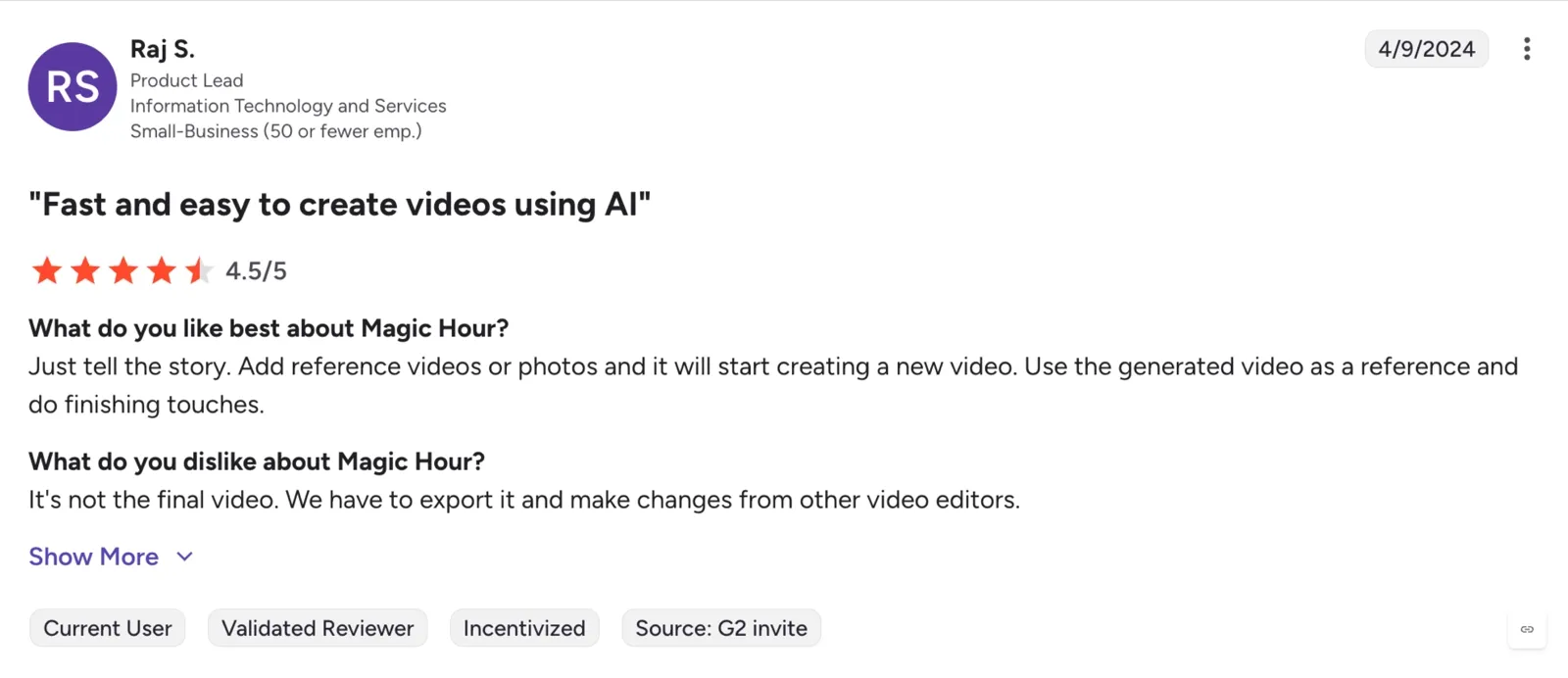
One G2 reviewer called Magic Hour “fast and easy to create videos using AI,” especially for turning reference images and clips into editable AI videos quickly. They liked how simple the workflow felt, but mentioned the outputs still needed polishing in external editors before feeling production-ready.
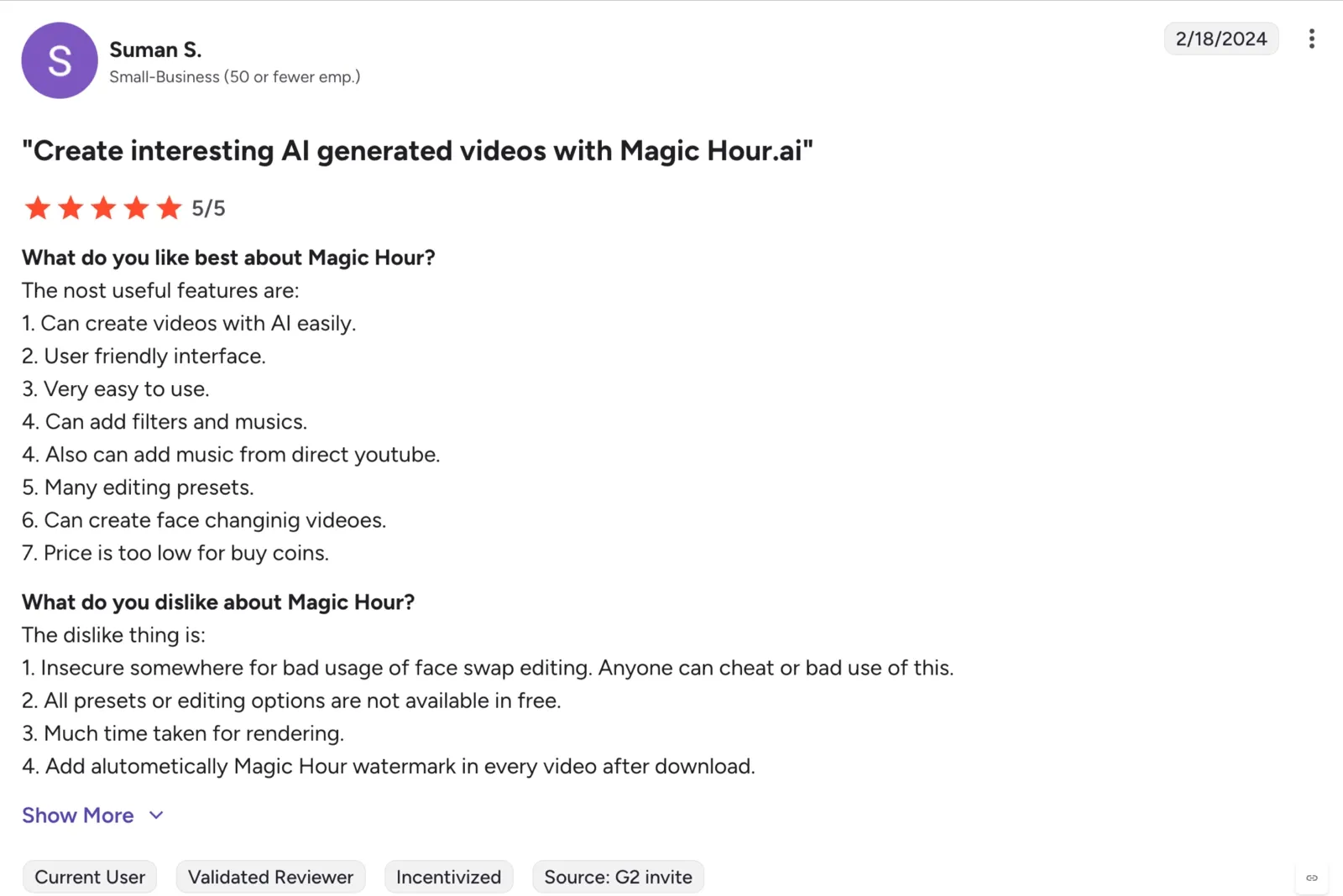
Another small-business user praised the platform for making AI video creation accessible even for beginners. They specifically liked the face-changing tools, editing presets, music support, and low pricing for credits. But they also pointed out some downsides I noticed during testing, too: slower rendering times, watermark restrictions on free exports, and concerns about how face swap tools could potentially be misused.
Trustpilot Reviews
One long-term Creator-plan subscriber on Trustpilot described Magic Hour as one of the best AI creator tools they had used for social content. They highlighted the video face swap, image upscaler, text-to-video generation, and talking-photo tools as standout features, especially for creators managing multiple types of content from one dashboard. They also liked getting extra daily credits just for logging in.
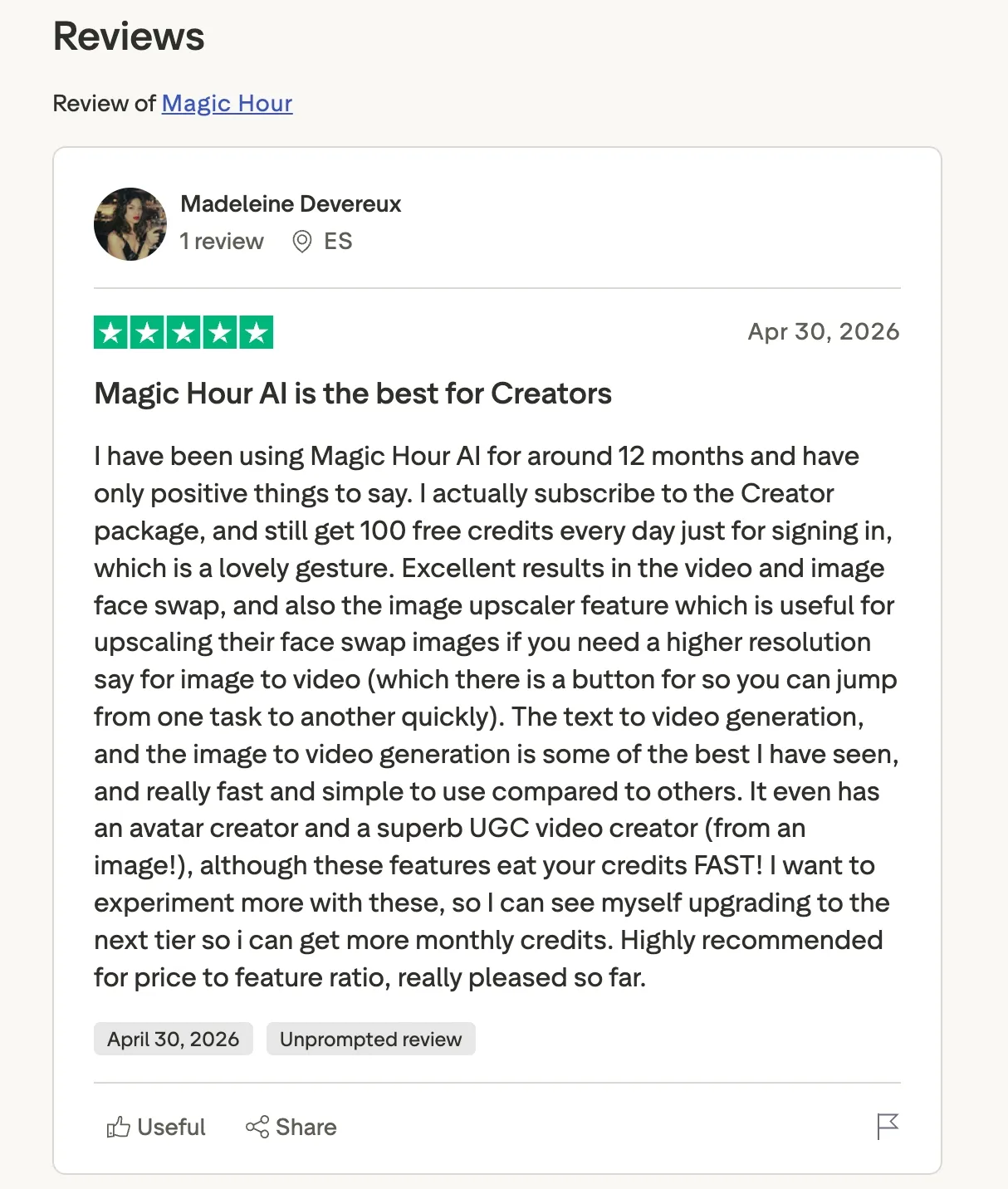
At the same time, they mentioned that advanced tools can burn through credits surprisingly fast, especially when experimenting heavily with avatar creation and UGC-style videos.
Reddit Feedback
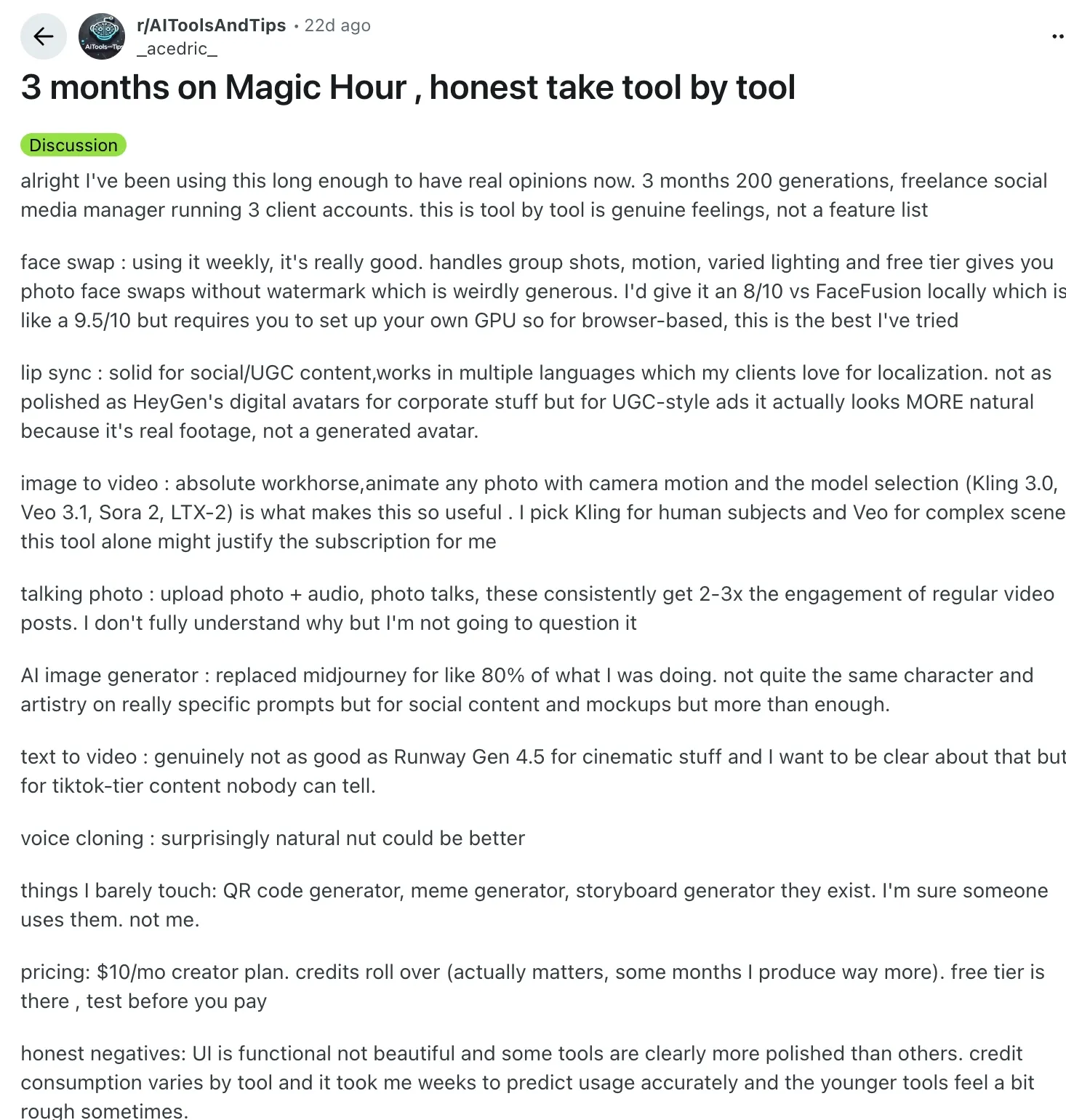
A Reddit user who had spent around three months using Magic Hour for freelance social media work said the face swap quality was genuinely strong for a browser-based tool. They specifically mentioned that it handled group shots, motion, and varied lighting better than most online alternatives they had tried.
The same user also described the image-to-video tools as the real “workhorse” of the platform and said the variety of AI models available under one dashboard made Magic Hour feel more versatile than a standard face swap app.
At the same time, they admitted the platform can feel inconsistent depending on the feature. Some tools felt polished, while others still felt rough around the edges, and figuring out credit consumption took time.
Best Alternatives to Magic Hour Face Swap
Magic Hour works well for quick casual edits, but its watermark rules, free-tier limits, and export quality make alternatives worth considering. I tested VidMage, DeepSwap, and BasedLabs using the same talking-head clips, side-angle motion, low-light frames, and GIF face-swap scenarios to see where each tool actually performed better.
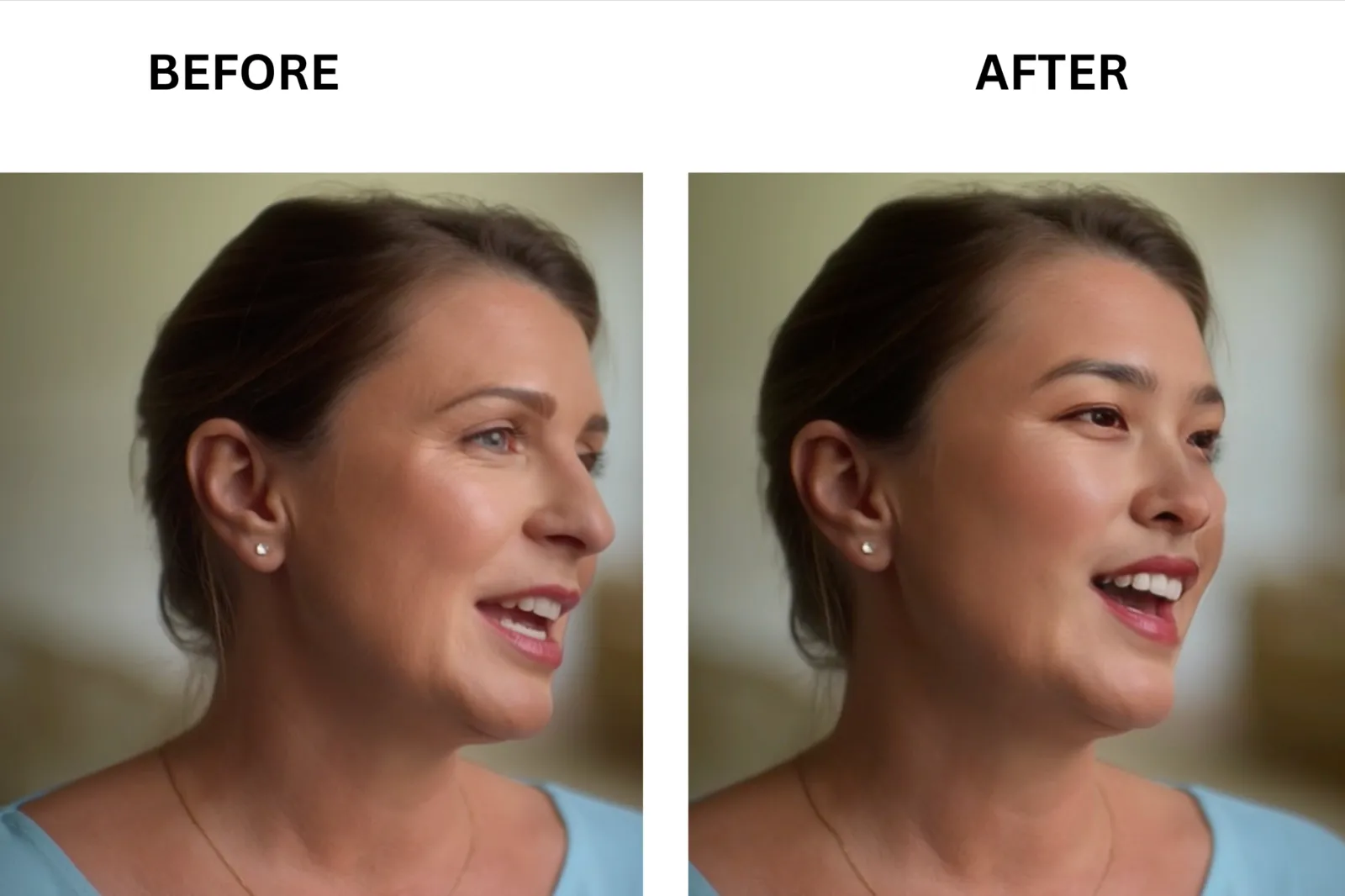
VidMage: Best for Realistic Face Swap
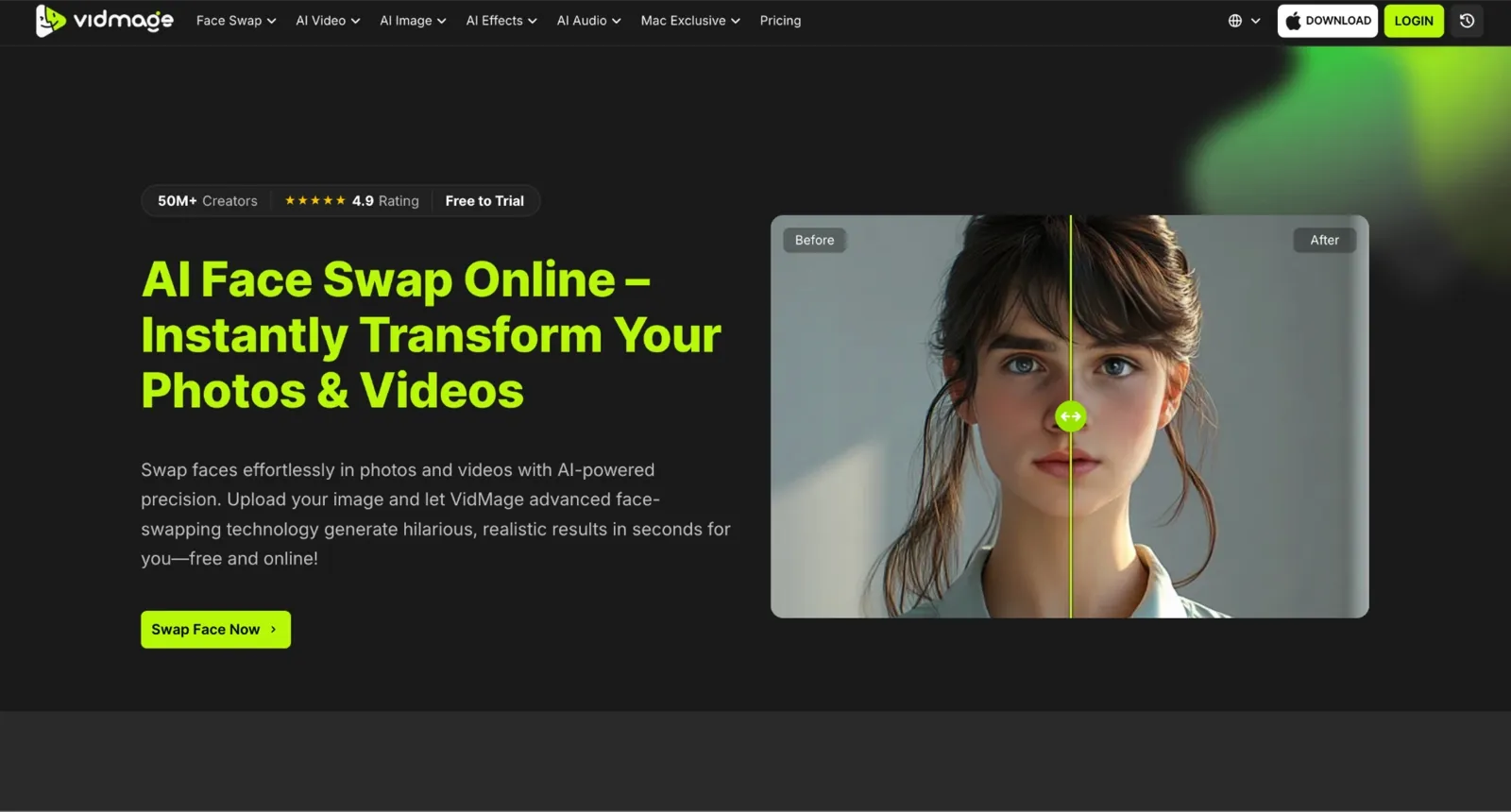
The day before, I had already burned through my VidMage quota, so seeing it fully reset the next morning immediately changed the experience. Where Magic Hour gives you signup credits that run out and free video exports that still carry a watermark, VidMage resets 15 image swaps, 20 seconds of video, and 2 GIF swaps every single day, all watermark-free. Running footage through VidMage's face swap Mac desktop app meant my files never left my device, something Magic Hour cannot offer as a cloud-only platform.
DeepSwap: Best for Multi-Face Video
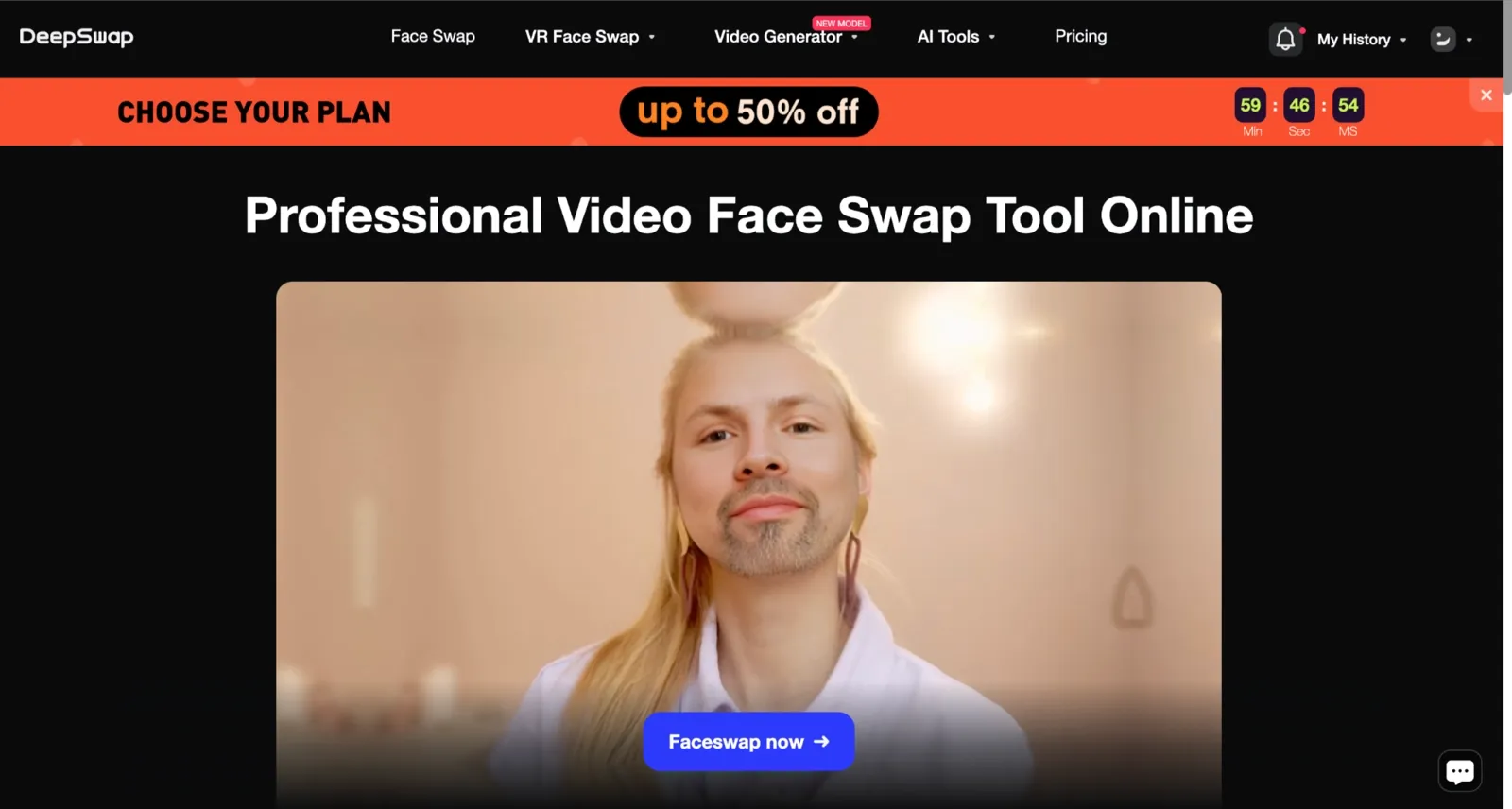
Magic Hour supports multi-face swaps, but it caps you at a handful of faces and processes them in the cloud with temporary file retention. DeepSwap handles up to 6 faces simultaneously in a single video clip, the highest count in this comparison, and states it does not collect or store any uploaded footage at all. For creators working on group scenes where every face needs to track stably frame to frame, that combination of scale and privacy gives DeepSwap a clear edge over Magic Hour on that specific use case.
BasedLabs: Best for Pay-As-You-Go Flexibility

Magic Hour charges a monthly or annual subscription, whether you create ten videos that month or one. BasedLabs skips that model entirely. You buy a credit pack once, use it across face swap, video generation, image generation, and audio tools whenever a project comes up, and there is no recurring charge. For creators whose workload is uneven month to month, that flexibility is something Magic Hour's subscription structure simply does not offer. Commercial use is included at every credit level with no separate plan required.
VidMage vs. Magic Hour Face Swap
Magic Hour and VidMage take very different approaches to face swap. Magic Hour focuses on being a full AI content platform with APIs and creative tools, while VidMage focuses more on watermark-free face-swapping workflows, local processing, and creator-friendly free usage.
| Feature | Magic Hour | VidMage |
|---|---|---|
| Free video limit | 17 seconds total on free plan | 20 seconds per video session |
| Free photo swaps | Around 5 free photo swaps before signup limits apply | 15 image swaps per day |
| Free GIF swaps | Available with free credits, watermark applied | 2 GIF face swaps per day |
| Watermark on free video | Yes, watermark on all free video exports | No watermark |
| Watermark on free GIFs | Yes | No watermark |
| Watermark on free photos | No | No |
| Max free output resolution | 576px | Original resolution preserved on the Mac app |
| Paid starting price | $10/month annually ($120/year) | $8.33/month annually |
| Max paid the resolution | 4K on Business plan | Original resolution on the Mac app |
| Multi-face support | Yes, including multi-person support | Yes, including multi-face photo and video |
| GIF face swap | Yes | Yes |
| Mac local processing | No, cloud-based only | Yes, Mac desktop app |
| Live face swap | No | Yes, Mac exclusive |
| Partial face swap | No dedicated feature | Yes, Facial Feature Swap |
| Commercial use free | No | No |
| Commercial use paid | Yes | Yes |
| API access | Full API with SDKs for Python, Node.js, Go, and Rust | Not positioned as a primary API platform |
| Privacy | Cloud uploads, free-tier retention applies | Local processing on Mac, cloud on web |
| Platform support | Web, mobile, API | Web + Mac desktop |
| Processing speed | Fast queue with parallel generations | Fast in testing, but no official benchmark has been published |
| Best strength | Full AI creative suite with API and templates | Watermark-free face swap with local Mac processing |
| Backed by | Y Combinator | Independent |
| Trusted by | Meta, NBA, L'Oréal, Puma, Cisco, Shopify, Dyson | 50M+ creators |
Choose Magic Hour if:
You want more than just face-swapping and need a full AI creative suite with text-to-video, lip-sync image editing, templates, and API workflows in one platform.
You need official API access with SDK support for production pipelines or scalable automation.
You prefer browser-based tools that work across web and mobile without installing a desktop app.
You work in teams or agency environments and need collaboration-oriented infrastructure, higher upload limits, and enterprise positioning.
You want access to 100+ AI tools under one subscription instead of a face-swap-only workflow.
Choose VidMage if:
You mainly care about face swap quality and want watermark-free exports immediately, even on the free tier
You create content regularly and prefer predictable daily free limits instead of a credit pool system
You work with sensitive footage and want local Mac processing without uploading files to external servers
You need advanced face-swap-specific tools like live face swap, facial feature swap, batch swap, or dedicated Mac workflows
You want a lower annual entry price focused primarily on face swap workflows rather than a broader AI media suite
Tips for Better Face Swap Results
Most face swap failures were not caused by the AI model itself but by poor input choices. During testing, lighting, face angle, clip length, and source quality consistently had the biggest impact on how realistic the final result looked.
Use a clear, front-facing reference photo with good lighting and no sunglasses or heavy shadows. Better source images consistently produce more realistic swaps.
Test a 5-second clip before processing a longer video. It helps you spot tracking issues early and saves time and credits.
Match the lighting between your reference photo and target footage. Similar lighting creates smoother blending and more natural skin tones.
Avoid clips with extreme side angles or sharp head turns. Face swaps tend to look cleaner when the subject stays mostly front-facing.
Upload the highest-resolution source footage available. More facial detail gives the AI better data to work with.
Keep clips short, especially on free plans. Shorter videos process faster and reduce the chance of alignment drift or visual artifacts.
Common Mistakes
Common quality issues included backlit reference photos, which reduced facial detail and caused skin tone mismatches, and small faces cropped from group photos, which lacked sufficient resolution. Compressed videos introduced visible artifacts, while mismatched head angles between the reference image and target footage often led to alignment errors around the face.
FAQ
Is Magic Hour Face Swap free?
Yes, with genuine limits that matter. Photo face swaps up to 5 per day are free with no watermark or account required. Video face swap is free but limited to 17 seconds per clip, capped at 576px resolution, and carries a visible watermark on every export. Signing up gives you 400 bonus free credits plus 100 more each day you visit the Create page, but those credits do not remove the watermark from video or GIF outputs on the free plan.
Does Magic Hour add a watermark?
It depends on the format. Photo face swaps on the free plan have no watermark, even without a signup, and that is genuinely one of Magic Hour's standout free features. Video and GIF face swaps on the free plan both include a visible watermark on every export. Paid plans remove the watermark across all formats.
Is Magic Hour Face Swap safe?
Magic Hour states that it does not use your uploads or outputs to train its models, encrypts content in transit and at rest, and automatically deletes free tool outputs after 1 day, with uploads removed within 1 week. That is a reasonable privacy posture for most casual use. If you are uploading family photos, client assets, unreleased footage, or anything you would not want sitting on an external cloud server for a week, that retention window should be factored into your decision.
Why does my face swap look blurry after upload?
The most common reasons are a low-resolution reference photo, a heavily compressed source video, or a head turn in the target footage that the model struggles to track cleanly. On Magic Hour's free plan, the 576px output cap amplifies these issues because there is less resolution headroom to absorb artifacts. Switching to a higher-quality reference photo, taken in even, front-facing light, and trimming sharp side turns before uploading typically significantly improves results.
Does Magic Hour Face Swap work on mobile?
Magic Hour runs in the browser, so it is technically accessible on a phone. The interface is designed for desktop use, and the experience on mobile was noticeably less smooth in my testing, particularly for the video face swap workflow. There is no dedicated Magic Hour iOS or Android face swap app.
What is the best Magic Hour alternative?
VidMage is the best overall alternative for most creators with a daily reset free tier, watermark-free exports across all formats, a lower annual entry price, and local Mac processing for privacy-sensitive work.
Bottom Line
Magic Hour Face Swap works well for quick, casual testing, especially for photo face swaps. The free photo tool delivered clean, no-watermark results without requiring an account, which makes it a solid option for simple edits and meme-style content.
The free video experience is more limited. The 17-second cap, 576px export ceiling, and watermark on every free video make it feel more like a preview tier than a full editing workflow for regular use.
For sharper and realistic video output, privacy-focused workflows, or more consistent content creation, other tools like VidMage with fewer export restrictions may be worth exploring. The right choice mainly depends on how often you create, the resolution you need, and whether watermark-free exports are a priority.
A practical next step is to run the same short clip and photo through 2–3 tools side by side. This makes it easier to see differences in quality, limits, and workflow before committing to any one platform.