

Most people searching for the best deepfake apps for realistic face swaps in 2026 have the same problem. You have a few short video clips, you want to do a clean face swap, and you do not want to spend a weekend setting up DeepFakeLab or discover a watermark stamped across your output after the fact.
I tested 7 deepfake apps over 10 days across 3 video clips and 2 photo styles. I scored every deepfake app on swap quality, motion stability, performance in complex scenes, and what the free tier actually gives you. Below are the tools that sit in that middle ground between “too basic” and “too technical.”
How I Tested These Deepfake Apps
Realistic face swaps are a motion problem, not a still-frame problem. I tested 7 face swap apps for over 10 days across 3 video clips and 2 photo styles. Based on my testing, I scored each on motion realism, free tier limits, and multi-face handling capabilities.
Most people land on the best deepfake face swap apps list with the same problem: you have a few short clips, you want a clean face swap without spending weeks, and you want a watermark-free export. VidMage came out on top for motion-stable swaps that hold up in real footage, not just a clean demo. For long multi-face video swap, DeepSwap is a good pick. If you want a quick TikTok template on mobile, FaceMagic gets you there fastest.
The real test for any face swap is not a frozen screenshot. It is whether the swap does not glitch on blinks, holds identity through a head turn, and stays consistent when a shadow falls across the face, mild clip. A deepfake uses AI to map one face to another frame by frame. The quality gap between a good tool and a weak one shows up on the motor every time.
Benchmark Table: 7 Deepfake Apps Side by Side
Choosing a deepfake app based on marketing claims alone is difficult. This benchmark table compares all seven tools across speed, output quality, free-plan restrictions, privacy practices, watermark policies, and multi-face capabilities so you can quickly identify the best fit for your workflow.
| App | Speed (Photo / 15s Video) | Max Resolution | Free Tier Limits | Watermark on Free | Multi-Face Capacity | Privacy Stance |
|---|---|---|---|---|---|---|
| VidMage | 5–10s | 4K (paid), 1080P (free) | 100MB upload, 15s video, 1080P export | No | Up to 4 faces | No training on uploads |
| DeepSwap | 10s / 10s per minute of video | 4K (paid) | No free trial | Yes | Up to 6 faces | No data collection (per site policy) |
| FaceMagic | Fast / Short clips only | Mobile-quality | Limited templates | Yes (on export) | Multi-face supported | Delete after 30 days |
| MyHeritage Deep Nostalgia | 10–20s per photo | Standard | 2–5 animations before the paywall | Yes | Single face per photo | Uploads are deleted after 12 months |
| AKOOL | Fast / Up to 30 min (paid plans) | 8K (Pro Max) | Basic free plan; watermark included | Yes | Up to 8 faces | Delete data within 90 days |
| DeepFaceLab | Hours (training-dependent) | High-resolution output | Fully open-source | No | Unlimited (manual workflow) | Local processing; no uploads required |
| Reface | Fast / Short clips | Standard mobile resolution | Limited templates, ad-supported | Yes | Limited | Biometric data may be stored for up to 3 years |
The 7 Best Deepfake Apps for Realistic Face Swap
The best deepfake apps for realistic face swaps now handle everything from photo edits to full-video face replacements with impressive accuracy. I tested the leading tools to compare realism, speed, free-plan limits, and ease of use, helping you find the right option for your needs.
VidMage, Best Overall
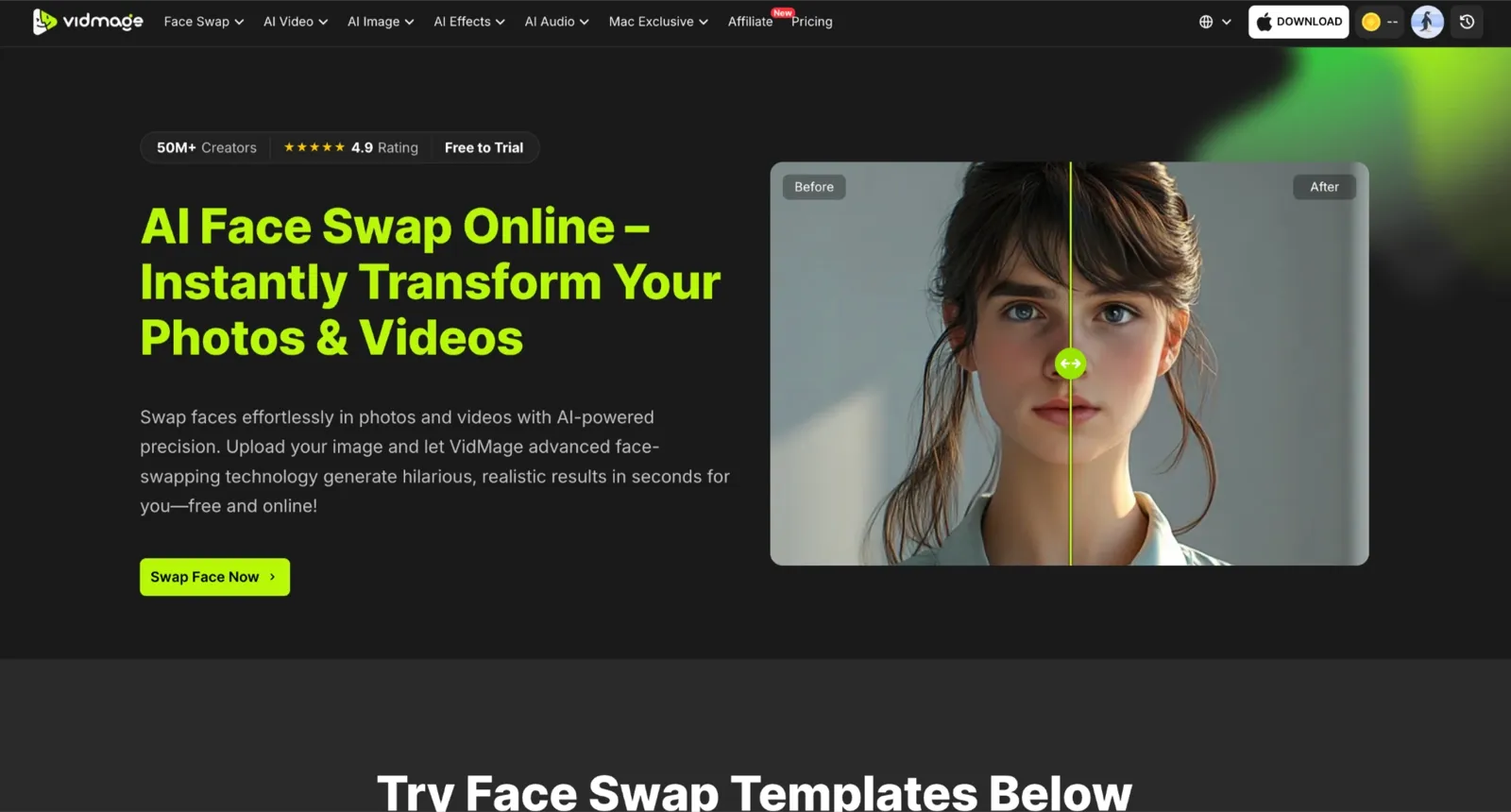
If you want the transformation reels that are all over Instagram and TikTok, the real test is not whether a face looks convincing in a single frame. The real test is whether the new face actually performs the expressions. A blink should land naturally, a smile should carry through the shot, and a head turn should not cause the identity to break.
VidMage consistently handled those situations better than most tools I tested. Its photo swaps finished in around 5 to 10 seconds, and its video face swap handles a 15-second video clip in less than one minute. More importantly, the output remained believable during movement instead of falling apart once the subject started talking or turning.
What stood out most was how well VidMage handled difficult footage. Lighting changes mid-clip did not noticeably affect the blend, and non-frontal angles retained facial identity without creating the waxy, artificial look that weaker deepfake models often produce. Expression retention was particularly strong, with eyebrow movement, smiles, and mouth shapes carrying through naturally.
I also ended up using the Mac live face swap feature more than expected. It held identity surprisingly well during real-time movement, and the feature swap tool was useful when I wanted to change specific facial elements rather than replace the entire face.
DeepSwap: Best for Long-Form Multi-Face Video

DeepSwap supports videos up to 30 minutes on paid plans and up to 6 faces per clip. The key differentiator is how the engine is tuned specifically for 16+ challenging scene types: side profiles, low-light conditions, and motion blur all receive targeted optimization. Its processing speed is fast, with roughly 10 seconds of computation per minute of video on its GPU infrastructure. Swap quality is good on both standard and complex shots. But if you want to try face swaps on video, they're locked entirely behind paid plans.
FaceMagic: Best for TikTok Memes and Short-Form Content

For a quick TikTok meme or a movie-scene template, the realism bar is lower, and the speed bar is higher. You want fast templates, a big library, and a free tier that doesn't slap a watermark on your output the moment you try to share. FaceMagic handles that job well on mobile.
The template library covers movie clips, meme formats, dance trends, and seasonal content, and it refreshes regularly, so you are rarely stuck searching for something current. The quality of these pre-built templates is convincing for social-ready short clips, with expression mapping that syncs well with music and movement. FaceMagic is iOS and Android only.
MyHeritage Deep Nostalgia: Best for Animating Old Family Photos
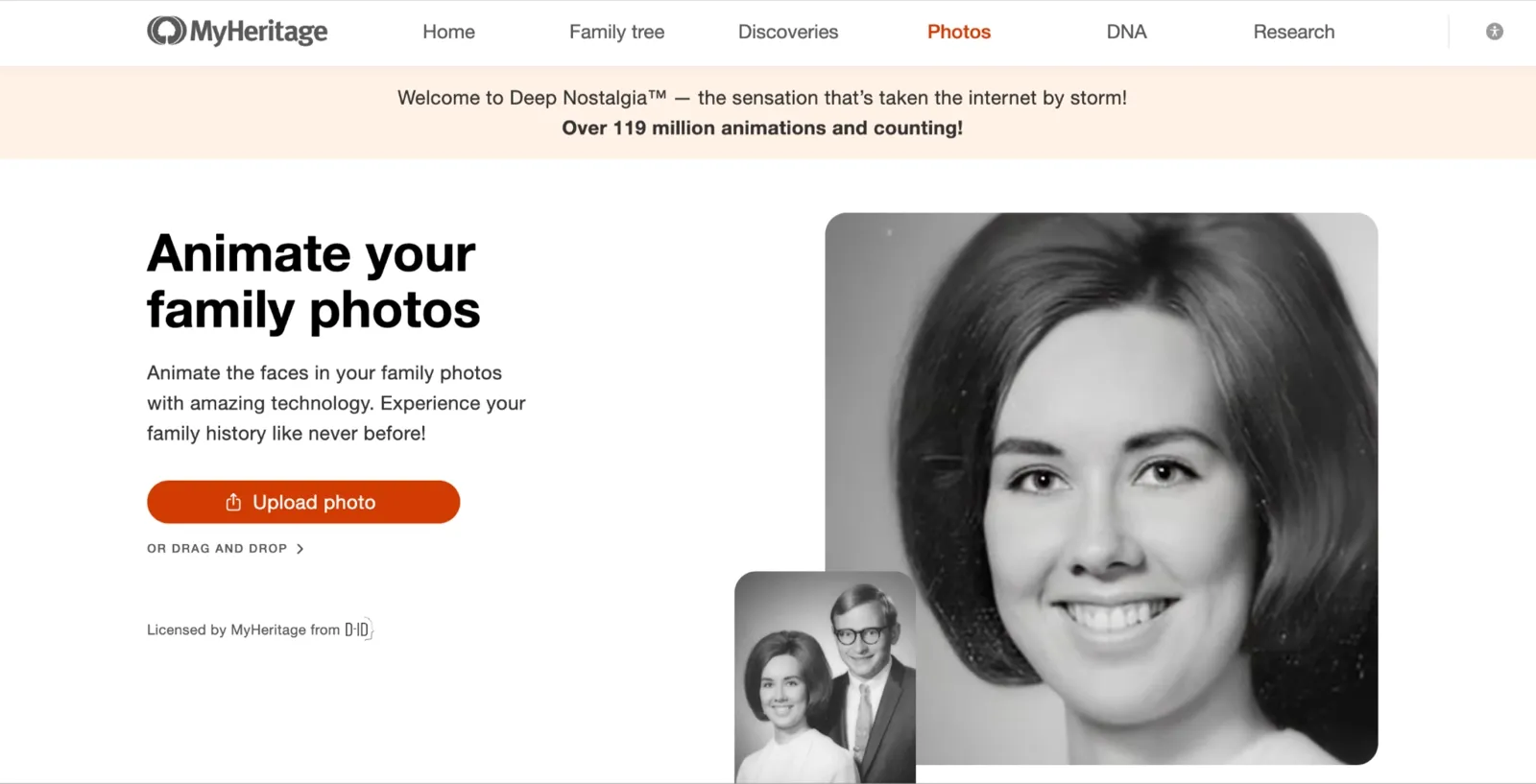
If you have a faded photo of a grandparent and want to see them smile or blink, the right tool is one trained for old-photo animation. The output will not look like a high-definition video, but it will feel personal in a way a generic face swap cannot.
Deep Nostalgia uploads the still image, auto-enhances it before animation runs, then applies a pre-set sequence that produces blinking, head movement, and subtle expression shifts. The result takes 10 to 20 seconds and can be downloaded or shared directly. The free tier limits you to 2 to 5 animations before hitting a hard paywall. Full access is bundled with a genealogy subscription rather than a standalone photo plan.
AKOOL: Best for Marketing Spokesperson Swaps

If you run marketing for a brand and need to produce regional ad creative without a full reshoot, this is where face swap stops being a personal novelty and becomes a production tool. You film one spokesperson, then use AKOOL to swap a localized face for each regional market.
What sets AKOOL apart from consumer tools is the enterprise infrastructure that supports that swap: API access, workspace collaboration, and audit controls built for teams producing at scale. One thing to keep in mind: consent and disclosure are required for commercial face-swapping. Build that into the workflow from the start.
DeepFaceLab: Best for Pro Open-Source Workflows
DeepFaceLab is the most technically powerful tool on this list. It follows a structured workflow: extract faces from source footage, train a neural model on that specific identity, then merge the trained face into the target video. Done properly, the output quality rivals that of any browser-based tool.
What makes DeepFaceLab worth the effort is full creative control: you tune every parameter, manage the training dataset, and decide when the model is ready. The trade-off is real: training a single identity takes hours. Setup requires Python, CUDA, and a GPU with enough VRAM for model training. There is no one-click workflow, and there is no browser version.
Reface: Best for Casual Social Posts (with caveats)
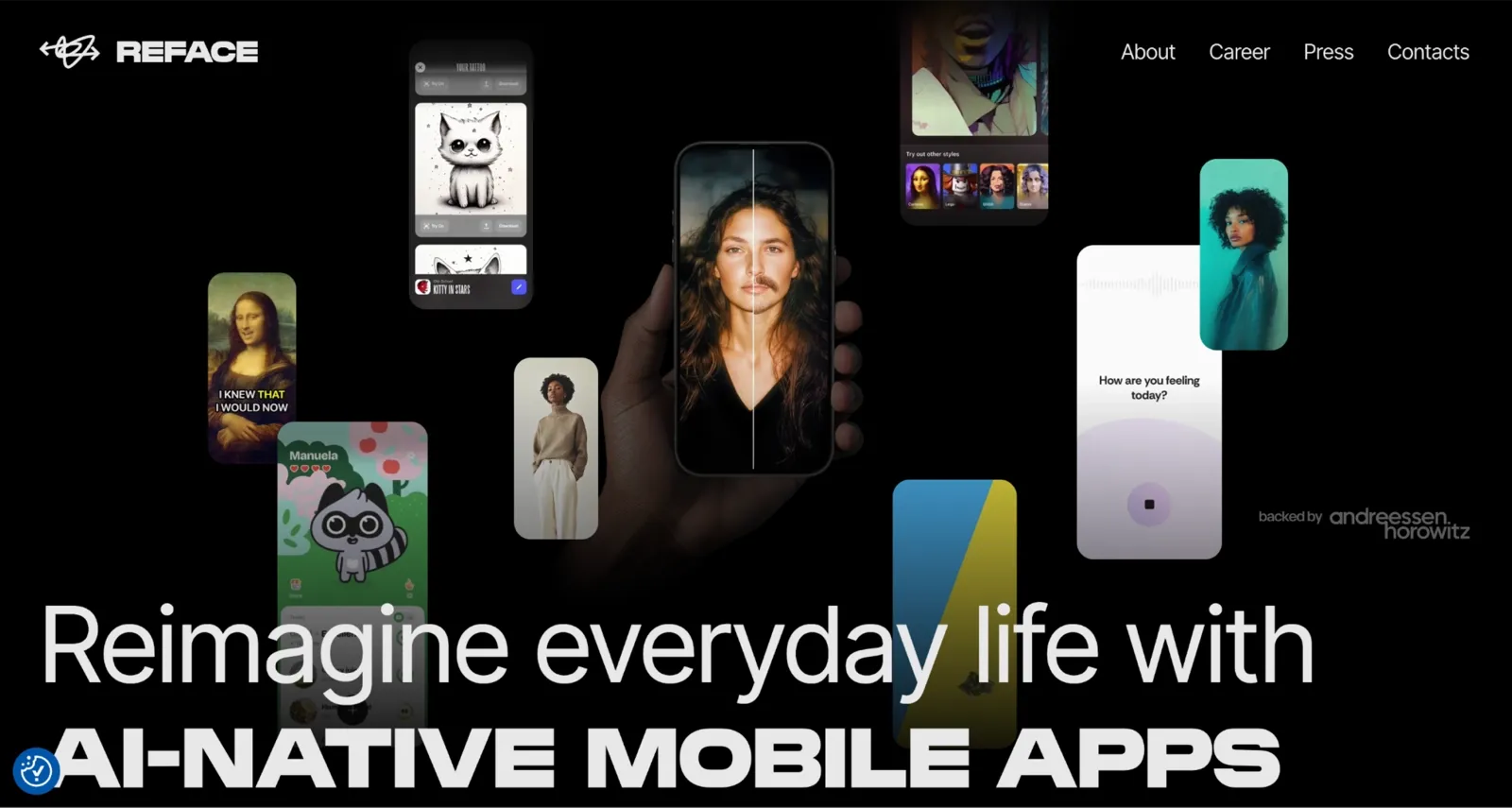
Reface is the app most people think of first for face swapping on a phone and for short GIF templates and celebrity clips. Upload a selfie, pick from a large and regularly refreshed template library, and get a result in seconds. Expression tracking and motion blending work well on the pre-built templates. Outside those templates, the quality drops quickly, and the swap starts to look pasted on top rather than blended.
The free tier watermarks every output, shows ads between swaps, and locks most premium templates behind a subscription. Regarding privacy, Reface collects facial geometry and biometric data, with storage reportedly lasting up to 3 years.
Tips: How to Stress-Test a Face Swap App Before You Pay
Before you buy credits on any tool, run the same hard test that professional editors run. Use a clip with a blink, a head turn past 30 degrees, and a shadow crossing the face. If the swap holds through all three of those, it will hold on a real project. If it falls apart on the blink, no cherry-picked demo reel will save you when the footage matters.
Before buying credits, test with a clip that includes a blink, a head turn beyond 30°, and a shadow crossing the face. If it passes all three, it’s more likely to perform well on real projects.
The eyes should close and reopen naturally while keeping the same identity. Flickering or snapping usually means poor frame-to-frame consistency.
Strong face swap models maintain accuracy on side profiles, while weaker ones often break down outside frontal angles.
Try a clip with changing lighting or a shadow moving across the face. Good tools adapt to the scene; weak ones create visible edges or unnatural lighting.
Run a 30-second clip with natural expressions like smiling, raising an eyebrow, and returning to neutral. The swap should remain consistent throughout.
If multiple people appear in the video, make sure the app can swap only the selected face. Some tools replace every detected face, which can create unwanted results.
Common mistakes that hurt your results:
Uploading low-light or blurry source frames. The AI cannot recover what is not there to begin with.
Using sub-1080P footage. Lower resolution reduces blend quality across every tool.
Assuming free tiers will deliver frame-accurate 4K. They are not built for that.
What Free Actually Means on Each App
Most tools advertise a free tier. What does “free” actually buy you before a watermark or credit cap hits? Most free tiers either watermark the output, cap the resolution, or limit you to a few seconds of video before credits run out. Check that fine print on the pricing page before you upload your video, not after you discover a watermark burned into the export.
| App | Watermark on Free | Max Resolution (Free) | Max Video Length (Free) | Signup Required | Free Credits/ Limits |
|---|---|---|---|---|---|
| VidMage | No | 1080P | 15 seconds | No | Daily free swaps included |
| DeepSwap | No free offering | Standard | Paid | Yes | No free swap |
| FaceMagic | No free trial | 1280px | Paid | No (limited) | No free face swap |
| MyHeritage Deep Nostalgia | Yes | Standard | Only face animation | Yes | Limited to 2-5 faces animation |
| AKOOL | Yes | 720P (Basic) | Short session only | Yes | Credit-based |
| DeepFaceLab | No | Unlimited | Unlimited | No | No limits; local compute |
| Reface | No | Standard | Short clips, limited templates | Yes | No free trial |
The gap between “free” and “genuinely usable for free” is widest on tools that watermark video outputs, cap resolution below 1080P, or require a signup before you can try anything at all. VidMage is the only tool here that gives you 15 seconds of 1080P video with no watermark and no account.
FAQ
What is the best deepfake app for video face swap?
For motion-stable video swaps with no watermark on the trial, VidMage handles the most demanding shots, including blinks, head turns, and lighting shifts. For long-form video with up to 6 faces simultaneously, DeepSwap is a good option on a paid plan.
What does “free” actually mean on these apps?
Most free tiers either watermark the output, cap the resolution, or limit you to a few seconds of video before credits run out. VidMage is the exception on this list: 15 seconds of 1080P output without watermark or signup. DeepSwap and Reface both produce watermark-free outputs. FaceMagic limits templates and watermark exports.
Are deepfake face swap apps legal?
The technology is legal in most jurisdictions. How you use it determines legality. Non-consensual synthetic media, impersonation, fraud, and political disinformation are illegal in many places and against every major platform’s terms of service. For creative, entertainment, and educational use with consent, face swap tools are legal to use.
Is it safe to upload my face to these apps?
It depends on the tool. DeepFaceLab processes everything locally, so nothing is uploaded anywhere. VidMage does not train models on user uploads. MyHeritage deletes uploads after processing. Reface collects facial geometry data and stores it for up to three years per its terms. Read the privacy policy before uploading biometric data to any tool.
What is the best deepfake app for Mac?
VidMage has a dedicated Mac desktop client for offline face swaps. Most other tools on this list are web-only or mobile-first. DeepFaceLab can run on Mac with the right GPU and Python setup, but that setup is not simple.
What is the best deepfake app for iPhone?
FaceMagic and Reface are the strongest mobile-first options for iOS. FaceMagic is better for TikTok and Reels templates. Reface has a wider template library and faster GIF results.
The Bottom Line
I tested seven deepfake apps across difficult conditions: blinks, head turns past 30 degrees, changing lighting, and group videos with multiple people on screen. Most apps look convincing on a clean frontal clip. Far fewer maintain identity and natural expressions once the footage becomes more demanding.
For realistic video deepfakes with strong expression retention and a genuinely usable free trial, VidMage is the strongest overall pick. It handled blinks, smiles, and head movement more consistently than most alternatives, held up on complex shots, and gave you 15 seconds of 1080p video to test before committing to a paid plan.
For long-form videos and projects that require up to six simultaneous face swaps, DeepSwap is the better option once you move to a subscription.
For quick TikTok templates and social memes from a phone, FaceMagic gets you there the fastest without needing a desktop workflow.
For maximum control and identity-specific training, DeepFaceLab still offers the highest quality ceiling of any tool here, free and open source, with the trade-off of hours of setup and training time.