

![AKOOL Face Swap Hands-On Review: Features, Caps, and Alternatives [Tested-2026]](/_next/image?url=%2Fblog-images%2Fmedium-akool-face-swap-2026-feb9626f6c.webp&w=1920&q=75)

I cannot be a boring person while working or in a meeting. So, I decided to join my Friday Zoom meeting as Jack Sparrow instead of showing my sleepy face. AKOOL's live face swap helped me here and, without a green screen or extra editing, gave me Jack's look in real time. But the real test starts when I move, turn my head so that I can not keep still, and try for a 30-minute clip.
I tested AKOOL across image, video, multi-face, and live face swap features to see where it works and where it breaks. This hands-on review compares motion realism, free plan caps, credit math, multi-face support, video length, and output quality. After all feature testing, I find that AKOOL is strong for live face swaps and group photos in 2026.
What is AKOOL Face Swap?

AKOOL UI, captured 2026-05
AKOOL is a browser-based AI face swap tool built for both individual creators and enterprise marketing teams. It covers four main functions: image and video face swaps, multi-face and group swaps, and live, real-time face swaps during calls or streams. There is no software to download, and you can complete your first swap in under ten minutes from a blank account. On the credibility front, AKOOL's face-swapping technology has been used in real campaigns by brands including Qatar Airways, Coca-Cola, Orange, and Tata Consultancy Services.
Key Features of AKOOL Face Swap
AKOOL covers four core capabilities: image face swap, video face swap, multi-face and group face swap, and live face swap. Each one handles a different creative use case, and each one has a point where it starts to show its limits. Here is exactly where each feature earns its keep and where it does not.
Image Face Swap
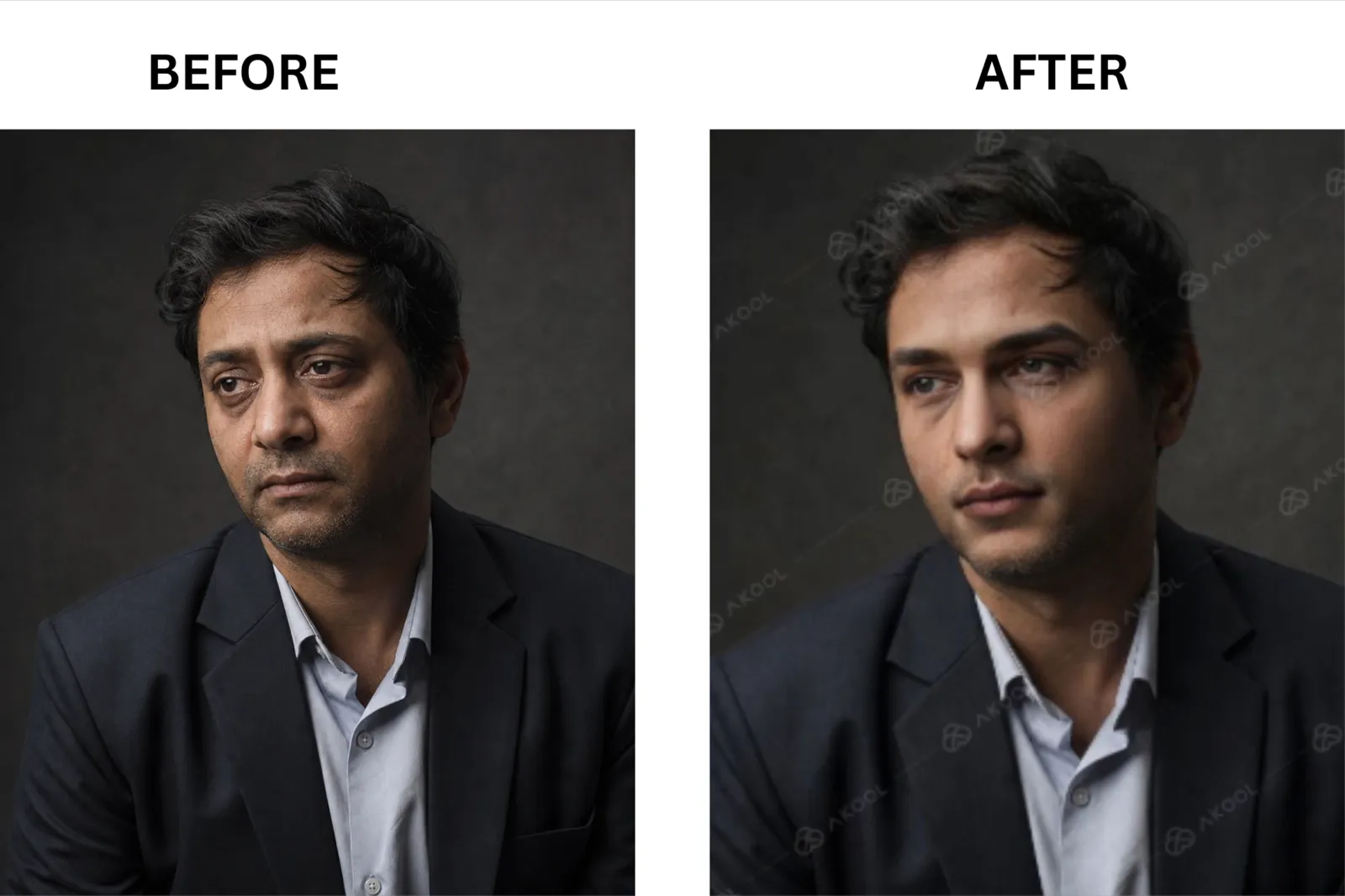
AKOOL UI, captured 2026-05
AKOOL's image face swap blends a target face onto a source portrait, carrying over the original lighting, skin tone, and framing in a single output image.
AKOOL’s image face swap feature works great with well-lit frontal portraits. Skin tone blending is accurate, hairline edges are clean, and the result holds up at full resolution on the Pro plan. I ran a direct test on a flat-lit selfie, and the output was share-ready with no touch-ups.
Image face swap really stumbled with angled portraits and hard directional shadows, exposing visible seams around the jawline and hairline. Low-resolution source images make the problem worse. If your source photo is anything other than a clear, front-facing shot, budget time for extra test exports.
Where image face swap works vs. where it stumbles:
Works cleanly on well-lit, front-facing portraits with consistent skin exposure.
Stumbles on three-quarter profiles where the jaw and hairline edge become seam-prone.
Works well for quick meme use cases where a face swap meme just needs to be sharp and fast.
Best for: Clean portrait swaps, social content, and meme edits when a well-lit face source is already available.
Video Face Swap
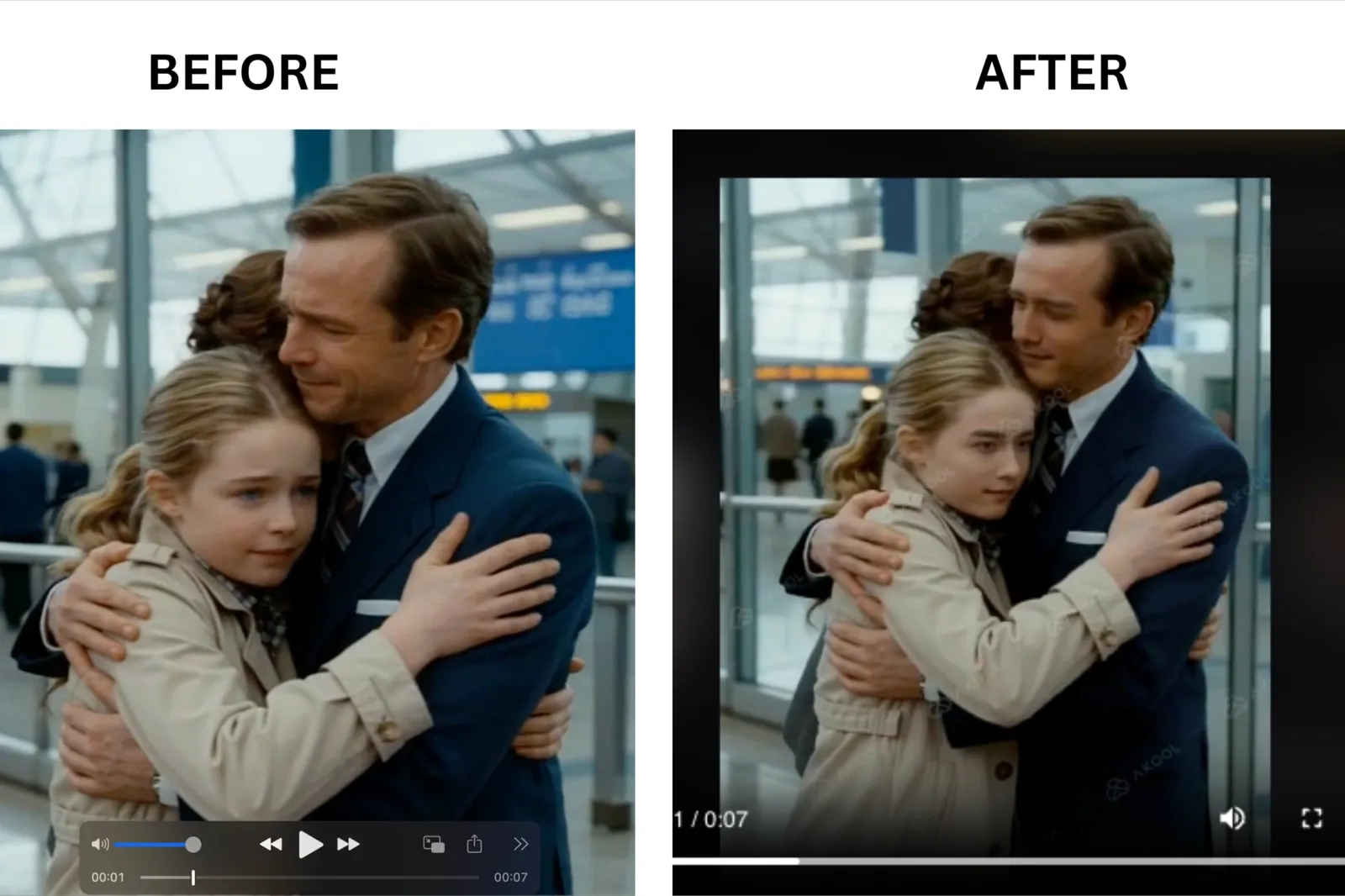
AKOOL UI, captured 2026-05
AKOOL's video face swap process analyzes an uploaded clip and consistently replaces a selected face across the full video timeline.
AKOOL's video face swap works well with short, stable clips with minimal subject movement, producing reliable output. A talking-head clip under 30 seconds, with even lighting and no fast camera movement, is the format where AKOOL's video swap performs best.
Video face swap stumbled when the free plan caps kicked in: 30-second video uploads, 150MB, and 720p resolution, with a watermark on every export. Beyond those hard limits, fast head turns are the most common quality failure. When a subject rotates sharply in a short moment, the face alignment slips, and the output reads as a visual glitch rather than a clean swap. I tested this across multiple clips, and the pattern was consistent.
Where video face swap works vs. where it stumbles:
Works on short clips under 30 seconds with stable, forward-facing subject movement and even lighting.
Stumbles immediately on fast head turns, where alignment drops, and the swap becomes visibly inconsistent.
Works for birthday gift videos and short social edits where the 30-second cap and 720p output are acceptable trade-offs.
Best for: Short, controlled clips where the subject stays relatively still, and the lighting is even throughout.
Multi-Face/Group Face Swap
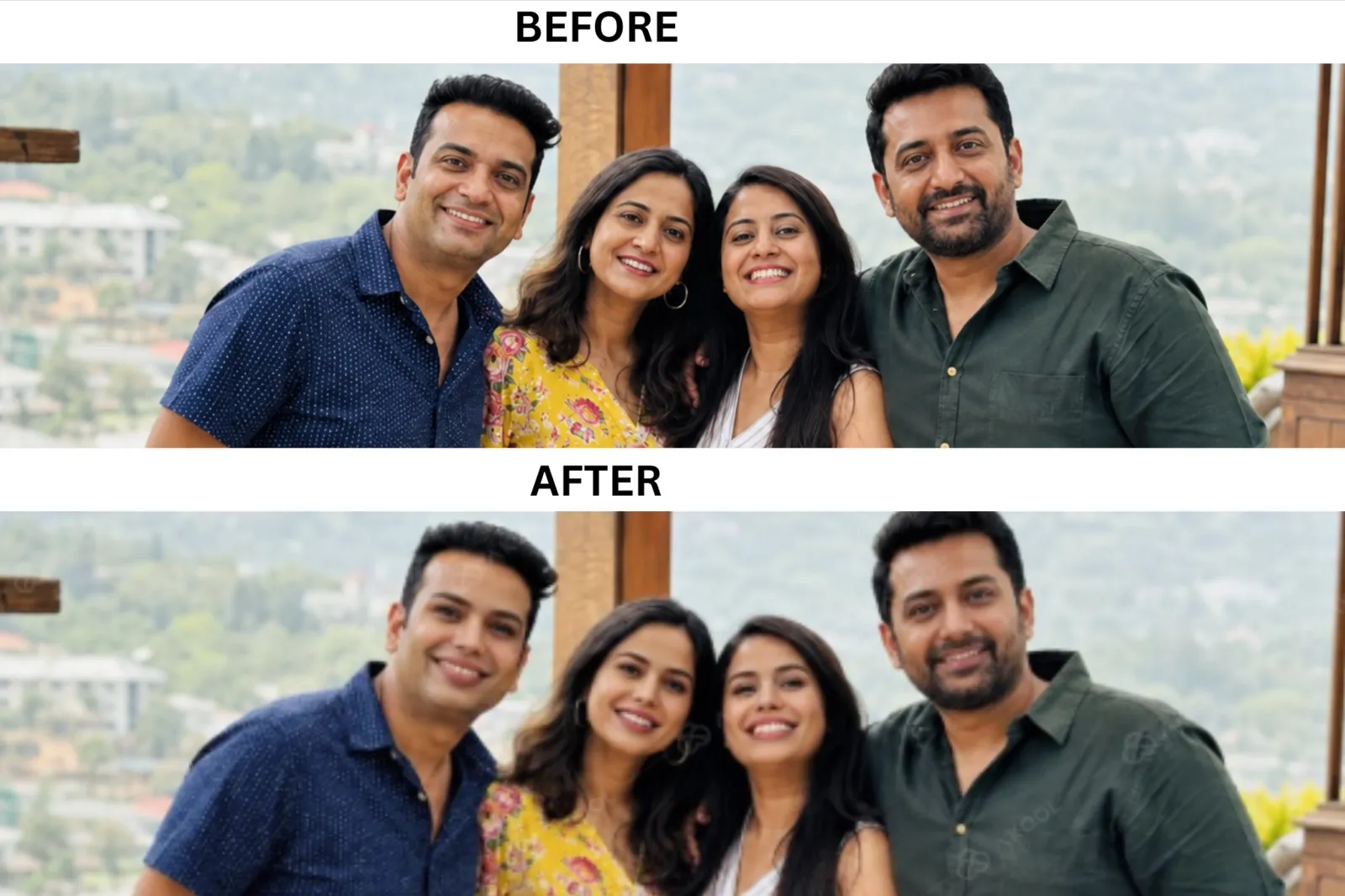
AKOOL UI, captured 2026-05
AKOOL lets you upload a group photo and swap multiple faces in a single operation, without running a separate swap for each person.
Single-upload group capability is one of AKOOL's genuine strengths in the market. Wavespeed describes this as a "capability that many competing solutions struggle with," and from my own testing across several tools, that framing is accurate. When I uploaded a four-person group photo through AKOOL, all four faces were processed in a single upload. The tools I tested before AKOOL required me to repeat the process 4 times.
Here is a good example of where this actually matters: say you want to put four roommates' faces onto the four Beatles crossing Abbey Road for an apartment wall poster. AKOOL handles all four faces in a single upload, and you are done. Most competing tools force you to swap one face at a time, which turns a five-minute job into a tedious back-and-forth.
Output quality drops as face count increases, especially when any face in the group is partially obscured, sitting at a steep angle, or significantly smaller than the others in the frame. Best results come from group shots where every face is clearly visible and roughly front-facing.
Where group faces swap works vs. where it stumbles:
Works cleanly on group photos where all faces are clearly visible, front-facing, and similar in size.
Stumbles when any face is partially blocked, angled sharply, or significantly smaller than the others in the frame.
Works as a genuine time-saver over any tool that forces one-at-a-time swaps on group photos.
Best for: Group poster edits, team photos, and any content that needs more than one face swapped in the same image without doing it one by one.
Live Face Swap
AKOOL's live face swap replaces your face in real time through your webcam during video calls, live streams, or screen recordings, with no post-production required.
Live face swap is one of the few categories where AKOOL sits genuinely ahead of most static-only tools. The Jack Sparrow moment from my intro is the clearest example: I joined a Friday Zoom as a character in real time, with no green screen or editing afterward. For streamers and remote presenters who want to appear as an avatar or character without a studio setup, real-time mode delivers way better results. For a full breakdown of how real-time swapping works, see live face swap.
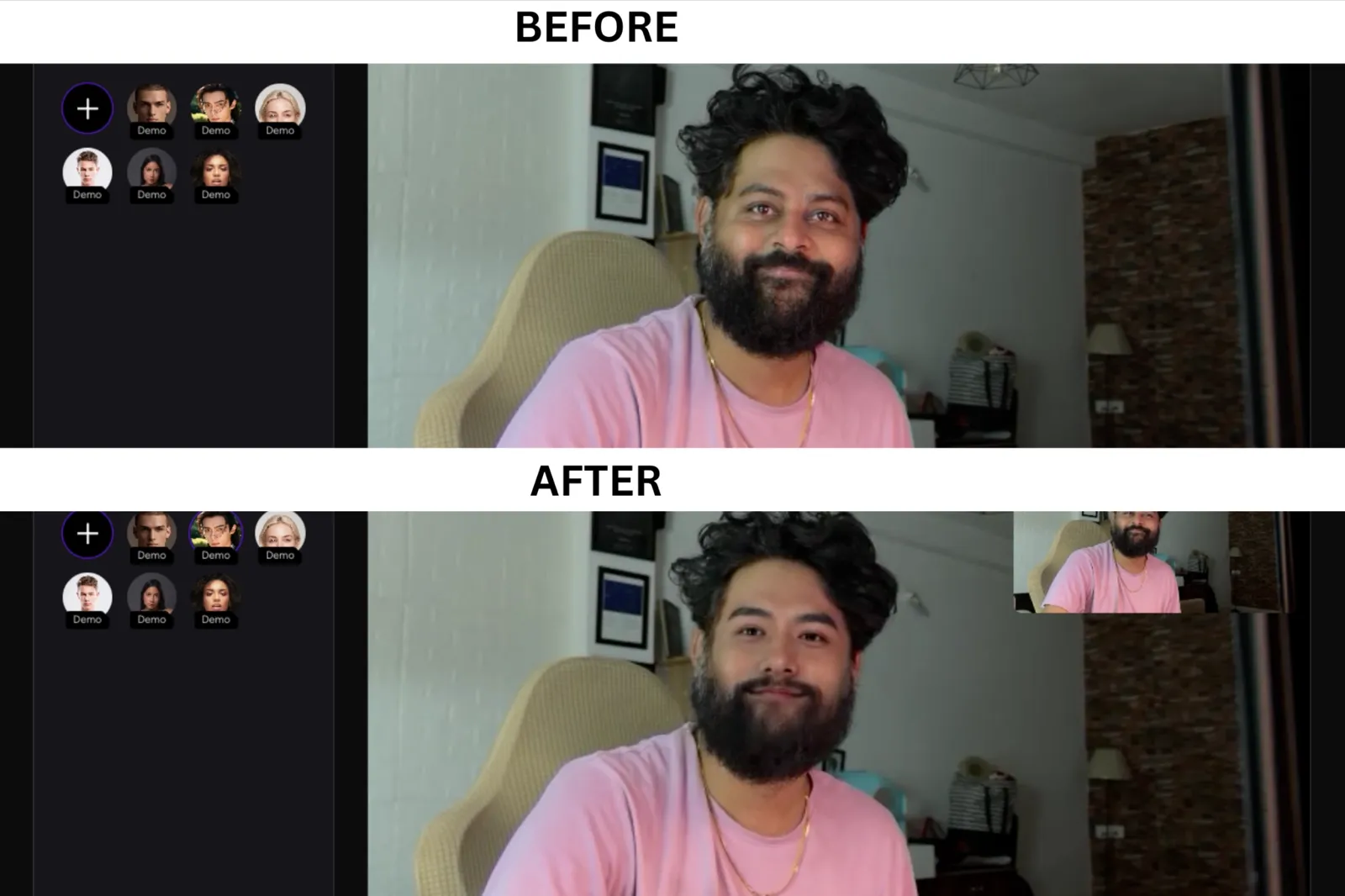
AKOOL UI, captured 2026-05
The quality of the live face swap is directly tied to your lighting setup. In even, diffuse lighting, my results were consistently good. In a dim room with a single backlight, the swap degraded fast.
Where live face swap works vs. where it stumbles:
Works well in even, diffuse lighting where the webcam feed is clean, and the subject stays relatively still.
Stumbles in dim or uneven lighting, where the real-time tracking loses consistency, and the swap becomes visibly unstable.
Works as a genuinely unique capability compared to static-only tools that require post-production for every output.
Best for: Live streaming, video calls, and real-time content scenarios where editing afterward is not an option.
How to Use AKOOL Face Swap?
Here is the 5-step process I followed to use AKOOL face swap:
Step 1: Go to the official AKOOL website and click 'Sign up.'
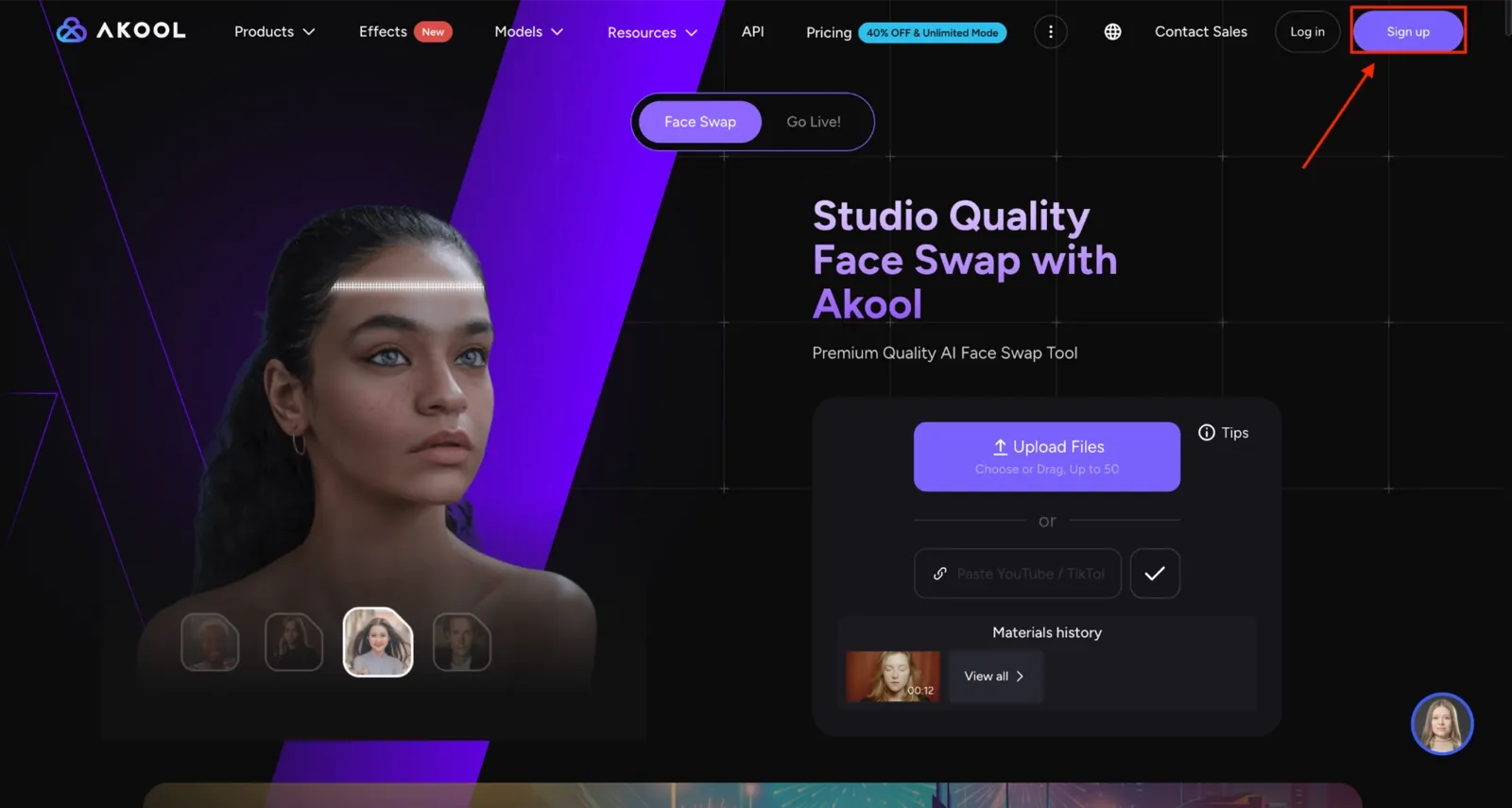
AKOOL UI, captured 2026-05
Step 2: On the dashboard, click the ‘Upload up to 50 images, videos, or GIFs’ option.
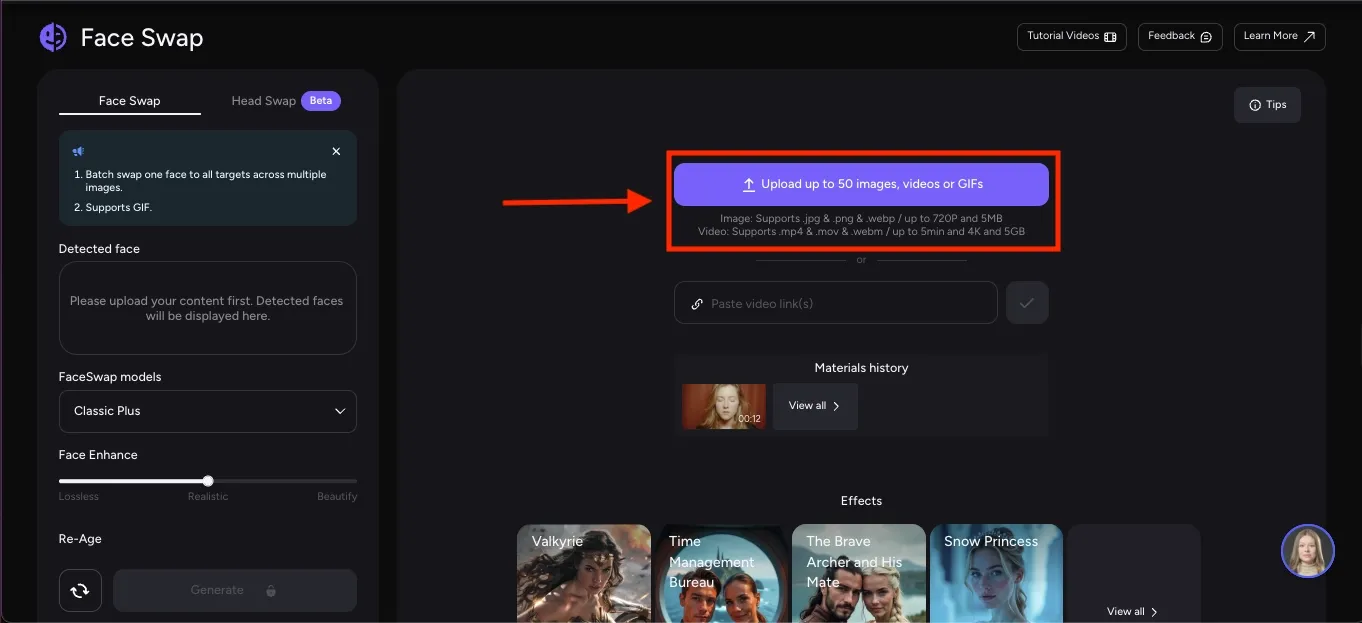
AKOOL UI, captured 2026-05
Step 3: Upload the photo or video you want to swap. For video, the free plan hard caps at 150MB and 30 seconds.
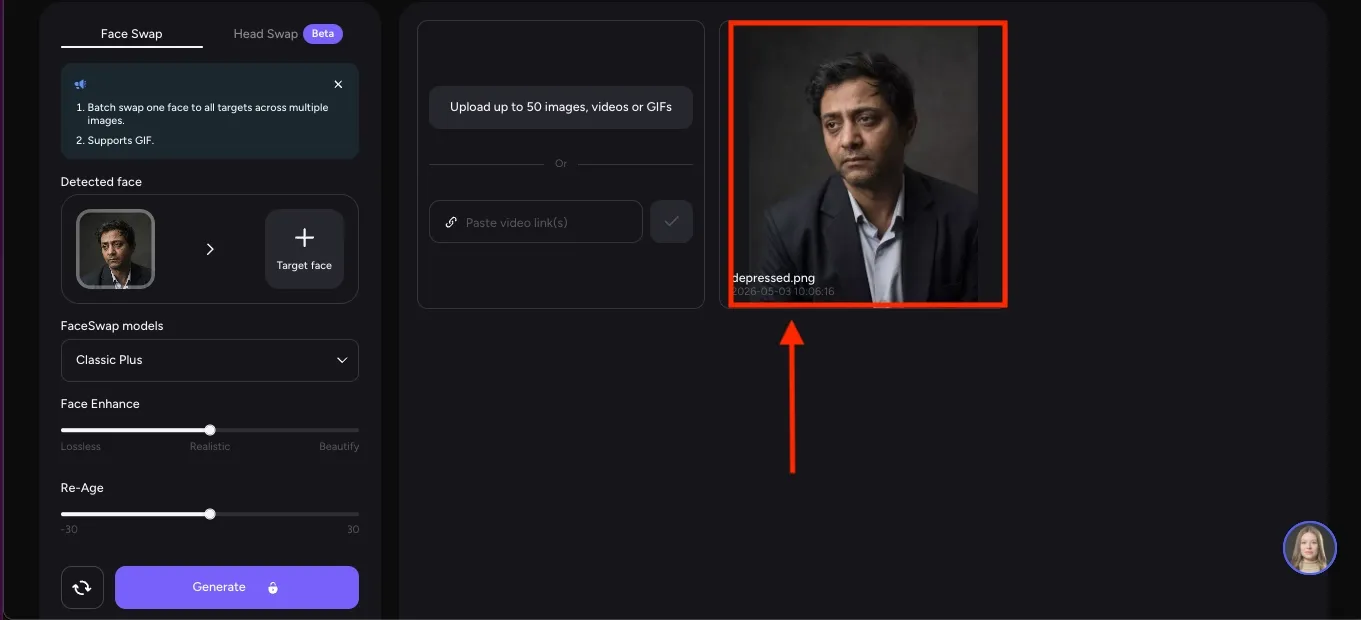
AKOOL UI, captured 2026-05
Step 4: Click the ‘Target face’ option, then select the photo of the face you want to swap. Choose the face swap model and adjust face enhancement. Click the 'Generate' button, wait for processing.
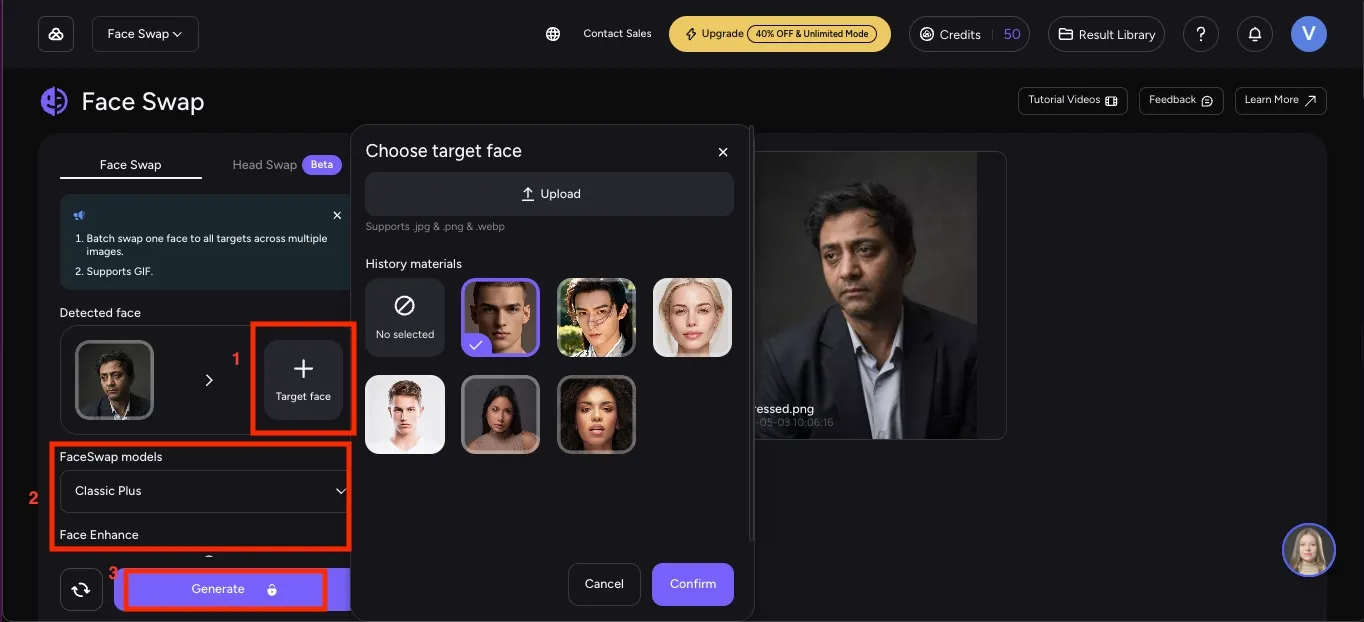
AKOOL UI, captured 2026-05
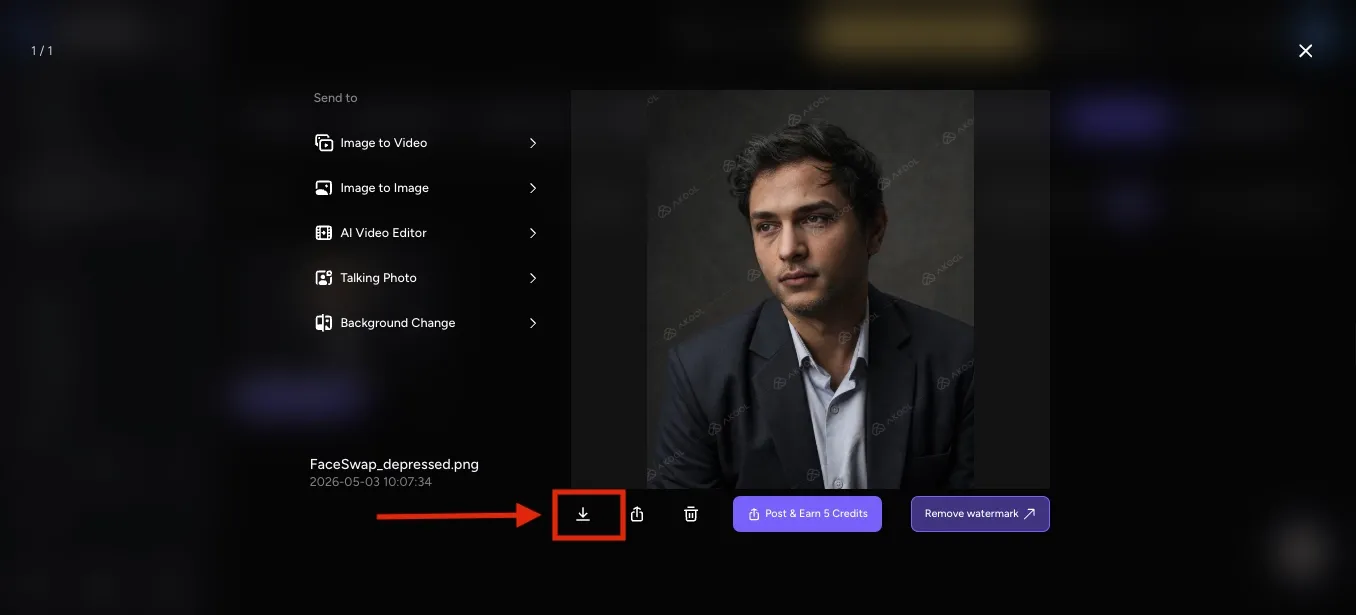
Step 5: Click the ‘Result Library’ option in the left side menu and then download the final results. Free plan exports are capped at 720p and carry a visible watermark.
AKOOL UI, captured 2026-05
Use Cases for AKOOL Face Swap
After testing AKOOL across different formats, I found it works best in short, specific scenarios rather than long or complex projects. The tool is fast, easy to use, and good for quick outputs, but its limits become apparent when you push beyond short clips or higher-resolution needs. These are the use cases where AKOOL actually fits into real workflows.
**Birthday Video Gift: **You want a personalized birthday video for your mom, with her face edited into a scene from her favorite movie, ready to share in the family group chat on the morning of her 60th. AKOOL handles this on the free plan if the clip is under 30 seconds and well-lit. The output will carry a watermark and top out at 720p, which is perfectly fine for messaging apps but not ideal for anything displayed on a larger screen.
**TikTok Celebrity Swap: **Imagine you are building a TikTok edit where your face replaces a celebrity in a viral dance clip, and you need to ship it tonight before the trend cools. AKOOL is fast enough for same-day turnaround. Keep the source clip under 30 seconds, check your lighting, and trim out any fast head turns before uploading. See celebrity face swap and face swap meme for related formats.
**Marketing CEO Face Swap: **You are a marketer with a polished stock-actor video already finished, and you need to swap in your CEO's face for the leadership-team version without a reshoot. AKOOL's Pro plan unlocks 4K output and up to 30 minutes of video, which is enough for most internal launch hero scenes. For AI video face swap at higher output volumes, the Studio plan adds batch processing.
**Abbey Road Group Poster: **If you want to put four roommates' faces onto the four Beatles crossing Abbey Road for your apartment wall. AKOOL's multi-face mode handles all four faces in a single upload, whereas most competing tools require you to run the same process four times. See the multi-face swap video and batch face swap if the project extends into video or multiple group images.
Pricing and Plans for AKOOL Face Swap
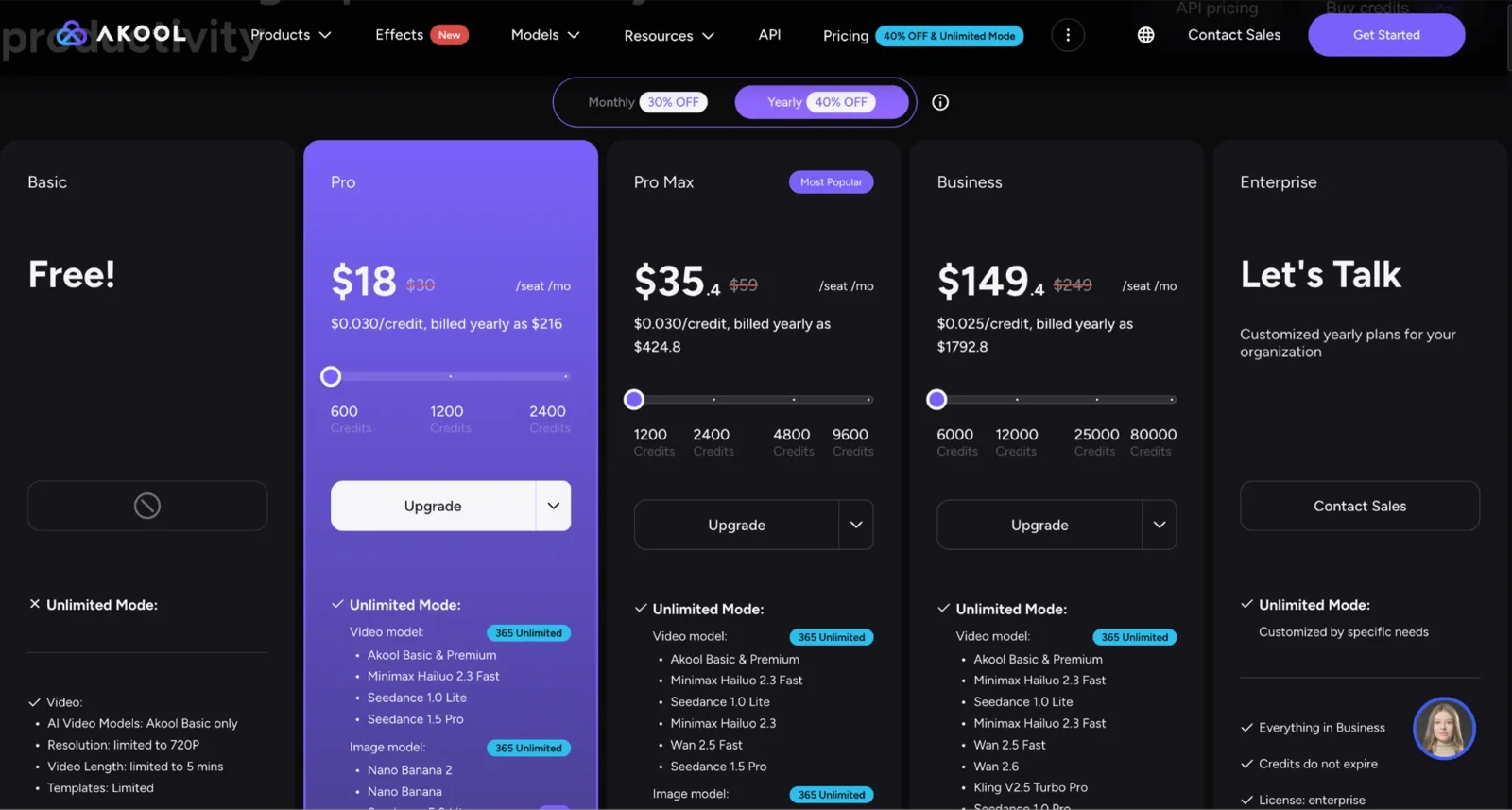
I started with AKOOL’s free plan and found it useful for testing. The caps are real, though, and using all the credits in the middle of the project is frustrating. Here is the full picture before you start spending credits.
AKOOL UI, captured 2026-05
| Plan | Monthly Price | Yearly Price | Credits |
|---|---|---|---|
| Basic (Free) | $0 | $0 | 100 credits |
| Pro | $30/seat | $18/seat ($216/year) | 600 credits/month |
| Pro Max | $59/seat | $35.40/seat ($424.80/year) | 1,200 credits/month |
| Business | $249/seat | $149.40/seat ($1,792.80/year) | 6,000 credits/month |
| Enterprise | Custom | Custom | Custom |
What the free plan actually gives you: The Basic plan includes 100 credits. Instead, it gives you access to free features with hard caps: 30 seconds per video upload, 150MB file size, 720p maximum output resolution, and a full-screen watermark on every export. Credits are available only from the Pro plan onward, starting at 600 credits per month at $30/seat.
| Plan | Video Upload Limit | Max Video Quality | Image Upload Limit | Live Face Swap |
|---|---|---|---|---|
| Basic (Free) | 150MB/30 seconds | 720p | 5MB | 5 minutes |
| Pro | 300MB/5 minutes | 16K | 10MB | Up to 60 minutes |
| Pro Max | 500MB/10 minutes | 16K | 20MB | Up to 90 minutes |
| Business | 1GB/15 minutes | 16K | 100MB | Up to 120 minutes |
Free Plan Limits
Here is what I actually ran into while testing the free tier:
100 credits
Video length limited to 30 seconds
150MB file size limit
720p resolution only
Watermark on all outputs
4 credits per face swap
Only basic face swap and video models
Slower processing speed
Limited templates and features
A few things worth knowing before you upgrade: the Pro plan at $30/month removes the watermark, increases your video upload cap to 5 minutes and 300MB, and unlocks 16K upload quality for face swap. The jump to Pro Max at $59/month doubles your monthly credits to 1,200 and extends video uploads to 10 minutes and 500MB, which is enough for most short-form commercial projects. The Business plan at $249/month is built for teams running high-volume operations, with 6,000 credits per month, 1GB video uploads, and workspace collaboration built in.
If you are deciding whether to upgrade at all, run the three-test method from the Tips section first. Spend your free allocation on a well-lit portrait, a low-light frame, and a short motion clip. If two out of three come back clean, the Pro plan is the logical next step. If your projects consistently need longer videos or higher resolution from day one, skip Pro and go straight to Pro Max.
What Users Say About AKOOL Face Swap?
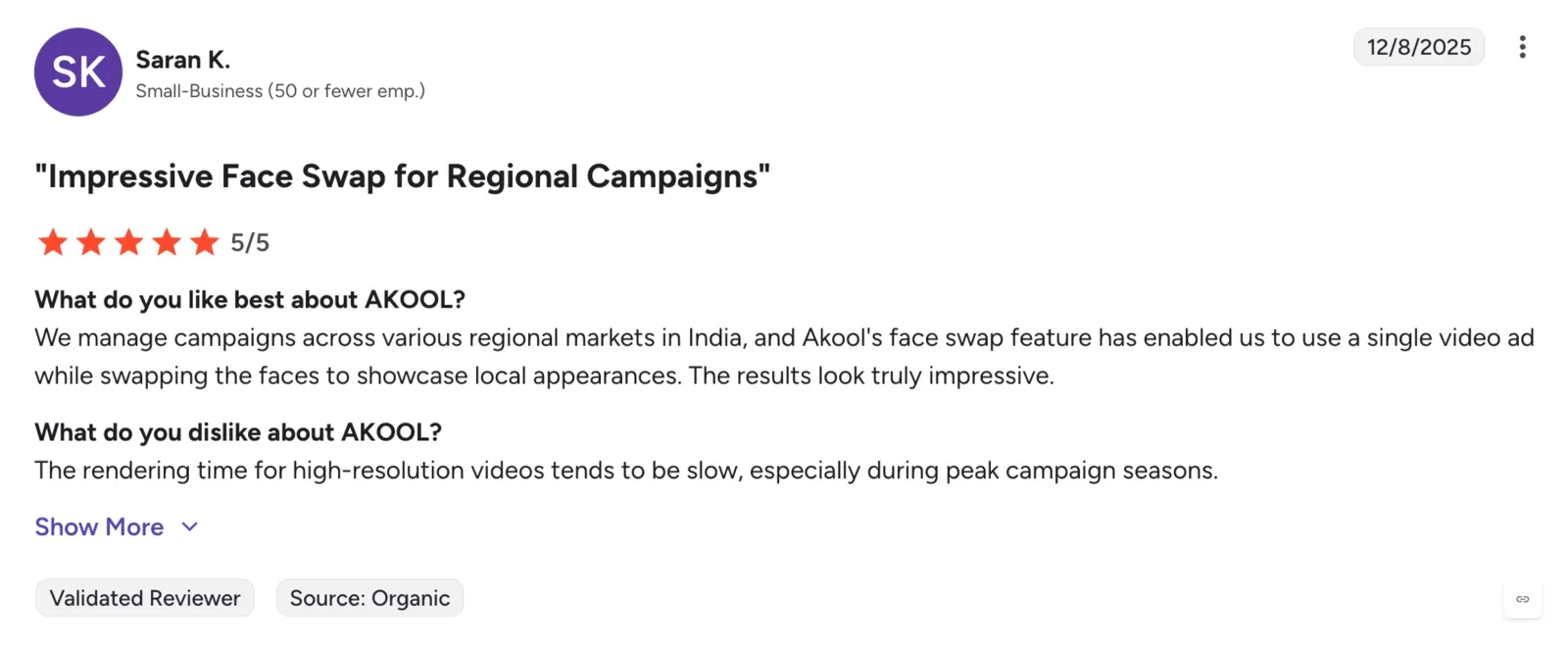
I pushed AKOOL pretty hard during testing, but individual testing only tells part of the story. I also went through reviews on G2 and Trustpilot to see how regular users felt after using it on real projects, longer videos, and everyday workflows. The feedback lined up closely with my own experience: people consistently praised AKOOL’s realism and face quality, but frustrations around rendering consistency, motion handling, and reliability showed up repeatedly, too.
One G2 reviewer described AKOOL as:
“The generative AI avatars and face-swap capabilities make it easy to produce content without filming.”
But even positive reviews pointed out performance issues on longer projects. The same reviewer added:
“The performance can feel sluggish when I’m working on longer projects, and the rendering times aren’t always consistent.”
AKOOL UI, captured 2026-05
That inconsistency became noticeable in my own testing, too, especially once clips involved more motion or longer timelines.
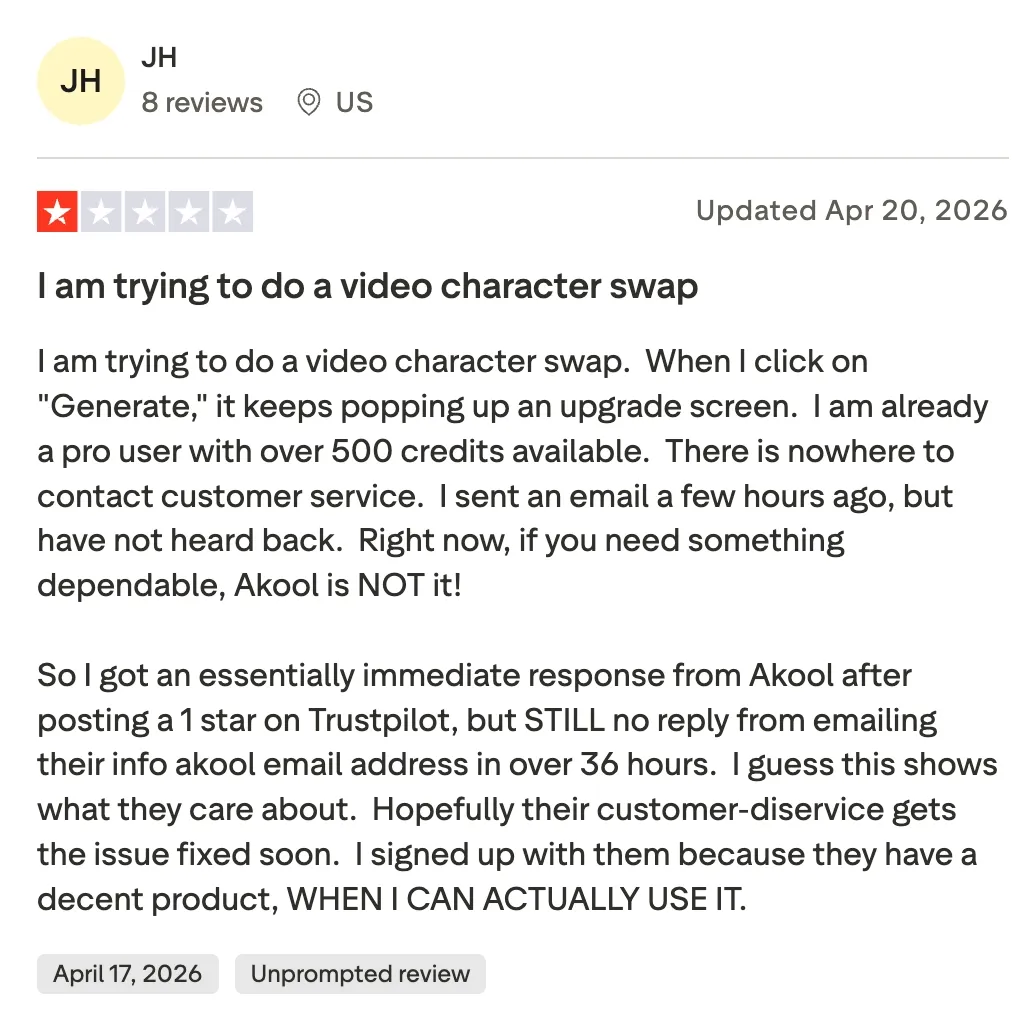
A Trustpilot review highlighted frustrations with reliability from a paying customer. The reviewer explained that even with an active Pro subscription and available credits, the platform repeatedly pushed upgrade prompts instead of generating the video swap.
AKOOL UI, captured 2026-05
One Reddit user who tested AKOOL across avatar videos, translation, face swaps, and background edits said the platform felt fast and useful for smaller projects. But they also noted that lip sync accuracy, lighting consistency, and complex scenes still needed manual tweaking, especially during more advanced workflows.
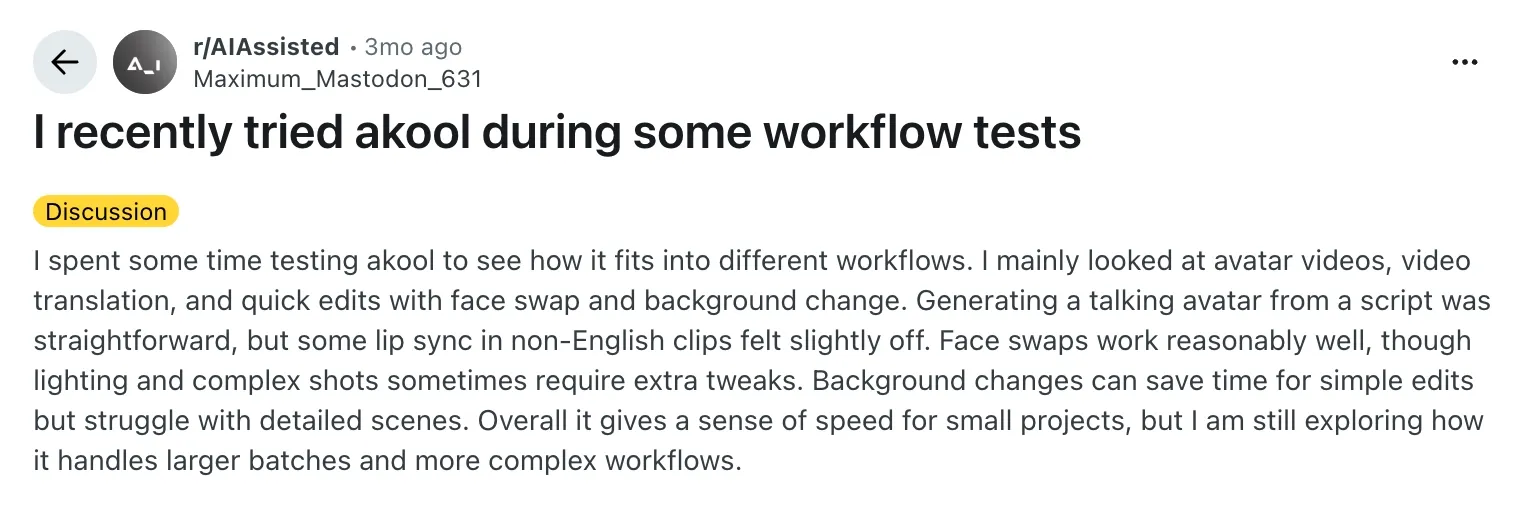
AKOOL UI, captured 2026-05
Another Trustpilot reviewer criticized AKOOL’s billing flow, saying the platform triggered an unexpected charge without a clear confirmation step. The user also complained that support refused a refund request even though the service had not been used, which left them starting a chargeback process through their bank.
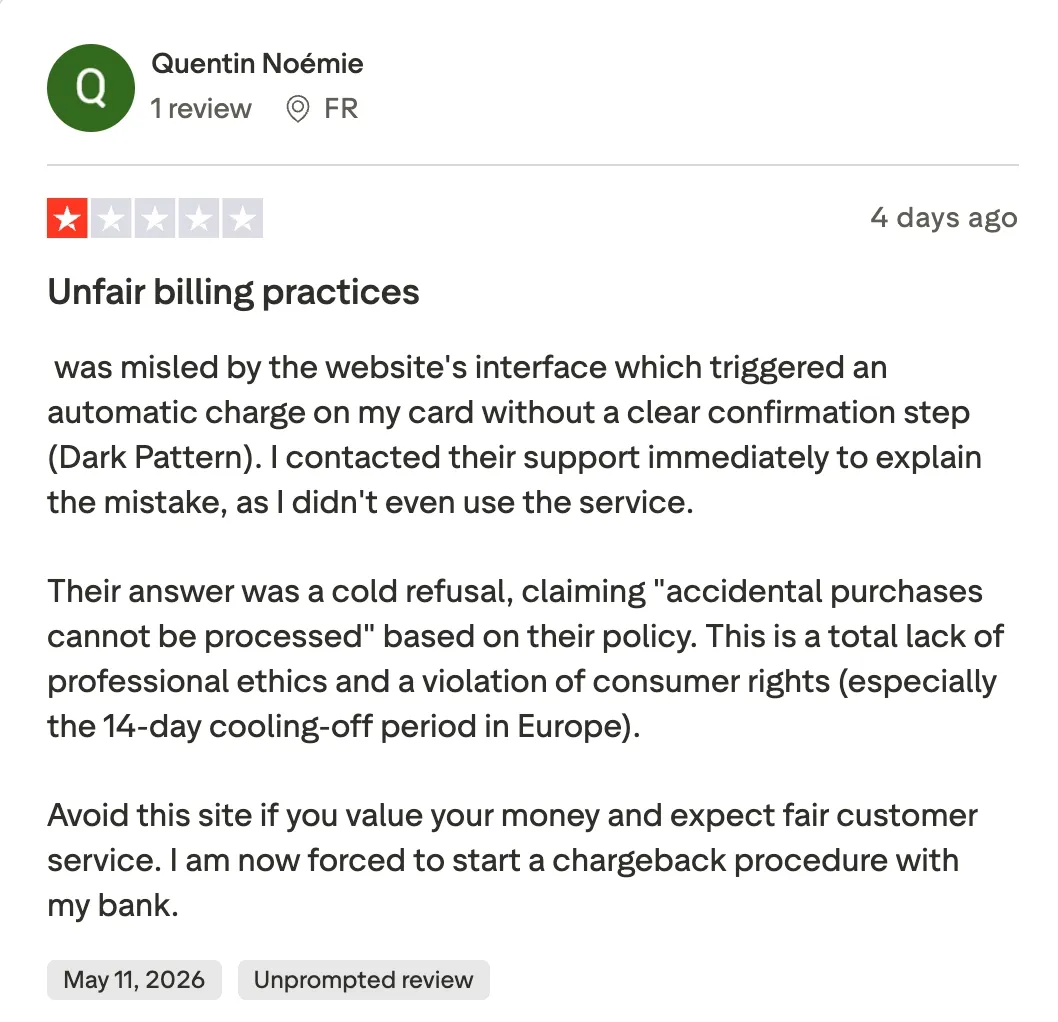
AKOOL UI, captured 2026-05
AKOOL Face Swap vs. Alternatives
After testing AKOOL across all its core features, I reached a point where the limits mattered more than the features. That is usually the moment I stop tweaking settings and start testing alternatives. Not because the tool is bad, but because every face-swapping tool is built with different trade-offs.
I tested a few other tools using the same clips, same photos, and same conditions. That helped me compare things fairly, not just based on features, but on actual output quality, speed, and how usable each tool feels once you move past the first demo. Some handled motion better, some gave more flexibility with video length, and some were simply easier to use without worrying about credits.
If you are deciding whether to stick with AKOOL or switch, this is where the comparison becomes clear.
| Parameters | AKOOL | VidMage | Reface | iFoto |
|---|---|---|---|---|
| Free tier daily quota | 100 credits only, no daily reset | 15 image swaps + 20s video + 2 GIFs per day | Only demo mode is free | Limited free edits, no daily reset published |
| Max video length | 30 seconds | 20 seconds/day | Short social clips only | Photos only, no video |
| Max resolution | 16K | Keep original resolution intact | Low quality for demo mode downloads | Keep original resolution on the Pro plan only |
| Multi-face count | Yes | Yes | Yes | No |
| Mac local processing | No | Yes | No | No |
| Starting Price | $30/seat | $9.99/month | $7.79/month | $4.9/week |
AKOOL vs. VidMage
**VidMage: **Best for Realistic Video and Face Swap
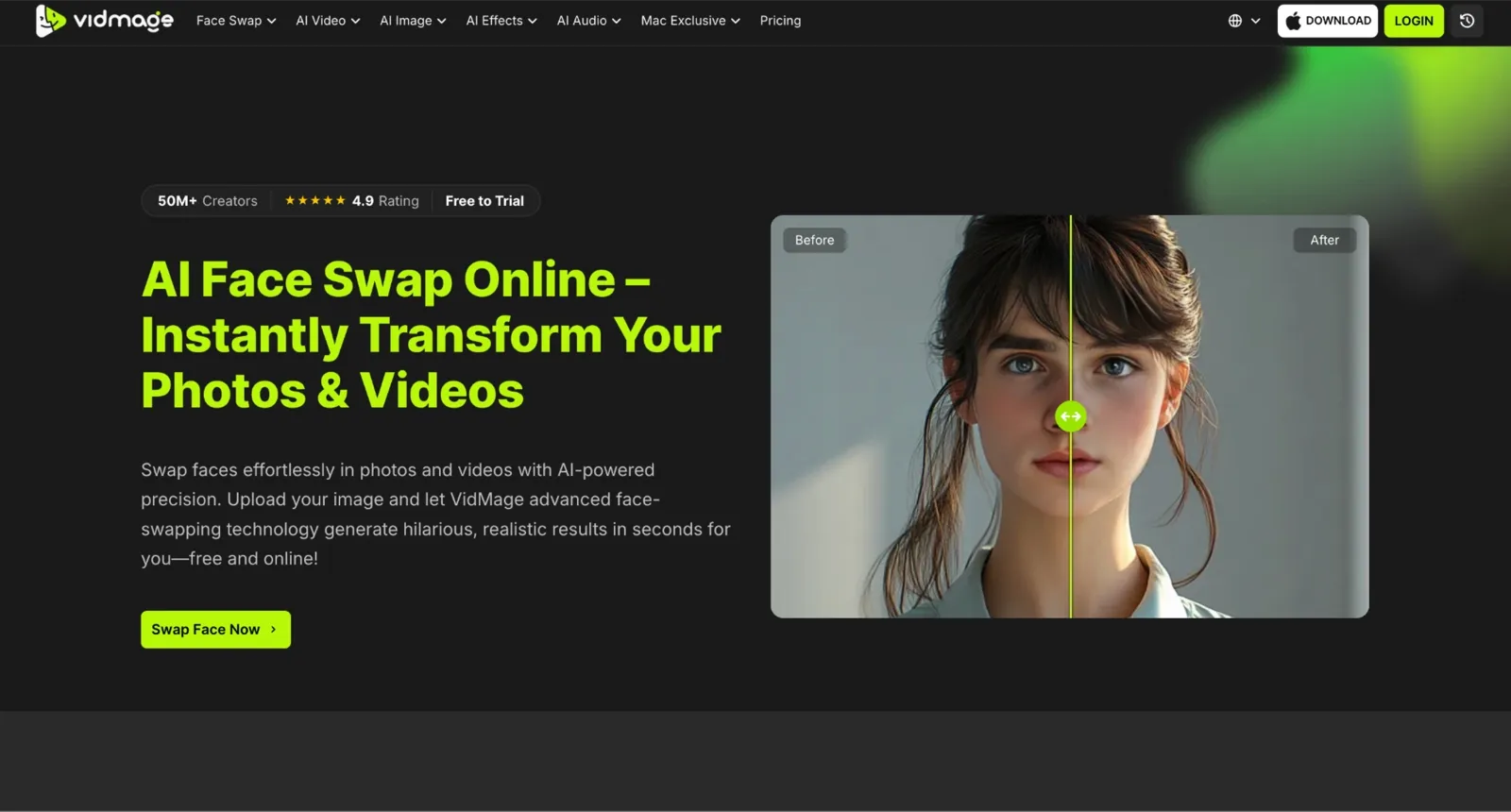
VidMage UI, captured 2026-05
While AKOOL focuses on cloud-based face swaps with credits and upload limits, VidMage focuses on affordability, privacy, and everyday usability. Unlike AKOOL's one-time free credits, VidMage gives users a daily reset allowance with image, video, and GIF face swaps. It also offers a dedicated face swap Mac app that processes content locally, whereas AKOOL requires cloud uploads. AKOOL is stronger for enterprise-focused workflows and multi-face group swaps, while VidMage stands out for budget-conscious creators who want lower pricing, daily access, live face swaps, and Facial Feature Swap controls.
AKOOL vs. Reface
**Reface: **Best for Casual Mobile Users
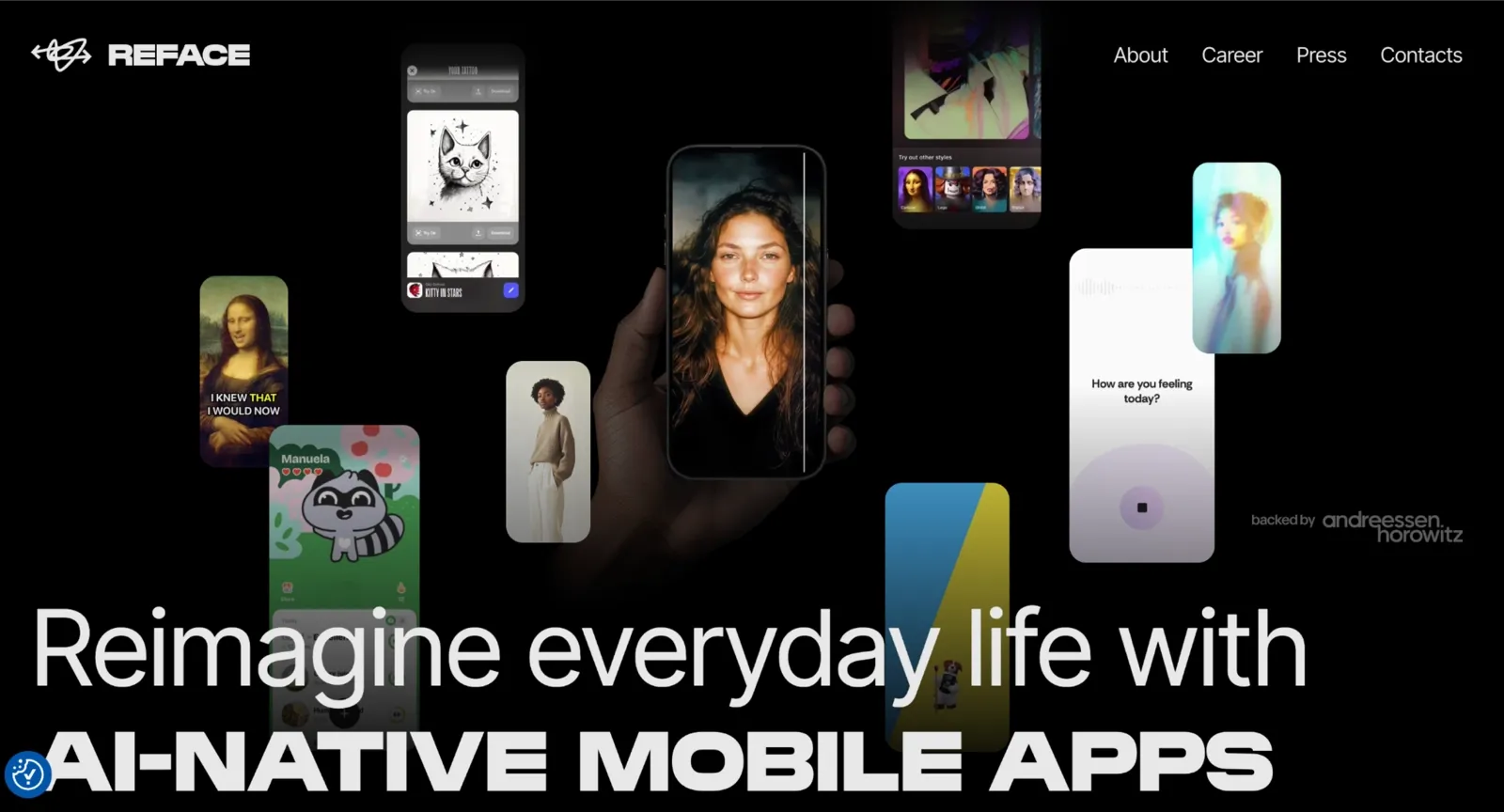
Reface UI, captured 2026-05
AKOOL is a browser-based desktop tool built for serious creator workflows, whereas Reface is designed entirely around mobile-first speed and simplicity. While AKOOL gives you full control over video length, resolution, and output settings, Reface skips all of that in favor of one-tap template swaps on your phone. AKOOL is the stronger pick for polished output and longer clips; Reface is faster for casual social content where getting something posted before the trend dies matters more than fine-tuning the result.
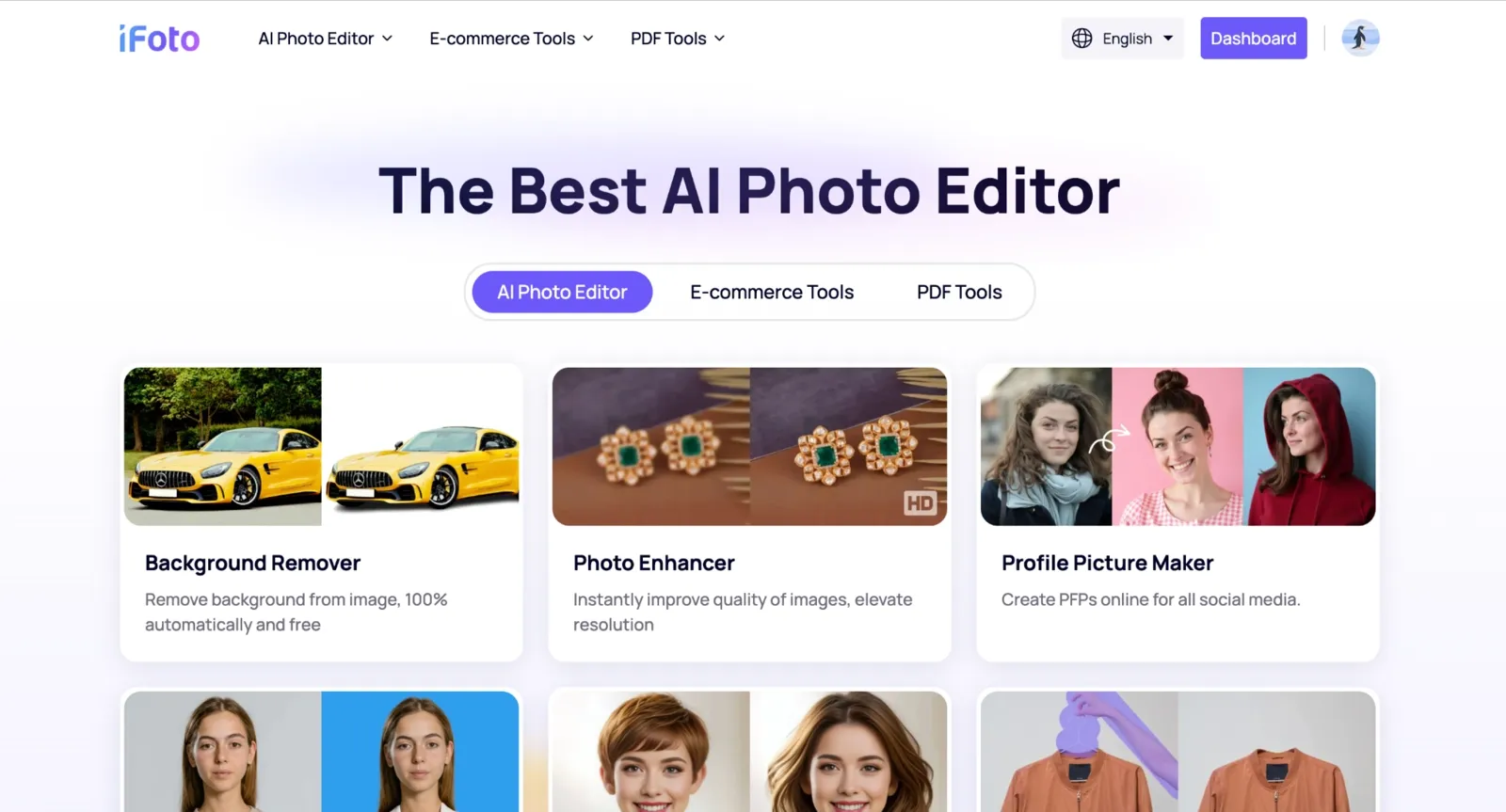
AKOOL vs. iFoto
**iFoto: **Best for Outfit + Face Combo
iFoto UI, captured 2026-05
AKOOL focuses on face swapping across photos, videos, and live mode, whereas iFoto takes a different direction entirely. Rather than replacing faces across video formats, iFoto combines face and outfit changes in a single photo editing session, something AKOOL does not support at all. While AKOOL is the stronger choice for video face swap and live streaming content, iFoto is the right tool when the goal is changing how a model looks and what they are wearing together, without booking a new photoshoot.
Tips for Better AKOOL Face Swap Results
Before you upgrade, try the free features for real, like you actually mean it. The Basic plan gives you limited but real access to image and video face swap, so use those free caps to test your actual workflow before committing to a paid seat. Pick test cases that reflect how you genuinely plan to use the tool, not the easiest possible scenario.
Try three different test cases before upgrading: a well-lit portrait, a low-light image, and a short motion clip. If at least two results look good, the paid plan will likely fit your workflow.
Use a clear, front-facing photo with even lighting as your source image. This consistently produces cleaner and more natural-looking face swaps.
Keep your video clips under 30 seconds on the free plan. Shorter clips process faster and give you room to retry without using up limits too quickly.
Trim out fast head turns and sudden movements before uploading. Face tracking tends to stay more accurate when the subject moves smoothly.
If you regularly need longer clips or higher-resolution exports, compare your options before upgrading. Depending on your needs, a platform offering unlimited AI face swap may be a better long-term fit.
FAQs
Is AKOOL safe to use?
Yes, AKOOL is generally safe to use based on its stated trust and security practices. It meets standards such as SOC 2 Type II, ISO 27001, and GDPR compliance, and uses encryption, access controls, and content moderation systems. You also get control over how your data and likeness are used.
Can I get a refund?
Refund eligibility depends on how many credits you have already used and which plan you purchased. If you have consumed a significant share of your credits, a refund is generally not available. I would strongly recommend using the full free plan to test your actual use case before committing to any paid tier, specifically to avoid this situation.
Is the free plan really free?
Yes, and it is genuinely usable for testing. The free plan gives you 100 one-time credits with no credit card required at signup. At 4 credits per swap, that covers roughly 25 photo swaps or about 100 seconds of video. Once those credits are gone, you need to upgrade. There is no daily reset on the free plan.
Does the free plan have a watermark?
Yes, every export on the free plan includes a visible watermark. It's only removed once you move to a paid plan like Pro or above, where outputs are cleaner and more usable for public or commercial content.
What is the maximum video length?
On the AKOOL’s free plan, video uploads are limited to 30 seconds. Paid plans extend this significantly, with Pro going up to 30 minutes, Pro Max up to 45 minutes, and Business plans allowing videos up to 60 minutes.
Is AKOOL Face Swap a deepfake generator?
Not in the way that term is usually meant. A deepfake face swap is a creative tool: you put your face, or a consented subject's face, into a scene for entertainment, marketing, or content creation. A deepfake implies intent to deceive, making someone appear to say or do something they never did. AKOOL is built for legitimate creative use.
What are the best AKOOL alternatives?
VidMage is the best overall alternative, offering a daily reset free tier, a $9.99/mo starting price, and Mac local processing that AKOOL does not offer. Reface is the ideal option for casual mobile social use with quick template-based swaps. iFoto is the right pick when you need to change both a model's face and outfit together for eCommerce. All three are covered in full detail in the comparison section above.
Can I use AKOOL on mobile?
Yes, you can use AKOOL on mobile, and it is not limited to desktop. AKOOL has a dedicated mobile app for both iOS (iOS 15.1+) and Android (7.0+), and it also works directly in mobile browsers with a responsive interface. That means you can run face swaps, video edits, and other tools from your phone without switching devices.
How do I get the best results?
To get the best results, use a well-lit, front-facing portrait as your face source. Keep video clips short, stable, and free of fast head turns. On the free plan, run the three-test method described in the Tips section before spending your full credit allocation on a single project. Save your credits for the tests that reflect your actual workflow, not just the easiest possible case.
The Bottom Line
VidMage is the best overall pick for most creators, with a daily-reset free tier, a lower starting price of $9.99/mo, and Mac local processing that AKOOL simply does not offer. Choose AKOOL when you specifically need single-upload multi-face group swaps or a real-time live face swap during calls and streaming, since those are the two areas where it genuinely leads the field. Skip AKOOL if your project is a 90-second wedding montage in 1080p: the 30-second free cap will stop you before you finish a single pass, and jumping to Pro Max at $119/mo is a steep price to pay just to clear a video length limit that competing tools handle at a fraction of the cost.